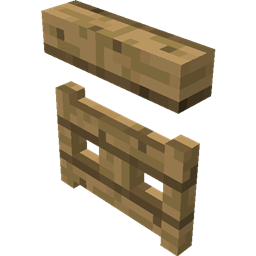
Mineuniverse
Resource Packs
Chubik

Chubik

RESOURCE PACK
A minimalistic survival challenge.
by _ForgeUser12985331
Download Claim this project
Add a badge to your pageLink to Chubik from a README, website or forum post.
Preview: Badge

Badges update automatically and link to the resource pack page on MineUniverse.

71,709 downloads
0 likes
0 followers
Updated Oct 14, 2026
0 hypes
Follow0
512x and Higher Miscellaneous Modern
Advertisement Remove ads with Premium →

Choose the correct version under "other downloads".
Various resolutions and Minecraft versions are supported.

Decided to move this to curseforge! :)

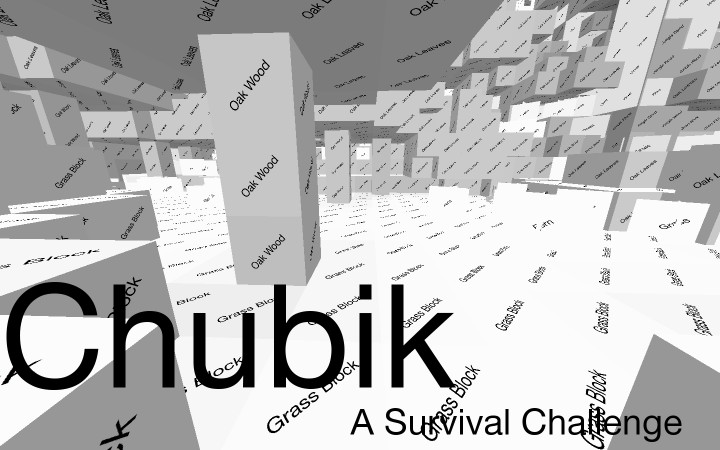
Based on the theme of the Chubik cube, the names of the blocks are put in the place of the textures.
This makes block recognition difficult, but still possible. The player would have to read the block to know what it is. This concept makes for an interesting survival challenge.

Slain the Ender Dragon already?
I challenge you to The Chubik Challenge: do it again in hardcore mode with this resource pack. >:)
Other challenges such as building would be interesting. For example having a round of build battle then remove the resource pack after!
Why stop there? Make up your own challenges for this pack!

Chubik512.zip
MC 1.9.1, 1.9.3, 1.9.4, 1.9.2, 1.9-Snapshot, 1.9
Release 2016-10-05 Get
256x version
MC 1.9.1, 1.9.3, 1.9.4, 1.9.2, 1.9-Snapshot, 1.9
Release 2016-10-05 Get
1.9, 128x Version
MC 1.9.1, 1.9.3, 1.9.4, 1.9.2, 1.9-Snapshot, 1.9
Release 2016-10-05 Get
Chubik-1.8-128x.zip
MC 1.8.7, 1.8.4, 1.8.8, 1.8-Snapshot, 1.8.3, 1.8.6, 1.8, 1.8.2, 1.8.5, 1.8.9, 1.8.1
Release 2016-10-05 Get
Chubik-1.8-256x.zip
MC 1.8.7, 1.8.4, 1.8.8, 1.8-Snapshot, 1.8.3, 1.8.6, 1.8, 1.8.2, 1.8.5, 1.8.9, 1.8.1
Release 2016-10-05 Get
Chubik-1.8-512x.zip
MC 1.8.7, 1.8.4, 1.8.8, 1.8-Snapshot, 1.8.3, 1.8.6, 1.8, 1.8.2, 1.8.5, 1.8.9, 1.8.1
Release 2016-10-05 Get

Requirements & install

How to use this resource pack in Minecraft
Resolution
512x+
Minecraft
1.8.8 – 1.9.4
Install folder
.minecraft/resourcepacks

How to install resource packs

  1. Download the resource pack .zip file (do not extract it).
  2. In Minecraft open Options → Resource Packs → Open Pack Folder.
  3. Drop the .zip into the resourcepacks folder (.minecraft/resourcepacks).
  4. Move the pack to the Selected column and click Done.

512x packs need a strong GPU and at least 4 GB of RAM for Minecraft; a performance mod such as Sodium is strongly recommended.

Browse more: 16x resource packs 32x resource packs 64x resource packs 128x resource packs 256x resource packs 512x+ resource packs Resource Packs for 1.9.4 All resource packs

More from _ForgeUser12985331

Advertisement Remove ads with Premium →

You Might Also Like