Mineuniverse
Resource Packs
Chromatic Tooltips

Chromatic Tooltips

RESOURCE PACK
Animated, smooth color-transitioning rainbow tooltips | Fully vanilla | Config | Supports Jade, Enhanced Tooltips & Chromatic Frames | MC 1.21.2+
by DerDiamant
Download Claim this project
5,332 downloads
0 likes
Updated Oct 14, 2026
0 hypes
16x Animated Miscellaneous Modern Traditional
Advertisement Remove ads with Premium →

Animation


Overview

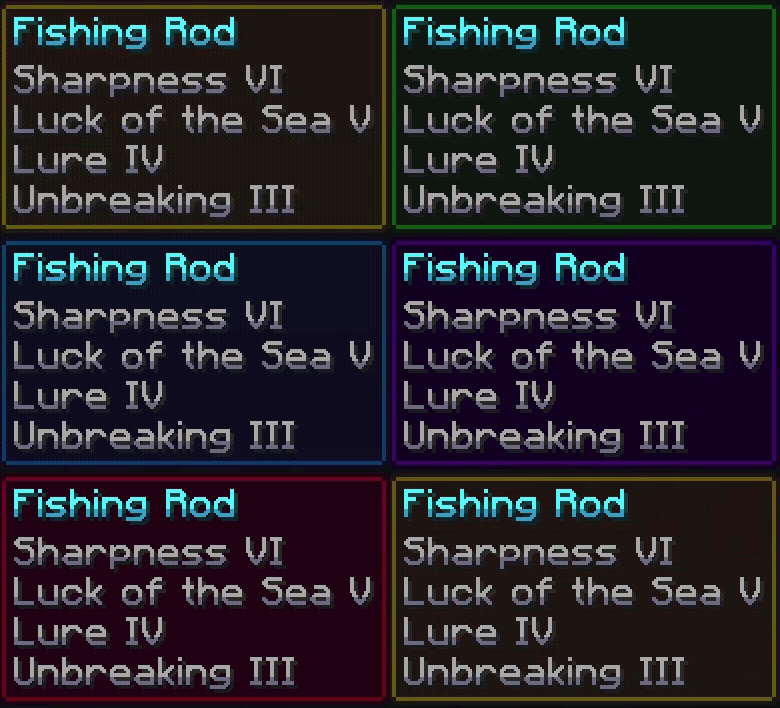
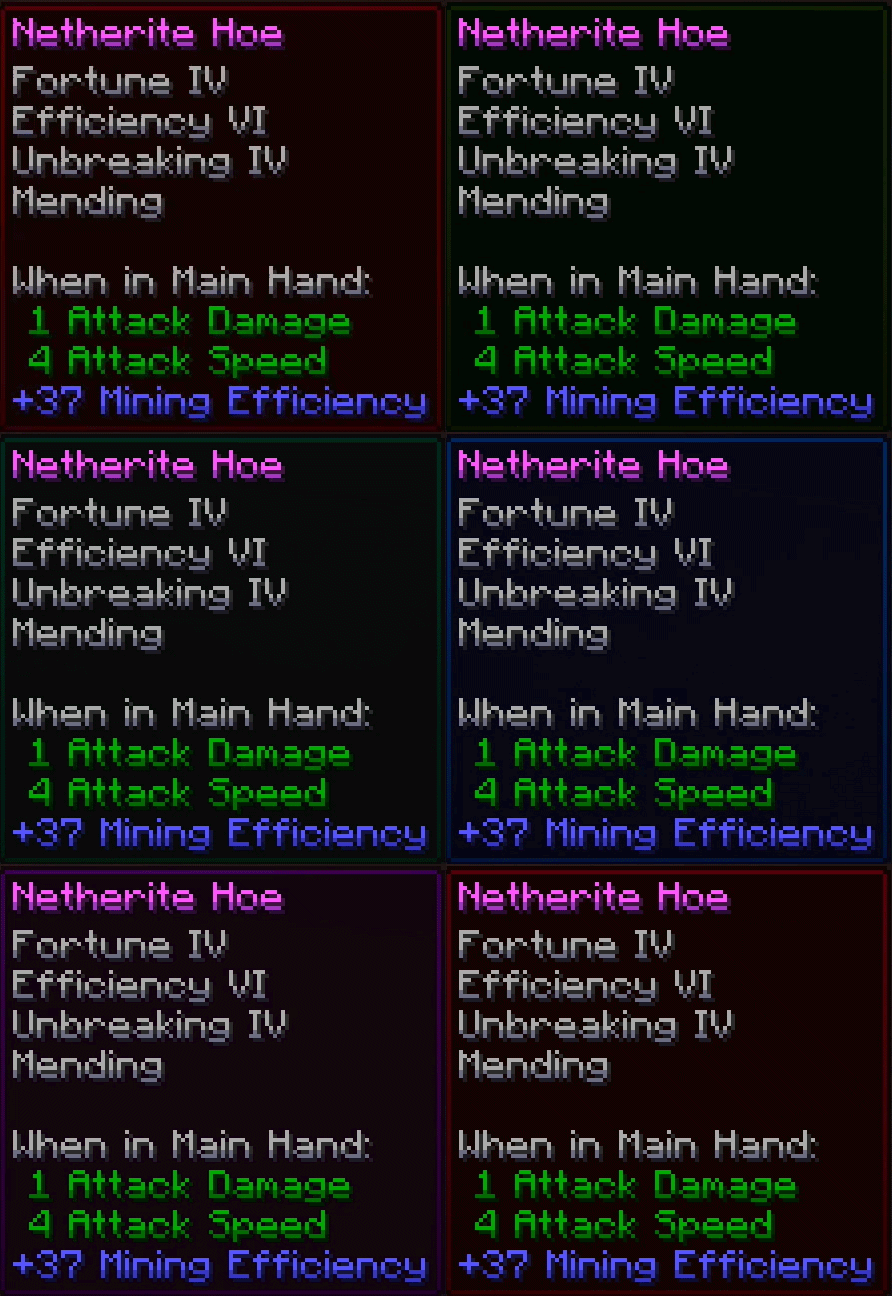
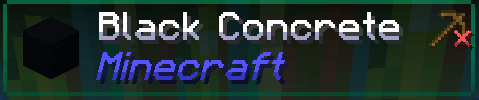
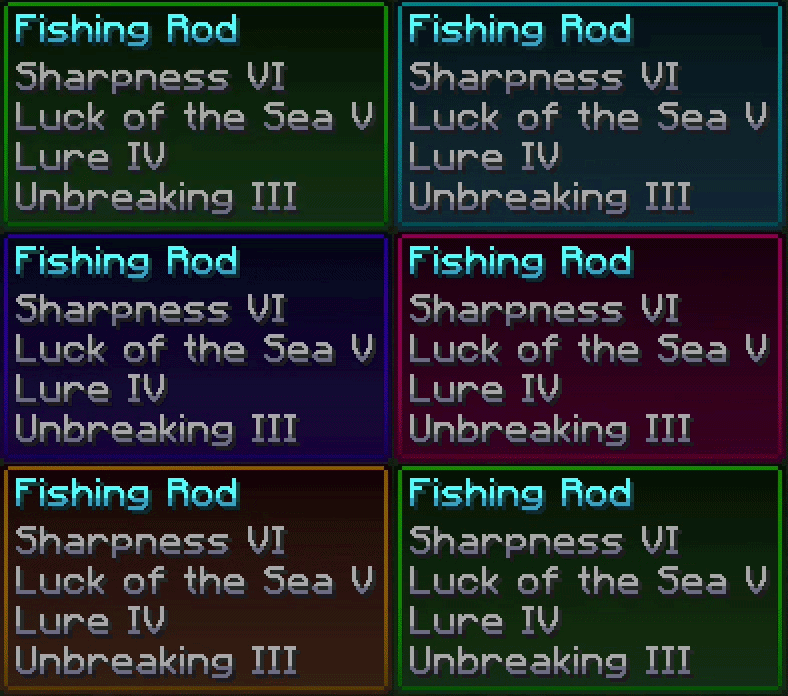
Chromatic Tooltips adds a simple chroma animation to any tooltip in the game! It lets tooltips smoothly transition between various colors all across the color spectrum and does not require any mods! Optional Jade, EnhancedTooltips & Chromatic Frames support. Can be configured with Respackopts.
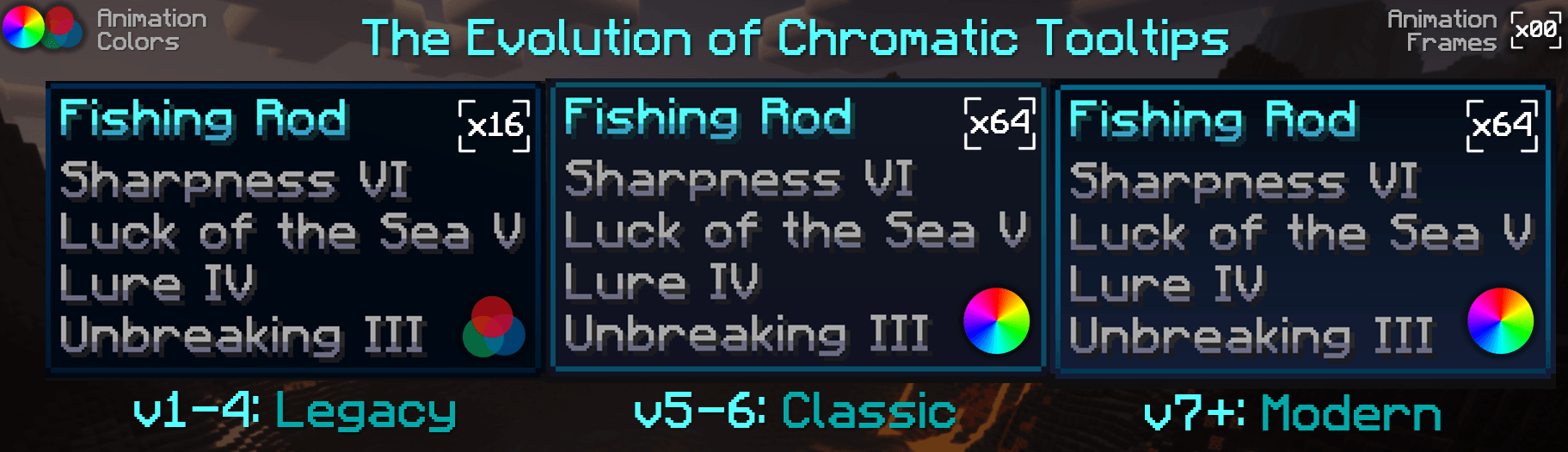

Evolution


Customization

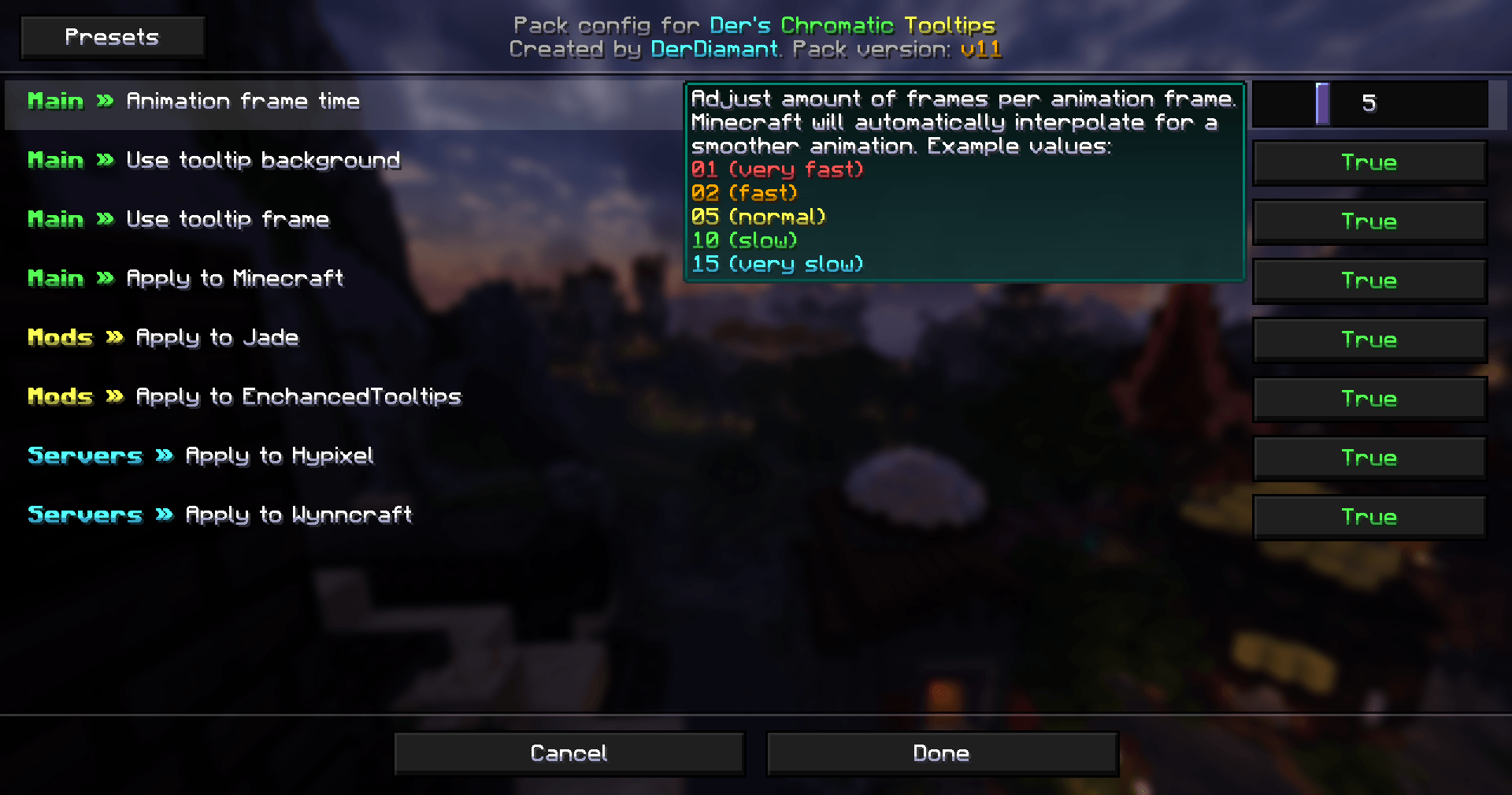
The chroma animation speed can be adjusted as well as individual features toggled using the (optional) Respackopts pack config. Additionally, some versions come in multiple variants, modifying the default variant, indicated by a letter after the version number. (v9+) Jade custom themes can be disabled by setting the selected theme's style in Jade's settings to "slim".
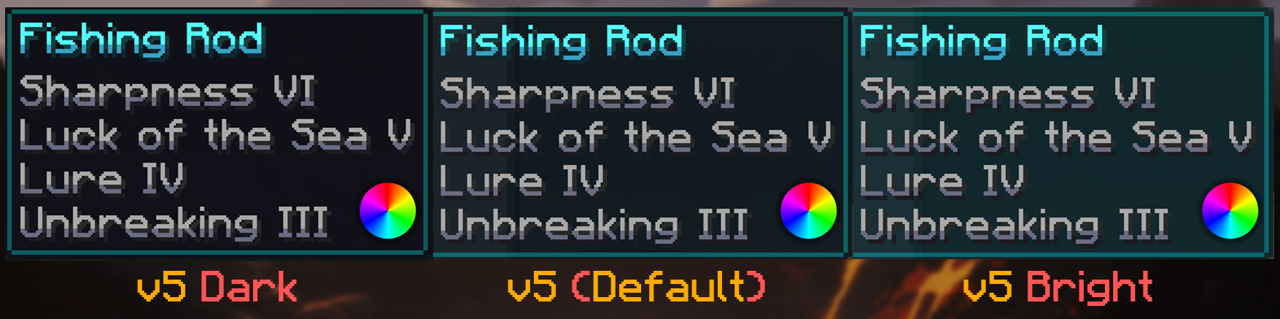
Styles


Compatibility

  • Gets overridden by Legendary & Obscure Tooltips, a supported alternative is EnhancedTooltips
  • Made for 1.21.2+ as it relies on a recent vanilla feature for inventory tooltips
  • Custom animated Jade themes only work on versions 1.21.6+
  • For more vibrant frames, Chromatic Frames is supported as an add-on for this pack

Feel free to include in modpacks on CurseForge and Modrinth! / Showcased font / Submit feedback
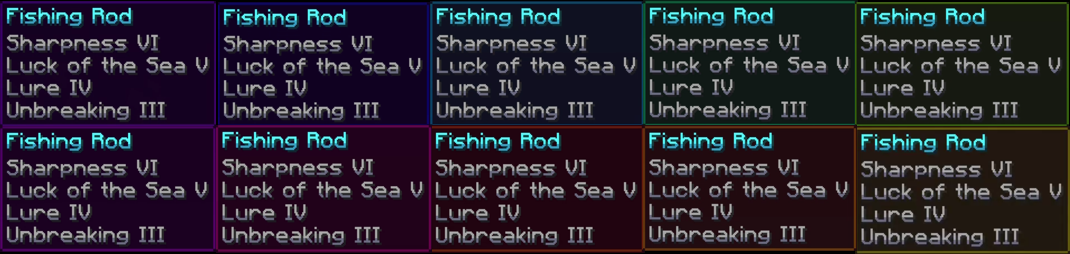
Ending

v11: Config
MC 1.21.8, 1.21.5, 1.21.4, 1.21.6, 1.21.3, 1.21.7, 1.21.2, 1.21.9, 1.21.10, 1.21.11, 26.1, 26.1.1, 26.1.2, 26.2, 26.3
Release 2026-08-09 Get
v10: Enhanced
MC 1.21.8, 1.21.5, 1.21.4, 1.21.6, 1.21.3, 1.21.7, 1.21.2, 1.21.9, 1.21.10, 1.21.11, 26.1, 26.1.1, 26.1.2, 26.2
Release 2026-05-29 Get
v9J: Jade Themes only
MC 1.21.8, 1.21.6, 1.21.7, 1.21.9, 1.21.10, 1.21.11, 26.1, 26.1.1, 26.1.2, 26.2
Release 2026-05-25 Get
v9: Jade Support
MC 1.21.8, 1.21.5, 1.21.4, 1.21.6, 1.21.3, 1.21.7, 1.21.2, 1.21.9, 1.21.10, 1.21.11, 26.1, 26.1.1, 26.1.2, 26.2
Release 2026-05-25 Get
Chromatic Tooltips v8M (Mystical)
MC 1.21.8, 1.21.5, 1.21.4, 1.21.6, 1.21.3, 1.21.7, 1.21.2, 1.21.9, 1.21.10, 1.21.11, 26.1, 26.1.1, 26.1.2
Release 2026-05-15 Get
Chromatic Tooltips v8: Transparency
MC 1.21.8, 1.21.5, 1.21.4, 1.21.6, 1.21.3, 1.21.7, 1.21.2, 1.21.9, 1.21.10, 1.21.11, 26.1, 26.1.1, 26.1.2, 26.2
Release 2026-05-15 Get
Chromatic Tooltips v7M (Mystical)
MC 1.21.8, 1.21.5, 1.21.4, 1.21.6, 1.21.3, 1.21.7, 1.21.2, 1.21.9, 1.21.10, 1.21.11, 26.1, 26.1.1, 26.1.2
Release 2026-04-27 Get
Chromatic Tooltips v7: Reshaded
MC 1.21.8, 1.21.5, 1.21.4, 1.21.6, 1.21.3, 1.21.7, 1.21.2, 1.21.9, 1.21.10, 1.21.11, 26.1, 26.1.1, 26.1.2, 26.2
Release 2026-04-27 Get
Chromatic Tooltips v6B (Bright)
MC 1.21.8, 1.21.5, 1.21.4, 1.21.6, 1.21.3, 1.21.7, 1.21.2, 1.21.9, 1.21.10, 1.21.11, 26.1, 26.1.1, 26.1.2
Release 2026-04-20 Get
Chromatic Tooltips v6D (Dark)
MC 1.21.8, 1.21.5, 1.21.4, 1.21.6, 1.21.3, 1.21.7, 1.21.2, 1.21.9, 1.21.10, 1.21.11, 26.1, 26.1.1, 26.1.2
Release 2026-04-20 Get
Chromatic Tooltips v6: Shaded!
MC 1.21.8, 1.21.5, 1.21.4, 1.21.6, 1.21.3, 1.21.7, 1.21.2, 1.21.9, 1.21.10, 1.21.11, 26.1, 26.1.1, 26.1.2
Release 2026-04-20 Get
Chromatic Tooltips v5D (Darker)
MC 1.21.8, 1.21.5, 1.21.4, 1.21.6, 1.21.3, 1.21.7, 1.21.2, 1.21.9, 1.21.10, 1.21.11, 26.1, 26.1.1, 26.1.2
Release 2026-04-12 Get
Chromatic Tooltips v5B (Brighter)
MC 1.21.8, 1.21.5, 1.21.4, 1.21.6, 1.21.3, 1.21.7, 1.21.2, 1.21.9, 1.21.10, 1.21.11, 26.1, 26.1.1, 26.1.2
Release 2026-04-12 Get
Chromatic Tooltips v5: Restyled!
MC 1.21.8, 1.21.5, 1.21.4, 1.21.6, 1.21.3, 1.21.7, 1.21.2, 1.21.9, 1.21.10, 1.21.11, 26.1, 26.1.1, 26.1.2, 26.2
Release 2026-04-12 Get
Chromatic Tooltips v4H (High Speed)
MC 1.21.8, 1.21.5, 1.21.4, 1.21.6, 1.21.3, 1.21.7, 1.21.2, 1.21.9, 1.21.10, 1.21.11, 26.1, 26.1.1, 26.1.2
Release 2026-04-10 Get
Chromatic Tooltips v4L (Low Speed)
MC 1.21.8, 1.21.5, 1.21.4, 1.21.6, 1.21.3, 1.21.7, 1.21.2, 1.21.9, 1.21.10, 1.21.11, 26.1, 26.1.1, 26.1.2
Release 2026-04-10 Get
Chromatic Tooltips v4
MC 1.21.8, 1.21.5, 1.21.4, 1.21.6, 1.21.3, 1.21.7, 1.21.2, 1.21.9, 1.21.10, 1.21.11, 26.1, 26.1.1, 26.1.2, 26.2
Release 2026-04-10 Get
Chromatic Tooltips v3F (Frame only)
MC 1.21.8, 1.21.5, 1.21.4, 1.21.6, 1.21.3, 1.21.7, 1.21.2, 1.21.9, 1.21.10, 1.21.11, 26.1, 26.1.1
Release 2026-04-08 Get
Chromatic Tooltips v3
MC 1.21.8, 1.21.5, 1.21.4, 1.21.6, 1.21.3, 1.21.7, 1.21.2, 1.21.9, 1.21.10, 1.21.11, 26.1, 26.1.1, 26.1.2
Release 2026-04-08 Get
Chromatic Tooltips v2
MC 1.21.8, 1.21.5, 1.21.4, 1.21.6, 1.21.3, 1.21.7, 1.21.2, 1.21.9, 1.21.10, 1.21.11, 26.1, 26.1.1
Release 2026-04-07 Get
Chromatic Tooltips v1 (Background only)
MC 1.21.8, 1.21.5, 1.21.4, 1.21.6, 1.21.3, 1.21.7, 1.21.2, 1.21.9, 1.21.10, 1.21.11, 26.1, 26.1.1
Release 2026-04-06 Get

Requirements & install

How to use this resource pack in Minecraft
Resolution
16x
Minecraft
1.21.9 – 26.3
Install folder
.minecraft/resourcepacks

How to install resource packs

  1. Download the resource pack .zip file (do not extract it).
  2. In Minecraft open Options → Resource Packs → Open Pack Folder.
  3. Drop the .zip into the resourcepacks folder (.minecraft/resourcepacks).
  4. Move the pack to the Selected column and click Done.
Browse more: 16x resource packs 32x resource packs 64x resource packs 128x resource packs 256x resource packs 512x+ resource packs Resource Packs for 26.3 All resource packs

More from DerDiamant

Advertisement Remove ads with Premium →

You Might Also Like