Mineuniverse
Resource Packs
Chromatic Frames

Chromatic Frames

RESOURCE PACK
Animated, smooth color-transitioning rainbow frames | Fully vanilla | Config | Supports Jade, Enhanced & Chromatic Tooltips | MC 1.21.2+
by DerDiamant
Download Claim this project
5,182 downloads
0 likes
Updated Oct 14, 2026
0 hypes
16x Animated Miscellaneous Mod Support Modern
Advertisement Remove ads with Premium →

Chromatic Jade


Overview

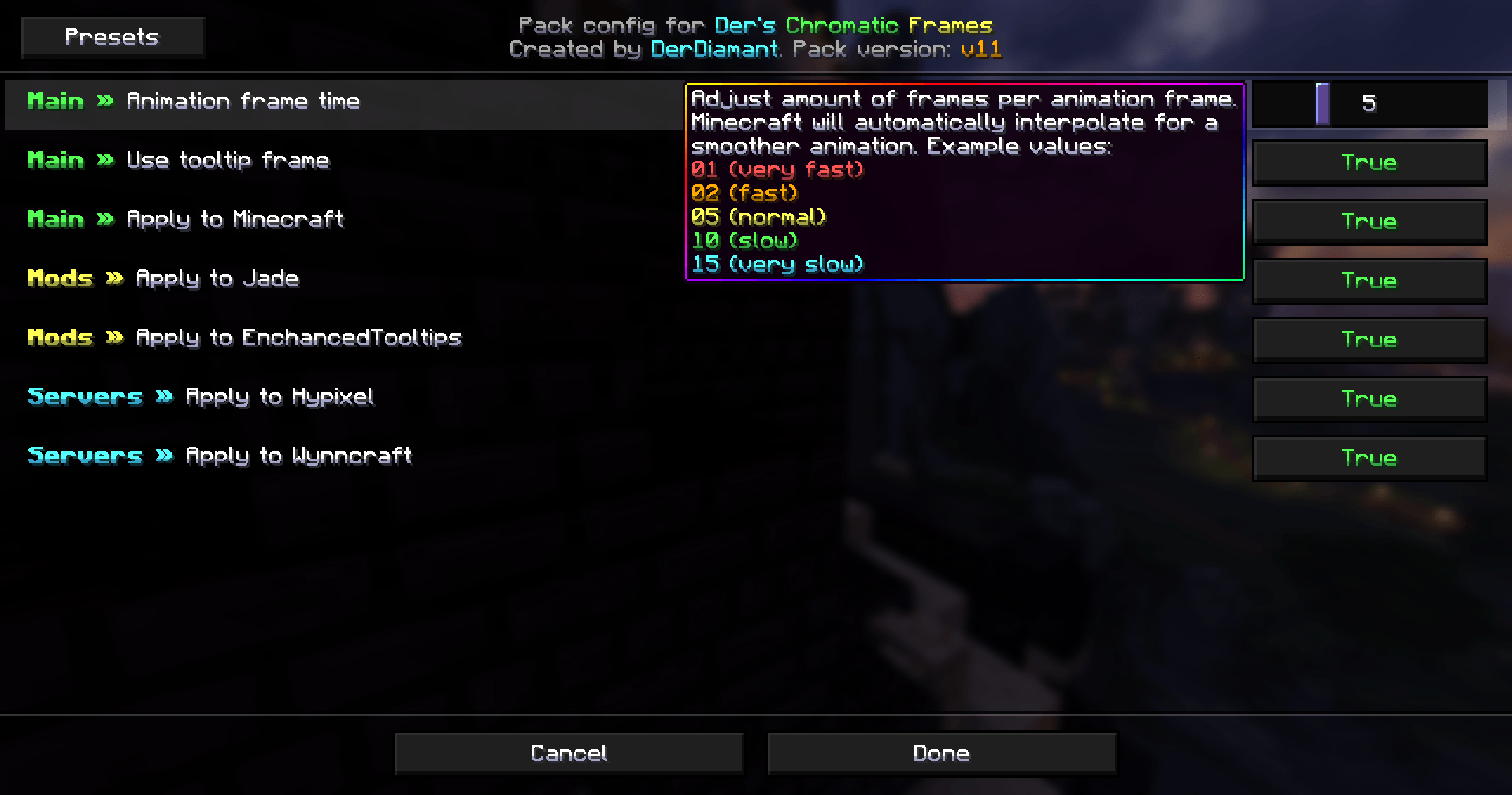
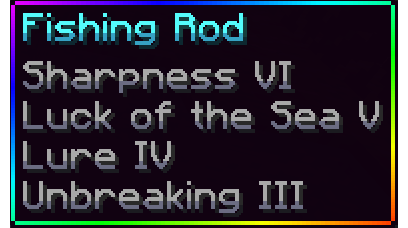
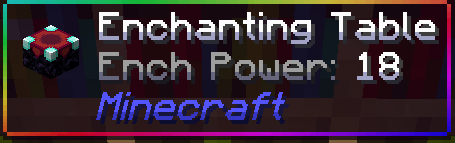
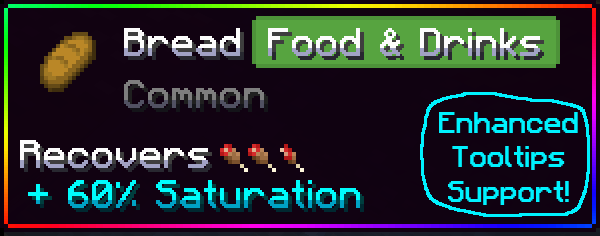
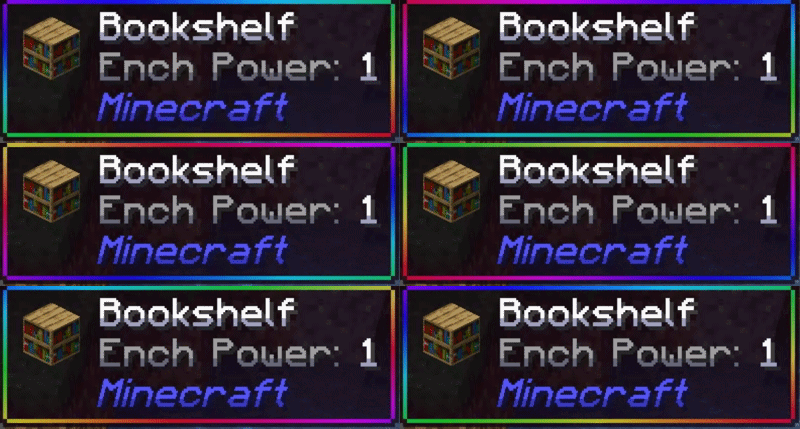
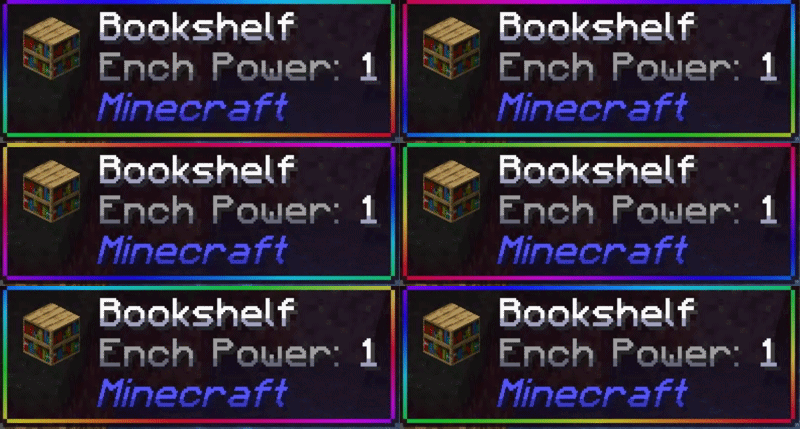
Chromatic Frames is a separate resourcepack that changes only the frames/borders of any inventory/game menu tooltip to loop through all the colors of the rainbow. Fully animated and no mods needed. Optional Jade, EnhancedTooltips & Chromatic Tooltips support. Can be configured with Respackopts.


Features

  • Chromatic Tooltip Frames (in Inventory & Game Menu)
  • Chromatic Frames for Jade's Create, Classic & Dark Themes

Jade custom themes can be disabled by setting the selected theme's style in Jade's settings to "slim". Additionally, a configuration guide for adjusting animation speed has been included.


Compatibility

  • Gets overridden by Legendary & Obscure Tooltips, a supported alternative is EnhancedTooltips
  • Acts as an add-on for many tooltip resourcepacks (e.g. Chromatic Tooltips)
  • Made for 1.21.2+ as it relies on a recent vanilla feature for inventory tooltips
  • Custom animated Jade themes only work on versions 1.21.6+
  • Experimental support for Hypixel & Wynncraft (using another tooltip resourcepack with a default scaled tooltip background such as Chromatic Tooltips is recommended for those).

Feel free to include in modpacks on CurseForge and Modrinth! / Showcased font / Submit feedback

v11: Config
MC 1.21.8, 1.21.5, 1.21.4, 1.21.6, 1.21.3, 1.21.7, 1.21.2, 1.21.9, 1.21.10, 1.21.11, 26.1, 26.1.1, 26.1.2, 26.2, 26.3
Release 2026-08-09 Get
Vanilla only
MC 1.21.8, 1.21.5, 1.21.4, 1.21.6, 1.21.3, 1.21.7, 1.21.2, 1.21.9, 1.21.10, 1.21.11, 26.1, 26.1.1, 26.1.2, 26.2
Release 2026-05-29 Get
v2 Enhanced
MC 1.21.8, 1.21.5, 1.21.4, 1.21.6, 1.21.3, 1.21.7, 1.21.2, 1.21.9, 1.21.10, 1.21.11, 26.1, 26.1.1, 26.1.2, 26.2
Release 2026-05-29 Get
Jade only
MC 1.21.8, 1.21.6, 1.21.7, 1.21.9, 1.21.10, 1.21.11, 26.1, 26.1.1, 26.1.2, 26.2
Release 2026-05-25 Get
v1 Full
MC 1.21.8, 1.21.5, 1.21.4, 1.21.6, 1.21.3, 1.21.7, 1.21.2, 1.21.9, 1.21.10, 1.21.11, 26.1, 26.1.1, 26.1.2, 26.2
Release 2026-05-25 Get

Requirements & install

How to use this resource pack in Minecraft
Resolution
16x
Minecraft
1.21.9 – 26.3
Install folder
.minecraft/resourcepacks

How to install resource packs

  1. Download the resource pack .zip file (do not extract it).
  2. In Minecraft open Options → Resource Packs → Open Pack Folder.
  3. Drop the .zip into the resourcepacks folder (.minecraft/resourcepacks).
  4. Move the pack to the Selected column and click Done.
Browse more: 16x resource packs 32x resource packs 64x resource packs 128x resource packs 256x resource packs 512x+ resource packs Resource Packs for 26.3 All resource packs

More from DerDiamant

Advertisement Remove ads with Premium →

You Might Also Like