Mineuniverse
Resource Packs
CHRISTMAS CROSSHAIR PLUS

CHRISTMAS CROSSHAIR PLUS

RESOURCE PACK
Christmas CROSSHAIR SNOWFLAKE
by d_de_diego_d
Download Claim this project
Add a badge to your pageLink to CHRISTMAS CROSSHAIR PLUS from a README, website or forum post.
Preview: Badge

Badges update automatically and link to the resource pack page on MineUniverse.

1,999 downloads
0 likes
0 followers
Updated Oct 14, 2026
0 hypes
Follow0
64x Photo Realistic
Advertisement Remove ads with Premium →

CHRISTMAS CROSSHAIR

ENGLISH

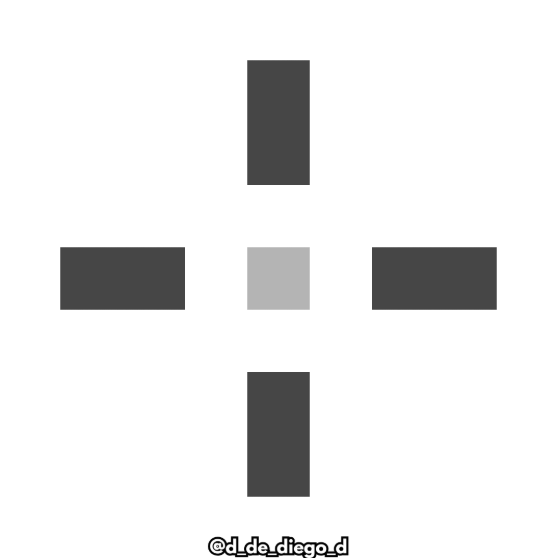
Texture pack with a custom crosshair for the minecraft.

You enjoy these Christmas dates playing Minecraft with your personalized snowflake-shaped look.


Contains:


    - Custom Crosshair


  By @d_de_diego_d
ESPAÑOL

Pack de texturas con una mira customizada para minecraft.

Disfrutas de estas fechas navideñas jugando minecraft junto a tu mira customizada en forma de copo de nieve.


Contiene:


      - Mira customizada

crosshair

By @d_de_diego_d
❤️ Support Me ❤️

Supplementaries Discord Support me on Patreon  Youtube Channel


                                                ⭐ Our Projects⭐

Haunted HarvestSnowy SpiritStorage LabelsGoatedMysyical Oak TreeCarpeted StairsMmmMmmMmmMmmMoyaiJeedBetter Lily PadsAdvancement FramesRandomiumSleep TightPolytoneHeartstoneMap AtlasesUniversal SawmillAmendments


© TRIDEX 2025 - All Rights Reserved

CHRISMAS CROSSHAIR 1.21+
MC 1.16.3, 1.13.1, 1.9.3, 1.8.7, 1.17.1, 1.9.1, 1.21, 1.16.1, 1.18.1, 1.14.3, 1.15, 1.16, 1.13, 1.16.5, 1.10.2, 1.19.3, 1.20.2, 1.19.4, 1.21.8, 1.8.8, 1.9.4, 1.9.2, 1.8.4
Release 2025-12-13 Get
CRISHMAS CROSSHAIR 1.20-1.8
MC 1.17.1, 1.9.1, 1.16.3, 1.13.1, 1.9.3, 1.8.7, 1.19.3, 1.20.2, 1.16.1, 1.18.1, 1.20.5, 1.9.4, 1.9.2, 1.8.4, 1.14.4, 1.14.1, 1.12.1, 1.17, 1.12, 1.14.3, 1.15, 1.16, 1.13
Release 2025-01-24 Get
CRISHMAS CROSSHAIR 1.21.zip
MC 1.21, 1.21.4, 1.21.3, 1.21.1, 1.21.2
Release 2024-12-24 Get

Requirements & install

How to use this resource pack in Minecraft
Resolution
64x
Minecraft
1.20.2 – 1.21.8
Install folder
.minecraft/resourcepacks

How to install resource packs

  1. Download the resource pack .zip file (do not extract it).
  2. In Minecraft open Options → Resource Packs → Open Pack Folder.
  3. Drop the .zip into the resourcepacks folder (.minecraft/resourcepacks).
  4. Move the pack to the Selected column and click Done.
Browse more: 16x resource packs 32x resource packs 64x resource packs 128x resource packs 256x resource packs 512x+ resource packs Resource Packs for 1.21.8 All resource packs

More from d_de_diego_d

Advertisement Remove ads with Premium →

You Might Also Like