
Mineuniverse
Resource Packs

Candle Blaze + Fresh Animations

RESOURCE PACK
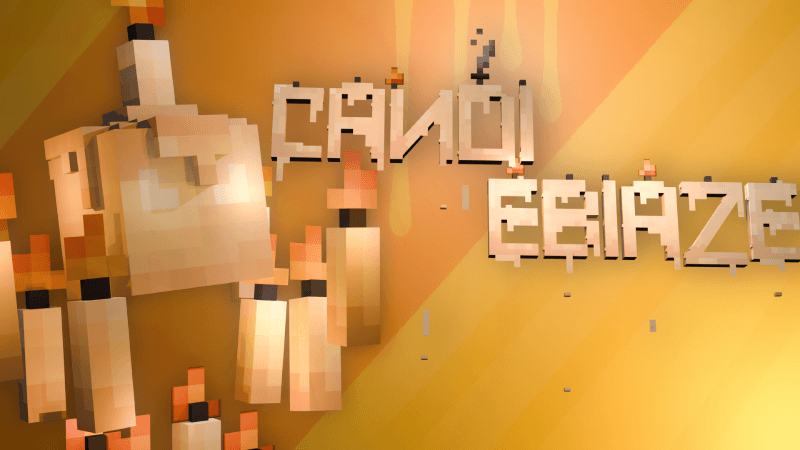
This resource pack turns the Blaze into a candle-themed version with multiple unique variants, including additional variants available through renaming. The Blaze also has different appearances in certain biomes
by yaderka_hi
Download Claim this project
737 downloads
0 likes
0 followers
Updated Oct 14, 2026
0 hypes
Follow0
64x Animated
Advertisement Remove ads with Premium →

 description!

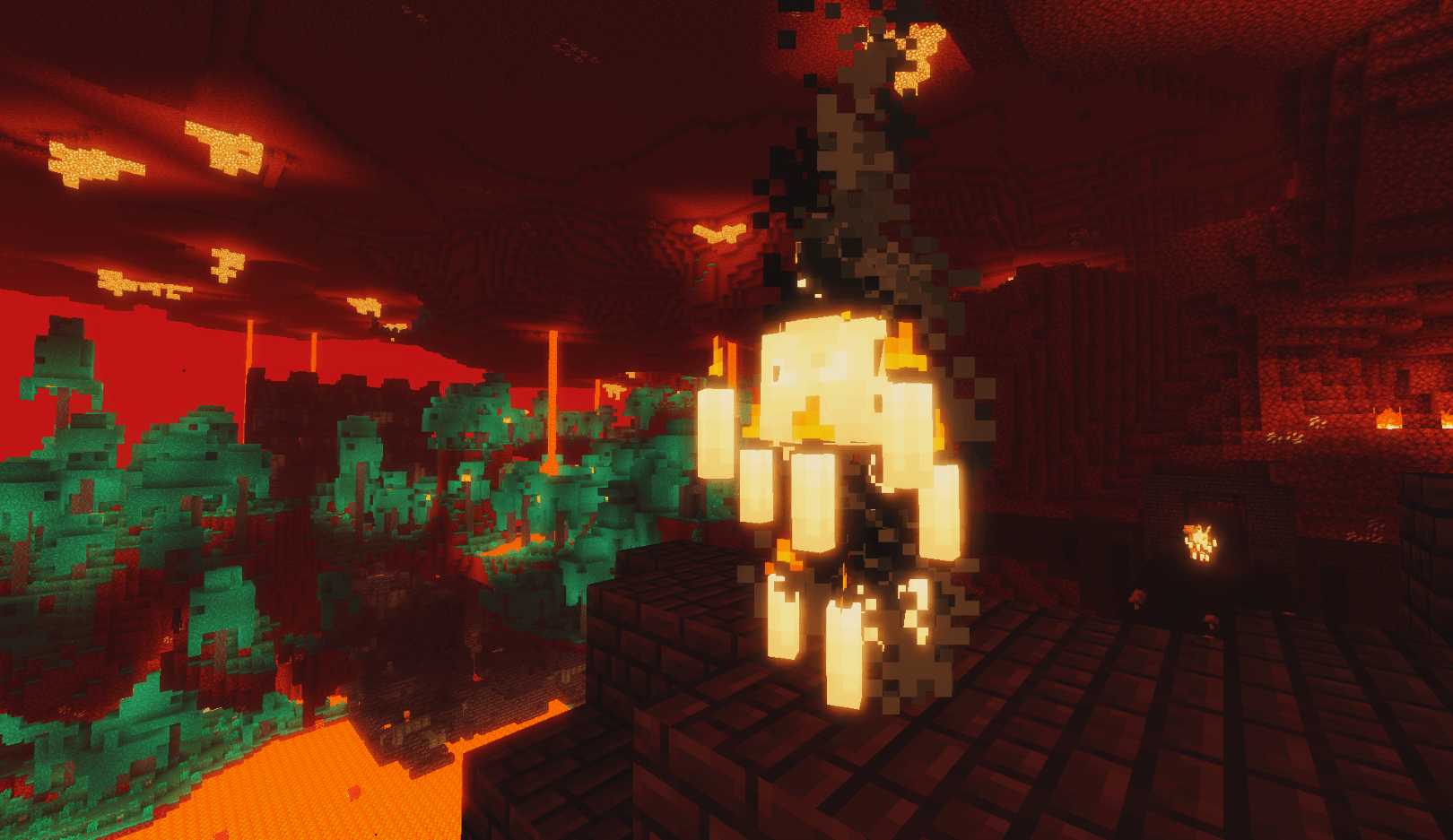
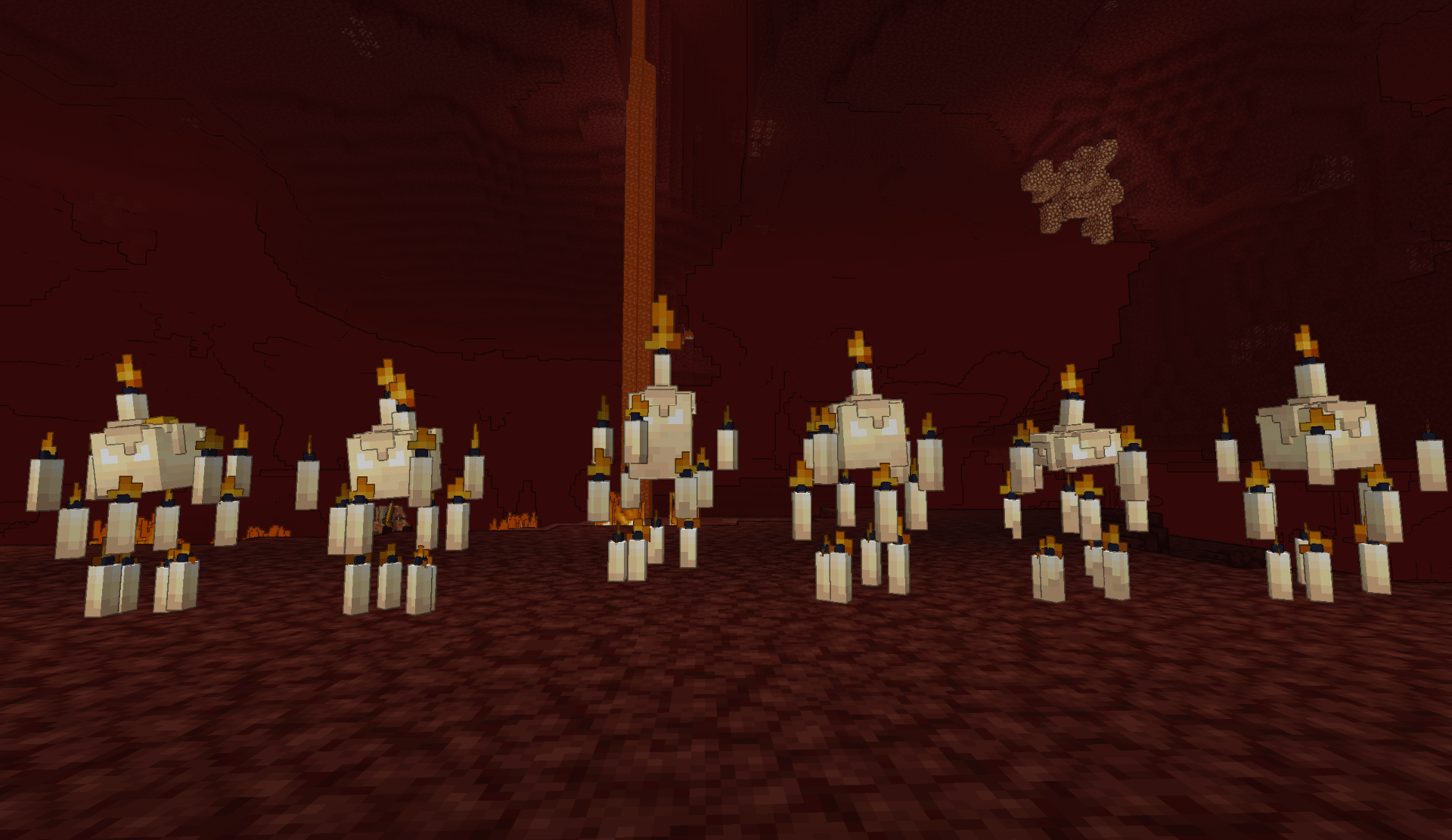
The Blaze is now made entirely of wax, with flames burning from the wicks of its candles instead of its original fiery body. This resource pack completely replaces the Blaze's model and texture, transforming it into a unique candle-themed creature. It also includes multiple different candle variants, with the Blaze having different appearances in certain biomes

! This resource pack is fully compatible with Fresh Animations and is intended to be used alongside it. For more information, see the Important Note section below


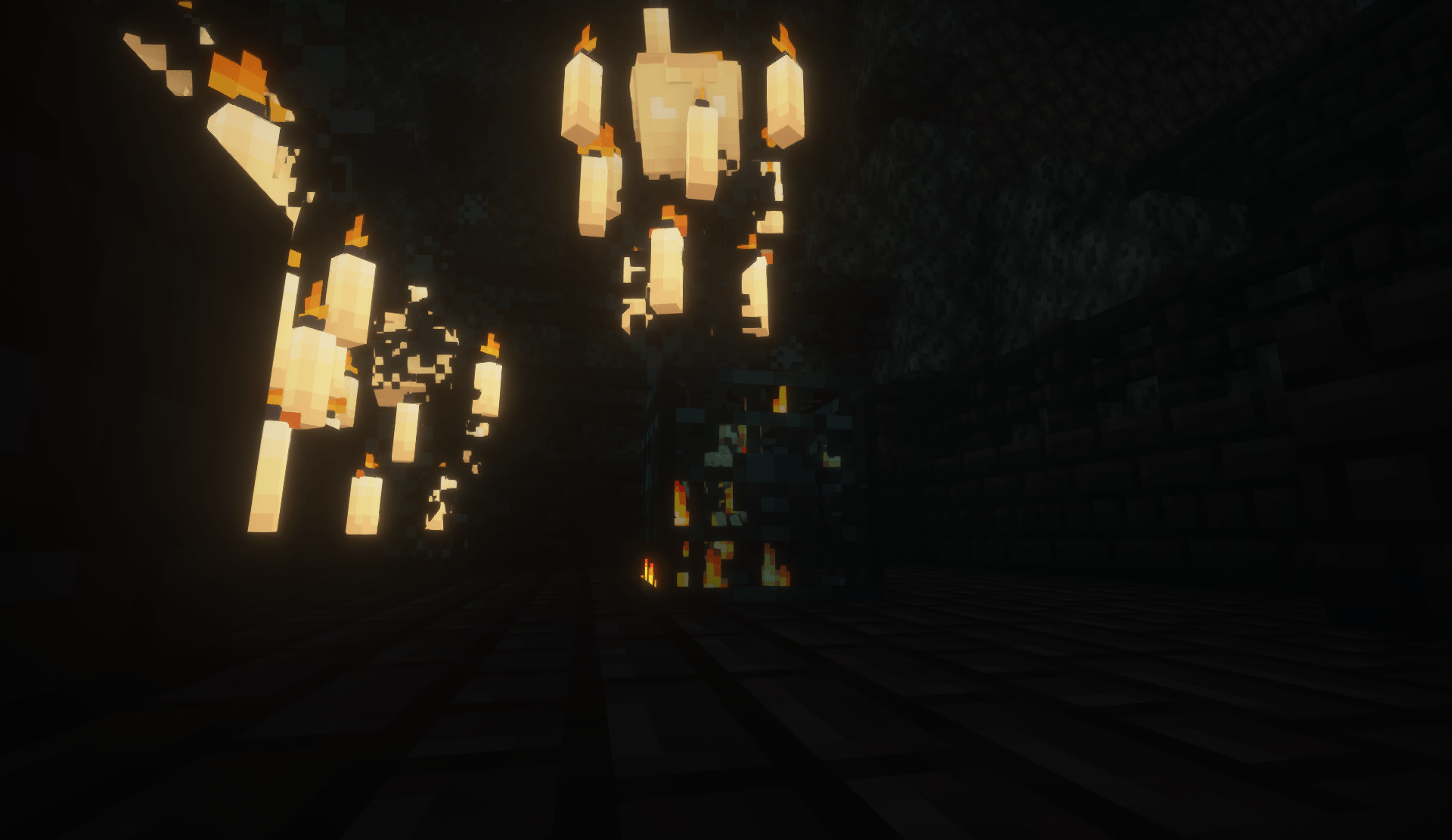
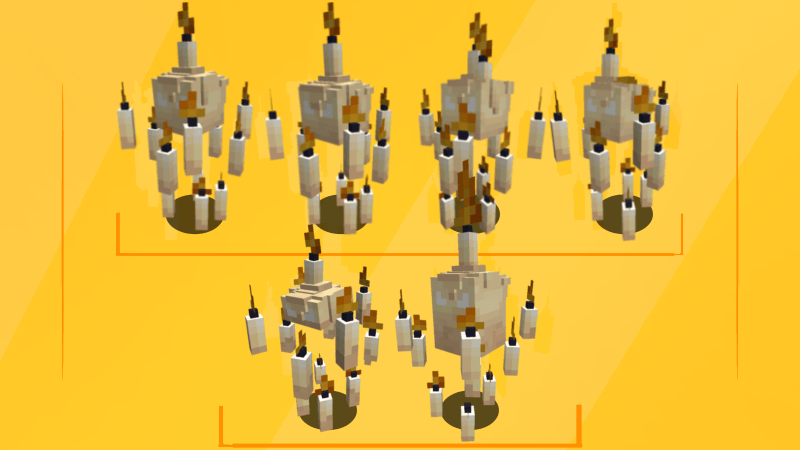
all versions of the mob
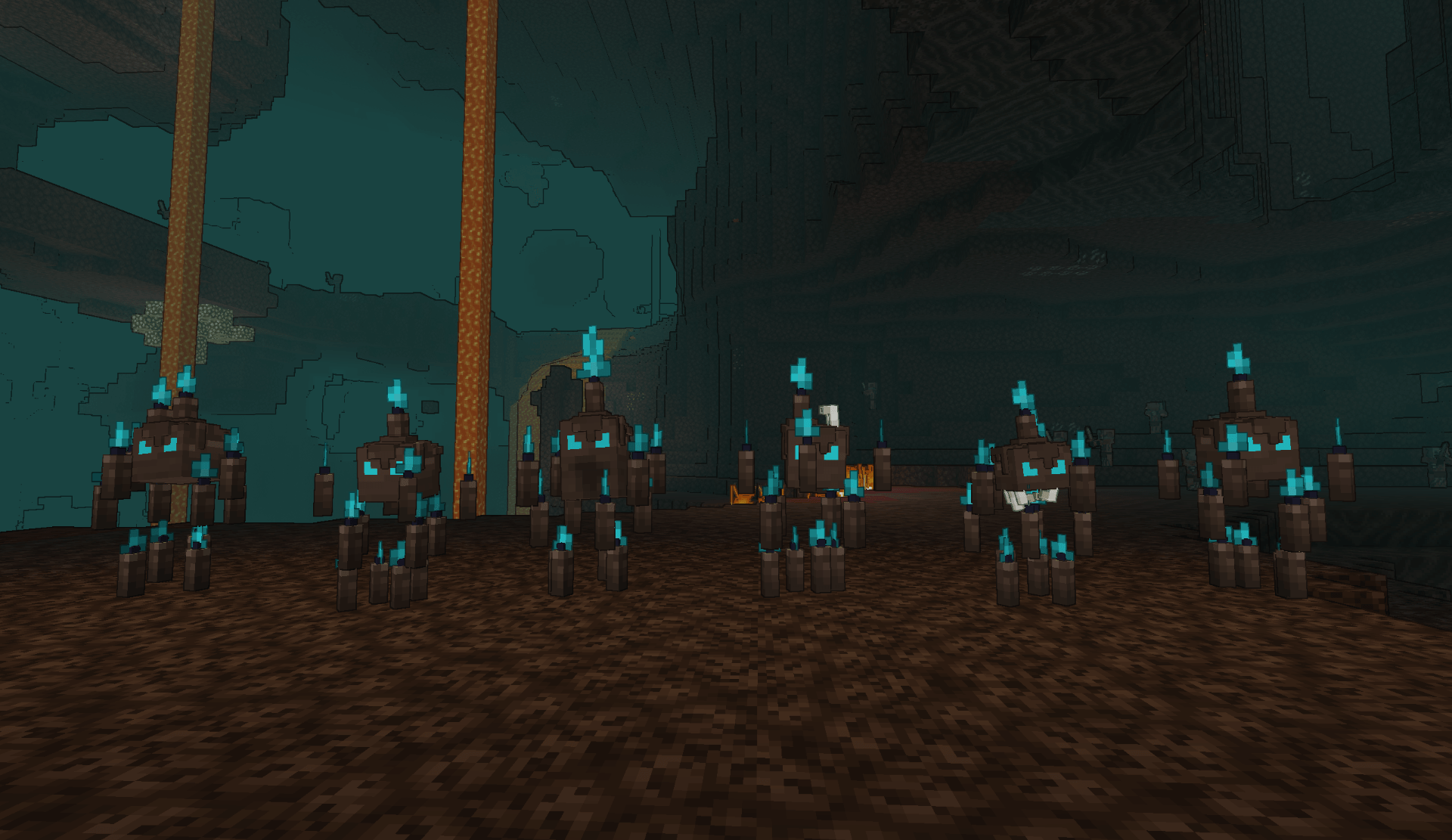
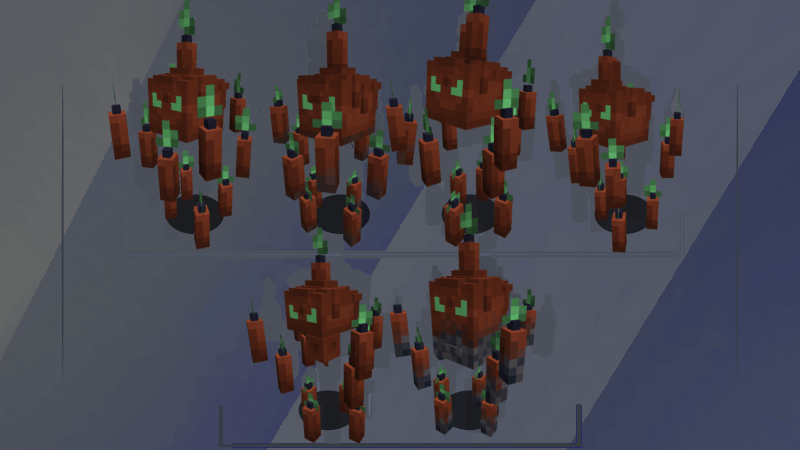
All variants in the Soul Sand Valley biome
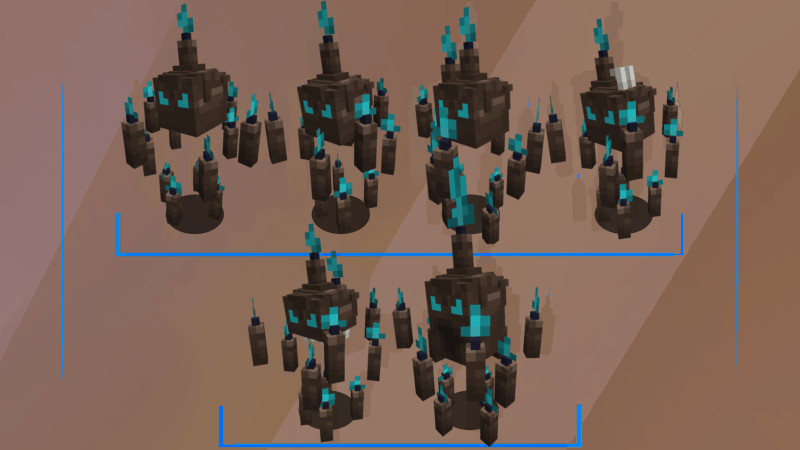
All variants in the Basalt Deltas biome
 

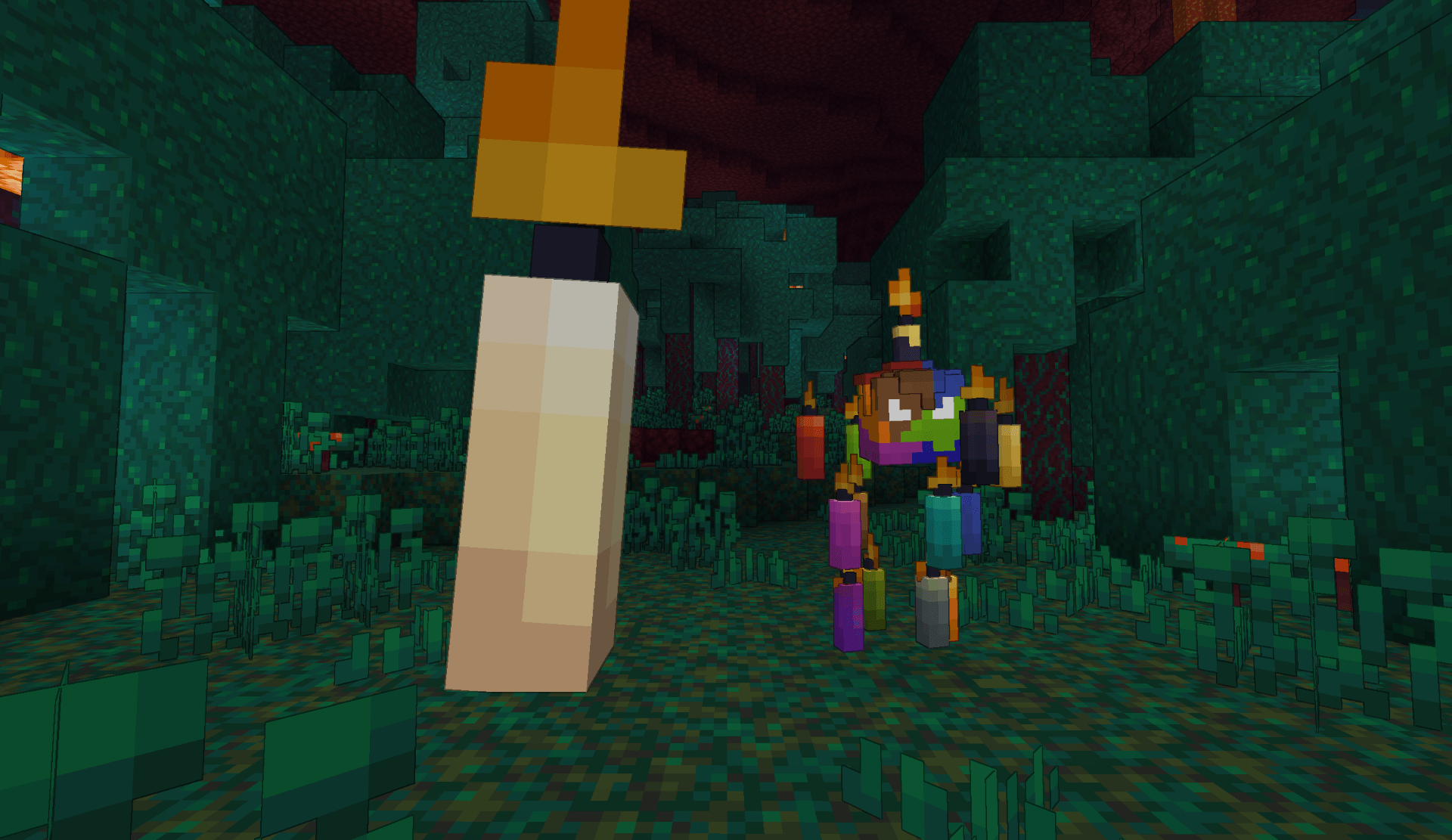
The resource pack also includes 2 unusual Blazes that can be obtained by renaming the mob to mega_candle or multicoloured. Simply rename the mob or spawn it with a command using one of these names
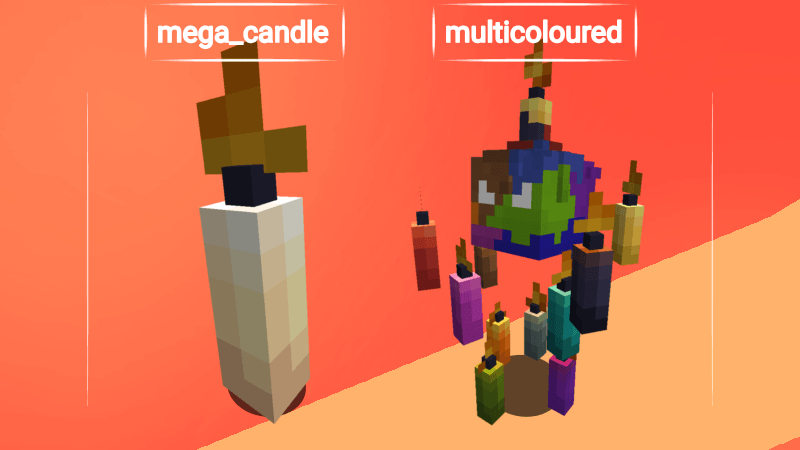
 what's he doing!

  • Replaces the Blaze's model
  • Replaces the Blaze's textures
  • Adds 6 unique variants
  • Adds 2 Blaze variants through name-tag renaming
  • Adds 6 unique variants in the Soul Sand Valley biome
  • Adds 6 unique variants in the Basalt Deltas biome

 Important Note

- For the resource pack to work with versions 1.20.6 to 1.18.2, EMF and ETF are required

- This resource pack is fully compatible with Fresh Animations by Fresh_LX!

- This resource pack uses the Blaze animations from Fresh Animations. The animations are the property of the Fresh Animations projec

- To use this resource pack, you need OptiFine or, as an alternative, Entity Model Features (EMF) and Entity Texture Features (ETF)

- Can this resource pack be used without Fresh Animations? — Yes, but it was designed to work alongside Fresh Animations, so you may encounter some visual issues without it

- Make sure to place this resource pack above Fresh Animations in the Resource Packs list for it to work properly


Candle Blaze 0.8: 26.2 - 1.18.2
MC 1.21, 1.19.3, 1.20.2, 1.19.4, 1.21.8, 1.20.5, 1.21.5, 1.21.4, 1.20.1, 1.20, 1.20.6, 1.21.1, 1.21.6, 1.21.3, 1.21.7, 1.19.1, 1.20.4, 1.18.2, 1.19.2, 1.20.3, 1.19, 1.21.2
Release 2026-08-12 Get
Candle Blaze 0.7: 26.2 - 1.21
MC 1.21, 1.21.8, 1.21.5, 1.21.4, 1.21.1, 1.21.6, 1.21.3, 1.21.7, 1.21.2, 1.21.9, 1.21.10, 1.21.11, 26.1, 26.1.1, 26.1.2, 26.2
Release 2026-08-10 Get
Candle Blaze 0.6: 26.2 - 1.21
MC 1.21, 1.21.8, 1.21.5, 1.21.4, 1.21.1, 1.21.6, 1.21.3, 1.21.7, 1.21.2, 1.21.9, 1.21.10, 1.21.11, 26.1, 26.1.1, 26.1.2, 26.2
Release 2026-08-09 Get
Candle Blaze 0.5: 26.2 - 1.21
MC 1.21, 1.21.8, 1.21.5, 1.21.4, 1.21.1, 1.21.6, 1.21.3, 1.21.7, 1.21.2, 1.21.9, 1.21.10, 1.21.11, 26.1, 26.1.1, 26.1.2, 26.2
Release 2026-08-07 Get
Candle Blaze 0.4: 26.2 - 1.21
MC 1.21, 1.21.8, 1.21.5, 1.21.4, 1.21.1, 1.21.6, 1.21.3, 1.21.7, 1.21.2, 1.21.9, 1.21.10, 1.21.11, 26.1, 26.1.1, 26.1.2, 26.2
Release 2026-08-04 Get
Candle Blaze 0.3: 26.2 - 1.21
MC 1.21, 1.21.8, 1.21.5, 1.21.4, 1.21.1, 1.21.6, 1.21.3, 1.21.7, 1.21.2, 1.21.9, 1.21.10, 1.21.11, 26.1, 26.1.1, 26.1.2, 26.2
Release 2026-08-02 Get
Candle Blaze 0.2: 26.2 - 1.21
MC 1.21, 1.21.8, 1.21.5, 1.21.4, 1.21.1, 1.21.6, 1.21.3, 1.21.7, 1.21.2, 1.21.9, 1.21.10, 1.21.11, 26.1, 26.1.1, 26.1.2, 26.2
Release 2026-07-25 Get
Candle Blaze 0.1: 26.2 - 1.21
MC 1.21, 1.21.8, 1.21.5, 1.21.4, 1.21.1, 1.21.6, 1.21.3, 1.21.7, 1.21.2, 1.21.9, 1.21.10, 1.21.11, 26.1, 26.1.1, 26.1.2, 26.2
Release 2026-07-19 Get

Requirements & install

How to use this resource pack in Minecraft
Resolution
64x
Minecraft
1.21.8 – 26.2
Install folder
.minecraft/resourcepacks

How to install resource packs

  1. Download the resource pack .zip file (do not extract it).
  2. In Minecraft open Options → Resource Packs → Open Pack Folder.
  3. Drop the .zip into the resourcepacks folder (.minecraft/resourcepacks).
  4. Move the pack to the Selected column and click Done.
Browse more: 16x resource packs 32x resource packs 64x resource packs 128x resource packs 256x resource packs 512x+ resource packs Resource Packs for 26.2 All resource packs

More from yaderka_hi

Advertisement Remove ads with Premium →

You Might Also Like