Mineuniverse
Resource Packs
Blue Archive Plushies

Blue Archive Plushies

RESOURCE PACK
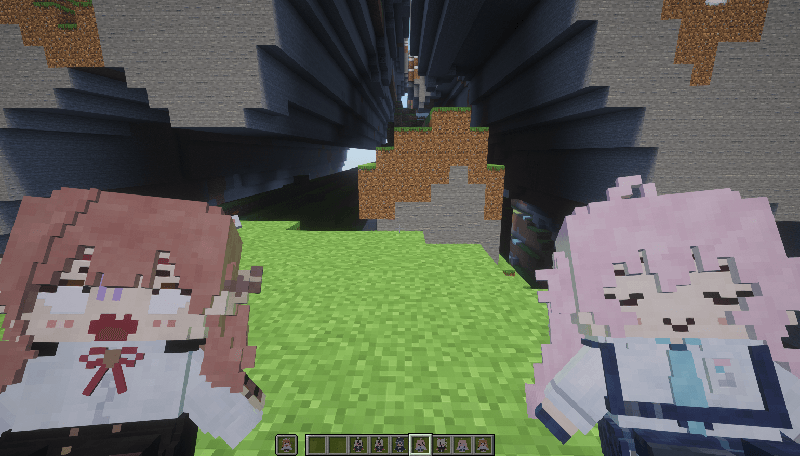
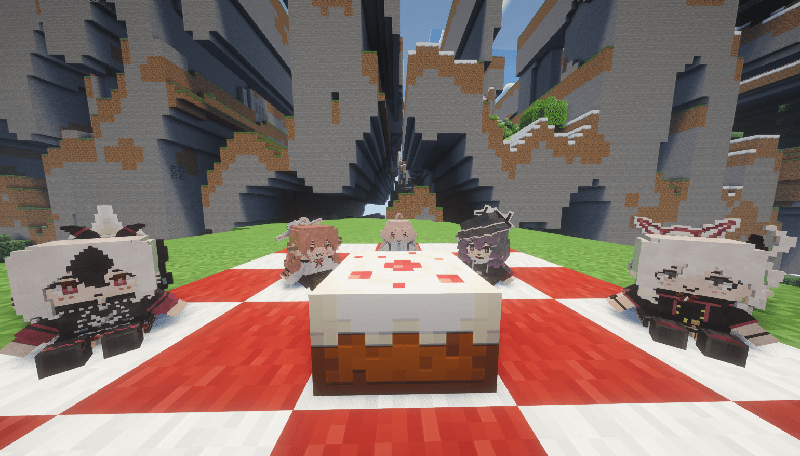
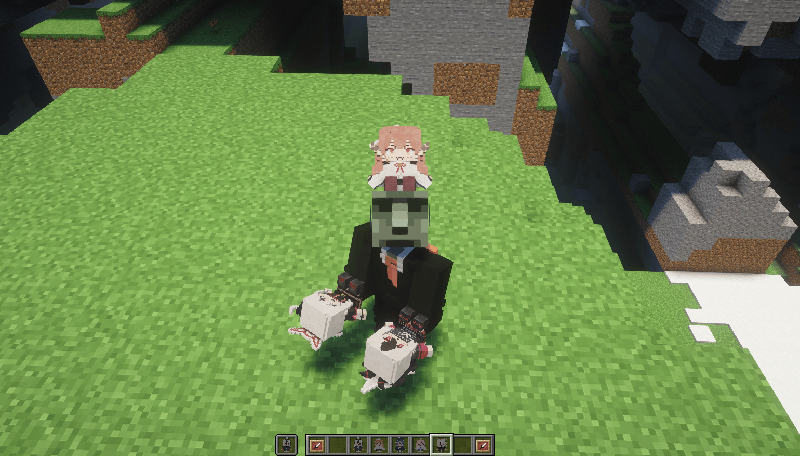
Adds Blue Archive plushies as replacement for the Totem of Undying
by hitoriyama
Download Claim this project
1,876 downloads
0 likes
0 followers
Updated Oct 14, 2026
0 hypes
Follow0
64x Miscellaneous
Advertisement Remove ads with Premium →

This resource pack now has support for Optifine CIT in versions 1.12 to 1.21.3.
For mod packs without Optifine, there is a mod for Forge called Forge CIT and for Fabric called CIT Resewn. (With version 1.21.5+, this resource pack is completely vanilla, requiring no mods)

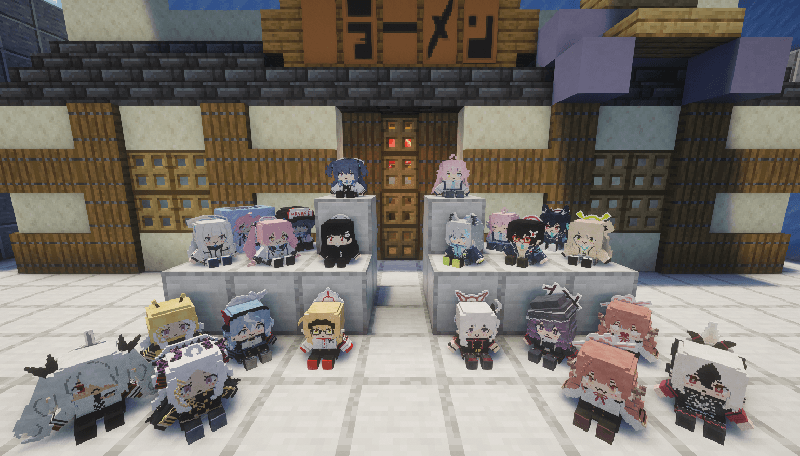
Current models included:

- Takanashi Hoshino
- Rikuhachima Aru
- Igusa Haruka
- Onikata Kayoko
- Asagi Mutsuki
- Okusora Ayane
- Izayoi Nonomi
- Kuromi Serika
- Sunaookami Shiroko
- Ushio Noa
- Kurosaki Koyuki
- Tsukatsuki Rio
- Hayase Yuuka
- Sorasaki Hina
- Amau Ako
- Shiromi Iori
- Hinomiya Chinatsu


Variants:
- Hoshino Homeless
- Aru Shocked
- Okusora Ayane 2 (version without glasses)
- Frozen Koyuki
- Hayase Motors (version with cap)
- Beena

New:

- Mikamo Neru
- Murokasa Akane
- Kakudate Karin
- Ichinose Asuna
- Asuma Toki

Variants:
-

Misc:
- Omi Omi Box (rename a stick)
- Burger Set (rename a bread)


How to use:
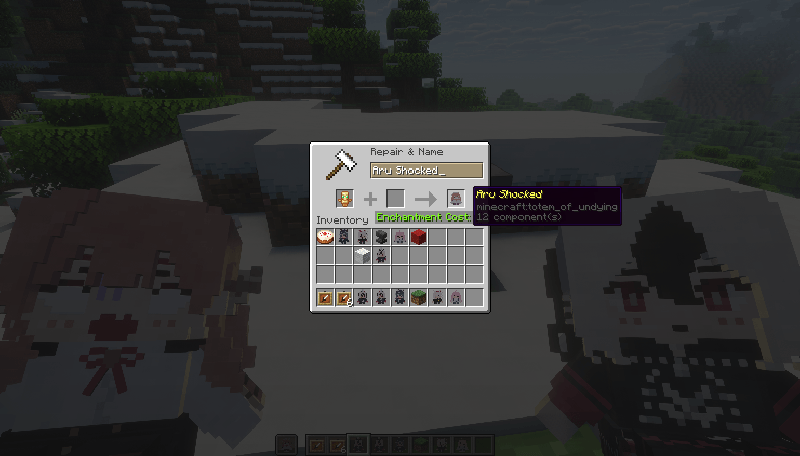
Rename the Totem of Undying on an anvil to one of the names listed above.

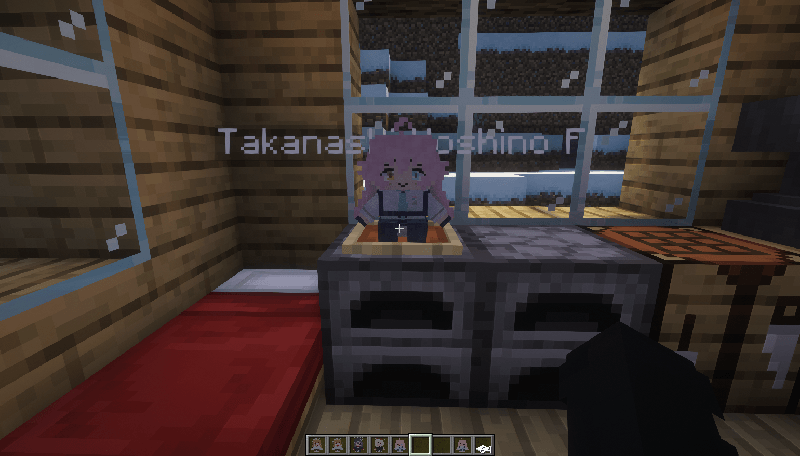
For models sitting on item frames, add an "F" at the end of the name.
(This is the solution we found to avoid glitches in the totem:use animation model caused by resizing/positioning on item frames, since they rely on the same setting)

Example: "Hoshino F"
This project is still in progress. We'll add more plushies very soon.🔥

Special Thanks:
- NekuroMC (Model/Texture) - x.com/NekuroMC
- Konekurosawa - x.com/konekokurosawa
- Val - x.com/MayB_Pants
- Marnic


[1.12-1.21.3&1.21.5+] Blue Archive Plushies Resource Pack v1.4.1
MC 1.16.3, 1.13.1, 1.17.1, 1.21, 1.16.1, 1.18.1, 1.14.3, 1.15, 1.16, 1.13, 1.16.5, 1.19.3, 1.20.2, 1.19.4, 1.21.8, 1.14.4, 1.14.1, 1.12.1, 1.17, 1.12, 1.20.5, 1.21.5, 1.18
Release 2026-09-07 Get
[1.12-1.21.3&1.21.5+] Blue Archive Plushies Resource Pack v1.4
MC 1.16.3, 1.13.1, 1.17.1, 1.21, 1.16.1, 1.18.1, 1.14.3, 1.15, 1.16, 1.13, 1.16.5, 1.19.3, 1.20.2, 1.19.4, 1.21.8, 1.14.4, 1.14.1, 1.12.1, 1.17, 1.12, 1.20.5, 1.21.5, 1.18
Release 2026-07-18 Get
[1.12-1.21.3&1.21.5+] Blue Archive Plushies Resource Pack v1.3
MC 1.16.3, 1.13.1, 1.17.1, 1.21, 1.16.1, 1.18.1, 1.14.3, 1.15, 1.16, 1.13, 1.16.5, 1.19.3, 1.20.2, 1.19.4, 1.21.8, 1.14.4, 1.14.1, 1.12.1, 1.17, 1.12, 1.20.5, 1.21.5, 1.18
Release 2026-05-18 Get
[1.12-1.21.3&1.21.5+] Blue Archive Plushies Resource Pack v1.2
MC 1.16.3, 1.13.1, 1.17.1, 1.21, 1.16.1, 1.18.1, 1.14.3, 1.15, 1.16, 1.13, 1.16.5, 1.19.3, 1.20.2, 1.19.4, 1.21.8, 1.14.4, 1.14.1, 1.12.1, 1.17, 1.12, 1.20.5, 1.21.5, 1.18
Release 2026-03-29 Get
[1.12-1.21.3&1.21.5+] Blue Archive Plushies Resource Pack v1.1
MC 1.21, 1.15, 1.16, 1.13, 1.21.8, 1.17, 1.12, 1.21.5, 1.18, 1.20, 1.21.1, 1.21.6, 1.21.3, 1.21.7, 1.14, 1.19, 1.21.2, 1.21.9, 1.21.10, 1.21.11
Release 2026-03-03 Get
[1.21.5+] Blue Archive Plushies Resource Pack v1.0
MC 1.21.8, 1.21.5, 1.21.6, 1.21.7, 1.21.9, 1.21.10, 1.21.11
Release 2026-02-08 Get

Requirements & install

How to use this resource pack in Minecraft
Resolution
64x
Minecraft
1.21.3 – 1.21.11
Install folder
.minecraft/resourcepacks

How to install resource packs

  1. Download the resource pack .zip file (do not extract it).
  2. In Minecraft open Options → Resource Packs → Open Pack Folder.
  3. Drop the .zip into the resourcepacks folder (.minecraft/resourcepacks).
  4. Move the pack to the Selected column and click Done.
Browse more: 16x resource packs 32x resource packs 64x resource packs 128x resource packs 256x resource packs 512x+ resource packs Resource Packs for 1.21.11 All resource packs

More from hitoriyama

Advertisement Remove ads with Premium →

You Might Also Like