Mineuniverse
Resource Packs
Blankage

Blankage

RESOURCE PACK
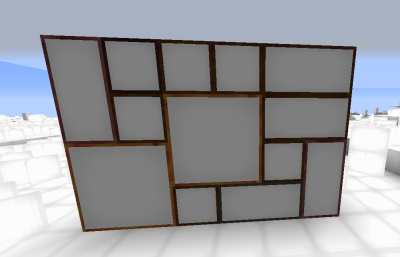
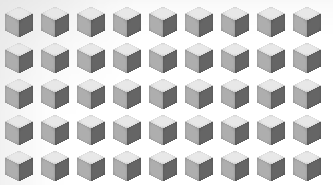
Makes all textures a white box.
by PhoenixFlameBird
Download Claim this project
480 downloads
0 likes
Updated Oct 14, 2026
0 hypes
512x and Higher Miscellaneous
Advertisement Remove ads with Premium →

WHAT IT DOES: 


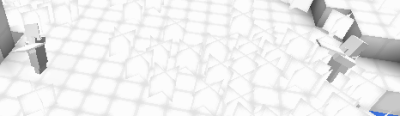
Makes the world and everything in it the same, with no way of telling differences

Even text is white squares, problems include:

Birch leaves being colored green

Water is blue

Other buggy stuff

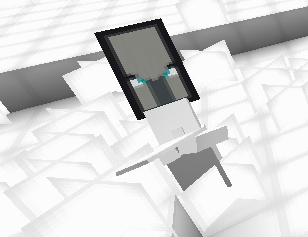
shadows cover the entire block the entity is sitting in and makes the block glow, more entities=brighter


FAQ:


>can I use this is my own stuff (redistribute?)

<no.


>if I use it with friends and for YouTube/Twitch/ETC can I?

<Yes, please put a link and add credit.


i make these manually, meaning i spend my freetime opening file, pasting 'Blankaged' texture, then saving, and i painstakingly do that for every texture in the game, when  update, i just add in the new textures and 'Blank' them

 

Blankage v.2 (1.17.1)
MC 1.17.1
Release 2021-09-07 Get
Blankage.zip
MC 1.16.3, 1.16.5, 1.16.4
Release 2021-04-25 Get

Requirements & install

How to use this resource pack in Minecraft
Resolution
512x+
Minecraft
1.16.3 – 1.17.1
Install folder
.minecraft/resourcepacks

How to install resource packs

  1. Download the resource pack .zip file (do not extract it).
  2. In Minecraft open Options → Resource Packs → Open Pack Folder.
  3. Drop the .zip into the resourcepacks folder (.minecraft/resourcepacks).
  4. Move the pack to the Selected column and click Done.

512x packs need a strong GPU and at least 4 GB of RAM for Minecraft; a performance mod such as Sodium is strongly recommended.

Browse more: 16x resource packs 32x resource packs 64x resource packs 128x resource packs 256x resource packs 512x+ resource packs Resource Packs for 1.17.1 All resource packs

More from PhoenixFlameBird

Advertisement Remove ads with Premium →

You Might Also Like