Mineuniverse
Resource Packs
Black Pink GUI

Black Pink GUI

RESOURCE PACK
A sleek black-and-pink resource pack that modernizes the Minecraft GUI with a stylish, high-contrast look.
by PATRICKOOL
Download Claim this project
1,477 downloads
0 likes
Updated Oct 14, 2026
0 hypes
16x
Advertisement Remove ads with Premium →

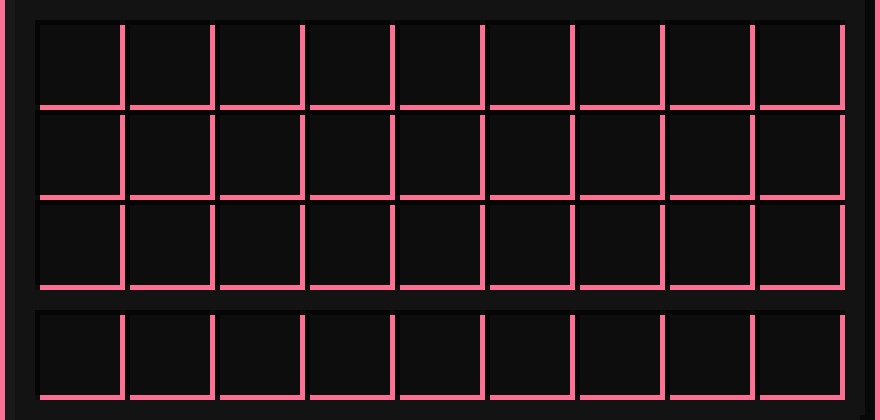
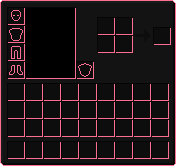
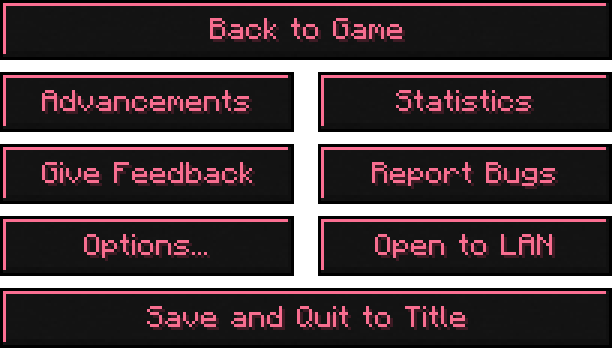
A full black and pink GUI overhaul that modernizes Minecraft’s menus, UI, title, and fonts with a clean, high-contrast aesthetic.

Black Pink GUI title

Supports Mod Menu, Simple Voice Chat, Xaero’s Minimap, and a lot more...


Sample

Inventory   Title Screen


Supported Mods

This resource pack specifically supports Simple Voice Chat, Xaero’s Minimap, and Mod Menu, fully covering their custom GUIs.

Many other mods are also affected automatically, since they use Minecraft’s default UI.

However, only mods with their own custom interfaces like the ones listed here, require specific support.

Mod Menu GUI

Simple Voice Chat GUI

Xaero’s Minimap GUI


Loading Screen

Optifine Required

The "color.properties" file that changes the Mojang loading screen colors only works when OptiFine is installed, because those color hooks are not part of vanilla Minecraft.

Without OptiFine, Minecraft simply ignores the loading screen color entries while still loading the rest of the pack.

Mojang Loading Screen

ALL OTHER TEXTURES AND STANDARD RESOURCE PACK FEATURES WORK WITHOUT OPTIFINE AND LOAD NORMALLY.

Optifine Downloads Button


Modrinth Download Button   CurseForge Download Button

Black Pink GUI
MC 1.21, 1.21.8, 1.21.5, 1.21.4, 1.21.1, 1.21.6, 1.21.3, 1.21.7, 1.21.2, 1.21.9, 1.21.10, 1.21.11, 26.1, 26.1.1, 26.1.2, 26.2
Release 2026-08-09 Get
Black Pink GUI
MC 1.21, 1.20.2, 1.21.8, 1.20.5, 1.21.5, 1.21.4, 1.20.1, 1.20, 1.20.6, 1.21.1, 1.21.6, 1.21.3, 1.21.7, 1.20.4, 1.20.3, 1.21.2, 1.21.9, 1.21.10, 1.21.11
Release 2026-07-17 Get

Requirements & install

How to use this resource pack in Minecraft
Resolution
16x
Minecraft
1.21.8 – 26.2
Install folder
.minecraft/resourcepacks

How to install resource packs

  1. Download the resource pack .zip file (do not extract it).
  2. In Minecraft open Options → Resource Packs → Open Pack Folder.
  3. Drop the .zip into the resourcepacks folder (.minecraft/resourcepacks).
  4. Move the pack to the Selected column and click Done.
Browse more: 16x resource packs 32x resource packs 64x resource packs 128x resource packs 256x resource packs 512x+ resource packs Resource Packs for 26.2 All resource packs

More from PATRICKOOL

Advertisement Remove ads with Premium →

You Might Also Like