Mineuniverse
Resource Packs
Big Painting Pack [LERT GAMES]

Big Painting Pack [LERT GAMES]

RESOURCE PACK
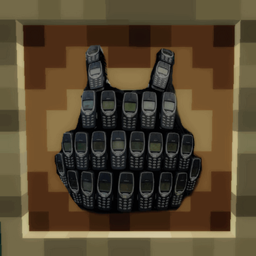
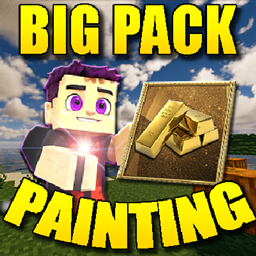
Created a thematic Resource Pack for paintings in Minecraft!Each painting is either an abstract theme created by me personally and the compilation is original,or it is the theme of real-life paintings that are free for distribution.
by LERT
Download Claim this project
Add a badge to your pageLink to Big Painting Pack [LERT GAMES] from a README, website or forum post.
Preview: Badge

Badges update automatically and link to the resource pack page on MineUniverse.

597 downloads
0 likes
0 followers
Updated Oct 14, 2026
0 hypes
Follow0
512x and Higher Mod Support Photo Realistic
Advertisement Remove ads with Premium →


The following topics are covered:

- Anime
- Fine arts
- Famous works
- Cartoon series
- Superheroes
- Games
- Football
- Objects
- Movies
- Minecraft


The paintings were not created for the resolution of Minecraft file sizes - but works flawlessly from version 1.19 to the latest 1.20.4

Installed like any other texture pack:
ADD ZIP ARCHIVE IN FOLDER:
Open Explorer, type %appdata% in the address bar of Explorer and press Enter.

then search: 
Roaming\.MINECRAFT\RESOURSEPACKS

and Activate it in the game settings.


The background texture of the paintings has also been changed - paintings of the elements of nature that are in the game files but not present in the gameplay have remained unchanged


A total of 26 new paintings and 1 painting background have been added
Does not require any additional mods, forge or optifine


Write in the comments which painting`s did you like the most?
Big Painting Pack.zip
MC 1.19.3, 1.20.2, 1.19.4-Snapshot, 1.20.2-Snapshot, 1.19.4, 1.19-Snapshot, 1.19.2, 1.20.3-Snapshot, 1.20.3, 1.20.1, 1.20, 1.19.1, 1.20.4, 1.20-Snapshot, 1.19, 1.19.3-Snapshot
Release 2024-01-02 Get

Requirements & install

How to use this resource pack in Minecraft
Resolution
512x+
Minecraft
1.20-Snapshot – 1.20.4
Install folder
.minecraft/resourcepacks

How to install resource packs

  1. Download the resource pack .zip file (do not extract it).
  2. In Minecraft open Options → Resource Packs → Open Pack Folder.
  3. Drop the .zip into the resourcepacks folder (.minecraft/resourcepacks).
  4. Move the pack to the Selected column and click Done.

512x packs need a strong GPU and at least 4 GB of RAM for Minecraft; a performance mod such as Sodium is strongly recommended.

Browse more: 16x resource packs 32x resource packs 64x resource packs 128x resource packs 256x resource packs 512x+ resource packs Resource Packs for 1.20.4 All resource packs

More from LERT

Advertisement Remove ads with Premium →

You Might Also Like