Mineuniverse
Resource Packs
Bare Bones PBR x128 - Reflective

Bare Bones PBR x128 - Reflective

RESOURCE PACK
Reflective materials for Bare Bones PBR x128 !
by ludo_silver
Download Claim this project
2,370 downloads
0 likes
0 followers
Updated Oct 14, 2026
0 hypes
Follow0
128x Photo Realistic
Advertisement Remove ads with Premium →


This resource pack is an addon for Bare Bones PBR x128 !

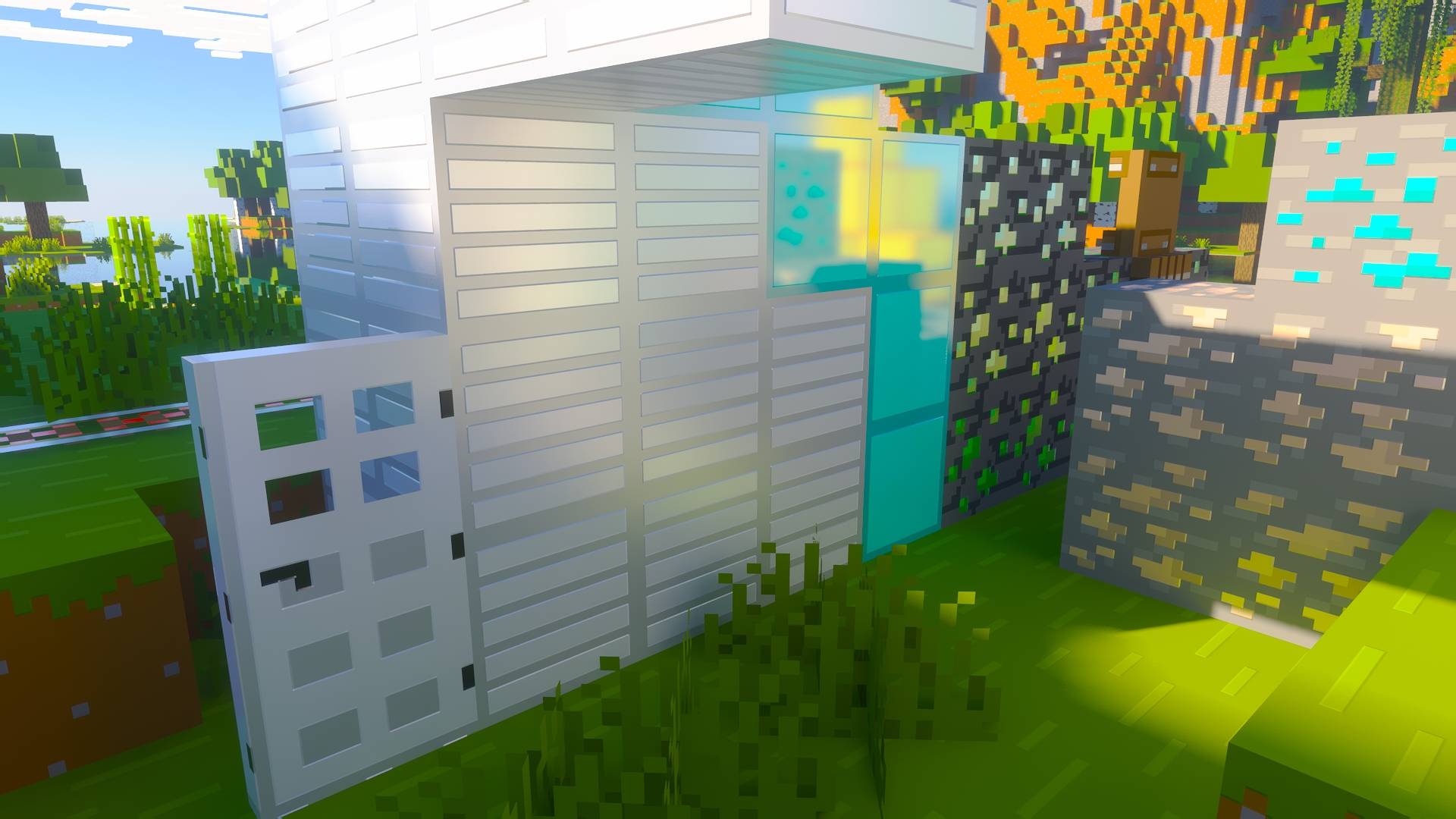
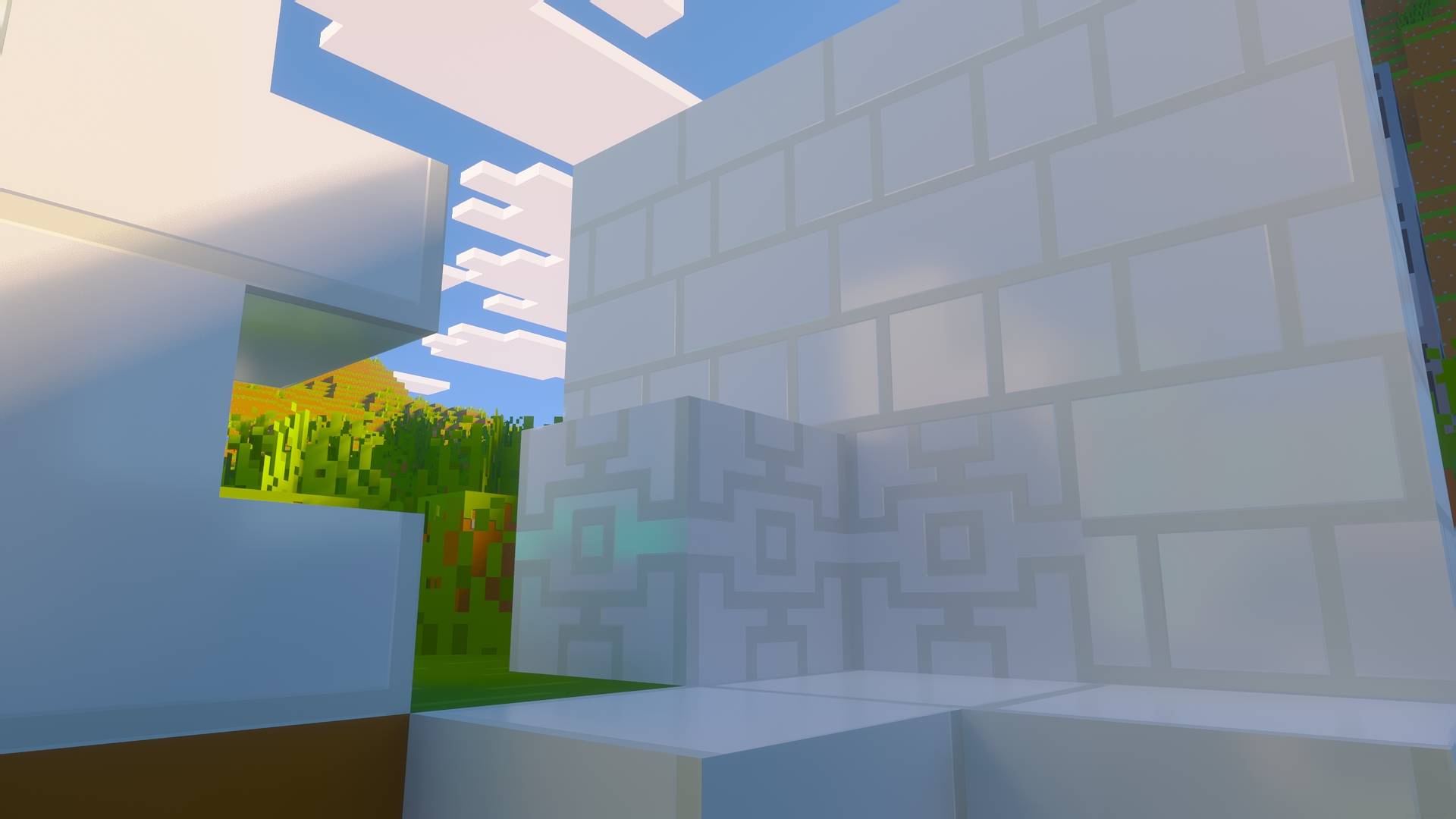
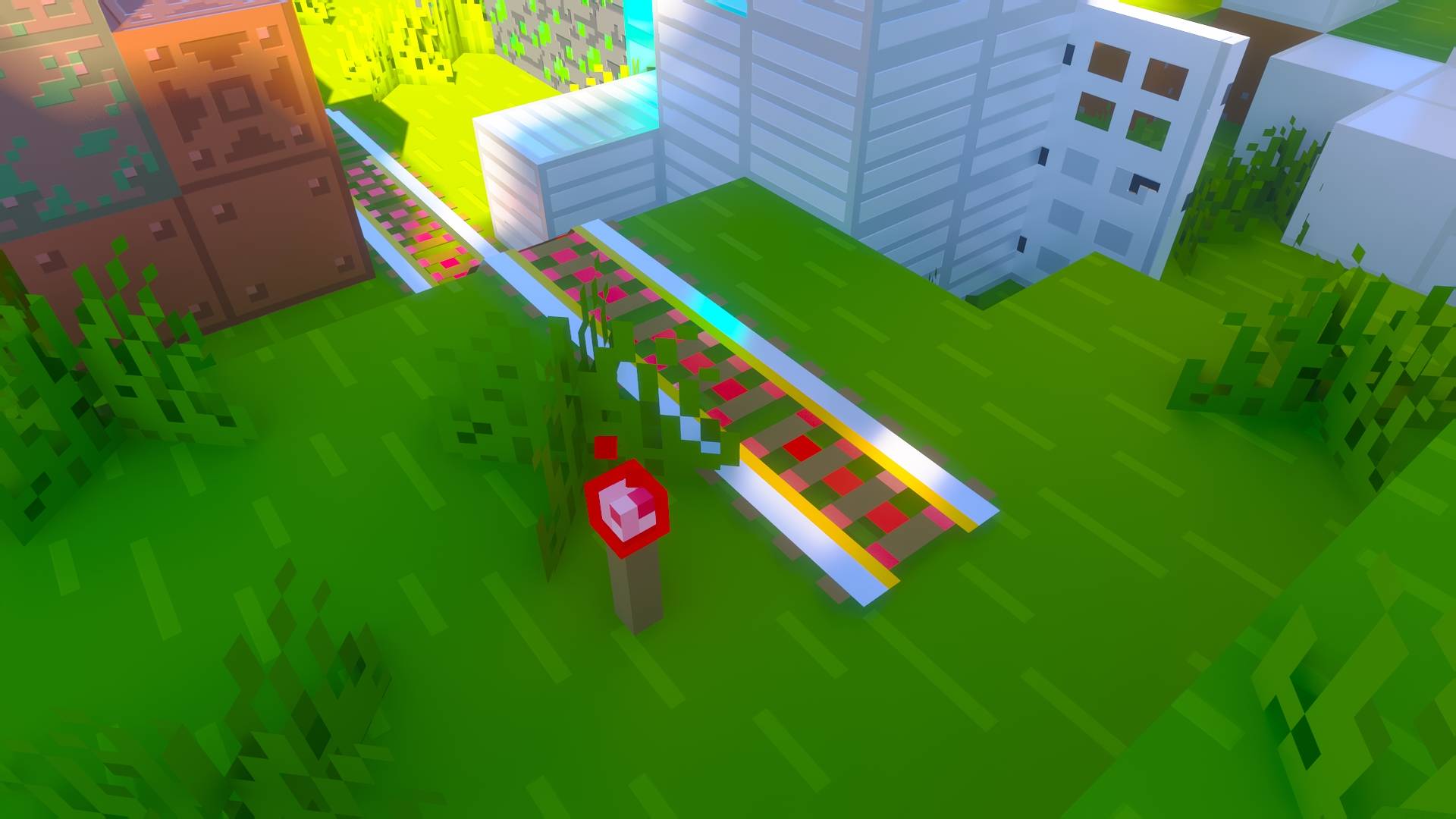
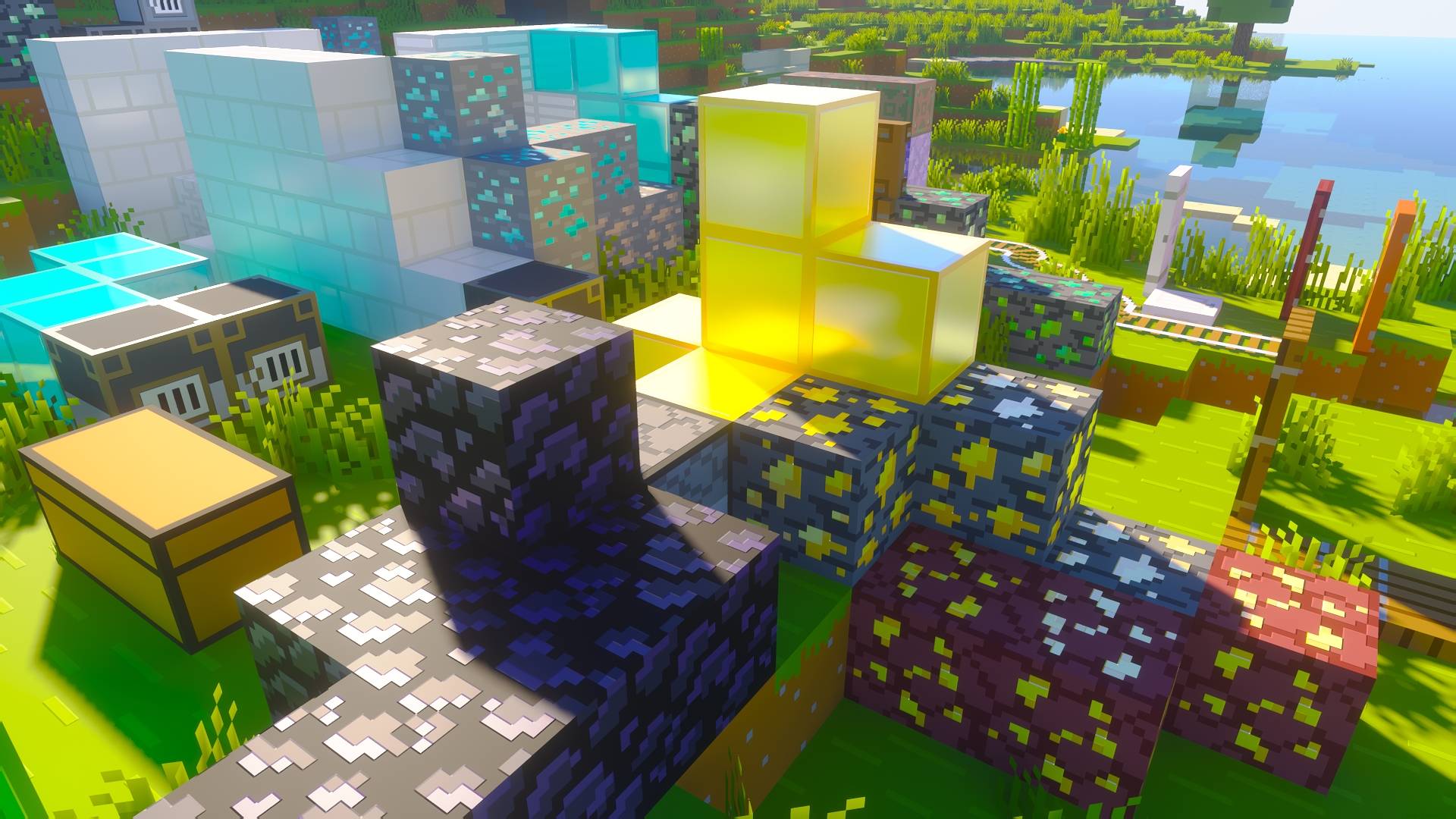
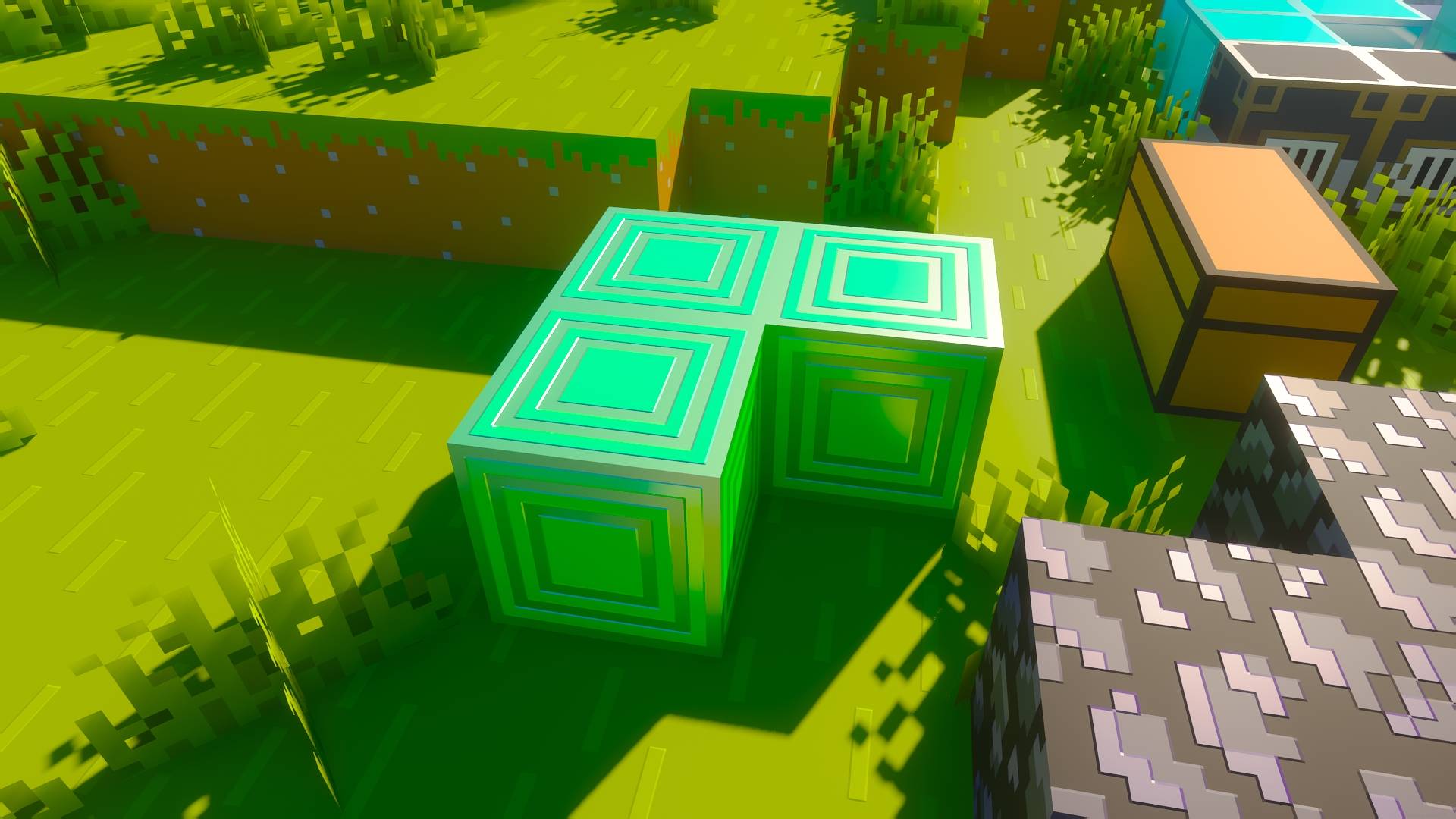
It increases the reflectivity of metallic blocks to make the most of path traced shaders ✨ (or shaders handling well materials reflectivity)

Here is the list of more reflective blocks :

  • Iron block, door, trapdoor, bars, raw iron, iron armor, but also the iron part on doors, trapdoors, shelf, chests
  • Rails
  • Diamond block, armor, horse armor
  • Blast Furnace
  • Chains
  • Quartz
  • Emerald
  • Gold

I didn't push realism too far to fit the Bare Bones style, and still get a nice and satisfying look (that means iron blocks don't look like a mirror, but are much reflective than the official trailers)


Resource Pack list order :

📸 If you ever take nice screenshots, I could add it in the gallery !
If you feel creative or artistic, you can send them to me : ludo_silver on Discord

Bare Bones PBR Reflective 1.0.1
MC 1.17.1, 1.21, 1.18.1, 1.16.5, 1.19.3, 1.20.2, 1.19.4, 1.21.8, 1.17, 1.20.5, 1.21.5, 1.18, 1.21.4, 1.20.1, 1.20, 1.20.6, 1.21.1, 1.21.6, 1.21.3, 1.21.7, 1.19.1, 1.20.4, 1.18.2
Release 2026-08-20 Get
Bare Bones PBR Reflective 1.0.0
MC 1.17.1, 1.21, 1.18.1, 1.16.5, 1.19.3, 1.20.2, 1.19.4, 1.21.8, 1.17, 1.20.5, 1.21.5, 1.18, 1.21.4, 1.20.1, 1.20, 1.20.6, 1.21.1, 1.21.6, 1.21.3, 1.21.7, 1.19.1, 1.20.4, 1.18.2
Release 2026-08-12 Get

Requirements & install

How to use this resource pack in Minecraft
Resolution
128x
Minecraft
1.21 – 1.21.8
Install folder
.minecraft/resourcepacks

How to install resource packs

  1. Download the resource pack .zip file (do not extract it).
  2. In Minecraft open Options → Resource Packs → Open Pack Folder.
  3. Drop the .zip into the resourcepacks folder (.minecraft/resourcepacks).
  4. Move the pack to the Selected column and click Done.

Packs from 128x upwards need more video memory: install a performance mod such as Sodium for smooth frame rates.

Browse more: 16x resource packs 32x resource packs 64x resource packs 128x resource packs 256x resource packs 512x+ resource packs Resource Packs for 1.21.8 All resource packs

More from ludo_silver

Advertisement Remove ads with Premium →

You Might Also Like