Mineuniverse
Resource Packs
Aokiji 's 256x paintings

Aokiji 's 256x paintings

RESOURCE PACK
Aokiji 's 256x paintings
by NOTBETABLEYT
Download Claim this project
Add a badge to your pageLink to Aokiji 's 256x paintings from a README, website or forum post.
Preview: Badge

Badges update automatically and link to the resource pack page on MineUniverse.

128 downloads
0 likes
0 followers
Updated Oct 14, 2026
0 hypes
Follow0
256x Miscellaneous Modern Photo Realistic
Advertisement Remove ads with Premium →

AOKOJI’s 256x Paintings

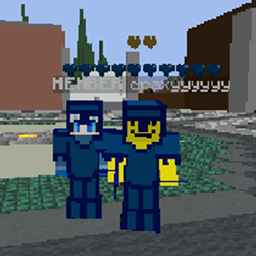
AOKOJI’s 256x Paintings is a high-resolution Minecraft resource pack that replaces default in-game paintings with detailed 256x custom artwork inspired by oceanic, icy, and powerful god-like themes.

✨ Features

  • 🎨 256x Ultra HD paintings for sharper and more immersive visuals

  • 🌊 Oceanic & aokiji designs for a powerful aesthetic

  • ❄️ Cool-toned color palette (blue/ice theme) that fits survival builds

  • 🖼️ Reworked vanilla paintings for aokiji 's domain to feel more modern and cinematic

  • ⚡ Optimized to work smoothly without unnecessary lag

🎮 What this changes

This pack upgrades the visual experience of Minecraft by turning simple paintings into high-quality decorative elements. Whether you are building bases, PvP arenas, or aesthetic worlds, these paintings add a stronger atmosphere and personality.

🚀 Why use this pack?

  • Makes builds look more professional and detailed

  • Adds a unique identity compared to default Minecraft

  • Perfect for players who enjoy clean, high-resolution textures

  • Great for content creators and showcases

📌 Compatibility

  • Works with any Minecraft Java Edition

  • Recommended for players who can run 256x resource packs smoothly


Upgrade your world visuals and give your builds a powerful new look with AOKOJI’s 256x Paintings.

Aokoji 256x Final
MC 1.21, 1.7.10, Beta 1.6.6, 1.8.9, 1.21.11, 26.1-snapshot, 26.1.2
Release 2026-04-22 Get

Requirements & install

How to use this resource pack in Minecraft
Resolution
256x
Minecraft
1.7.10 – 26.1.2
Install folder
.minecraft/resourcepacks

How to install resource packs

  1. Download the resource pack .zip file (do not extract it).
  2. In Minecraft open Options → Resource Packs → Open Pack Folder.
  3. Drop the .zip into the resourcepacks folder (.minecraft/resourcepacks).
  4. Move the pack to the Selected column and click Done.

Packs from 128x upwards need more video memory: install a performance mod such as Sodium for smooth frame rates.

Browse more: 16x resource packs 32x resource packs 64x resource packs 128x resource packs 256x resource packs 512x+ resource packs Resource Packs for 26.1.2 All resource packs

More from NOTBETABLEYT

Advertisement Remove ads with Premium →

You Might Also Like