Mineuniverse
Resource Packs
Anemoia

Anemoia

RESOURCE PACK
Nostalgia for a time and texture that never was ★
by glassdoiphin
Download Claim this project
109,141 downloads
0 likes
Updated Oct 14, 2026
0 hypes
32x Miscellaneous Modern Traditional
Advertisement Remove ads with Premium →

LATEST VERSION: 1.19

Past versions: 1.16, 1.17


OPTIFINE REQUIRED


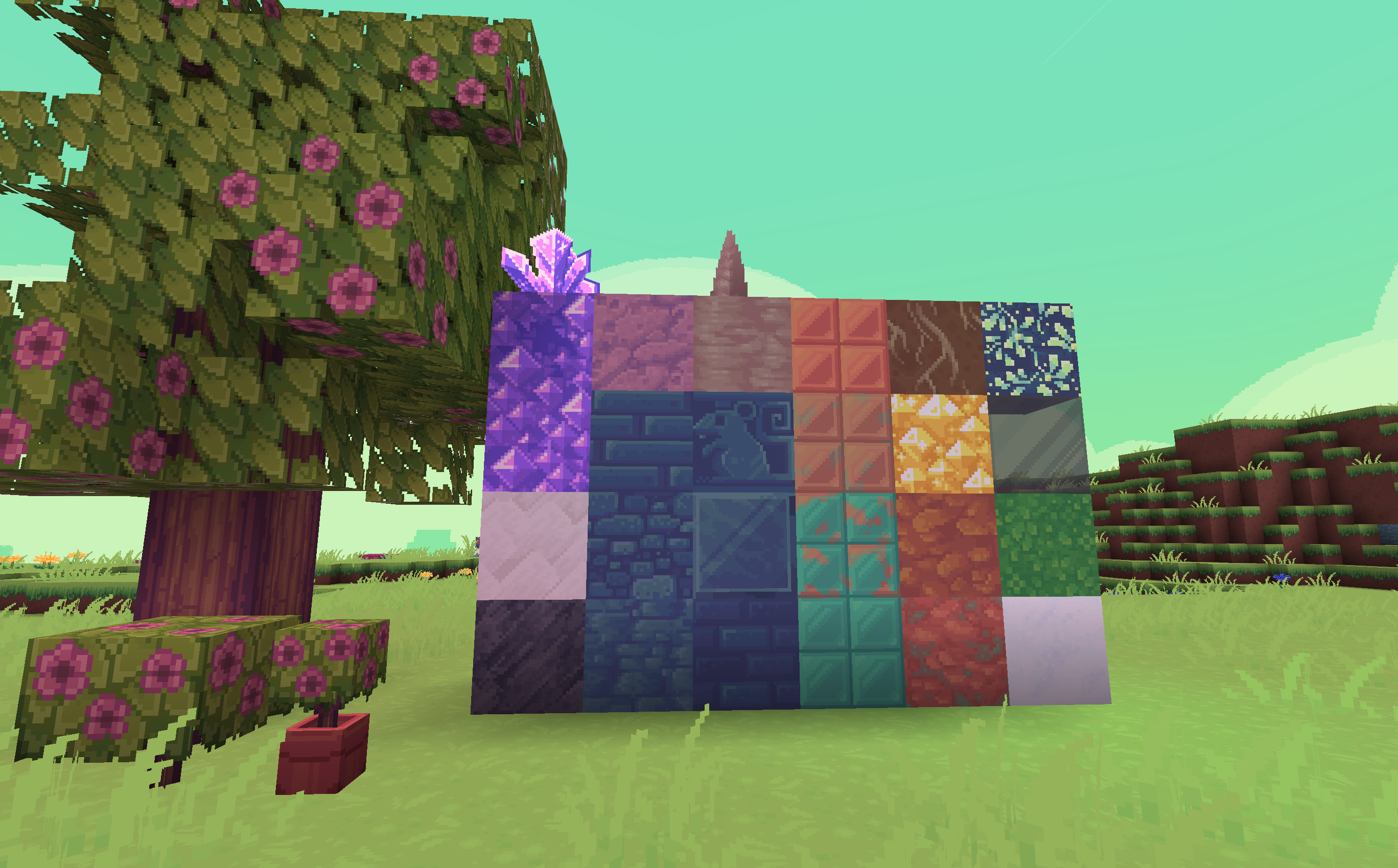
A dreamlike texture pack with heavy emphasis on biome diversity and vibrant colors.


Q. Can I use this texture pack on stream/youtube/post screencaps/etc?

Absolutely! Go ahead.


Q. Can I edit this texture pack?

For private use, sure. Please don't public upload/monetize/etc your edits.


Q. I don't have Optifine...

Download it here, or opt to use the downgraded non-optifine Lite version of Anemoia for 1.16


Q. Some of the biome colors are a little different between 1.17 and 1.19?

There's two reasons for this.

  1. Minecraft version 1.18 renumbered most internal biome IDs, which are used by Optifine to figure out what color to use from my custom colormaps when rendering stuff like grass or leaves. To put it simply: imagine you sorted skittles by color into bowls and then all the bowls got thrown on the ground. Then someone asks you to re-sort the skittles into a smaller number of bowls than there were before.
  2. I did some small aesthetic tweaks to a few biomes just because the biome ID renumbering had me redoing a bunch of stuff anyway. Plus, a lot of transitional biomes like Jungle Edge were removed or integrated into other biomes in a way that no longer allows for them to have custom coloring.


Q. I found something blatantly miscolored in 1.19/a biome that had special grass in earlier versions special grass has normal grass instead in 1.19/etc!

 I haven't had time to personally test 1.19 as extensively as I'd have liked to and it's possible there's some small errors here and there with my new biome maps. If you've played previous versions and find something blatantly out of place (example: a biome with a brown sky or red water), or using normal textures when you know it should use special textures (example: a biome like swamp/desert/taiga/etc using the standard plains grass sideblock texture), let me know in the comments so I can patch the issue.


Q. A new 1.19 block/entity/effect is using an unedited default texture!

If that's the case then oops, I missed something! Let me know what I missed in the comments.

Anemoia 1.19
MC 1.19.3, 1.19.2, 1.19.1, 1.19
Release 2022-11-06 Get
Anemoia for 1.17
MC 1.17.1
Release 2021-08-06 Get
Anemoia 1.02
MC 1.16.3, 1.16.1, 1.16, 1.16.2
Release 2020-10-04 Get
Anemoia v1.zip
MC 1.16.3, 1.16.1, 1.16, 1.16.2
Release 2020-09-26 Get

Requirements & install

How to use this resource pack in Minecraft
Resolution
32x
Minecraft
1.16.1 – 1.19.3
Install folder
.minecraft/resourcepacks

How to install resource packs

  1. Download the resource pack .zip file (do not extract it).
  2. In Minecraft open Options → Resource Packs → Open Pack Folder.
  3. Drop the .zip into the resourcepacks folder (.minecraft/resourcepacks).
  4. Move the pack to the Selected column and click Done.
Browse more: 16x resource packs 32x resource packs 64x resource packs 128x resource packs 256x resource packs 512x+ resource packs Resource Packs for 1.19.3 All resource packs

More from glassdoiphin

Advertisement Remove ads with Premium →

You Might Also Like