Mineuniverse
Resource Packs
AlyxPack - 512x

AlyxPack - 512x

RESOURCE PACK
Half-Life: Alyx conversion pack with Normal maps, specular and CTM, used with shaders!
by PapaChefCool
Download Claim this project
Add a badge to your pageLink to AlyxPack - 512x from a README, website or forum post.
Preview: Badge

Badges update automatically and link to the resource pack page on MineUniverse.

15,425 downloads
0 likes
0 followers
Updated Oct 14, 2026
0 hypes
Follow0
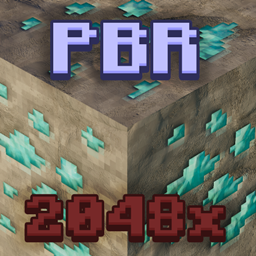
512x and Higher Photo Realistic
Advertisement Remove ads with Premium →

Support me on Patreon to get more exclusive packs and updates!


The AlyxPack combines the beloved designs and textures featured in Half-Life: Alyx, with the versatility of Minecraft. This pack convert’s a variety of textures and props from the original game, into a format Minecraft to use. This pack not only features the specular and normal-mapping from the game for added effect, but also heavily features CTM to create less repetitive textures.


View the Block-list! 


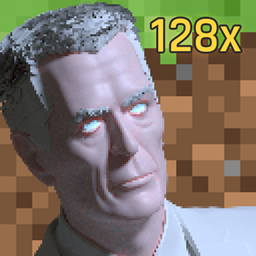
This pack isn’t really for gameplay/survival but rather more creative builds. This pack also depends on a LabPBR-material compatible shader for the best effect. This pack is fairly high-end, but if you can run HL:A at a decent quality, you should be able to run this just fine. If you can’t run this version, try the 128x version! (be warned, this version might still be a bit intensive)


AlyxPack 512x - R3
MC 1.17.1, 1.14.4, 1.17, 1.16.5, 1.15.2
Release 2021-10-20 Get
AlyxPack 512x - R2
MC 1.14.4, 1.17, 1.15, 1.16, 1.16.5, 1.15.2, 1.14, 1.16.4
Release 2021-06-22 Get
AlyxPack 512x - R1.1
MC 1.14.4, 1.15, 1.16, 1.16.5, 1.15.2, 1.14, 1.17-Snapshot, 1.16.4
Release 2021-04-27 Get
AlyxPack 512x - R1
MC 1.14.4, 1.17, 1.15, 1.16, 1.16.5, 1.15.2, 1.14, 1.17-Snapshot, 1.16.4
Release 2021-04-11 Get

Requirements & install

How to use this resource pack in Minecraft
Resolution
512x+
Minecraft
1.15 – 1.17.1
Install folder
.minecraft/resourcepacks

How to install resource packs

  1. Download the resource pack .zip file (do not extract it).
  2. In Minecraft open Options → Resource Packs → Open Pack Folder.
  3. Drop the .zip into the resourcepacks folder (.minecraft/resourcepacks).
  4. Move the pack to the Selected column and click Done.

512x packs need a strong GPU and at least 4 GB of RAM for Minecraft; a performance mod such as Sodium is strongly recommended.

Browse more: 16x resource packs 32x resource packs 64x resource packs 128x resource packs 256x resource packs 512x+ resource packs Resource Packs for 1.17.1 All resource packs

More from PapaChefCool

Advertisement Remove ads with Premium →

You Might Also Like