Mineuniverse
Resource Packs
Alikcraft

Alikcraft

RESOURCE PACK
Minecraft in a higher resolution
by CubeCrown
Download Claim this project
4,734 downloads
0 likes
Updated Oct 14, 2026
0 hypes
256x Photo Realistic
Advertisement Remove ads with Premium →

***NO PLANS FOR FURTHER DEVELOPMENT***


Alikcraft is a texture pack that aims to replicate the Minecraft textures as close as possible in a 256x256 format. It does not attempt to achieve photorealism, it instead appears as Minecraft with a higher resolution. Some blocks such as diorite, andesite, granite, their polished counterparts, and glowstone have been redesigned to create a more pleasant look. In this version, almost every block you find in nature or are directly crafted from basic blocks are textured. Here are the blocks currently textured: 

all colors of wool,all stained glass,all types of planks,andesite,anvil,azure bluet,birch door,birch leaves,birch log,bookshelf,brick,clay,coal ore,coarse dirt,cobblestone,cracked stone brick,crafting table,daisy,dandelion,dead bush,diamond ore,diorite,dirt,emerald ore,end stone,farmland,furnace,glass,glowstone,gold ore,granite,grass,gravel,ice,iron ore,ladder,lapis ore,long grass,oak door,oak leaves,oak log,obsidian,poppy,red sand,red sandstone,redstone lamp,redstone ore,sand,sandstone,smooth andesite,smooth diorite,smooth granite,smooth red sandstone,smooth sandstone,snow,spruce door,spruce leaves,spruce log,stone,stone,stone brick,stone slab,tallgrass,torch,trapdoor


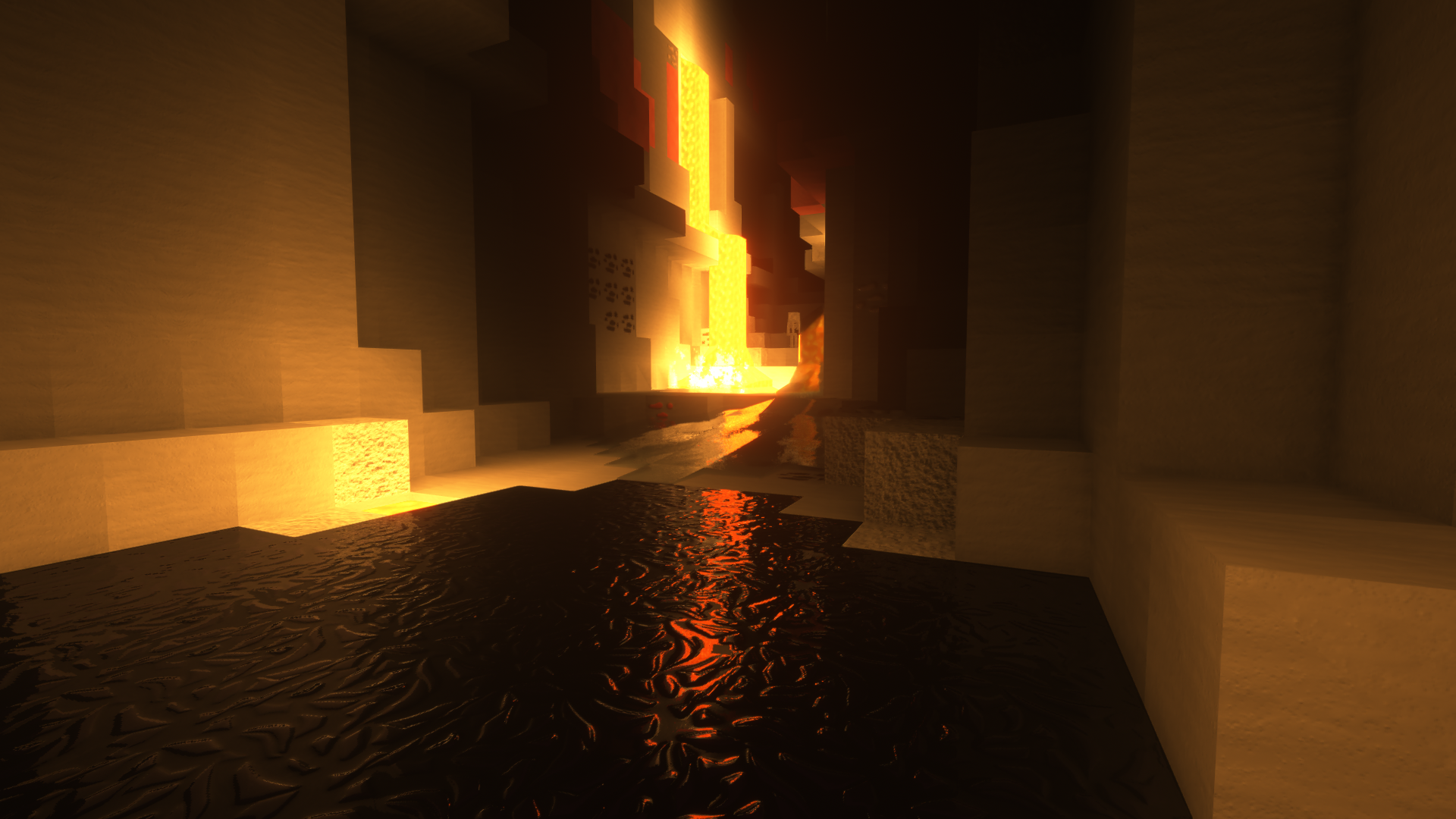
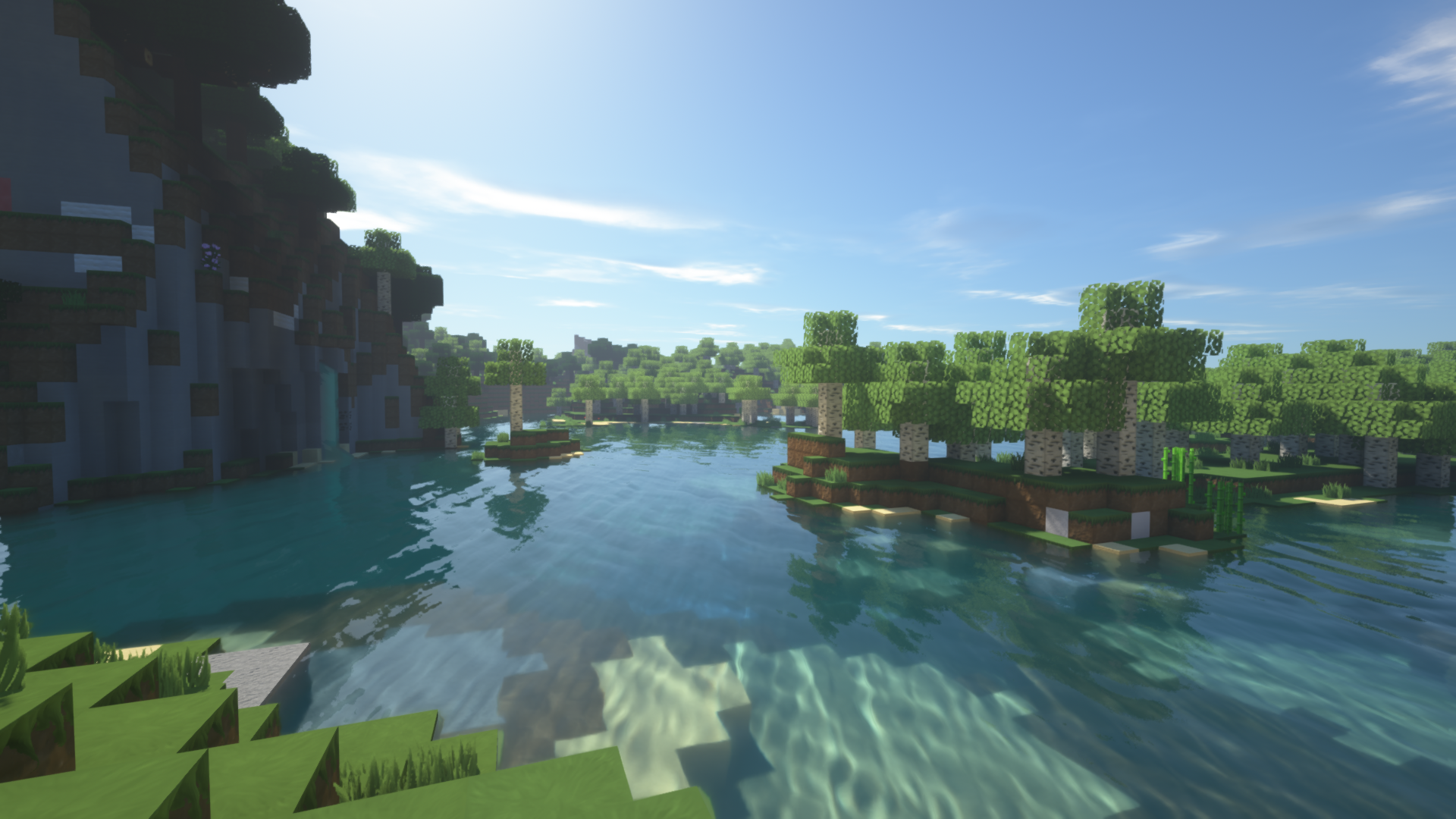
almost all blocks have normal and specularity maps so if you have a more powerful pc, you can add extra detail by using compatible shaders(such as SUES or Chocapic). 


here are some screenshots of the texture pack with and without shaders: 


[1.16.1]Alikcraft-0.95
MC 1.16.1
Beta 2020-07-26 Get
[1.15.2]Alikcraft-0.95
MC 1.15.2
Beta 2020-04-02 Get
[1.12.2]Alikcraft-1.1
MC 1.12.2
Release 2020-04-02 Get
[1.13.2]Alikcraft-1.1
MC 1.13.2
Release 2020-04-02 Get
[1.14.4]Alikcraft-1.1
MC 1.14.4
Release 2020-04-02 Get
[1.13.2]Alikcraft-1.0
MC 1.13.2
Release 2020-03-31 Get
[1.14.4]Alikcraft-1.0
MC 1.14.4
Release 2020-03-31 Get
[1.15.2]Alikcraft-0.9
MC 1.15.2
Beta 2020-03-31 Get
[1.12.2]Alikcraft-1.0
MC 1.12.2
Release 2020-01-31 Get

Requirements & install

How to use this resource pack in Minecraft
Resolution
256x
Minecraft
1.12.2 – 1.16.1
Install folder
.minecraft/resourcepacks

How to install resource packs

  1. Download the resource pack .zip file (do not extract it).
  2. In Minecraft open Options → Resource Packs → Open Pack Folder.
  3. Drop the .zip into the resourcepacks folder (.minecraft/resourcepacks).
  4. Move the pack to the Selected column and click Done.

Packs from 128x upwards need more video memory: install a performance mod such as Sodium for smooth frame rates.

Browse more: 16x resource packs 32x resource packs 64x resource packs 128x resource packs 256x resource packs 512x+ resource packs Resource Packs for 1.16.1 All resource packs
Advertisement Remove ads with Premium →

You Might Also Like