Mineuniverse
Resource Packs
Aetas Ferrea - MineColonies Integration

Aetas Ferrea - MineColonies Integration

RESOURCE PACK
An realistic texture pack similiar to patrix 32x, changing MineColonies, used in Aetas Ferrea Modpack.
by Bleckwolf25
Download Claim this project
403 downloads
0 likes
0 followers
Updated Oct 14, 2026
0 hypes
Follow0
32x Miscellaneous Mod Support Photo Realistic
Advertisement Remove ads with Premium →

Aetas Ferrea - MineColonies Integration

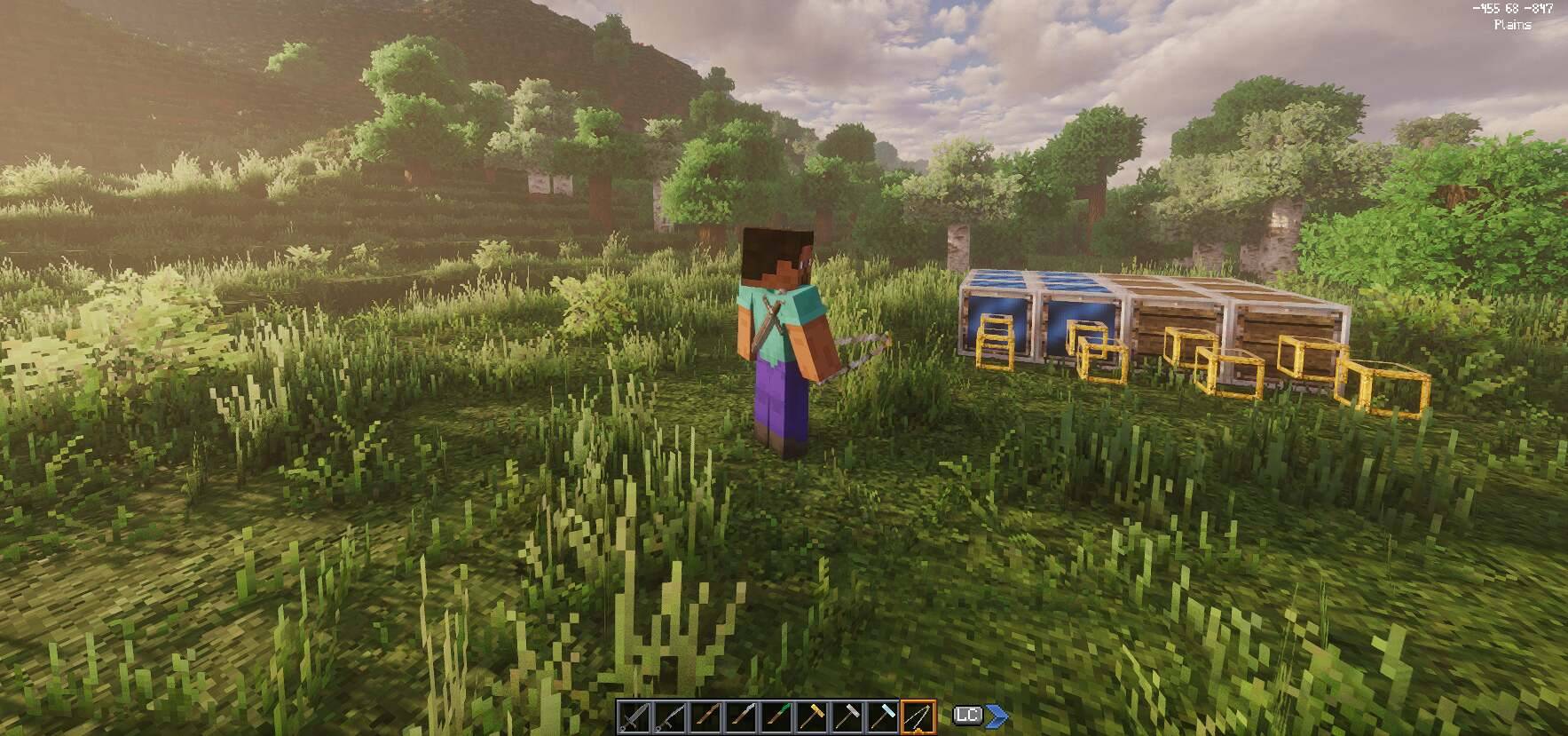
An aesthetic pack for the Aetas Ferrea modpack that updates Minecolonies and Structurize tool assets. It replaces the cartoonish default items with realistic, medieval counterparts that match Patrix 32x wood, steel, brass, and crystal textures.

Features

  • Work Hammers: Replaces the bulky superhero-style hammers with realistic, historically-grounded stone/metal mason sledges and framing hammers.
  • Scepters (Gold, Steel, Tag, Lumberjack, Guard, Beekeeper, Permission): Fully detailed scepters featuring leather-wrapped handles topped with medieval finials (brass key collars, gold crowns, raw wood carvings, glowing emeralds, and yellow-striped bee domes).
  • Tools: Overhauls the Caliper and Shape Tool (featuring a glowing cyan crystal focus) to look like authentic medieval measuring and drafting instruments.
  • Substitution Blocks: Replaces the grid frames with heavy steel-riveted borders holding wood planks, rippling water planes, or hollow centers.

Dependencies: MineColonies, Structurize.


THE FOLLOWING WEBSITES ARE THE ONLY OFFICIAL WEBSITES THAT HOST AETAS FERREA CONTENT. ALL OTHER WEBSITES ARE NOT ASSOCIATED WITH US AND ANY CLAIMS OF THEM BEING OFFICIAL ARE FALSE. PLEASE AVOID THEM AT ALL COSTS AS THEY MIGHT CONTAIN MALICIOUS CONTENT.

Aetas Ferrea is NOT affiliated with or endorsed by Mojang, Microsoft, or any other third party. All other trademarks are the property of their respective owners.

NOT AN OFFICIAL MINECRAFT PRODUCT. NOT APPROVED BY OR ASSOCIATED WITH MOJANG OR MICROSOFT.

aetas_ferrea_minecolonies.zip
MC 1.20.1
Release 2026-06-27 Get

Requirements & install

How to use this resource pack in Minecraft
Resolution
32x
Minecraft
1.20.1
Install folder
.minecraft/resourcepacks

How to install resource packs

  1. Download the resource pack .zip file (do not extract it).
  2. In Minecraft open Options → Resource Packs → Open Pack Folder.
  3. Drop the .zip into the resourcepacks folder (.minecraft/resourcepacks).
  4. Move the pack to the Selected column and click Done.
Browse more: 16x resource packs 32x resource packs 64x resource packs 128x resource packs 256x resource packs 512x+ resource packs Resource Packs for 1.20.1 All resource packs

More from Bleckwolf25

Advertisement Remove ads with Premium →

You Might Also Like