🌊 Abyssal Decor - Fusion Connected Textures
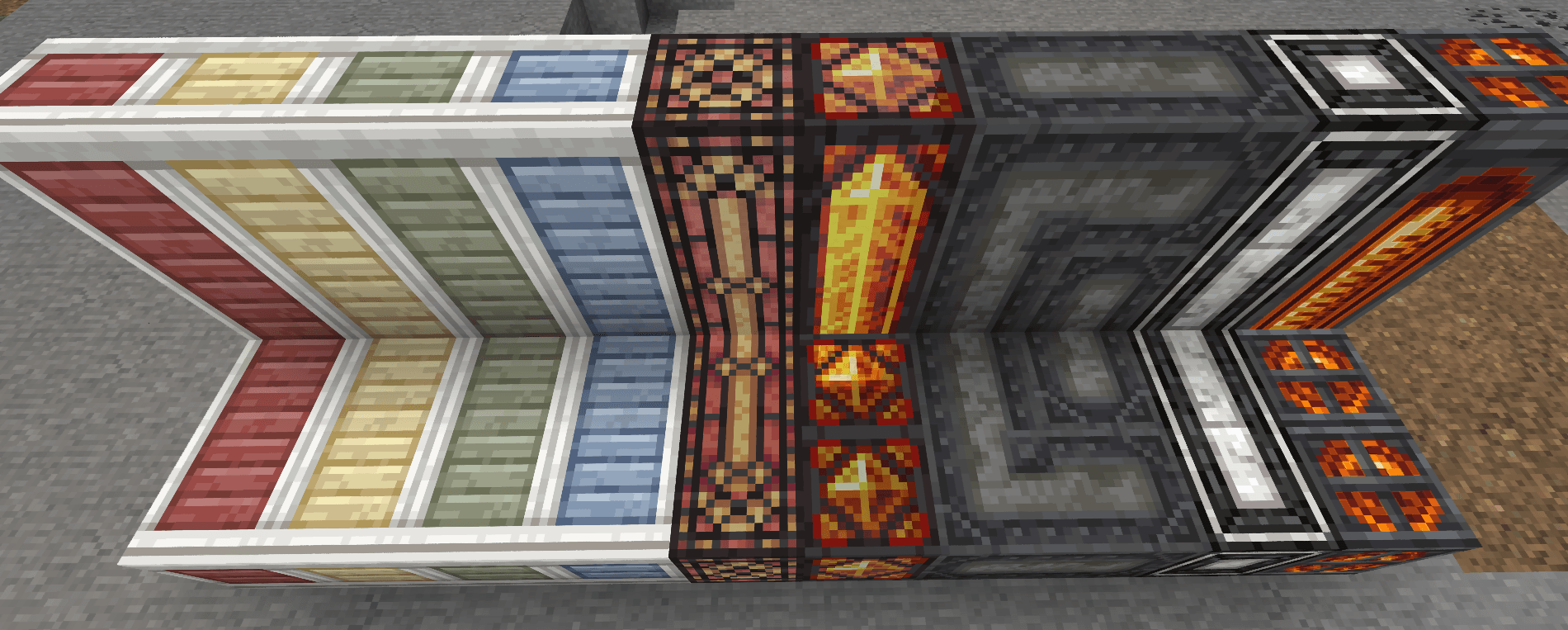
Give Abyssal Decor its full visual potential back! This resource pack brings complete connected textures support using the modern Fusion mod.
✨ Features & Connected Blocks
This pack restores seamless connections for:
- 🪟 Glass & Panes: Star Glass, Framed Glowstone Pane
- 🪵 Timber & Frames: Wooden Frames (Default, Blue, Gray, Green, Red, Yellow) — seamlessly connect together and with Bare Timber!
- 🏛️ Flooring & Rugs: Marble Flooring, Ornate Rug, Gilded Velvet, Burlap & Burlap Carpet, Grime Carpet
- 🧱 Walls & Stucco: Cracked Stucco (White, Red, Yellow), Cinnamon Paneling
- ⚙️ Industrial Blocks: Iron Panel, Dull Iron Panel, Filthcrete & Reinforced Filthcrete (1 & 2)
- 🏺 Decorations: White Wood Planter (Top & Bottom), Gilded Black Pearl, Prismarine Crystal Block Smooth, Bonedust
📋 Requirements
To make this resource pack work, you need:
- Abyssal Decor (by starrysock)
- Fusion (Connected Textures) (by SuperMartijn642)
⚠️ Note: The legacy CTM mod is NO LONGER REQUIRED!
🛠️ Installation
- Make sure you have Abyssal Decor and Fusion installed in your
mods folder.
- Download Abyssal Decor - Fusion Connected Textures.
- Place the
.zip file into your .minecraft/resourcepacks/ directory.
- Launch the game, go to Options > Resource Packs, and move this pack to the right side (active).
- Enjoy your connected blocks!
📜 Credits & Acknowledgements
- starrysock for the incredible Abyssal Decor mod and original art.
- SuperMartijn642 for the powerful Fusion connected textures library.
- Conversion to Fusion created by Tatou8.