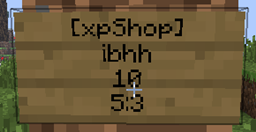
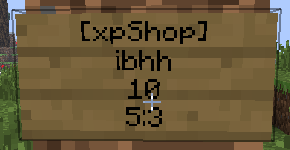
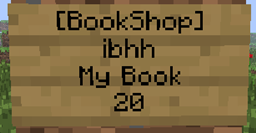
Players can buy, send, and sell experience points which can be used to enchant items. Also it can display the player's amount of XP. XP levels can be sold and bought with sign shops.
This plugin will automatically update itself if “autodownload” is set to true in the config file and will force an update if a bug is found! Macht es das auch, wenn autodownload auf false ist?
Players can send XP to each other across multiple servers. To use this feature, you need a database that can be accessed from each server. You then enter this database into each config file and set “usedbtomanageXP” to true.
You do not need MySQL, however, you can use MySQL to manage XP between one or more servers. To do this you must use the same MySQL Database on all of the servers.
COMMANDS for ADMINS that use the database:
/xpShop reset <player> - Resets the xp of that player in the database
/xpShop setXP <player> - Sets the xp of that player in the database
The language can be chosen and modified in the config.yml file.
To install the plugin, drop it into the plugin folder.
| Economy System Dependencies | Permissions Dependencies |
|---|---|
| iConomy 5 | PermissionsEX |
| iConomy 6 | BukkitPermissions |
| Vault | GroupManager |
| Register | bPermissions |
| Link | Description |
|---|---|
| Wiki | The github wiki of xpShop |
| SignShop Wiki | Explanation of the shop feature. |
| xpShopSafe Wiki | Explanation of the safe feature. |
| Commands and Permission nodes | A list of all commands and Permissions nodes: |
| Source code + API | full code |
| Default config | config.yml with comments |
To edit the config while the server is running, type "xpShop gui" into the console.
Please ask before using the code, I am a friendly person :)
This plugin uses mcstats.org to gather statistical data. The data is collected anonymously and ALL data is visible to everyone. Follow the link at the statistics banner and you'll see the collected data.
If you don't want any data to be sent, disable statistic sending in the Metrics folder/configuration.
This plugin creates debug files to make the finding of errors easier for me. If a error occurs the plugin may report it to me. All error reports are visible on my tracker. Klick here.
You can modify /disable this behavior in the configuration file. Set senddebugfile to false if you don't want to send debugfiles to me.
Set senderrorreport to false if you don't want to send any debug/errors to me.