TeslaCoil - Tesla Coil mob control:
Version: v2.6.5
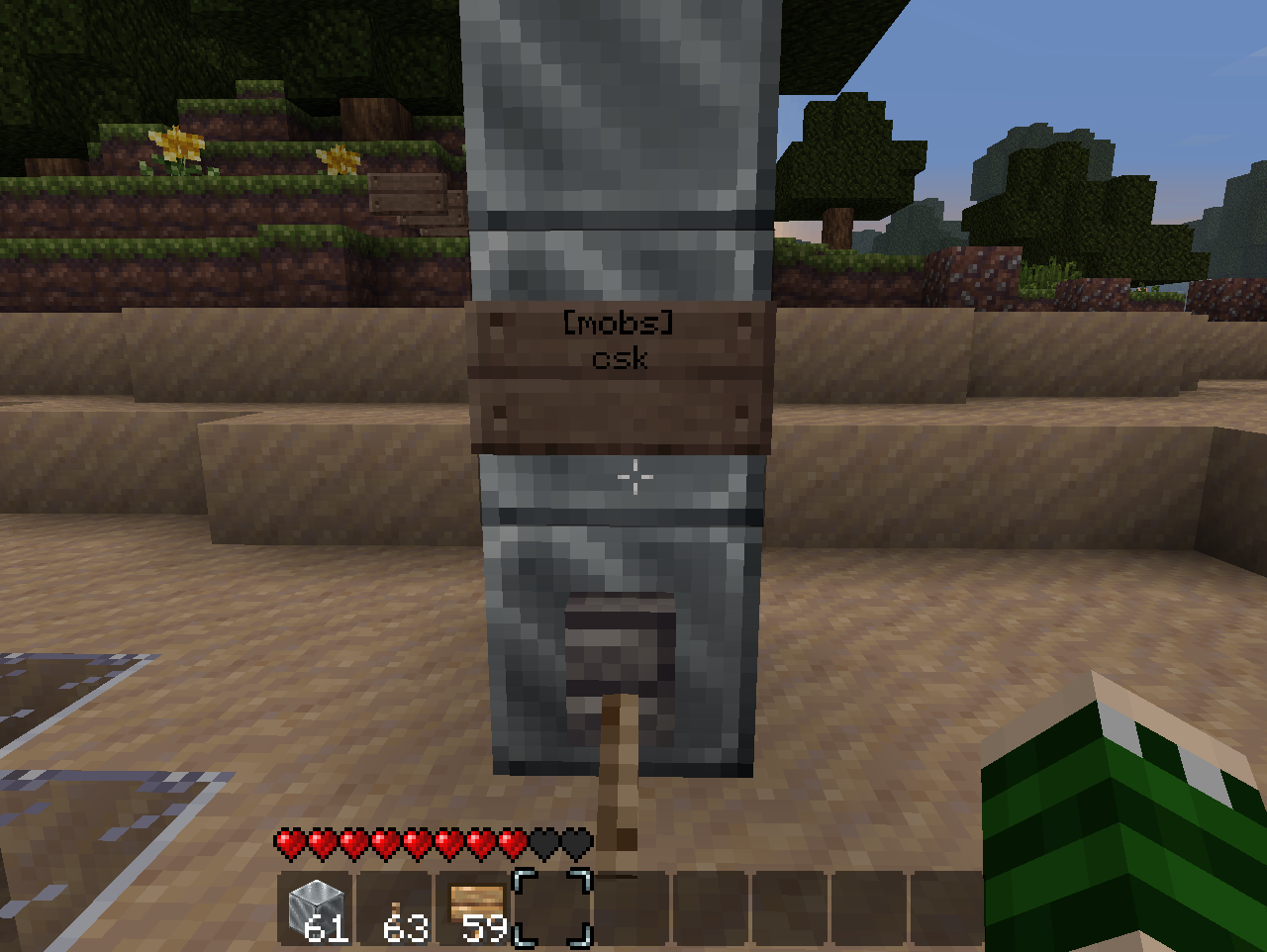
Usage: the player must construct a tower of no less than 3 iron(configurable) blocks, and connect this directly to a redstone current. While the current is active, targetted mobs and players within a configurable radius, above or below ground, will be fried. The towers ping every second by default, so mobs chasing you will quickly regret it :p Feedback/constructive criticism is welcome.
Features:
Permission:
teslacoil.use | Activate coils
teslacoil.use.mobs | Ability to target mobs
teslacoil.use.players | Ability to target players
teslacoil.reload | Use /teslarelaod
teslacoil.nolimit | Bypass coil restriction
teslacoil.limit.# | # is the number of coils that should be restricted per user/group
Configuration Properties
coillimit: 3 #How many coils users without teslacoil.nolimit can activate, max
sandtoglass: true #If false, sand will not turn into glass if a mob is standing on it
vradius: 2 #Sets veritcal radius to scan for mobs
setping: 1 #Sets seconds the towers wait to ping the area around them
blocktype: 42 #Type of block for tower
teslaradius: 8 #Can be 0(based on tower height) or a number to set a constant radius.
deathblocktype: 49 #Type of block that should be present at the top of the tower for wither mode.
radiusmultiplier: 1 #Used only if teslaradius is 0; for each block, the radius is this much bigger.
safelightning: false #Safe lightning will only hit the target and not cause splash-damage.
fireblocktype: 89 #Type of block that should be present at the top of the tower for fireball mode.
buildcage: false #When a normal (not fire-type) coil is enabled, constructs an iron-fence cage around it.
warnthreshold: 10 #Can be 0(deactivated) or a number to designate, from the coil's usual effect radius, at what point an approaching player is warned.
igniteblocktype: 20 #Type of block that should be present at the top of the tower for ignite mode.
damage: 0 #Can be 0(no additional damage) or a number indicating how much additional damage will be applied to targets.
Signs:
Signs may be placed anywhere on the coil, above the block the power is running in through.
To Filter Players:
Same idea as below, place a sign on any side of the block above where the power is input, with the first line being [players] and the subsequent lines containing a player name per line. You can have as many of these signs as there are places on the coil to put them.
To Filter Mobs:
Place a sign above the block where the power is input (doesn't matter which direction it faces), where the first line is [mobs] and the second line contains a list of all mobs that should be targeted by the coil. Alternatively, by including 'ex' on the top of any sign (like [players]ex) will put the coil in Exclusion mode, avoided the specified mobs and hitting all others. The characters are as follows:
c - Creeper
s - Spider
k - Skeleton
z - Zombie
h - Chicken
o - Cow
e - Sheep
w - Angry wolf
p - Cave Spider
b - Blaze
m - Magma Cube
v - Villager
d - Ender Dragon
i - Pig Zombie
n - Enderman
q - Ocelot
r - Wither
t - Witch
l - Slime