Mineuniverse
Log in Register
Plugins

MaxiWorld

MaxiWorld came from a simple question from my kids: What if the blocks were bigger?
by _ForgeUser7385311
Download Claim this project
7,537 downloads
0 likes
Updated Jun 30, 2026
0 hypes
Admin Tools Fun World Generators

MaxiWorld

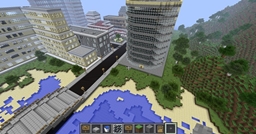
MaxiWorld came from a simple question from my kids: What if the blocks were bigger? I was kind of busy with CityWorld/Conurbation at the time but here is the answer to that question finally.

Smile Kids!

Version 0.53

<sub>(sometimes there is a delay in getting the new version of the plugin through the approval process, if the above version isn't available check back in an hour or so)</sub>

Beta

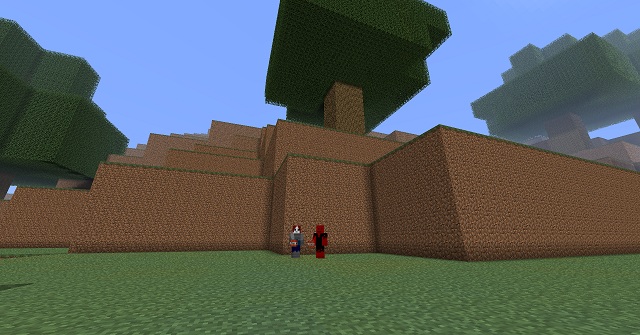
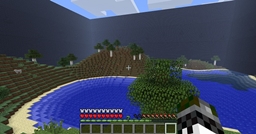
This is a "simple" world generator that creates a MineCraft like world with hills, lakes and trees with one twist: everything is a bit bigger. Specifically every block is four times taller, or if you really want to feel like an ant you can configure the world to be eight times larger. Mind you using the eight times bigger mode really causes the world to slow down. I am not sure what else to do with this plugin so this might be all it ever is, only time will tell. Consider it a "novelty world" and have fun. Feel free to add your comments to them or add a new thread, thanks.

Technical info

  • v0.53 Added some logs into the leaves to keep them happy when people start hacking
  • v0.51 1.2.3-R0.2 Happy and Fixed a few string and permission issues
  • v0.50 Initial release
  • v0.49 1.1 R6 Happy

Permissions for MaxiWorld command (used your favorite perms plugin)

  • MaxiWorld.command (defaults to op)

Config option file is now generated when MaxiWorld runs. These options only affect "new generation" and are not world specific (yet). Changing them after a world has been generated will produce some odd results at times.

  • Global.BlockSize (defaults to 4) currently you can pick 4 or 8, the later makes things a bit slower

Installing

This is purely a world generator. If you need teleportation or world management support there are plenty of plugins that will do that for you. The Bukkit plugin ecosystem does not need more of those puppies. This is JUST A WORLD GENERATOR. :-)

To install it you will need to do three things...

  1. Download the plugin and place it in Bukkit's plugin folder. If you don't know where or what the Bukkit's plugin folder is, read this.
  2. Now start up Minecraft Server via Bukkit. If you don't know how to do this, I recommend rereading this.

At this point, you may be asking yourself: How do I get to the city? There are two options...

  1. Press "T", type in "/MaxiWorld" and press return (if you do this, remember that some plugins might not work with MaxiWorld until you modify bukkit's YML to include a reference to the world)
  2. OR... you can use a multiverse plugin and use the MaxiWorld as the generator for one of your worlds. We use Multiverse.

If you are still confused then rereread this. :-)

v0.53
MC 1.3.2, CB 1.3.2-R1.0
Beta 2012-10-07 Get
v0.49
MC CB 1.1-R6
Beta 2012-03-12 Get
v0.51
MC CB 1.2.3-R0.2
Beta 2012-03-11 Get
v0.50
MC CB 1.2.3-R0.1
Beta 2012-03-08 Get

More from _ForgeUser7385311

WellWorld
6,227
CityWorld
147,185

You Might Also Like

AdBolt Advertising Network
Make money from your Minecraft server by running ads!
9,992
Mineload
Mineload
9,978
BeastTP
BeastTP v1.0 - Teleportation Made Easy! -[Permissions][1317]
9,966
RegionManager
generate regions with just one command!
9,950
TimeKeeper
Keep the Server-Playtime per Day
9,948
SimpleAdmin
simple way to ban/kick unwanted players from your server
9,945