Badges update automatically and link to the plugin page on MineUniverse.
Spawns crazy creatures. Who will be the first to take them down? Everyone on the server will know.
Admins can use this plugin to entertain the players on their server, or to run mini-competitions. For example, they can reward the first player that kills a crazy bat, or the player who has killed more crazy bats than others. Killing those bats, as you must know, can be tricky.
The plugin can also be used as a full-fledged boss plugin, allowing you to spawn and control customs mobs of any kind.
There is only one command.
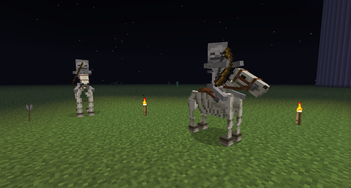
You may spawn other types of creatures, like so:
See config.yml for more info.
You may also control the creatures with the following commands (Since v2.7):
Another useful way of spawning custom mobs is with the likeme keyword (Since v2.8):
There is only one permission setting.
You may change a lot of stuff in the configuration files (config.yml) of the plugin, such as the creatures' name, health, custom kill messages, equipment, effects, skills and custom drops. Starting with version 2.3 (new configuration settings) you can also edit the equipment of the mob (if applicable). See here for more configuration info.
Profiles are a set of available creatures and their configurations. The default profile is loaded from the config.yml file and is called 'default'. There is another profile, called 'extreme', which is loaded from a different file called 'extreme.yml'. To switch to the extreme profile, use the following command:
/killthebat profile extreme
After doing so, the plugin will load the creatures' configurations from the extreme.yml file, so when you type /killthebat Zombie, all the details about the zombie (displayname, armor, skills, etc.) will be taken from extreme.yml file.
If you want to switch back to the default profile, use the command:
/killthebat profile default
Please note that you can add new profiles by cloning the extreme.yml file in the plugin's folder and renaming it. For example, you can create a file called animals.yml with a few creatures and then switch to it with /killthebat profile animals.
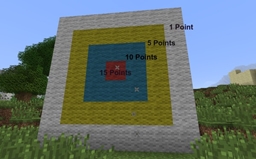
You may also add a new scoreboard objective called "killthebat" to your world. Each kill will then grant 1 point (or more, if "points" is specified in the config file under the creature).
The easiest way to add such a scoreboard in-game is to type the commands:
/scoreboard objectives add killthebat dummy Points
/scoreboard objectives setdisplay sidebar killthebat
Setting the the following line in config.yml will enable spawning the creatures with a sign and redstone:
# Please reload the server after changing this value
enablesign: yes
When this is done, a sign on which the first line is "[killthebat]" will spawn the bat, whenever it receives redstone power. The second line on the sign can specify a different mob type (e.g. Cow). With this mechanism you can spawn the bat automatically at night (using a daylight detector, of course). You may also create a mob arena, combing a redstone clock, the sign and the scoreboard integration.