# DiscordLogin Configuration

# Your Discord bot token
bot-token: "discord_token"

# Your Discord server (guild) ID
guild-id: 43902483920

# How long (in seconds) to IP-ban a user when they press No (default: 300 = 5 minutes)
ip-ban-duration-seconds: 900

# How long (in seconds) a player has to approve the login before being kicked
login-timeout-seconds: 60

# Chat message prefix (supports & color codes)
message-prefix: "&8[&bDiscordLogin&8]&r "
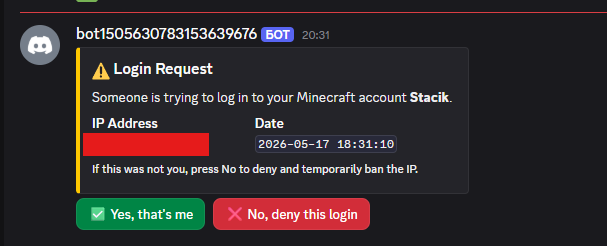
Check the gallery tab
Go into the data file (plugins/DiscordLogin/data.yml for Paper or config/DiscordLogin_data.json), and find the UUID of the person (formatted UUID: DiscordID) and remove the whole line, then restart the server
If you are a member, ask a staff member to do these steps
Add me on discord: stacik_
That's coming soon
No
Absolutely nothing
To prevent the problem with of forgetting passwords (if using a normal login system) and also to prevent people from accessing your account without your permission
It can't. Here's why:
-The plugin never asks for your password, email, or any credentials
-It only sends a one-time code in-game that you paste into a Discord bot command
-The bot only knows your Discord user ID (a public number) and your Minecraft UUID, the same info any server already has
You will have to wait an hour for discord to register the commands globally
No not yet, but I am absolutely thinking of adding that
Current ideas:
dangkhoi6162 - Reporting big issue & ideas