This plugin adds a craftable backpack with 18 slots by default. The size can be changed. The client doesn't need any mods. Everything is manged by the server.
This is the default crafting recipe:
You can change it in the crafting.txt file.
If you are a new user of this plugin you can skip this point.
You need to put the following lines into you config.yml file, if they are not already there:
BackPackMaterial: LEATHER
DropBackpackContentOnDeath: true
You can do this by copying this line into the config if you have individual settings or by deleting the old config to get a new one.
In the Minecraft News you can read: "We have pushed out an update that supports name changes, however we will not allow name changes until a future date."
That means plugin developers new have to use UUIDs (=UniqueId), because Name won't be static anymore. I changed the way the plugin saves the backpacks from the player's name to the player's UUID. As a result of this the plugin versions 1.2 and below wont be able to open Backpacks from the versions 1.3 (and higher). Of course the verison 1.3 will translate the old backpacks into the new format.
| Command | Function | Permission |
|---|---|---|
| /backpack | Opens your backpack. | backpack.open.command.own |
| /backpack <Owner> | Opens the backpack of the given player. | backpack.open.command.other |
| /giveBackpack | Gives you a backpack. | backpack.give.self |
| /giveBackpack <Player> | Gives the given player a backpack. | backpack.give.other |
| /reloadBackpack | Reloads the plugin. | backpack.reload |
The plugin automatically creates a config with the default settings. You can edit this file if you want (the old backpacks might not work with the new settings). If you want to reset your config simply delete it.
Here are all permissions you can use:
| Permission | Default |
|---|---|
| backpack.craft | true |
| backpack.open.item | true |
| backpack.open.command.own | OP |
| backpack.open.command.other | OP |
| backpack.give.self | OP |
| backpack.give.other | OP |
| backpack.reload | OP |
| backpack.size.X (1 <= X <= 6) | false |
More information to backpack.size.X can be found in the next paragraph.
You can change the size of the backpack:
Minimum: 1 row
Maximum: 6 rows
If you want specific groups to have different backpack sizes you can give them permissions from backpack.size.1 to backpack.size.6.
If a player has more than one backpack.size.X permission the highest will be used. If a player has no such permission the size definded in the config will be used. Whenever I say size I mean the size of the backpack in rows.
You can edit the crafting recipe of the backpack in the crafting.txt file.
It looks like this by default:
L=LEATHER
C=CHEST
LLL
LCL
LLL
If you want to change it pay attention to these points:
If you want to disable the crafting for a user set the permission backpack.craft to false for him.
You can change the item material of the backpack, but all backpacks created with another(the old) Material will still be usable.
If you dont want previous backpacks to be usable you have to change the durability in the config.
You can use (placeable) blocks as item, they wont be places when the user opens the backpack, but you should pay attention to the durability: Blocks only can use a few numbers for durabilitys, most only allow zero, but e.g. the skull-block's durability can be higher than 0 and changes the skull-type.
If you want to disable using the backpack in a world, put the name of the world in the bannedWorlds.txt file. You can get the name of the world, by reading the name of the folder in which the world data is saved. Don't put more than one name in one line.
You can group backpacks by creating a file with the group name as file name(you can add ".txt") in the "groups" directory. In this file you can put as many world names as you want, but don't put more than one name in one line. If you don't know the name of the world, read the previous paragraph. The backpacks saved in a group are bound to the group name, so don't change it, if you don't want to reset the backpacks. Every world, that is not in a group or banned, uses the same backpacks as all worlds that are not in group. Don't put a world in more than one group.
This can be used e.g. if you have a skyblock world, and you don't want your players to transport items via backpack into this world from the normal world.
If editing the folder in which you are running the server needs admin rights, the plugin can't work, as it has to create a own folder in the "/plugins" Folder, where it saves important data as the config and the backpacks. Prevent using special characters in the config, otherwise the plugin could not be able to load.
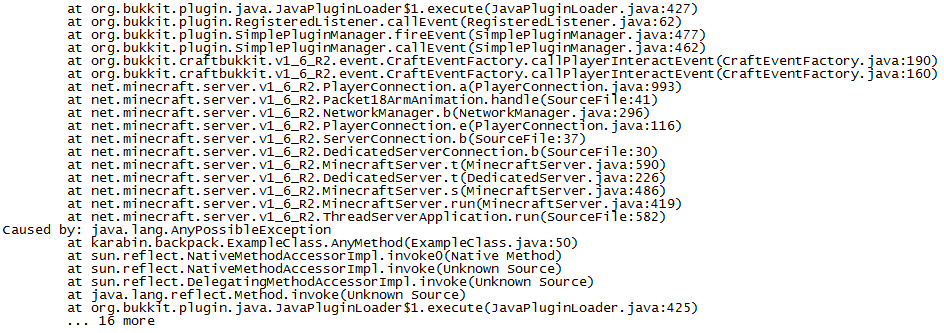
Please write a comment if you have any problems with the plugin or detected a bug. Please send me your server.log file if there was a exception. Your log file could be very big if you often use your bukkit server. If this is the case please send me only parts, which are similar to this picture, because they're interesting for me.

Numero Uno