Mineuniverse
Plugins
CompassLocator

CompassLocator

PLUGIN
Displays coordinates, direction, biome and locator bar while holding a compass. Compass ∙ Death Compass ∙ Locator Bar ∙ Lodestone
by kasperoid
Download Claim this project
70 downloads
0 likes
Updated Oct 14, 2026
0 hypes
Fixes General Informational Mechanics Miscellaneous
Advertisement Remove ads with Premium →

CompassLocator

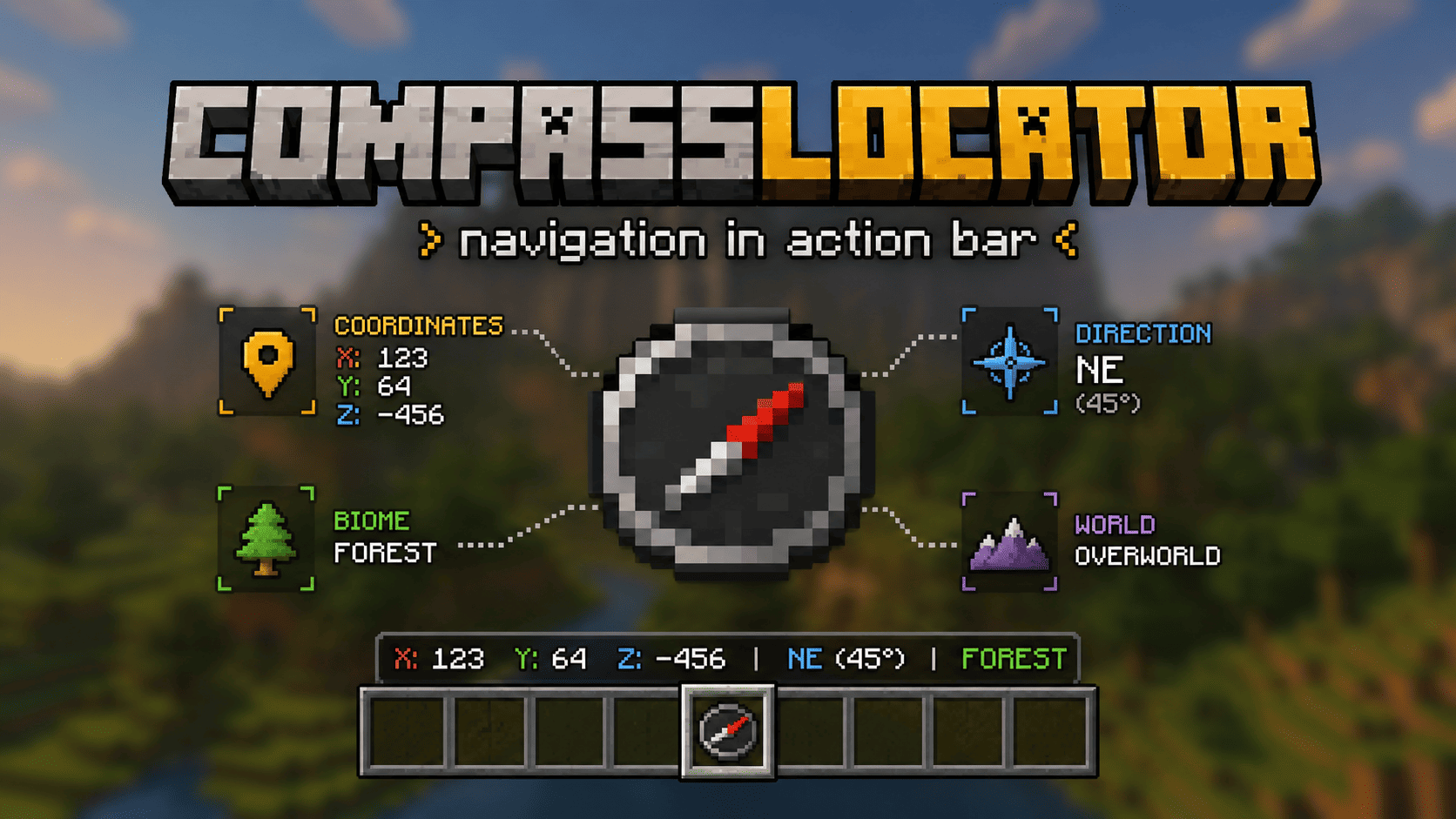
CompassLocator Banner

CompassLocator is a plugin that adds useful compass information directly to the action bar.

No more opening F3. Just hold a compass and see:

  • where you are
  • which direction you're facing
  • what biome you're in
  • where you died last time

What does the compass show?

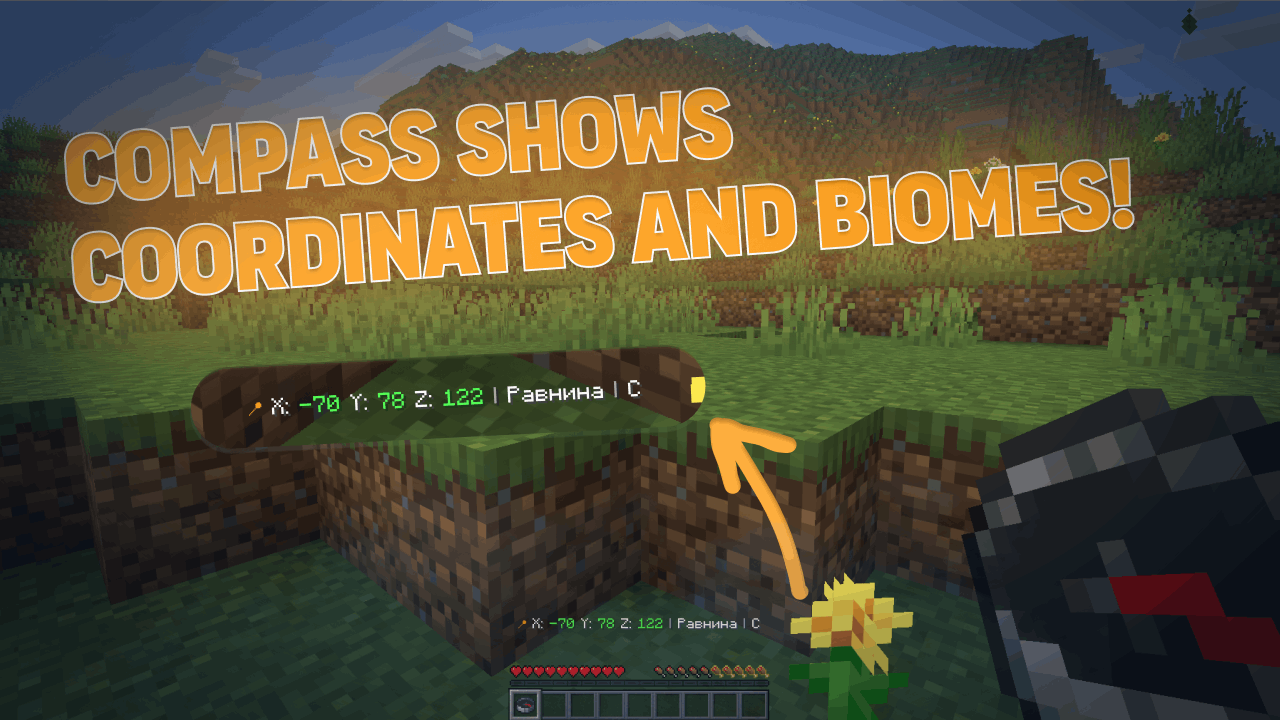
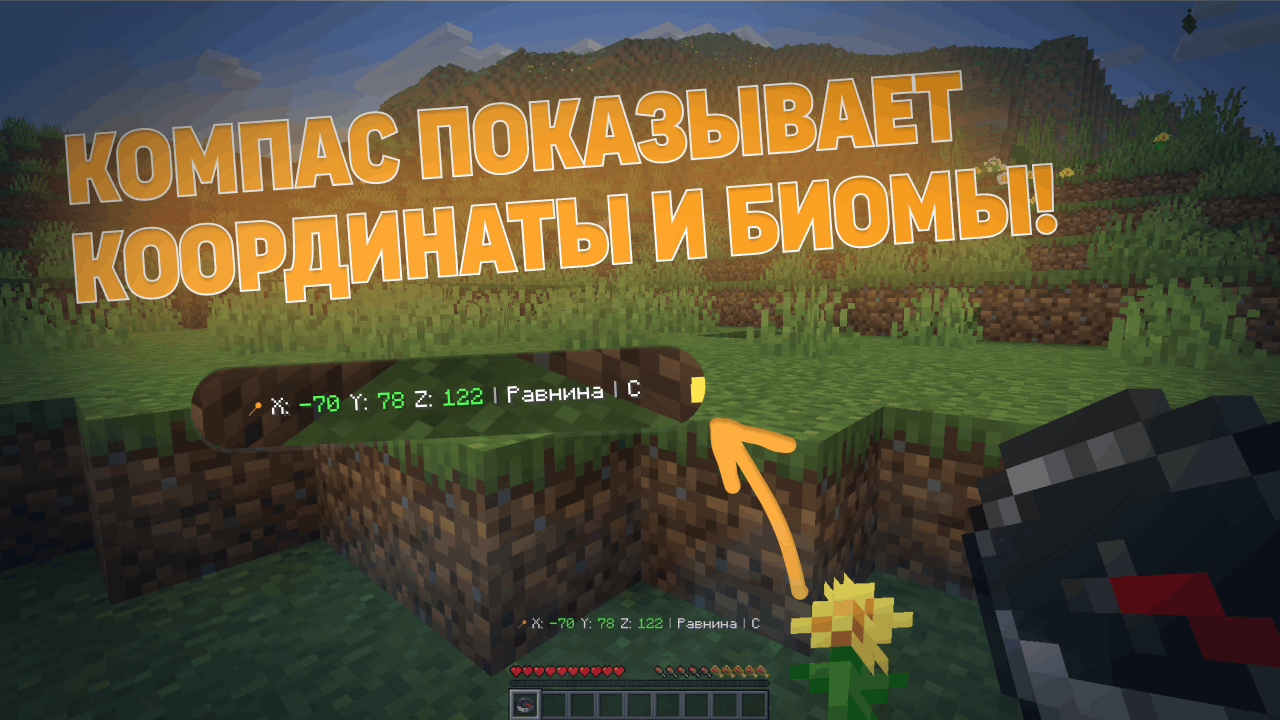
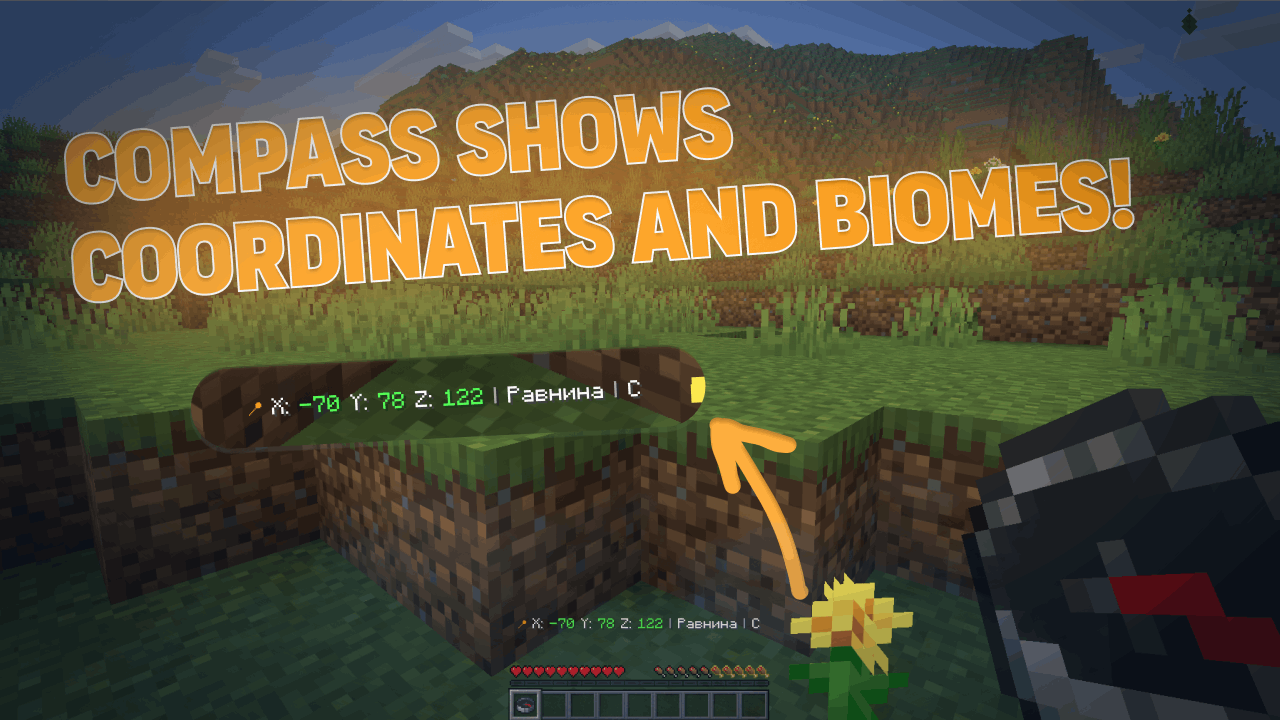
Normal Compass

  • Coordinates (adjustable precision — integer or decimal)
  • Current biome
  • Cardinal direction (North/South or N/S — as you prefer)
  • Time of day (optional)
  • World name (optional)
  • If the compass is linked to a lodestone — shows lodestone coordinates

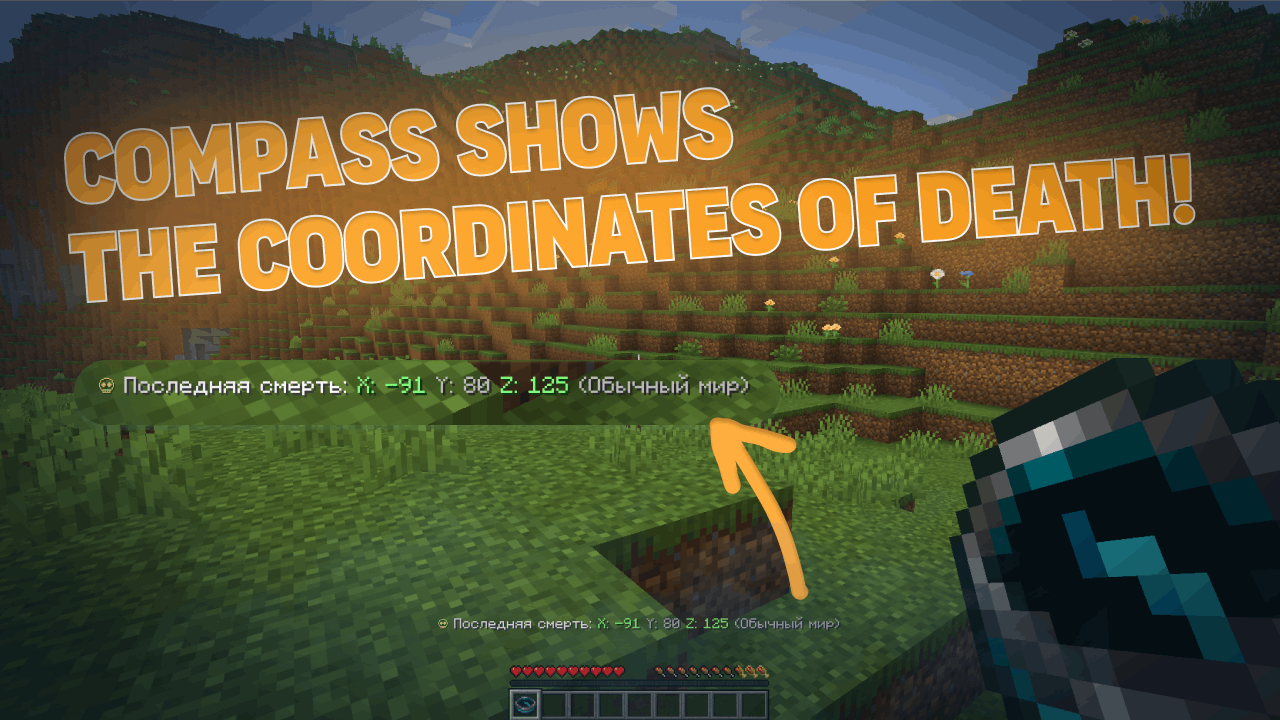
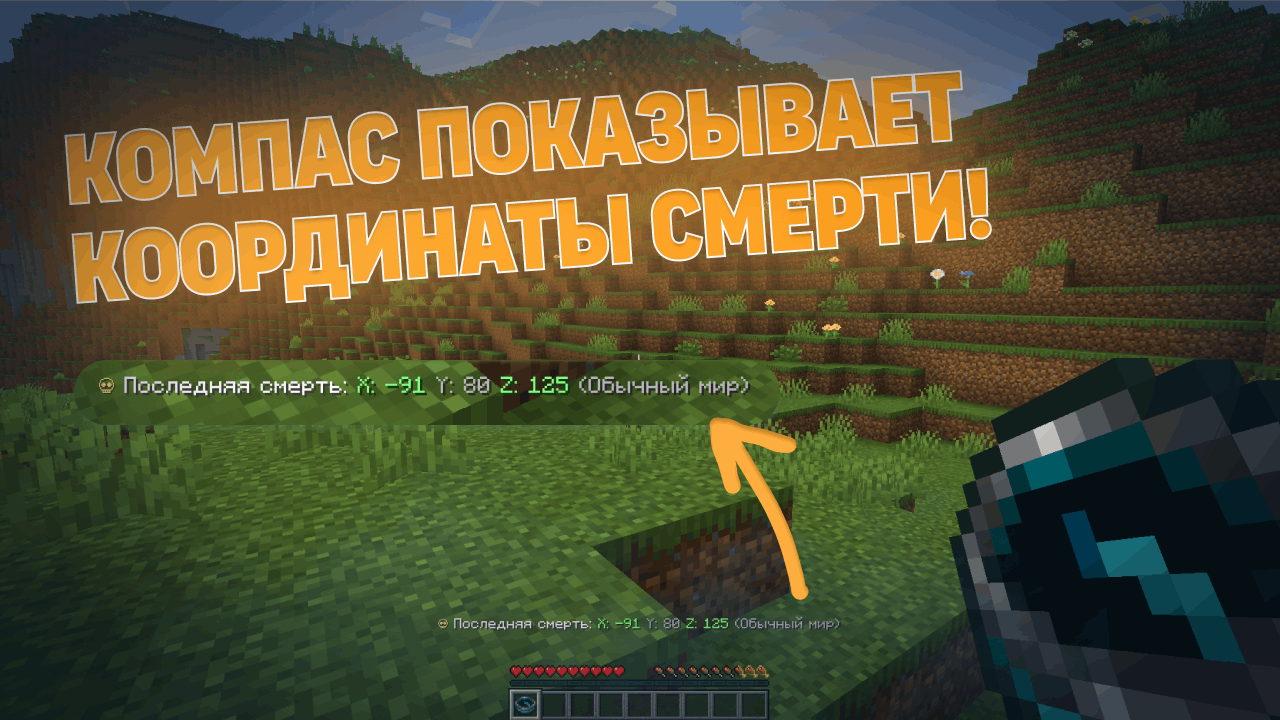
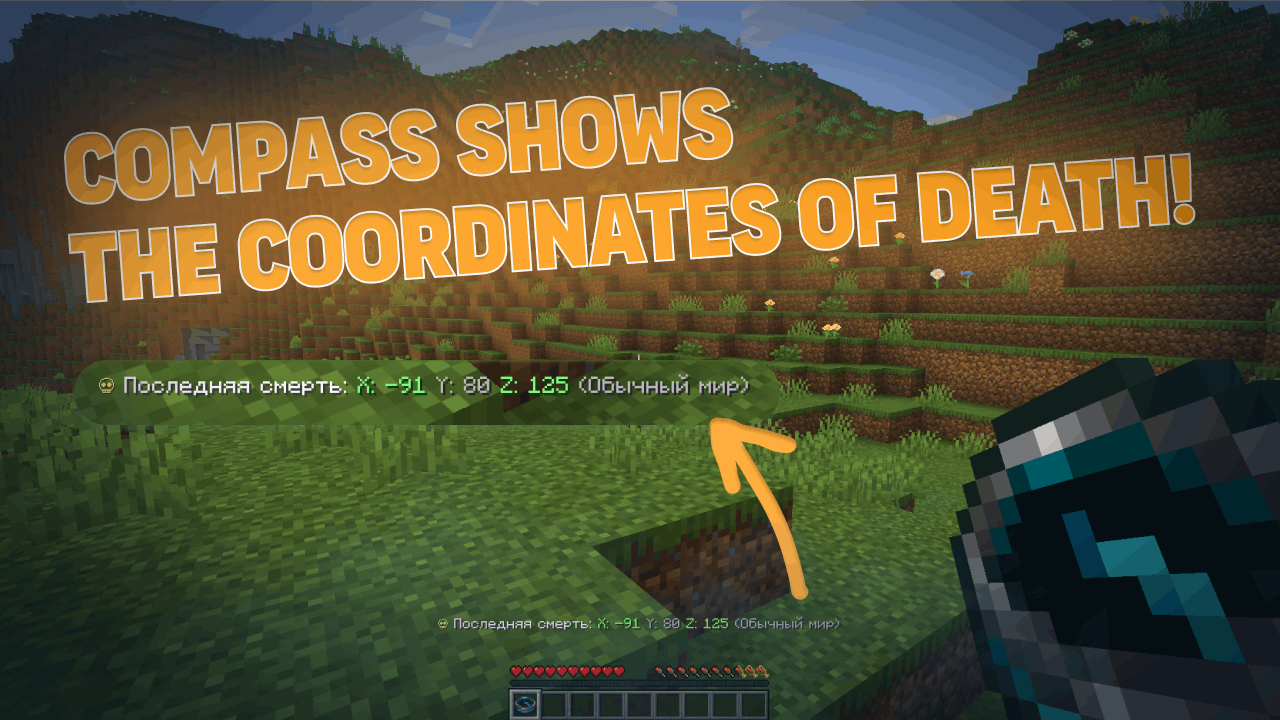
Recovery Compass

  • Where you last died (coordinates)
  • Which world
  • Time since death
  • Distance to death location

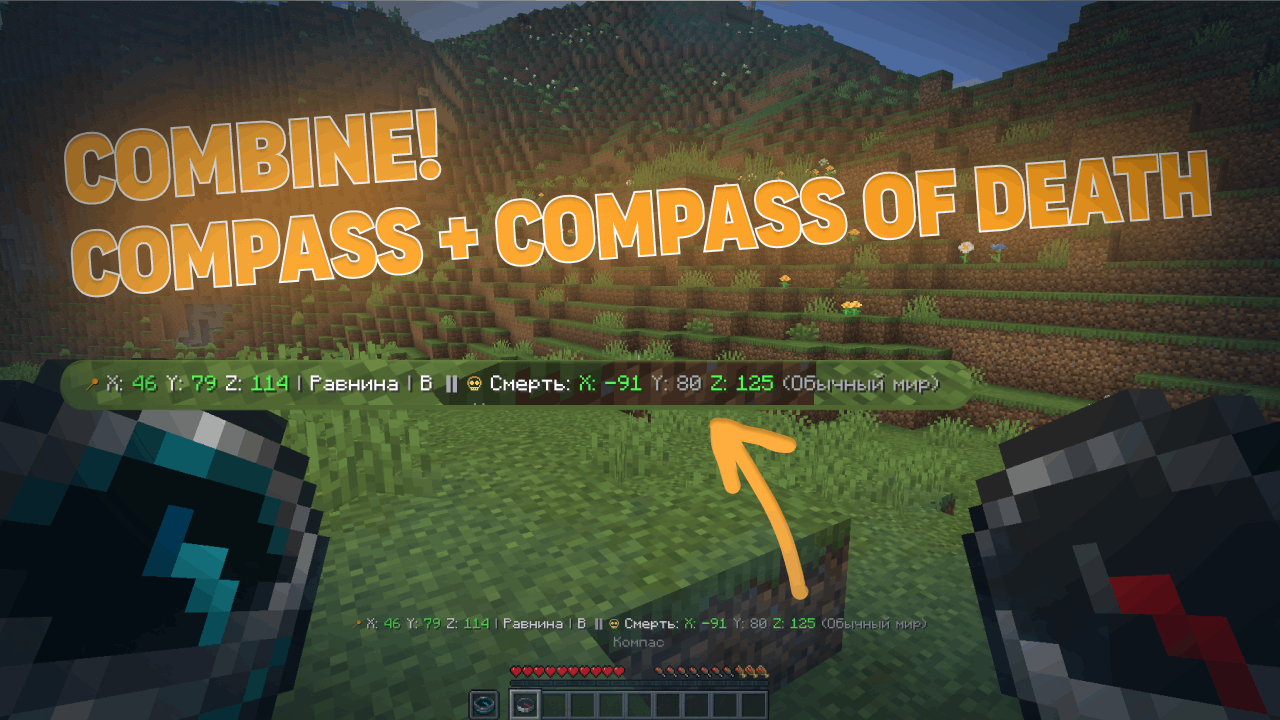
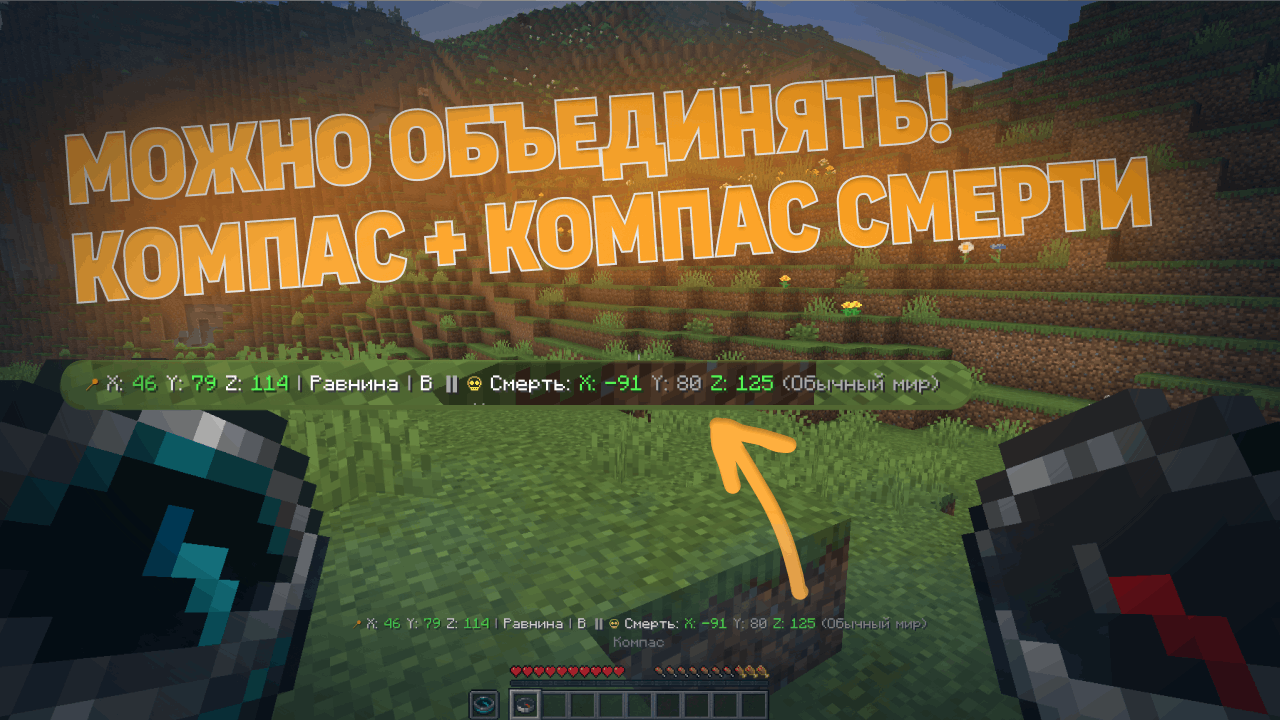
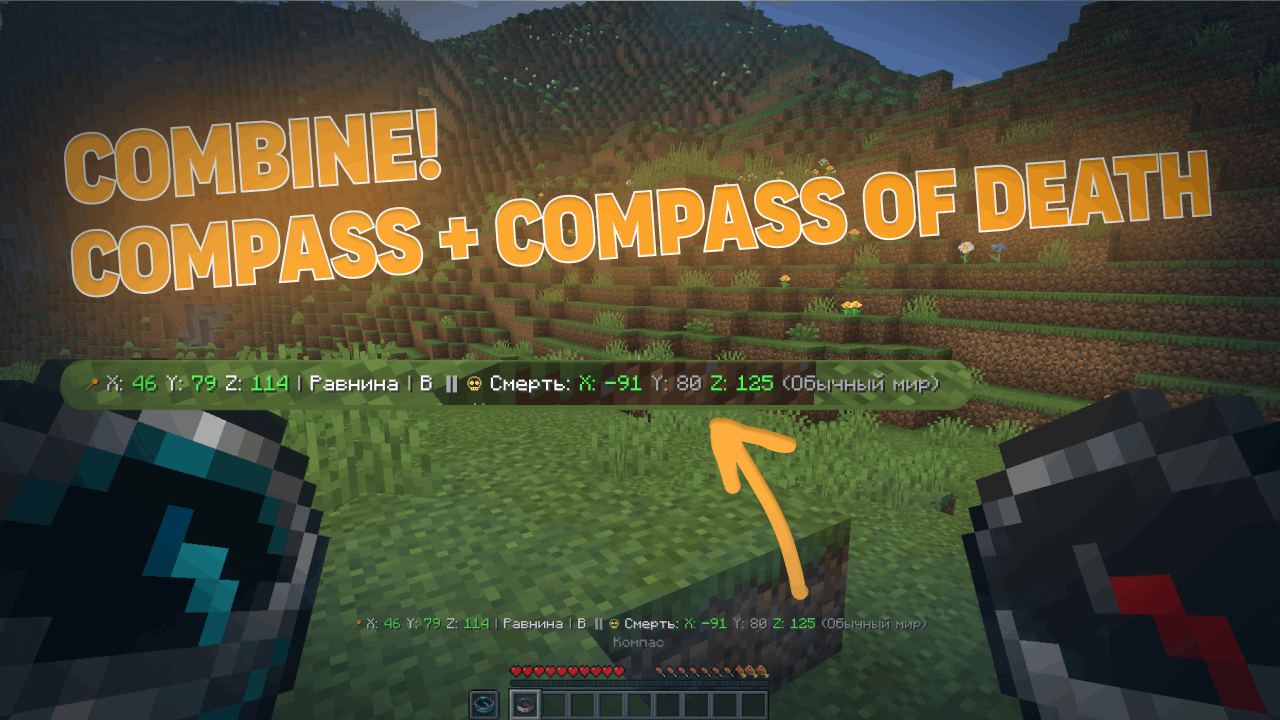
Combined Mode

  • Hold a normal compass in one hand and a recovery compass in the other
  • The action bar shows information from both at once

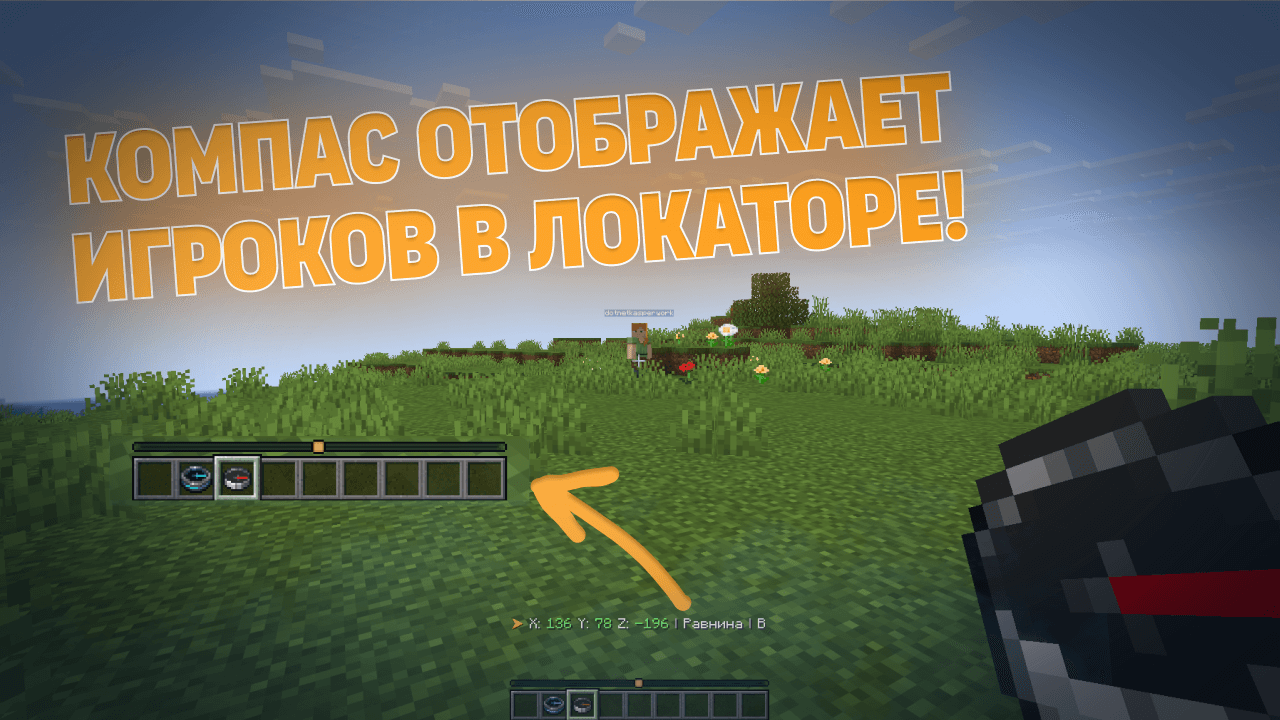
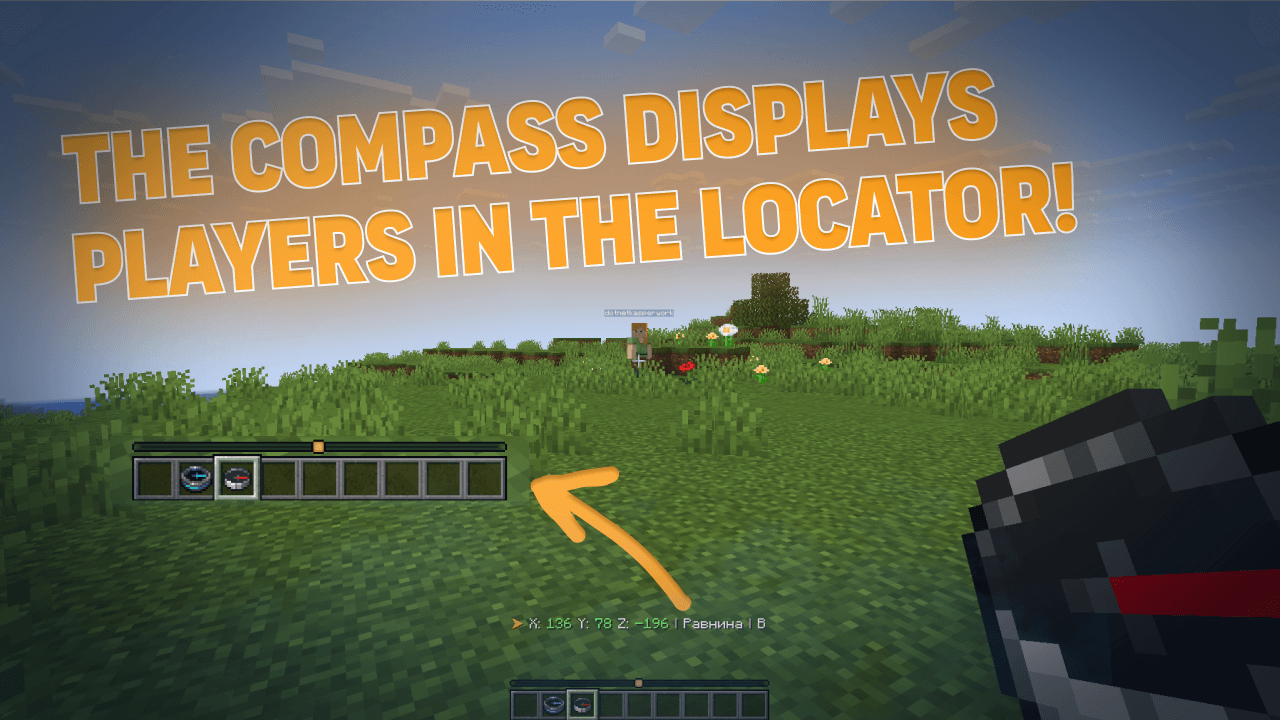
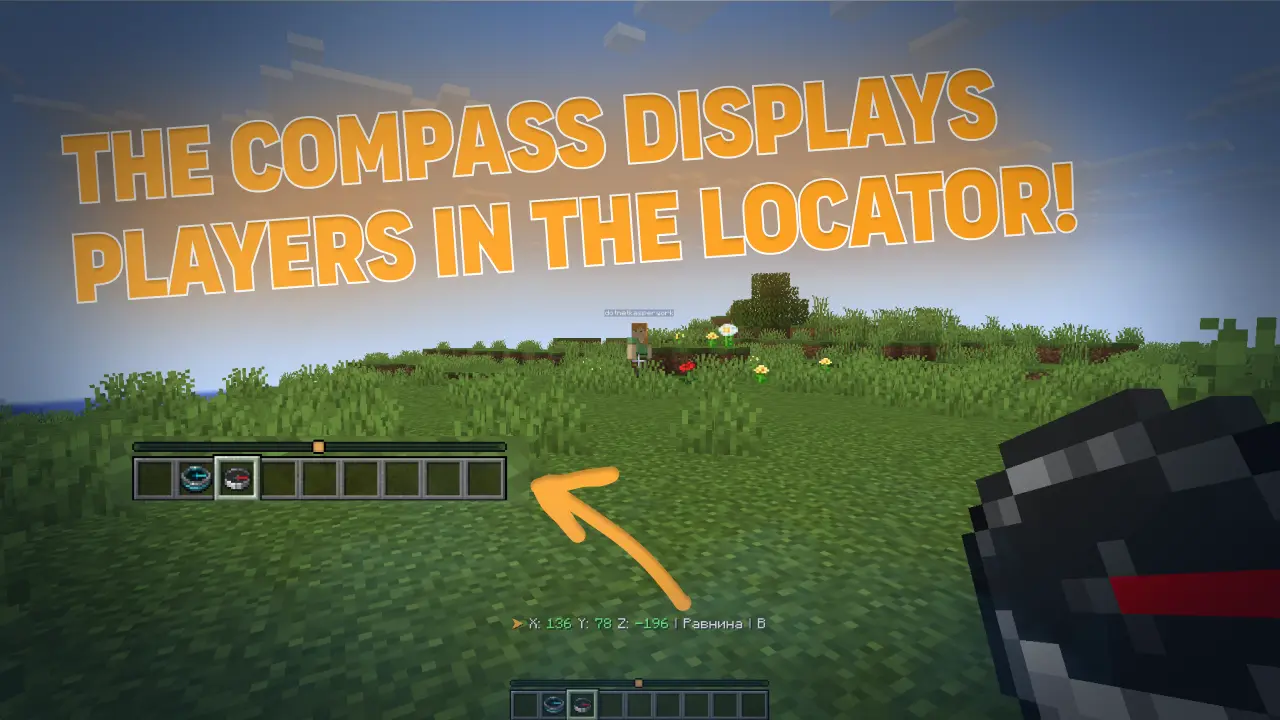
Locator Bar (for 1.21.6+)

With a normal compass in hand, you can see other players on the radar (like a minimap). Range is configurable — up to the entire world.


Screenshots

Normal Compass

Recovery Compass

Combined Mode
Locator Bar

For Players

  • Works right out of the box — just hold a compass
  • Information only appears when you're holding a compass
  • No need to download anything on the client (except for Locator Bar — that requires Minecraft 1.21.6+)
  • Recovery compass shows the way to your items after death

For Server Admins

The plugin is highly configurable via config.yml:

  • Which information is shown (coordinates, biome, direction, world, time)
  • Coordinate precision (integer or decimal)
  • Short or full cardinal directions
  • Action bar update frequency
  • Who is visible in Locator Bar (everyone / only compass holders)
  • Enable/disable any module
  • Language (Russian, English, or auto-detect)
  • And much more

Installation

  1. Download the .jar file
  2. Put it in your plugins/ folder
  3. Restart the server
  4. Done! (Optionally, edit config.yml)

Requirements

  • Minecraft 1.21+
  • Paper / Spigot / Purpur (or compatible forks)
  • Java 21

Locator Bar requires Minecraft 1.21.6+ on the client.


There's also a client mod version!

A separate client-side mod for Fabric and Forge on Minecraft 1.21.6 — 26.1.2.

Functionality will differ from the plugin (client-side capabilities are broader). Details — after release.

👉 CompassLocator — Mod Version Modrinth

👉 CompassLocator — Mod Version CurseForge


FAQ

Do I need to install anything on the client? No. The plugin runs on the server. For Locator Bar, you need Minecraft 1.21.6+ on the client.

Does the compass work in both hands? Yes, you can hold it in either hand. Both are checked.

What if the compass is linked to a lodestone? The plugin will show lodestone coordinates after your own coordinates. If the lodestone is broken, you can configure it to show the last known coordinates.

Does the recovery compass drop on death? Configurable. If you enable the option, the compass stays in your inventory even on death (when keepInventory is disabled).

What's the difference between the mod and the plugin? The plugin is for the server, the mod is for the client. Functionality is similar but the mod has access to more client-side features.


Links

Modrinth • Telegram • GitHub • kasperoid

© 2026 kasperoid — All Rights Reserved

CompassLocator 3.6.0
MC 1.21.2, 1.21, 1.21.3, 1.21.8, 1.21.4, 1.21.5, 1.21.7, 1.21.1, 1.21.6, 1.21.9, 1.21.10, 1.21.11, 26.1.1, 26.1, 26.1.2, 26.2
Release 2026-07-17 Get
CompassLocator-3.5.1.jar
MC 1.21.2, 1.21, 1.21.3, 1.21.8, 1.21.4, 1.21.5, 1.21.5-Snapshot, 1.21.7, 1.21.1, 1.21.6, 1.21.9, 1.21.10, 1.21.11, 26.1.1, 26.1, 26.1.2, 26.2
Release 2026-06-22 Get
CompassLocator 3.4.0
MC 1.21.2, 1.21, 1.21.3, 1.21.8, 1.21.4, 1.21.5, 1.21.5-Snapshot, 1.21.7, 1.21.1, 1.21.6, 1.21.9, 1.21.10, 1.21.11, 26.1.1, 26.1, 26.1.2
Release 2026-05-26 Get

More from kasperoid

Advertisement Remove ads with Premium →

You Might Also Like