zHunters Client Mod Guard is a configurable mod management and protection tool for Minecraft 1.20.1 Fabric, designed to prevent players from entering singleplayer worlds or dedicated servers while using client mods that are not allowed by the modpack or server.
Server owners and modpack creators can define which mods should be blocked using Fabric Mod IDs or configurable name keywords.
By default, zHunters Client Mod Guard already includes a selection of popular minimap, world map, and navigation-related mods in its blocked list, providing a ready-to-use configuration for modpacks that want to restrict these types of client-side advantages.
The default list is fully customizable and can be edited, expanded, reduced, or completely replaced depending on the rules of your modpack or server.
The configuration file can be found at:
config/zhunters-client-mod-guard.json
Blocked mods can be configured using their Fabric Mod IDs or name keywords.
The mod comes with a default blocked list containing several minimap, world map, and navigation-related mods.
This default list is not mandatory. You can freely remove the included entries, add other mods, or completely replace the list depending on the needs of your modpack or server.
Singleplayer and dedicated server protection can also be enabled or disabled independently.
Additional options allow you to customize block messages and logging behavior.
When protection is enabled, zHunters Client Mod Guard checks the mods loaded on the client.
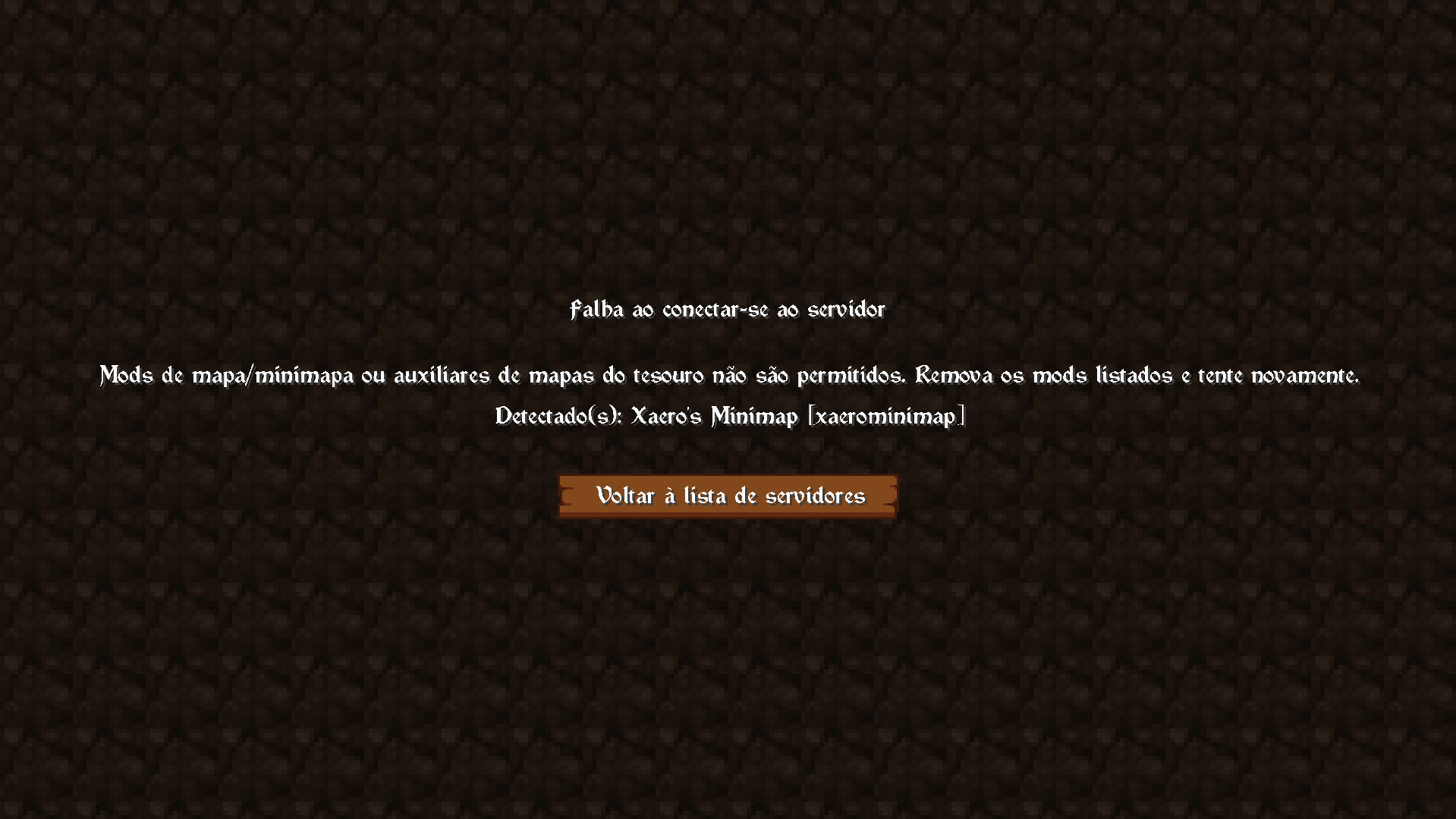
If a configured disallowed mod is detected, the player can be prevented from entering the protected environment.
In singleplayer, the mod can prevent access to worlds while blocked mods are loaded.
On dedicated servers, the server requests the client's mod information during the login process. The client reports its loaded Fabric mods, and the server checks the reported list against the configured blocked Mod IDs and name keywords before allowing the player to enter the world.
The server can also be configured to require zHunters Client Mod Guard on connecting clients. Clients without the required mod can be rejected during login.
The login verification does not rely on a short post-join handshake window, making the connection process more reliable for players connecting to servers with higher network latency or greater physical distance.
mods folder.config/zhunters-client-mod-guard.json if you want to change the blocked mod list or other settings.For dedicated server protection, install the mod on the server and on clients when client verification is enabled.
When used on a dedicated server, zHunters Client Mod Guard performs client verification during the login process.
The server requests the connecting client's reported Fabric mod list and checks it against the configured blocked Mod IDs and name keywords.
If a configured disallowed mod is detected, the connection can be rejected before the player enters the server world.
Server owners can also configure the mod to require zHunters Client Mod Guard on connecting clients. When enabled, clients without the Guard can be rejected during login.
The verification does not depend on a short post-join handshake window, making the connection process more reliable for players connecting from higher-latency or geographically distant networks.
This makes it useful for modpacks and private servers that want to maintain a consistent set of allowed client-side mods.
The default configuration includes several minimap, world map, and navigation-related mods.
These entries are provided only as a starting point and can be freely modified.
zHunters Client Mod Guard is not limited to map mods — any mod can be added to the blocked list through its Mod ID or configurable name keywords.
Created by zClashTM.
zHunters Client Mod Guard is distributed under the MIT License.