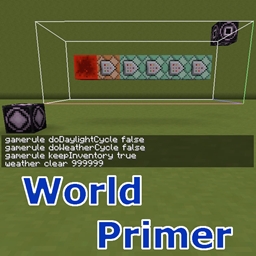
World Primer can automatically run a set of commands when a new world is first created, or every time a world is loaded, or every time a dimension gets loaded.
The commands to run are set in the following config options. They can all be also configured via the in-game config menu:
There are also separate config options to enable or disable all of these, without having to remove all the commands if you want to temporarily disable them:
In addition to these, there is also the enableDebugLogging option, which prints log messages from the various events, so it is easy to track what happens and when.
The dimension loading commands can be targeted to only run when a specific dimension loads, by specifying the command like this:
worldprimer-dim-command <dim id> <the actual command>.
So for example:
worldprimer-dim-command 1 say The End dimension has loaded!
If you just give a command without the prefix, then it will be run every time ANY dimension loads, for example:
say Some dimension has loaded!
As of version 0.3.0, there is now also another dimension loading command variant, which can run the command on a specific number of dimension loads, or on any multiple of the given value.
Note: This variant requires the option enableDimensionLoadTracking to be enabled!
The syntax for these is:
worldprimer-dim-command-nth <dim id> <load count> <the actual command>
So to only run a command when the Nether loads for the very first time, you could use:
worldprimer-dim-command-nth -1 1 say The Nether has loaded for the first time!
Or when the End loads for the 6th time:
worldprimer-dim-command-nth 1 6 say The End has loaded for the sixth time!
To run a command on any multiple of the given value, prefix the value with a '%':
worldprimer-dim-command-nth 1 %5 say The End has loaded a multiple of 5 times!
As of version 0.4.0, there is also support for substituting the dimension id, or the current world spawn coordinates into the commands.
The substitution strings are: {DIMENSION}, {SPAWNX}, {SPAWNY} and {SPAWNZ}. They also support simple addition and subtraction of constant numeric values.
So for example, you can now do this in postWorldCreationCommands, to make the player spawn in a 5x5x3 room under ground:
gameRule spawnRadius 0 (this sets the spawn fuzz to 0, so the player fill spawn exactly in the center of that small room, and not randomly somewhere around that spot, on the surface)
setworldspawn {SPAWNX} 7 {SPAWNZ} (moves the world spawnpoint down to y = 7)
fill {SPAWNX}-2 7 {SPAWNZ}-2 {SPAWNX}+2 9 {SPAWNZ}+2 minecraft:air (makes a 5x5x3 room of air inside the ground, or whatever happens to be at that spot)
As of version 0.5.0 there is a new built-in command:
worldprimer-load-chunks <chunkXMin> <chunkZMin> <chunkXMax> <chunkZMax>.
It can be used to load a range of chunks, so that some other commands can actually work. For example the vanilla /fill command only works in loaded chunks, so this can be used to load the chunks before executing the fill command. The chunks are also immediately queued for unloading, so they shouldn't stay loaded even until the next world save happens (every 45 seconds), but instead unload on the next game tick.
The coordinates are chunk coordinates (so block coordinates divided by 16). The range is inclusive, meaning from the minimum up to and including the maximum.
Note that this isn't an actual registered command, and is thus not usable via chat/server console, but instead it's only used internally if found in one of the configured commands.
Here is an example of how to build a bedrock box at 0,0 in the End dimension when it loads for the first time. These would be added as dimensionLoadingCommands:
worldprimer-dim-command-nth 1 1 worldprimer-load-chunks -1 -1 0 0
worldprimer-dim-command-nth 1 1 fill 10 0 10 -10 7 -10 minecraft:bedrock
worldprimer-dim-command-nth 1 1 fill 9 1 9 -9 6 -9 minecraft:air
worldprimer-dim-command-nth 1 1 say Finished building your box!
This command exists starting from version 0.6.0-dev.20190814.220944.
Here is the description of the available options, and how the command works:
If you have ideas or questions or feedback, or maybe you just want to hang out, you can join us on Discord: