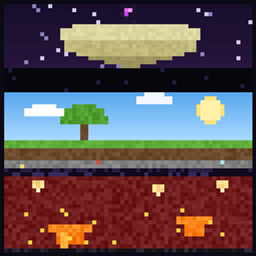
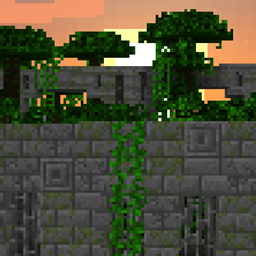
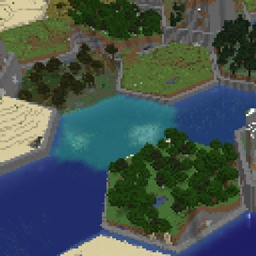
You spawn in the void on a single block. Break it, and it comes back — as something else. Every break is a step through a progression you control: blocks get harder, mobs start showing up in waves, the biome around you changes, and eventually portals open to dungeons built around real Minecraft structures.
Everything in this mod is configurable, in-game through an admin menu, through commands, or by editing one JSON file — and that file has a visual editor on the web.
Runs on Minecraft 1.20.1 through 26.2, on Fabric, Forge and NeoForge. Requires CodxLib — install the build matching your Minecraft version and loader.
Forest 37/100./oneblock help debug report for bug reports.In-game admin menu — /oneblock admin opens a chest menu with pages for Overview, Core Settings, Biomes & Progression, UI & Quality of Life, Animal Spawn Control, Block Spawn Control, Drops & Tables, Dimensions and Manage Players. It's a normal chest GUI, so it works on a vanilla client.
Commands — /oneblock with admin, leaderboard, dictionary, table, export, config, biome, waves, dungeon, leave, void and restore subcommands.
One JSON file — everything lives in config/oneblock.json. Hit Export For Website on the admin menu's Overview page, edit it visually at codx.io/tools/one-block, drop the file back in and hit Reload From File. Both buttons are op-only.
mods folder — OneBlock will not start without it.OneBlock jar in your mods folder.oneblock:oneblock world preset (level-type=oneblock:oneblock).New to this? The step-by-step guides at the bottom of this page walk through it.
All loaders use the same world preset:
level-type=oneblock:oneblock...multiplayer = one island slot per player...void_nether = removes Nether terrain...void_end = removes End terrain...no_island = disables the initial 3x3 starter island...dungeons = carries the Structure Dungeon dimensions (the admin menu turns this on for you when you enable dungeons)Singleplayer / client-hosted world
oneblock:oneblock_multiplayer (optional)oneblock:oneblock_void_nether (optional)oneblock:oneblock_void_end (optional)oneblock:oneblock_no_island (optional)oneblock:oneblock_dungeons (optional)Dedicated server (server.properties)
level-type=oneblock:oneblockinitial-enabled-packs=vanilla,oneblock\:oneblock_multiplayer,oneblock\:oneblock_void_nether,oneblock\:oneblock_void_end,oneblock\:oneblock_no_island,oneblock\:oneblock_dungeonsSingleplayer / client-hosted world
oneblock:oneblock_multiplayer (optional)oneblock:oneblock_void_nether (optional)oneblock:oneblock_void_end (optional)oneblock:oneblock_no_island (optional)oneblock:oneblock_dungeons (optional)Dedicated server (server.properties)
level-type=oneblock:oneblockinitial-enabled-packs=vanilla,oneblock\:oneblock_multiplayer,oneblock\:oneblock_void_nether,oneblock\:oneblock_void_end,oneblock\:oneblock_no_island,oneblock\:oneblock_dungeonsSingleplayer / client-hosted world
mod/oneblock:resourcepacks/oneblock_multiplayer (optional)mod/oneblock:resourcepacks/oneblock_void_nether (optional)mod/oneblock:resourcepacks/oneblock_void_end (optional)mod/oneblock:resourcepacks/oneblock_no_island (optional)mod/oneblock:resourcepacks/oneblock_dungeons (optional)Dedicated server (server.properties)
level-type=oneblock:oneblockinitial-enabled-packs=vanilla,mod/oneblock\:resourcepacks/oneblock_multiplayer,mod/oneblock\:resourcepacks/oneblock_void_nether,mod/oneblock\:resourcepacks/oneblock_void_end,mod/oneblock\:resourcepacks/oneblock_no_island,mod/oneblock\:resourcepacks/oneblock_dungeonsoneblock.multiplayerIslandSpacing=<blocks> before first world creation.A world only reads its dimension list while it loads, so turning dungeons on takes a world reload. The admin menu enables the datapack for you and then tells you what to do: on a server, restart it; in singleplayer, quit to the title screen and re-open the world — that's enough, you don't have to restart the game. If something didn't take, /oneblock dungeon says so instead of letting the first portal fail silently.
Step-by-step walkthroughs live on the Discord — how to install the mod, create the world, turn the datapacks on, and get a server running. Join the Discord first, then open the guide you need:
Questions, bug reports and suggestions are welcome in the same place.