Mineuniverse
Mods
TagSort Logistics — Smart Chest Organization

TagSort Logistics — Smart Chest Organization

MOD
Tired of messy storage rooms? TagSort Logistics brings effortless inventory management to Minecraft using the game's own Item Tag system and Item Frames.
by theati__
Download Claim this project
Add a badge to your pageLink to TagSort Logistics — Smart Chest Organization from a README, website or forum post.
Preview: Badge

Badges update automatically and link to the mod page on MineUniverse.

46 downloads
0 likes
0 followers
Updated Oct 14, 2026
0 hypes
Follow0
Storage
Advertisement Remove ads with Premium →

📦 TagSort Logistics — Smart Chest Organization

Tired of messy storage rooms? TagSort Logistics brings effortless inventory management to Minecraft using the game's own Item Tag system and Item Frames.


🏷️ How It Works

The concept is simple: place an Item Frame on a chest and put an item inside it. The mod reads that item's tags (like #minecraft:logs, #minecraft:planks, #minecraft:wool) and assigns them to the chest. From that point on, the chest "knows" what belongs inside it.


✨ Features

🖱️ Pull Matching Items Open a tagged chest and hit the "Pull" button — every item in your inventory that matches the chest's tag category gets instantly transferred in. No more dragging items one by one.

🔤 Sort A-Z Click the "A-Z" button to alphabetically sort all items inside the chest. Items are also automatically stacked together, saving valuable chest space.

🧠 Tag-Based Intelligence The mod uses Minecraft's built-in Item Tag system. This means it works with all vanilla items and even modded items that properly use tags — no configuration files, no setup, no learning curve.

⚡ Zero Configuration Install the mod, place an Item Frame, and you're done. No GUIs to configure, no commands to learn, no wikis to read.

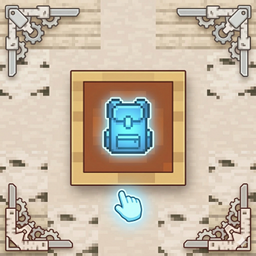
📸 Quick Guide

  1. Place a Chest anywhere.
  2. Attach an Item Frame to the chest.
  3. Put an item (e.g., Oak Log) inside the Item Frame.
  4. Open the chest — you'll see Pull and A-Z buttons on the right side.
  5. Click Pull to transfer matching items from your inventory.
  6. Click A-Z to sort and stack everything inside.

🔧 Technical Info

  • Minecraft Version: 1.21.4
  • Mod Loader: Fabric
  • Requires: Fabric API
  • Client + Server: Both sides required for full functionality
  • Multiplayer Compatible: ✅ Yes — all operations are server-side validated

💡 Perfect For...

  • Players who build large storage systems
  • Survival worlds with shared community storage
  • Anyone who hates manually organizing chests
  • SMP servers looking for a lightweight QoL mod
tagsortlogistics-1.0.0.jar
MC Client, Fabric, 1.21.4, Server
Release 2026-03-16 Get
Advertisement Remove ads with Premium →

You Might Also Like