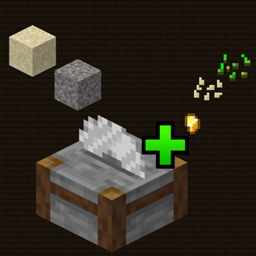
Stonecutter Sifting turns the vanilla Stonecutter into a fully configurable, data-driven sifting station. Drop supported items onto a Stonecutter to convert them into useful resources, or create entirely new sifting recipes using JSON files, without modifying the mod or writing code.
Whether you play OneBlock, SkyBlock, a modpack, or a regular survival world, Stonecutter Sifting gives surplus blocks a purpose while letting you control exactly which rewards are available.
Place a Stonecutter, drop a supported item onto it, and collect the resulting resources. Each input can have multiple independent output pools, allowing a single sift to produce more than one reward.
Processing speed, batch size, instant processing, sounds, and particles are all configurable.
The mod includes 16 balanced vanilla sifting tables covering soil, sand, gravel, lush cave materials, Nether blocks, Prismarine, and End Stone. These defaults are fully customizable and can be extended with additional recipes.
All sifting definitions are stored in config/scsifting/, giving players and modpack creators complete control over the available recipes.
Example configurations are included to make creating and modifying recipes straightforward.
Stonecutter Sifting supports Just Enough Items (JEI) and EMI, providing detailed recipe displays with:
Both integrations are optional.
Stonecutter Sifting supports automated processing with vanilla Hoppers, Hopper Minecarts, and compatible item collectors.
Items waiting to be processed remain on the Stonecutter instead of being collected prematurely, while finished results can be extracted normally.
In multiplayer, the server's configuration always takes priority. Active recipes and processing settings are synchronized with connected players, ensuring consistent gameplay and accurate recipe displays regardless of local client configurations.
The mod must be installed on both the server and connecting clients.
Stonecutter Sifting includes a built-in configuration reset system.
To restore the original recipes and settings, simply delete config/scsifting/delete_to_restore_defaults.json and restart Minecraft or your dedicated server.
All default configurations will be restored automatically, while custom JSON definitions are safely preserved with the .json_disabled extension. These can be re-enabled whenever needed by changing their extension back to .json.