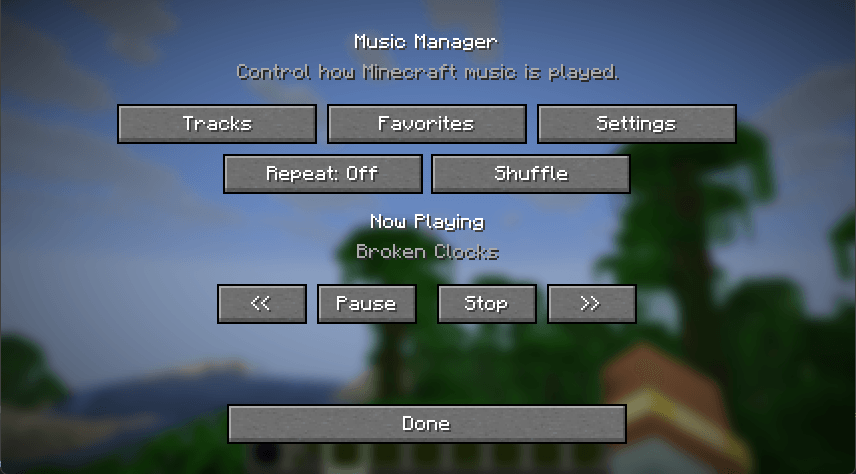
Music Manager gives you direct control over Minecraft's background music through a simple in-game interface.
Instead of leaving Minecraft to decide everything about when and what music plays, you can choose the tracks you want to hear, create a rotation that fits your playstyle, and control playback without leaving the game.
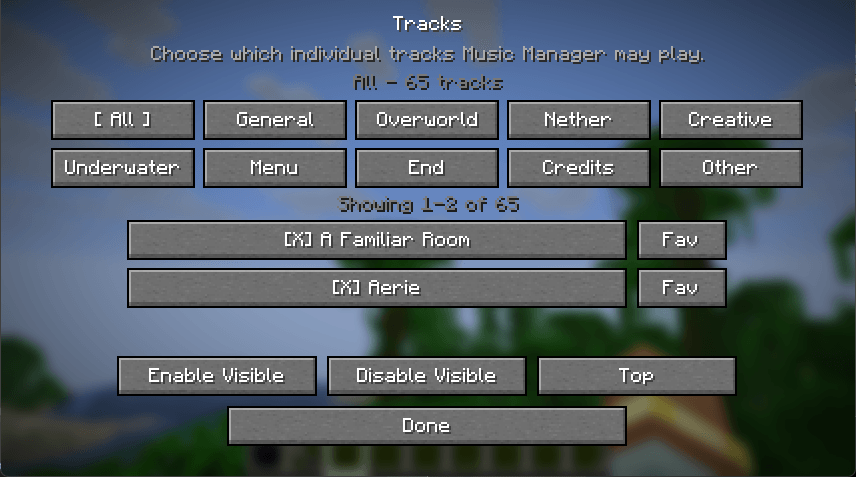
Enable or disable individual Minecraft music tracks
Browse tracks by category, including Overworld, Nether, End, Creative, Underwater, Menu, Credits, and more
Favorite individual tracks
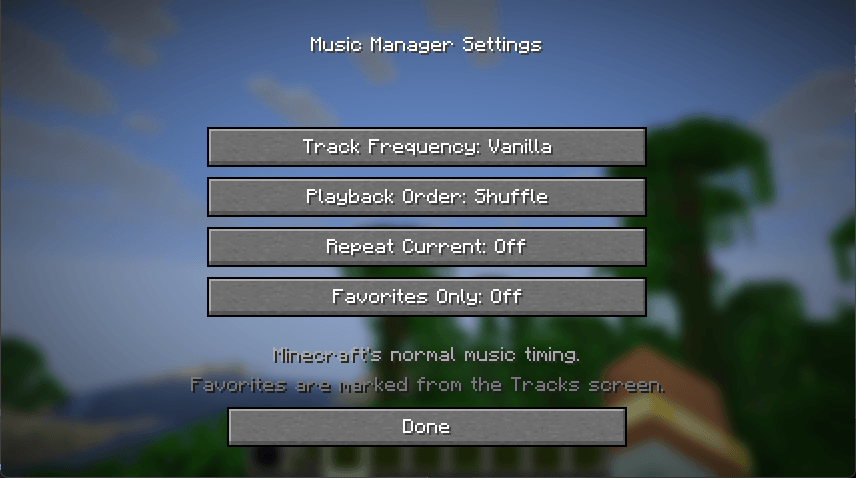
Play only your favorites
Shuffle or play tracks sequentially
Repeat the current track
Previous, Play, Pause, Resume, Stop, and Next controls
Choose between Vanilla, Frequent, and Continuous music frequency modes
Persistent settings between game sessions
Dimension-aware music selection
Seamless music playback while traveling between dimensions — the currently playing song continues through portals instead of restarting
Client-side operation
Version 1.0 establishes the core Music Manager playback system and interface.
Future releases are planned to expand the system with playlists, custom music importing, volume controls, fades, and more advanced context-aware soundtrack controls.
Minecraft: 26.1.2
Mod Loader: NeoForge
Environment: Client