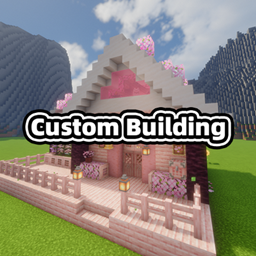
Create your own building blueprint items entirely from a datapack. One JSON file describes a structure, its preview image, its item texture, its name and its tooltips - reload the datapack and the blueprint shows up in its own creative tab, ready to be placed in the world.
No resource pack, no model files, no code: if you can write a datapack, you can add a building.
data/<namespace>/custom_building/blueprint/./reload - no game restart, no resource pack.textures/ and .png
are added when missing, and an unconfigured texture falls back to the bundled default blueprint icon.§ colour codes.| Minecraft | Loader | Java | Download |
|---|---|---|---|
| 1.21.1 | NeoForge 21.1+ | 21 | custom_building-1.21.1-*.jar |
| 1.20.1 | Forge 47+ | 17 | custom_building-1.20.1-*.jar |
Client and server both need the mod for the preview and the build panel. Everything the mod adds is server-authoritative: the server decides what is built, the client only renders.
data/<namespace>/custom_building/blueprint/<name>.json     the blueprint definition
data/<namespace>/structure/<name>.nbt                      the structure to build
assets/<namespace>/textures/...                            the preview image and the item texture
The blueprint id is <namespace>:<name>, for example custom_building:initial_house. A non-JSON template
file (blueprint_template.txt) ships next to the built-in example and is never parsed - copy it, rename the
copy to .json and edit it.
{
    "structure": "custom_building:initial_house",
    "preview":   "assets/custom_building/textures/blueprint/initial_house.png",
    "texture":   "assets/custom_building/textures/item/initial_house.png",
    "name":      "§6初始小屋蓝图",
    "tooltip":   ["§a右键地面来使用"]
}
| field | required | meaning |
|---|---|---|
structure |
yes | structure template id. A bare name is resolved against the namespace of the file. |
preview |
no | image shown while hovering the item; always stretched into a 4:3 box. |
texture |
no | inventory texture. Empty, missing or default uses the bundled blueprint icon. |
name |
no | item name - a translation key, or plain text with § colour codes. Defaults to the id. |
tooltip |
no | one string or an array of strings, same rules as name. |
Texture paths are forgiving; all of these mean the same file:
custom_building:textures/item/initial_house.png            full resource location
assets/custom_building/textures/item/initial_house.png     the path as it appears in the jar
textures/item/initial_house.png                            relative to the file's namespace
item/initial_house.png                                     "textures/" is added for you
item/initial_house                                         ".png" is added for you
Put a structure in the world, save it with a structure block (or any tool that writes vanilla
structure/*.nbt), and drop the file into data/<namespace>/structure/. The blueprint builds it facing
south; the panel rotates it from there.
custom_building:blueprint). Minecraft freezes its item registry at
startup, so an item per blueprint is impossible; instead each stack carries the blueprint it belongs to and
the creative tab, name, tooltip, texture and behaviour all follow from that. In practice you get distinct
items in the tab, and adding or removing blueprints never breaks existing items.