Loading...
Beta Modpages Unclaimed

NoRaidTotems

Makes Evoker not drop totems on raids

0 Likes
246 Downloads
Created by Rochedo

Description

Description

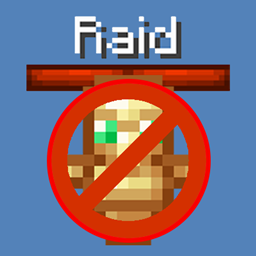
NoRaidTotems is a vanilla friendly datapack/mod that makes Woodland Mansion Evokers useful again by removing the Totem drop from Raid Evokers

Important notes

- NeoForge 1.20.6+ only
- Fabric 1.14.4+ only
- Datapack version on Modrinth (link down below)

How it works

It modifies Raid Evoker's loot-table removing the Totem of Undying drop, so it'll not be farmable anymore and you'll have to go to Woodland Mansions to earn Totems

See More:

MODRINTH


AD Become Premium to remove Ads!

What means Verified?

  • Compatibility: The mod should be compatible with the latest version of Minecraft and be clearly labeled with its supported versions.
  • Functionality: The mod should work as advertised and not cause any game-breaking bugs or crashes.
  • Security: The mod should not contain any malicious code or attempts to steal personal information.
  • Performance: The mod should not cause a significant decrease in the game's performance, such as by causing lag or reducing frame rates.
  • Originality: The mod should be original and not a copy of someone else's work.
  • Up-to-date: The mod should be regularly updated to fix bugs, improve performance, and maintain compatibility with the latest version of Minecraft.
  • Support: The mod should have an active developer who provides support and troubleshooting assistance to users.
  • License: The mod should be released under a clear and open source license that allows others to use, modify, and redistribute the code.
  • Documentation: The mod should come with clear and detailed documentation on how to install and use it.

AD Become Premium to remove Ads!

How to Install

1

Download Forge & Java

Download Forge from the offical Site or here. If you dont have Java installed then install it now from here. After Downloading Forge you can run the file with Java.

2

Prepare

Lounch Minecraft and select your Forge istallation as Version this will create a Folder called Mods.

3

Add Mods

Type Win+R and type %appdata% and open the .minecraft Folder. There will you find your Folder called Mods. Place all Mods you want to play in this Folder

4

Enjoy

You are now Ready. Re-start your Game and start Playing.

More Mods like this

Controlling

Adds a search bar to the Key-Bindings menu

Crafting Tweaks

Allows you to rotate, balance or clear the crafting matrix by the press of a button, in any (supported) crafting window.

Client Tweaks

There, I fixed Minecraft for you. Various optional tweaks to improve Minecraft Quality of Life.

TrashSlot

Adds a trash slot to the inventory screen that allows deletion of unwanted items.

TipTheScales

Allows for more options when adjusting the GUIScale option as well as making it a slider.

Configured

Automatic in-game configuration menus for every mod!

Charm

A vanilla+ mod inspired by Quark, adding lots of small things to the game.