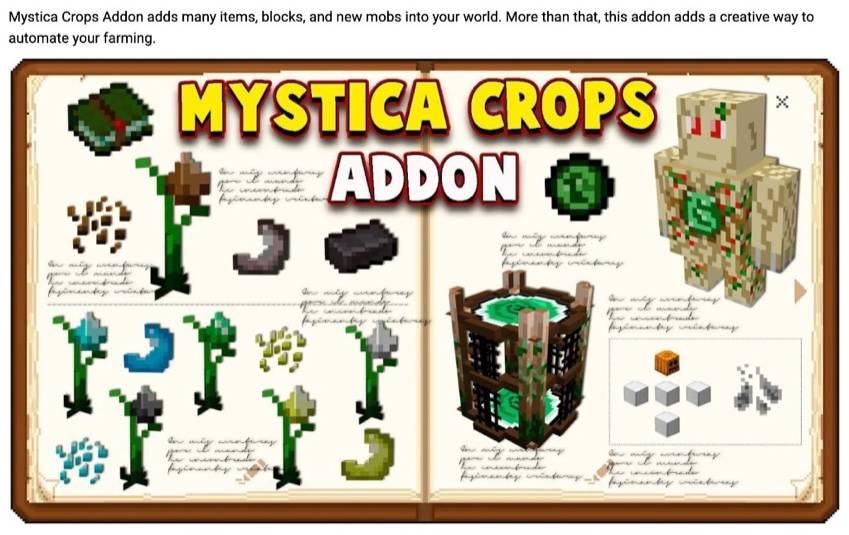

Mystica Crops V4 is a Bedrock add-on by Amon28 and Dewdimpple. The original authors have stopped updating it. This page hosts a Minecraft Java Edition 1.20.1 port, maintained by OIUTK, so the crops and harvester golem can still be used on Java Edition.
What this port adds
The original is the Bedrock add-on by Amon28 and Dewdimpple, and those authors have stopped updating it. This port is maintained by OIUTK for Minecraft Java Edition 1.20.1 and Forge 47.4.6. The mod file is mystica_crops 0.4.25. The crops, harvester golem, station, textures, recipes, and gameplay come from that add-on. The items below are added in this port.
Harvester golem
Station
Food sharing machine and food terminal
These two are added in this port. The machine appearance is from Mica's Slot Machine 1.2.2 (MIT). The model credit remains "Made by Mica". Slot Machine does not need to be installed.
Mystica Crops V4 (Source link)
By Amon28 and Dewdimpple. The original is a Bedrock add-on. This port uses its ore crops, harvester golem, station, textures, recipes, and gameplay.
Slot Machine 1.2.2 (Source link)
By Mica, MIT license. Only the food sharing machine's model and texture are used. The model credit remains "Made by Mica". Slot Machine does not need to be installed.
Minecraft Java Edition 1.20.1, Forge 47.4.6, mod mystica_crops 0.4.25
The creative tab is named Mystica Crops. The first two rows pair each ore's chunks with the vanilla mineral. The third row holds the mystic log, planks, stick, harvester station, food sharing machine, food sharing terminal, golem essence, and harvester golem pearl.
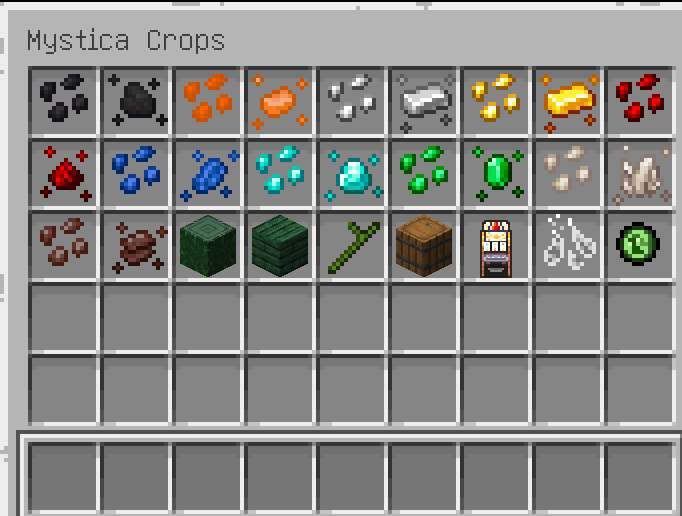
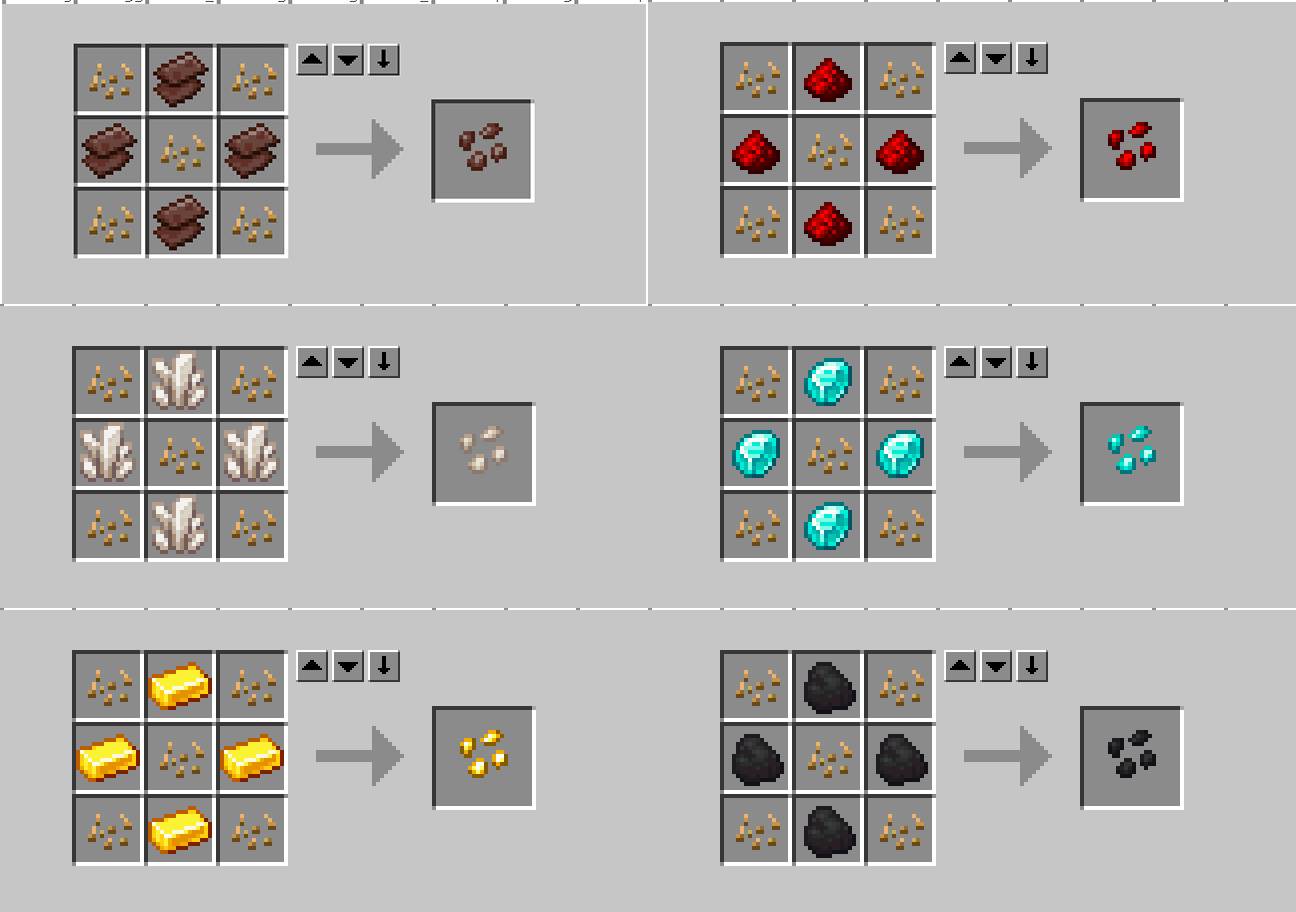
Creative tab. Chunks are on the left; the vanilla mineral they craft into is on the right.
Plant them on farmland. The stem grows upward, with the roots at the ground and the flower at the top. Right-click a mature crop to harvest chunks. Four chunks in a 2×2 craft one vanilla mineral.
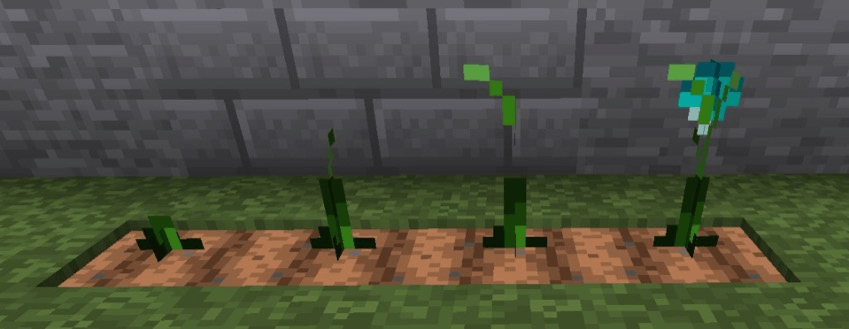
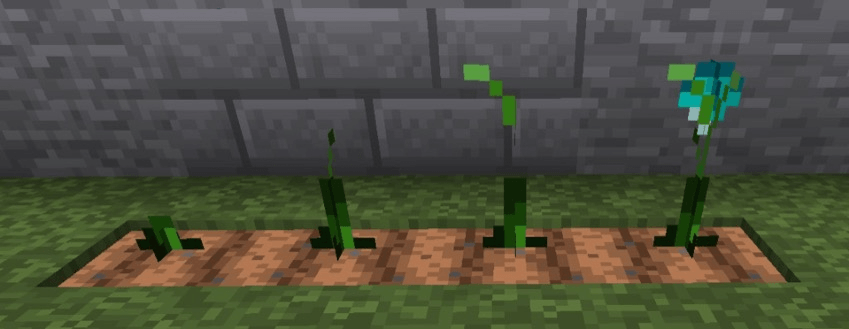
The four stages of a diamond crop: sprout, taller stem, leaves, then a diamond flower on top.
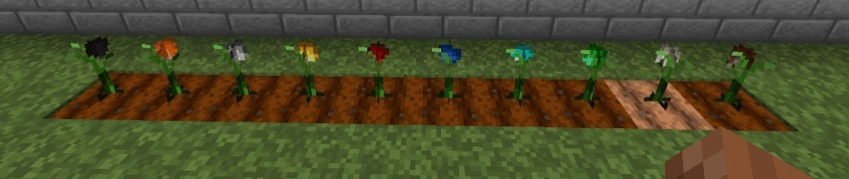
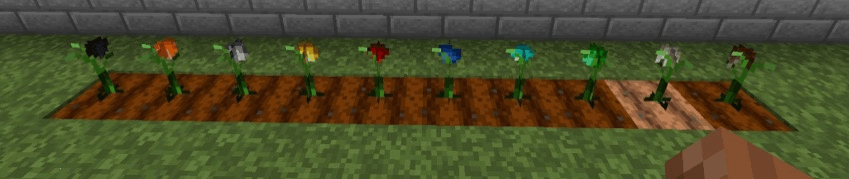
Ten mature crops, left to right: coal, copper, iron, gold, redstone, lapis, diamond, emerald, nether quartz, netherite.
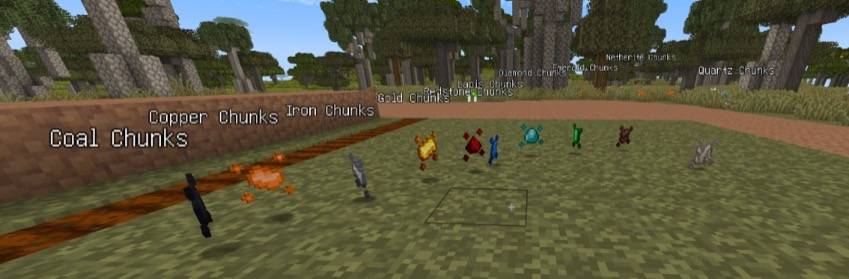
Chunks dropped by right-clicking a mature crop.
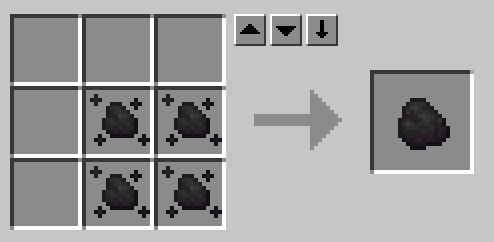
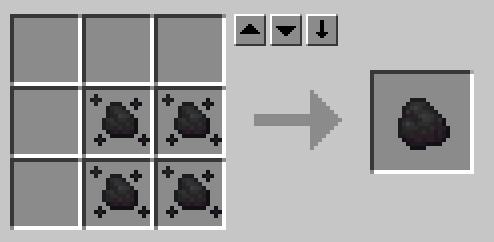
Four coal chunks craft one coal.
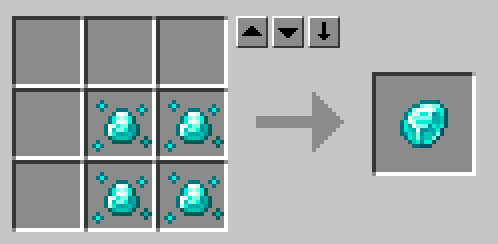
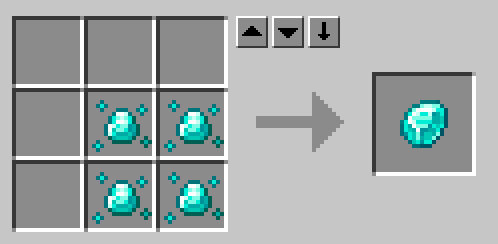
Four diamond chunks craft one diamond.
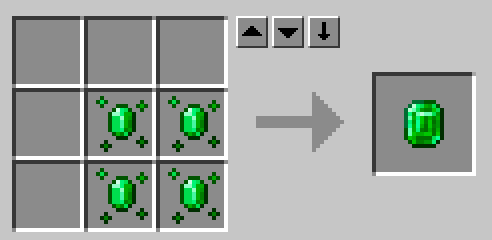
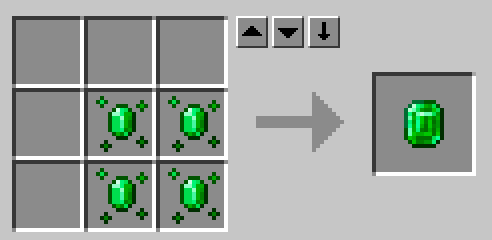
Four emerald chunks craft one emerald.
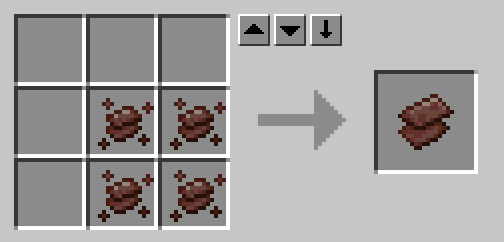
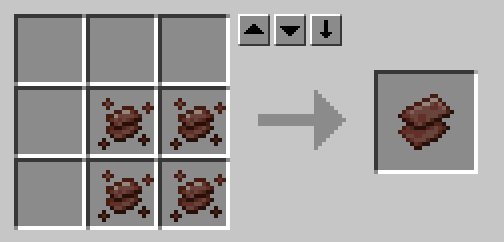
Four netherite chunks craft one netherite scrap. The seed recipe also uses scrap, not an ingot.
Each seed is a 3×3: wheat seeds in the corners and the center, and that crop's mineral in the other four slots.
The station is the chest the golem unloads into. Place it beside the field. The golem only searches 15 blocks around itself and 5 blocks up or down.
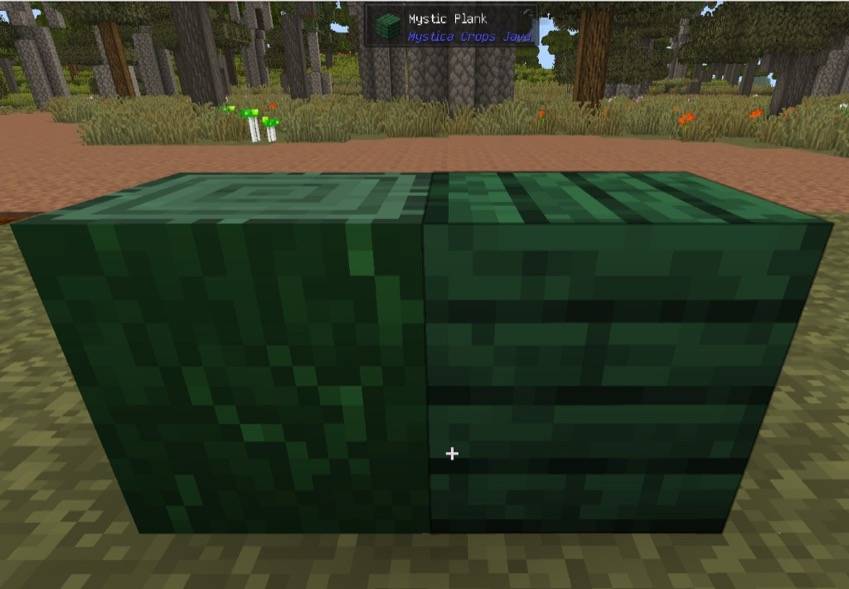
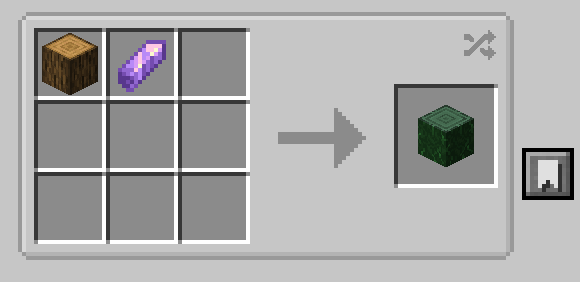
Mystic log on the left, mystic planks on the right.
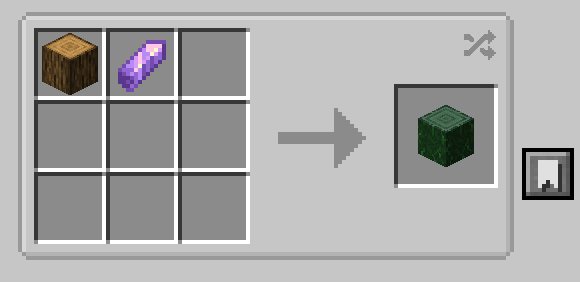
Any log plus an amethyst shard, shapeless, makes a mystic log.
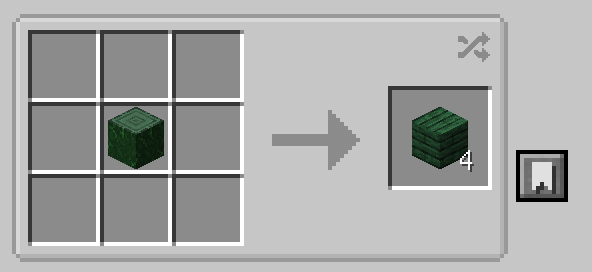
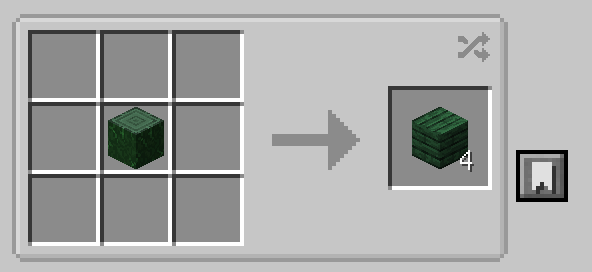
One mystic log crafts four mystic planks.
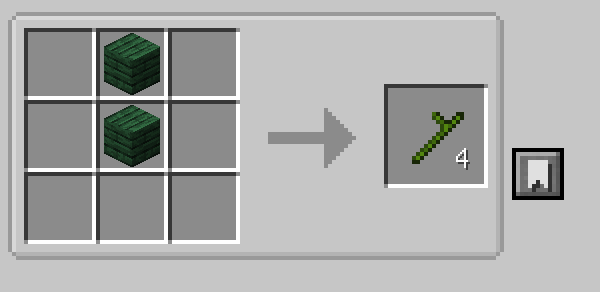
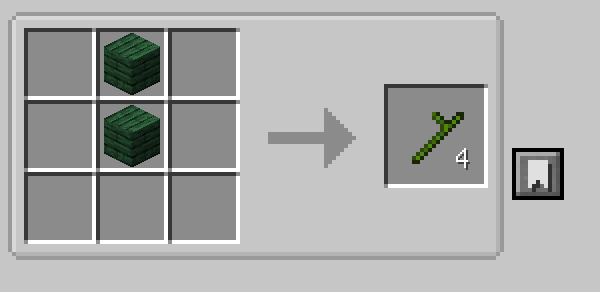
Two mystic planks stacked vertically craft four mystic sticks.
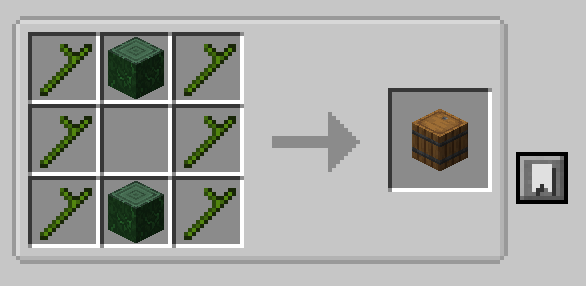
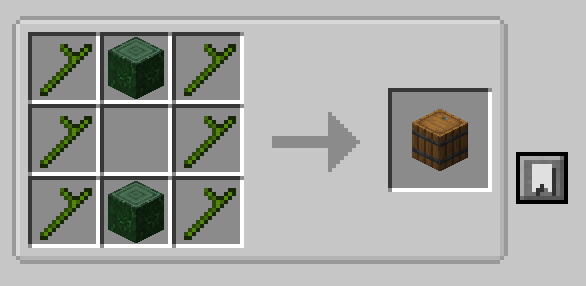
Station: sticks in the corners and on the left and right; logs in the top and bottom center.
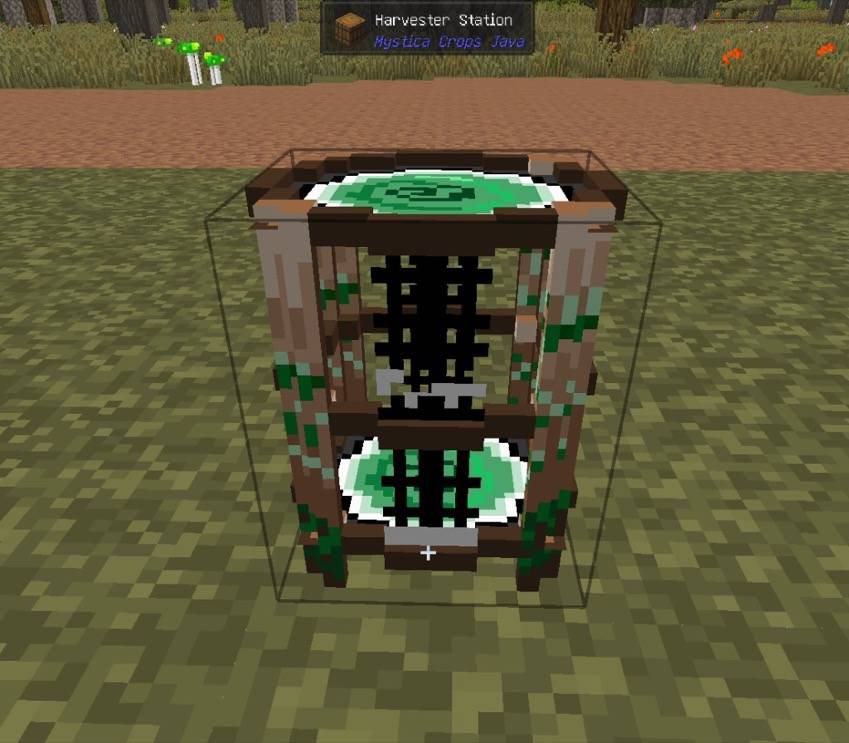
A placed harvester station. When the golem comes home, it unloads its pack here.
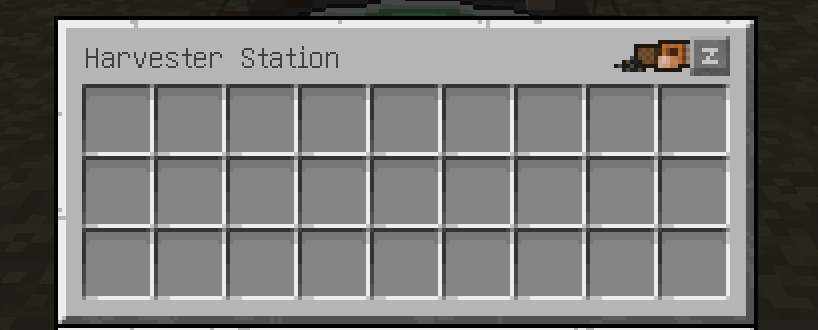
Right-click the station to open the storage page and see the items it unloaded. The other page is Golems.
Craft golem essence, then the harvester golem pearl. Use the pearl on the ground within 16 blocks of a station. The golem binds to the nearest one. It does not spawn if no station is in range, or if the spot is blocked. Right-click the golem to open its panel. The first interaction makes you its owner. Other players cannot open that panel.
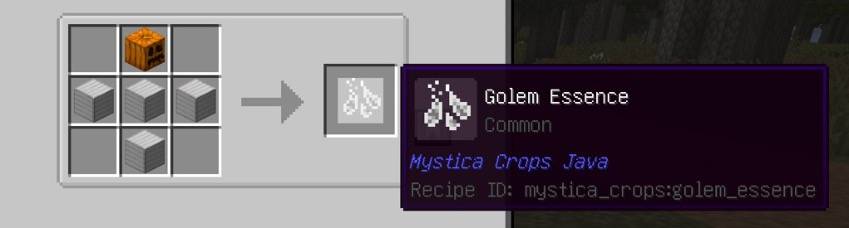
Golem essence: a carved pumpkin on top, and four iron blocks in a T below it.
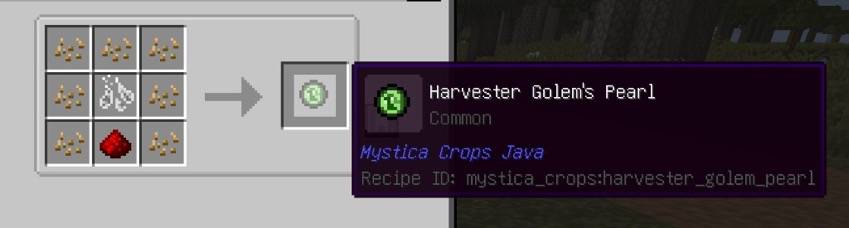
Harvester golem pearl: wheat seeds around the edge, golem essence in the center, and one redstone in the bottom middle.
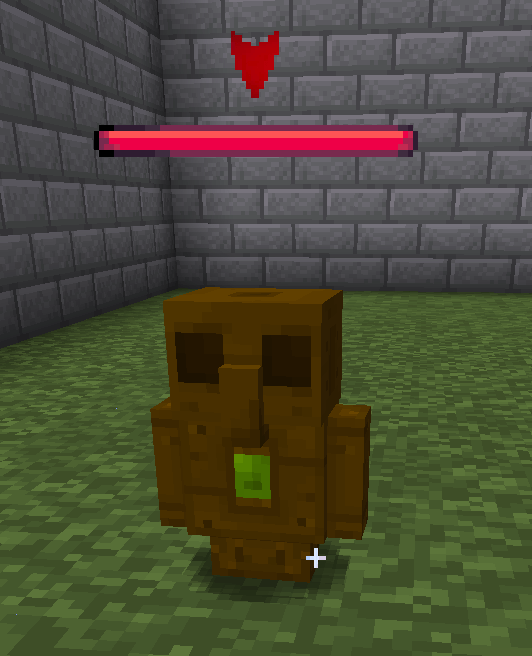
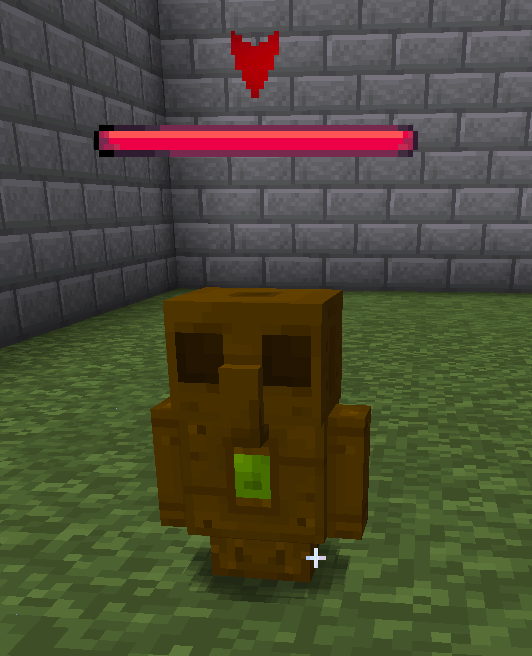
The harvester golem. Right-click it; don't hit it.
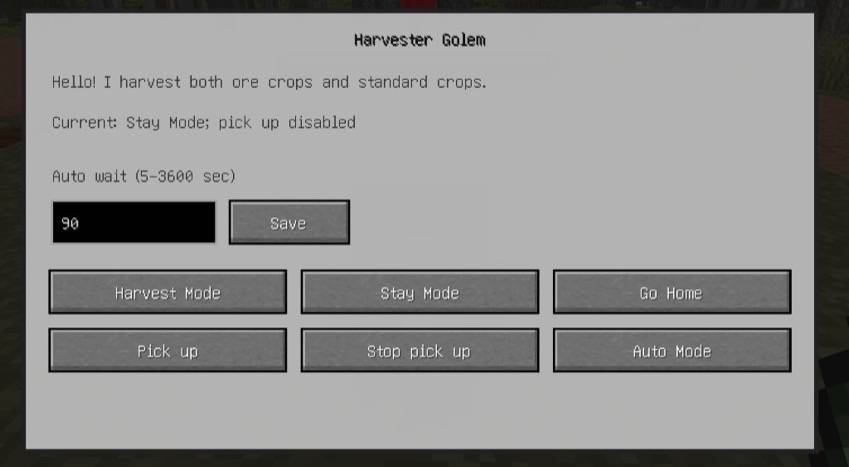
The panel. The line at the top is the current mode. Auto wait defaults to 90 seconds and can be set from 5 to 3600. Press Save after changing it.
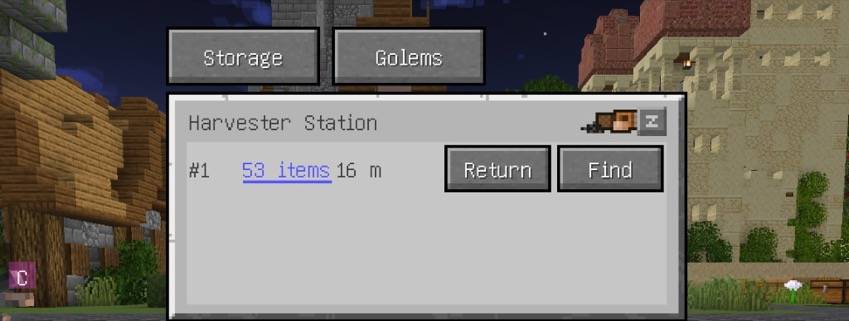
The Golems page lists living golems bound to this station. The blue underline is the pack count. Hover it to see the 27 slots. Beside it are the distance, Return, and Find. If the chunk is not loaded, the distance says Unloaded.
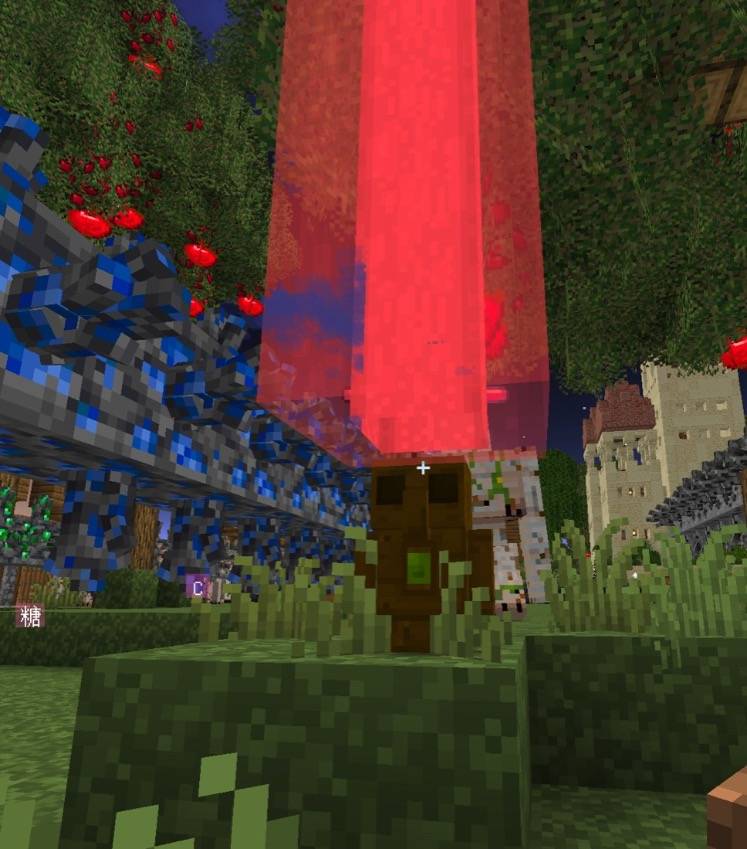
After a color is chosen, a beacon beam appears above the golem. It passes through leaves and blocks and lasts 30 seconds.
Find on the station's Golems page and Find on the food terminal open the same palette, titled Pick a color. It is drawn in front of the buttons and the inventory. The colors are four rows of four. Click one and the beam uses that color. Click outside the palette, or press Esc, and it closes without a beam.
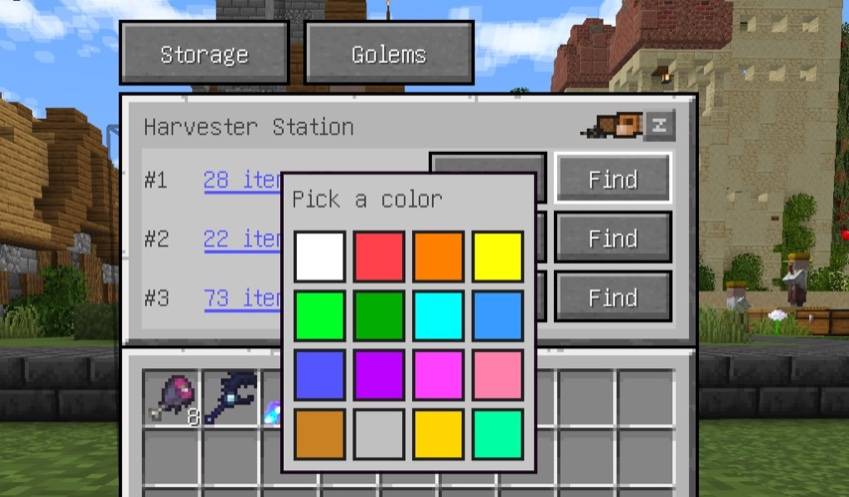
After Find on the station Golems page, the palette opens, titled Pick a color. It is drawn in front of the item counts, the Find buttons, and the inventory.
Left to right, top to bottom: white, red, orange, yellow, lime, green, cyan, light blue, blue, purple, magenta, pink, brown, silver, gold, mint.
Ten ore crops. A mature plant drops chunks: coal, copper, iron, gold, redstone, lapis, diamond, emerald, nether quartz, netherite.
Vanilla crops, only when mature: wheat, carrots, potatoes, beetroot, nether wart, cocoa, sweet berries, pumpkin and melon while attached to a stem, and sugar cane from the second block up. It does not harvest bamboo.
It does not mine raw ore. Coal, copper, iron, gold, redstone, lapis, diamond, emerald, nether quartz ore, nether gold ore, ancient debris, and budding amethyst are left alone. Amethyst clusters are broken. It only harvests what it can reach within 3 blocks above its feet.
If Ore Growth is installed, only mature crystals are harvested. Buds are left alone. The crystal is broken and the ore under it stays. A whole layer of crystals it cannot reach is skipped, so it does not circle underneath. The mod is optional.
With pickup on, it also picks up item drops into its 27 slots.
Harvest mode
Harvests mature crops nearby and, if pickup is on, picks up drops. When all 27 slots are full, or it finds nothing for 10 seconds, it returns, unloads, and goes straight back out.
Auto mode
Same work. After unloading, it waits at the station for the seconds you entered, then leaves again.
Stay
Stands still and does nothing.
Go Home
Goes to the station and unloads immediately.
Pick Up
Turns pickup back on. Harvest and auto modes both pick up nearby drops. An item it cannot reach is skipped, and harvesting continues.
Stop Pick Up
Turns pickup off and drops the pack at its feet.
The machine throws seeds and food onto the ground so villagers can pick them up. Sneak and right-click to insert allowed food. A normal right-click opens the panel. Hoppers can put items in, but cannot pull them out.
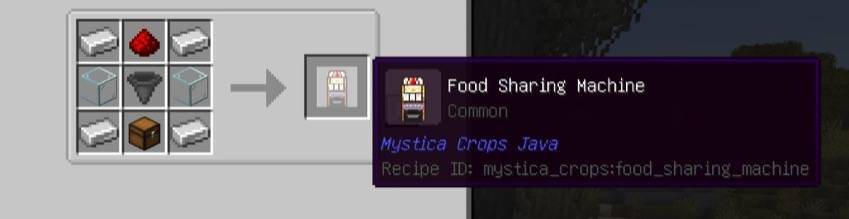
Iron ingots around the edge, redstone at the top center, glass on the middle left and right, a hopper in the center, and a chest at the bottom center.
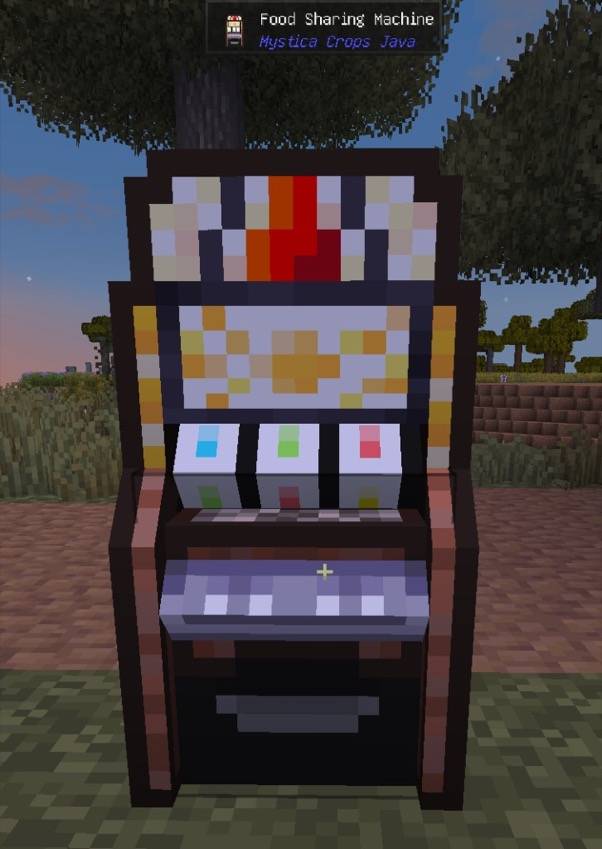
A placed food sharing machine.
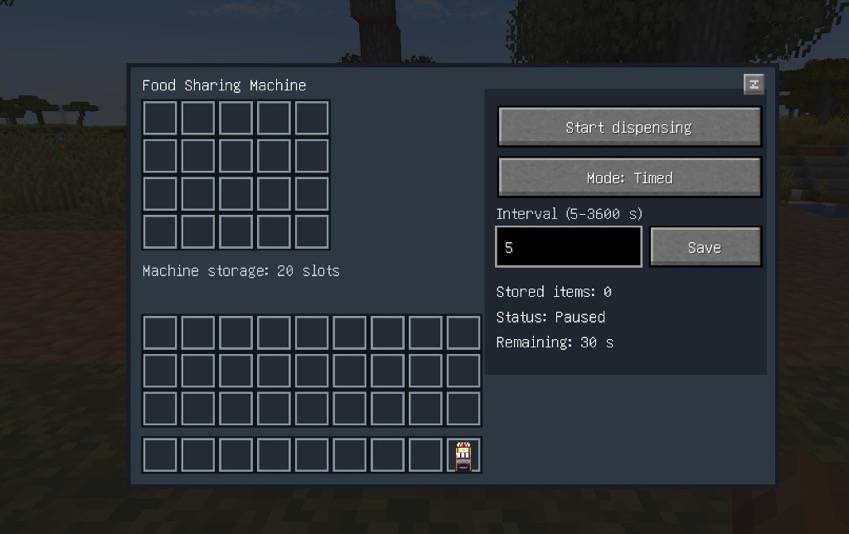
The top 20 slots are the machine. The bottom is your inventory. Start or pause it, and switch between timed and continuous. The interval is 5 to 3600 seconds. Press Save after changing it.
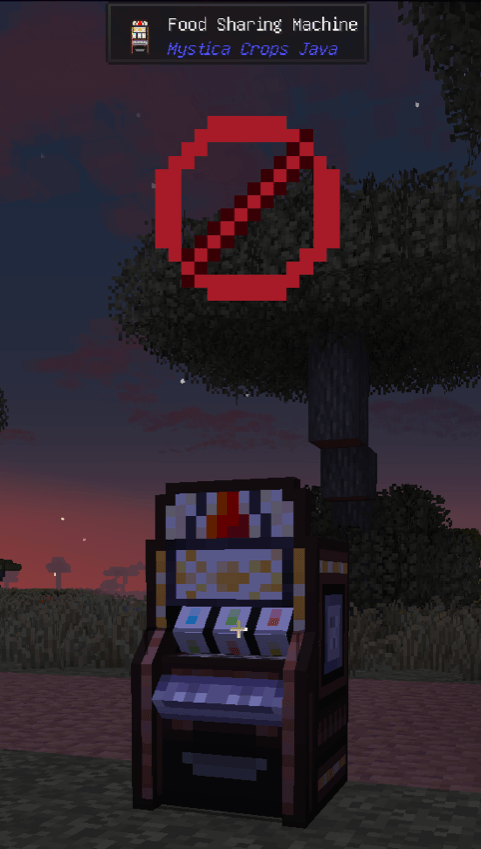
The red stop mark means the machine is paused or empty.
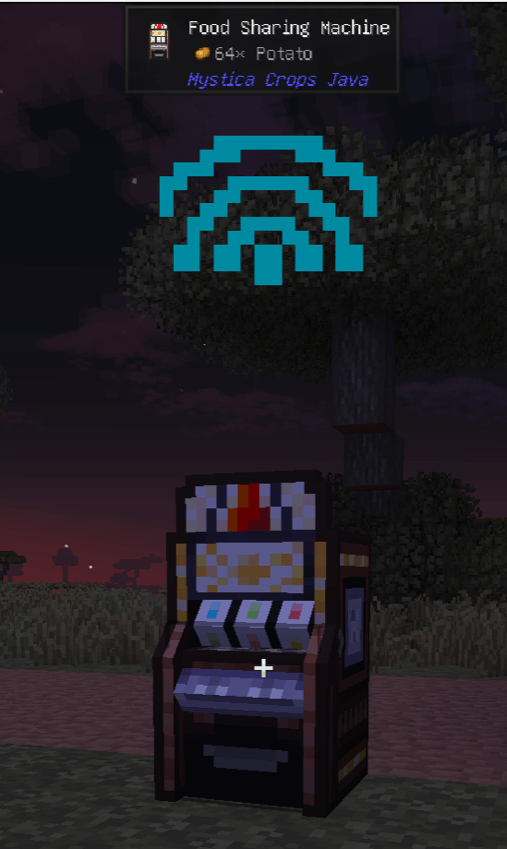
A still Wi-Fi icon means it is preheating, or a timed machine is waiting.
Anything not on this list cannot be inserted. It stays on your cursor or in your inventory.
Starting, switching mode, or adding food while it is running begins a 5-second preheat, so food is not thrown onto you immediately. Continuous mode keeps throwing after that. Timed mode waits the interval you set. The last 5 seconds show 5, 4, 3, 2, 1 overhead, then an animated Wi-Fi icon when it actually throws.
One terminal lists the food sharing machines in this dimension after their chunks have been loaded. The list is empty until a machine in this dimension has been loaded. Each row is one machine: ID, stock, start or stop, always or timed, interval, save, and find.
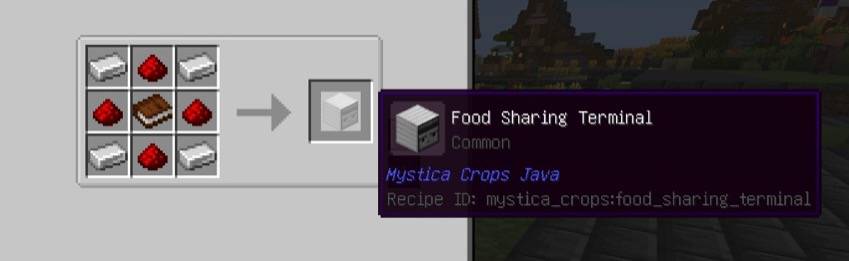
The recipe is iron ingots in the four corners, redstone on the four sides, and a book in the center.
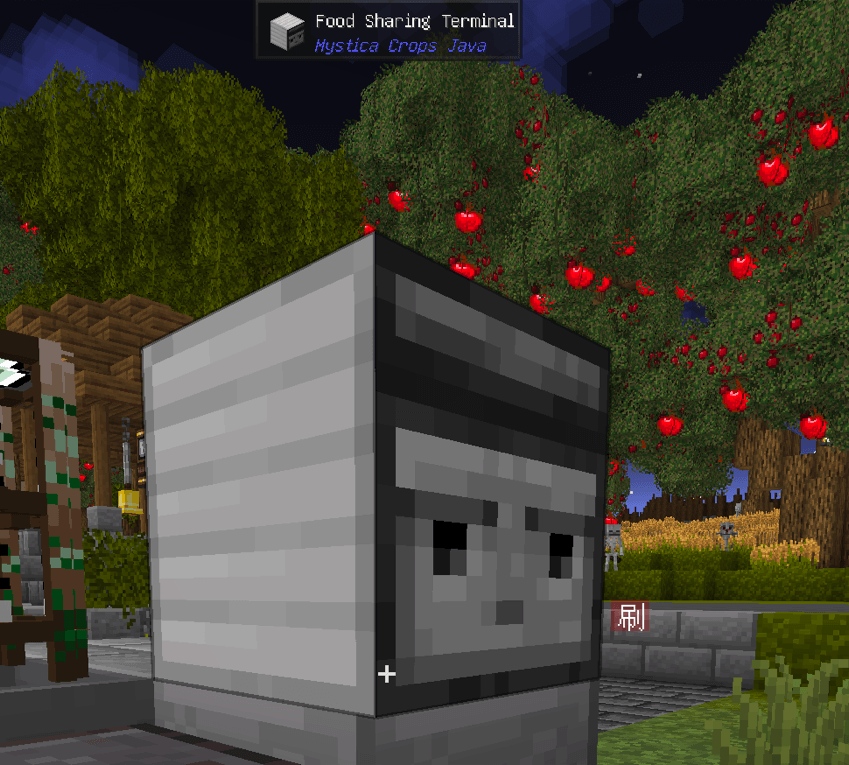
A placed food sharing terminal.
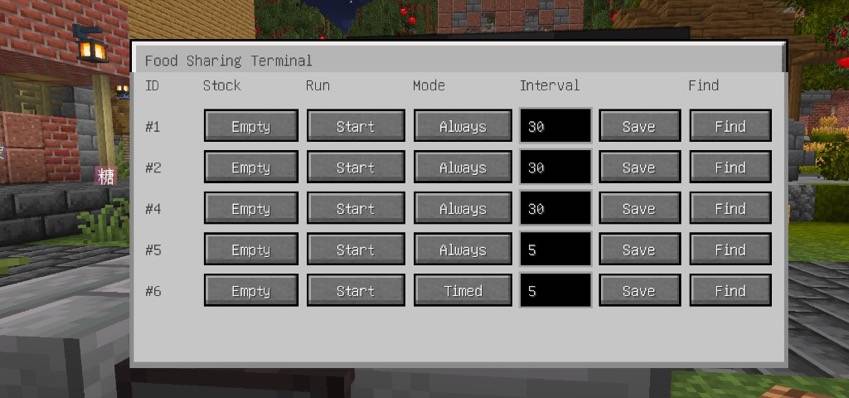
Each row is one machine: ID, stock, start or stop, always or timed, interval, save, and find.
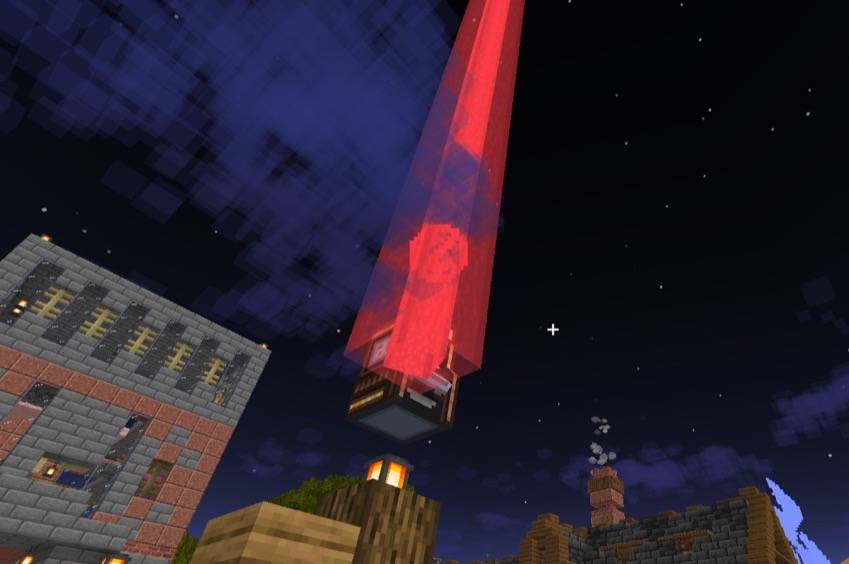
Locating a machine from the terminal opens the palette above. After a color is chosen, the beam appears above that machine, passes through buildings, and lasts 30 seconds.
Thank you again to Amon28, Dewdimpple, and Mica.