Mineuniverse
Log in Register
Mods

Mining Assistant

Mining Assistant is a vanilla-friendly Fabric mod that provides real-time mining information, ore recommendations, danger warnings, and detailed mining statistics to help players mine more efficiently in Minecraft.
by Timexo
Download Claim this project
46 downloads
0 likes
Updated Jul 6, 2026
0 hypes
Adventure and RPG Farming Server Utility Technology Utility & QoL

Mining Assistant

Mining Assistant is a lightweight, vanilla-friendly Fabric mod that helps players mine more efficiently by providing useful real-time information, ore recommendations, mining statistics, and underground danger warnings.

Features

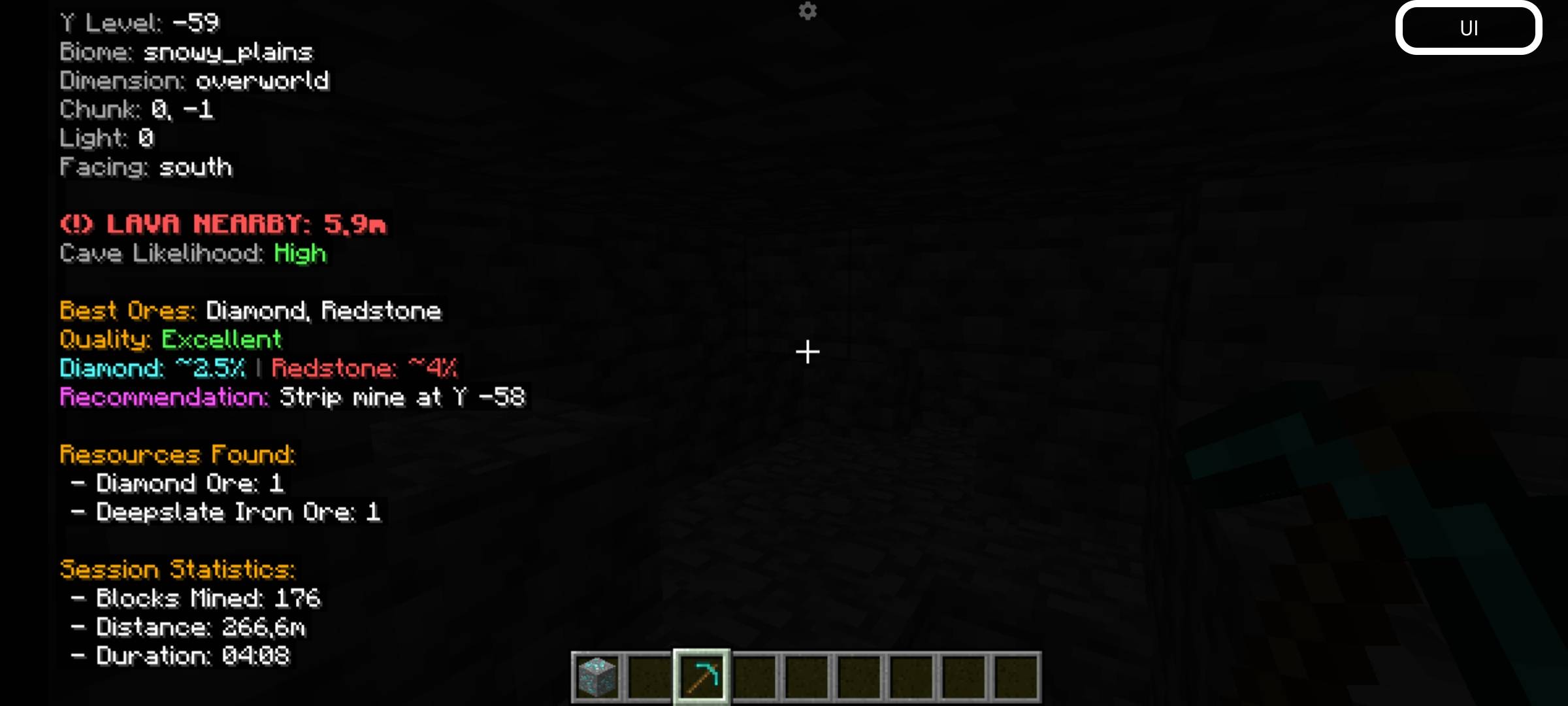
Mining HUD

Displays important mining information directly on your screen:

  • Current Y Level
  • Biome
  • Dimension
  • Chunk Coordinates
  • Light Level
  • Facing Direction

Ore Assistant

Analyzes your current depth and suggests which ores are most valuable to mine.

Ore quality ratings:

  • Excellent
  • Good
  • Average
  • Poor

Ore Probability

Shows estimated chances of finding ores based on Minecraft's ore generation system.

Supported ores include:

  • Diamond
  • Iron
  • Gold
  • Coal
  • Redstone
  • Lapis Lazuli
  • Emerald

Mining Recommendations

Provides contextual suggestions while mining.

Examples:

  • Move deeper for diamonds
  • Good iron level nearby
  • Coal-rich area detected
  • Surface mining detected

Cave Assistant

Detects potential nearby caves and large underground air pockets.

Lava Warning

Warns players about nearby lava pools and estimates their distance.

Ancient City Assistant

Detects Deep Dark biomes and warns about possible Ancient Cities and Warden danger.

Resource Tracker

Tracks ores mined during the current session.

Examples:

  • Diamonds Mined
  • Iron Mined
  • Gold Mined
  • Emeralds Mined

Session Statistics

Tracks useful mining statistics:

  • Blocks Mined
  • Ores Found
  • Session Duration
  • Underground Distance Traveled

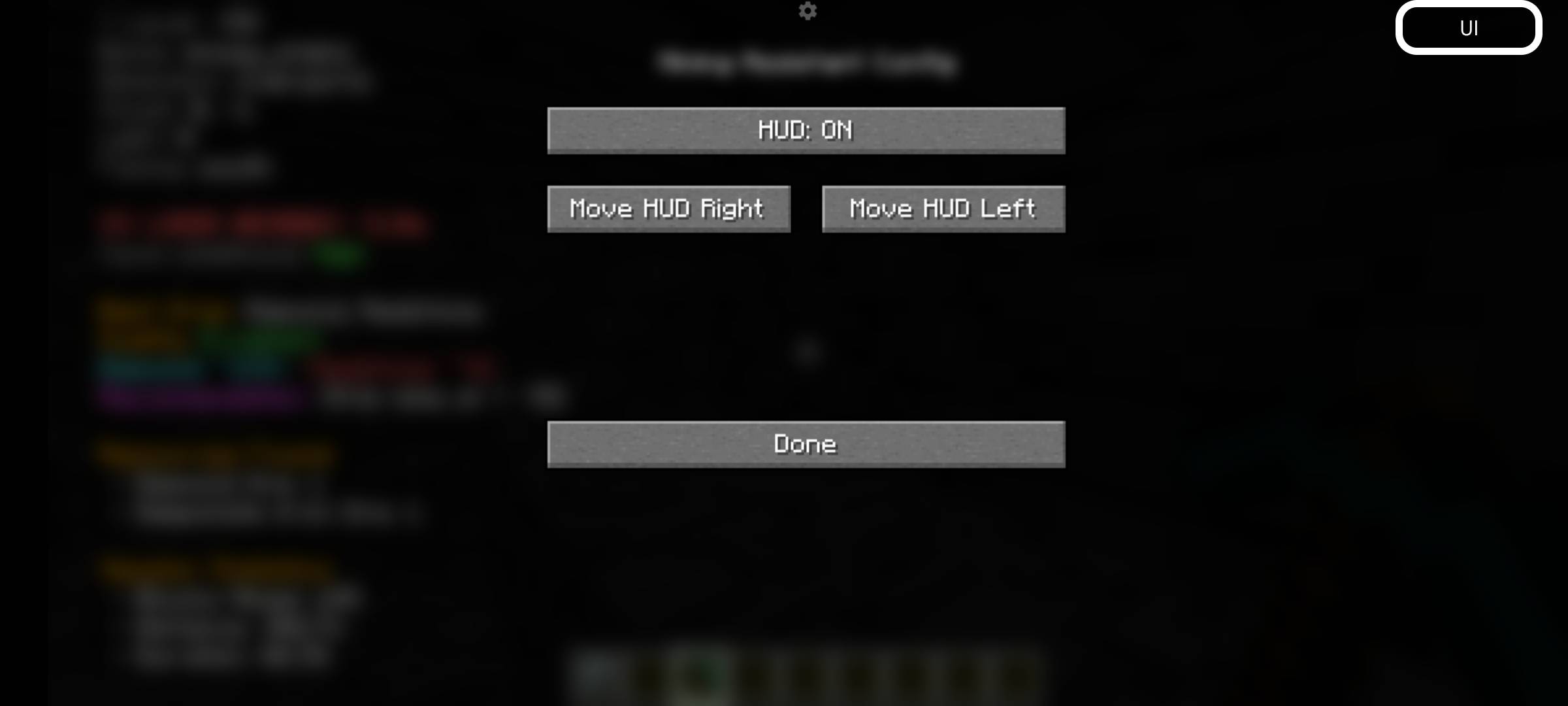
HUD Customization

Customize the HUD to fit your preferences:

  • Enable or disable the HUD
  • Move the HUD position
  • Toggle individual modules
  • Adjust visibility settings

Installation

  1. Install Minecraft 1.21.1
  2. Install Fabric Loader
  3. Install Fabric API
  4. Place the Mining Assistant .jar file into your mods folder
  5. Launch Minecraft

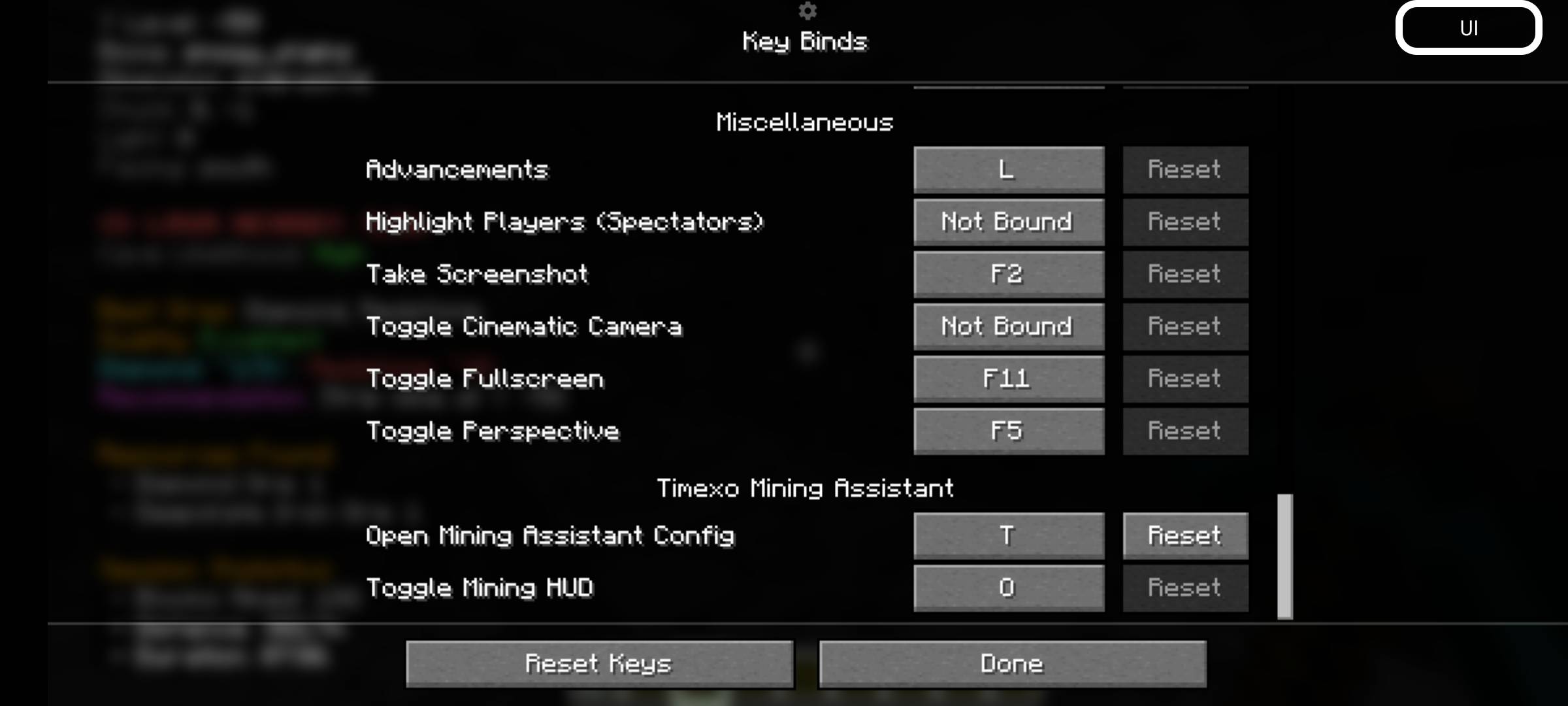
Keybinds

Key Action
O Toggle HUD
P Open Configuration Screen

Requirements

  • Minecraft 1.21.1
  • Fabric Loader
  • Fabric API
  • Java 21

License

MIT License

Created by Timexo Studios.

Mining Assistant - 1.21.1.jar
MC 1.21.2-Snapshot, 1.21, 1.21.6-snapshot, Client, 1.21.1-Snapshot, Fabric, 1.21.8, 1.21.5, 1.21.4, 1.21.5-Snapshot, 1.21.1, 1.21.6, 1.21.3, 1.21.7, 1.21-Snapshot, 1.21.4-Snapshot
Release 2026-06-13 Get

More from Timexo

Damage = Jump higher
553
Preview Chest
221
Lose Time, Lose Life
205
GroqCraft AI
155

You Might Also Like

Liberty's Villagers
Quality of Life and AI improvements for Villagers
9,968,428
No More Pop-ups
A Minecraft mod to remove in-game pop-ups
996,708
BetterRandomSourceConcurrencyCrash
Improved logging of crashes caused by mods accessing RandomSources from the wrong thread
99,371
Exit Confirmation
Often accidentally closed Minecraft? This mod might help!
99,067
NoDynamicFps
Adds an option to disable Vanilla's Dynamic FPS implementation
99,004
Immersive Crafting
Adds crafting recipes to immersive portals
9,998