Rebuild fallen dragons as mechanical companions.
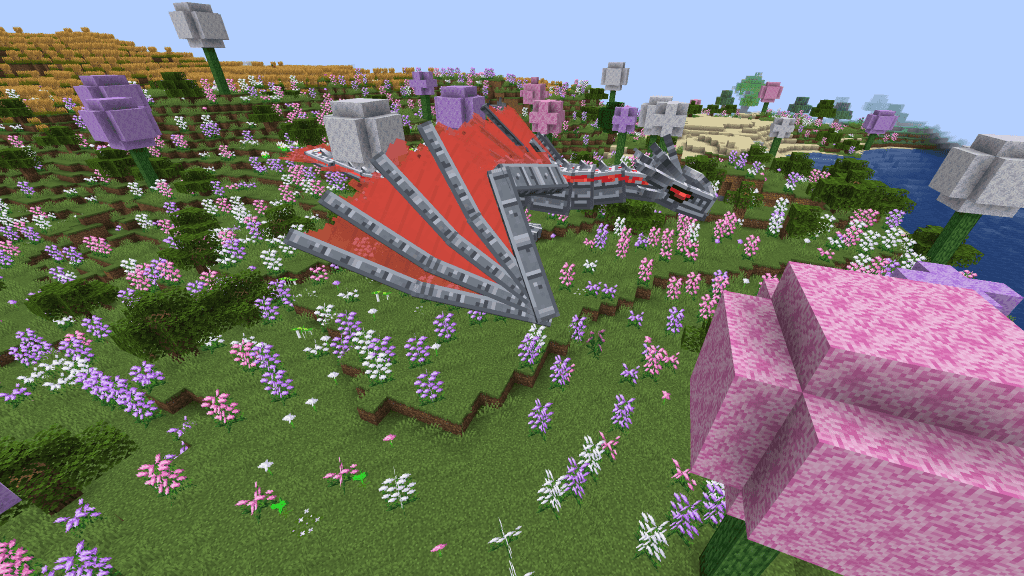
Mecha Dragons is an Ice and Fire addon that turns a dragon skull and salvaged materials into a fully assembled mechanical dragon. Build its frame, install matching dragon materials, and awaken a machine that answers to its builder.
Choose from Fire, Ice, and Lightning dragons, each with its own mechanical appearance and elemental special ability. The donor skull determines the dragon’s element and growth stage.
Now available for Minecraft 1.20.1 Forge with the original Ice and Fire mod, alongside the Minecraft 1.21.1 NeoForge version for Ice and Fire Community Edition.
Use this shapeless crafting recipe:
1 Dragon Skull + 6 Dragon Bones → 1 Mechanical Dragon Skeleton
Place each Dragon Bone in a separate crafting slot.
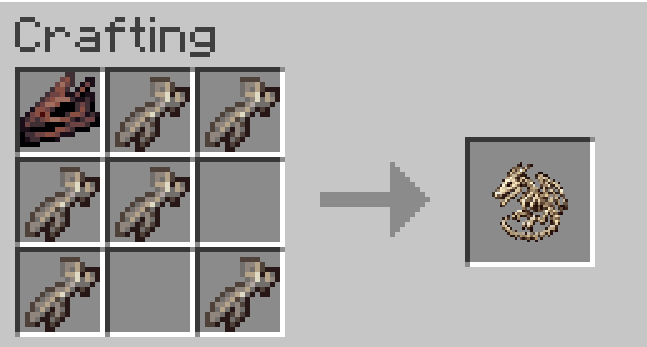
The resulting skeleton stores the donor skull’s element and age, which determine its growth stage and construction costs.
Hover over the skeleton to see its Iron Block requirement. Hold Shift while hovering to display the complete material list.
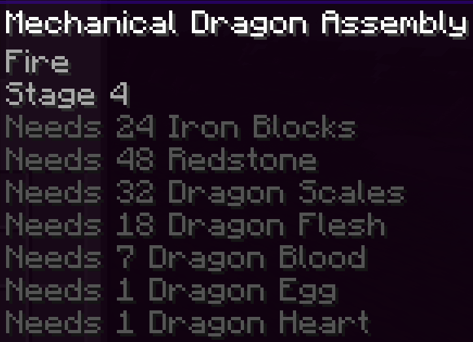
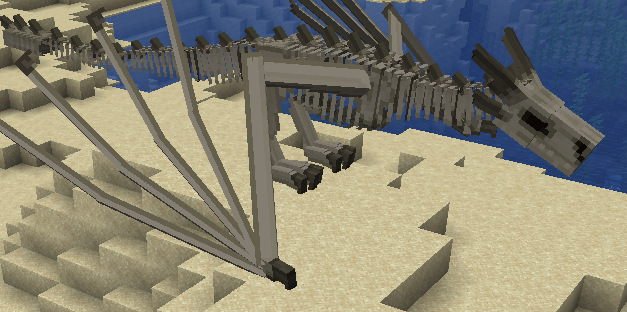
Place the Mechanical Dragon Skeleton in the world, then right-click it with materials in this order:
Scales, flesh, and blood can be inserted in any order within their shared construction stage. All dragon materials must belong to the skeleton’s elemental family.
Installing the heart begins the awakening sequence. Once complete, the assembly becomes a tamed mechanical dragon owned by the player who placed the skeleton.
Successful insertions display progress above the hotbar. Materials supplied too early or from the wrong elemental family are rejected without being consumed.
Anyone can contribute materials through the scales, flesh, and blood stage. Only the builder can install the egg and heart.
Breaking an unfinished assembly returns its skeleton and installed materials.
Construction costs depend on the growth stage inherited from the donor skull.
| Dragon Stage | Iron Blocks | Redstone | Scales | Flesh | Blood | Egg | Heart |
|---|---|---|---|---|---|---|---|
| 1 | 4 | 16 | 8 | 4 | 2 | 1 | 1 |
| 2 | 8 | 24 | 16 | 8 | 3 | 1 | 1 |
| 3 | 16 | 32 | 24 | 14 | 5 | 1 | 1 |
| 4 | 24 | 48 | 32 | 18 | 7 | 1 | 1 |
| 5 | 32 | 64 | 48 | 24 | 9 | 1 | 1 |
These are the default costs. Datapacks may change them; check the skeleton’s tooltip for your current requirements.
Scales and eggs come in several colors. Any color from the correct elemental family is accepted.
| Element | Accepted Scale and Egg Colors |
|---|---|
| Fire | Red, Green, Bronze, Gray |
| Ice | Blue, White, Sapphire, Silver |
| Lightning | Electric Blue, Amethyst, Copper, Black |
Scale colors can be mixed within the same family. The egg can also be any color belonging to that family.
Flesh, blood, and hearts only need to match the Fire, Ice, or Lightning element.
Wrong-element materials are rejected without being consumed.
Press Y while riding your mechanical dragon to activate its special ability. You can rebind the key under Controls → Mechanical Dragon.
Launch a volley of rockets that spread outward and curve toward their locked target before exploding. Larger growth stages fire more rockets.
Build a layer of ice armor around the dragon. The armor develops visible cracks as it takes damage.
When broken, it releases a cryo nova that damages and slows nearby enemies. Natural expiration produces a weaker slowing wave.
Temporarily increase movement speed, melee damage, and lightning breath power. During overcharge, melee hits can discharge chain lightning into nearby enemies.
Install the Mecha Dragons file that matches your Minecraft version and loader.
| Requirement | Minecraft 1.20.1 | Minecraft 1.21.1 |
|---|---|---|
| Loader | Forge 47.4.22 — tested version | NeoForge 21.1.248 or newer |
| Ice and Fire | Original Ice and Fire 2.1.13-1.20.1-beta-5 | Ice and Fire Community Edition 2.1.1 |
| Dependencies | Citadel 2.6.3 for 1.20.1 | Uranus and Jupiter |
| Java | Java 17 | Java 21 |
The two releases use different Ice and Fire editions and dependencies. Install the matching combination for your version.
Ice and Fire and its dependencies are required separately and are not bundled inside the Mecha Dragons addon JAR.
Use a separate instance and world for the 1.20.1 version. This release does not convert existing 1.21.1 worlds to 1.20.1.
Datapacks can customize construction costs, dragon attributes, corpse and frame drops, ability durations and cooldowns, rocket behavior, cryo nova effects, and lightning chain damage.
The balance file location depends on the release:
data/mechadragon/mechadragon/mecha_tier/balance.json
Both mechadragon directory levels are required by Forge’s custom registry layout.
Reopen the world or restart the server after changing this file. /reload does not reload this balance registry on 1.20.1.
data/mechadragon/mecha_tier/balance.json
Use the file from your matching release as the starting point for your datapack.
Copyright © 2026 MABAM. All Rights Reserved.
Redistribution, modification, rehosting, and the creation of derivative works are not permitted without prior written permission.
The Minecraft 1.20.1 release requires the original Ice and Fire by Alexthe666 and TheBv, with Citadel.
The Minecraft 1.21.1 release requires Ice and Fire Community Edition by IAFEnvoy, with Uranus and Jupiter.
These projects and their dependencies remain under their respective licenses.
The project avatar is AI-assisted original branding artwork created specifically for Mecha Dragons. Gameplay screenshots and videos show the actual mod.