Mineuniverse
Log in Register
Mods

Locked In Slots

Lock your inventory slots. Protect your tools. Prevent accidents, fully client-side.
by Fuzs
Download Claim this project
628 downloads
0 likes
Updated Jul 6, 2026
0 hypes
Armor, Tools, and Weapons Utility & QoL

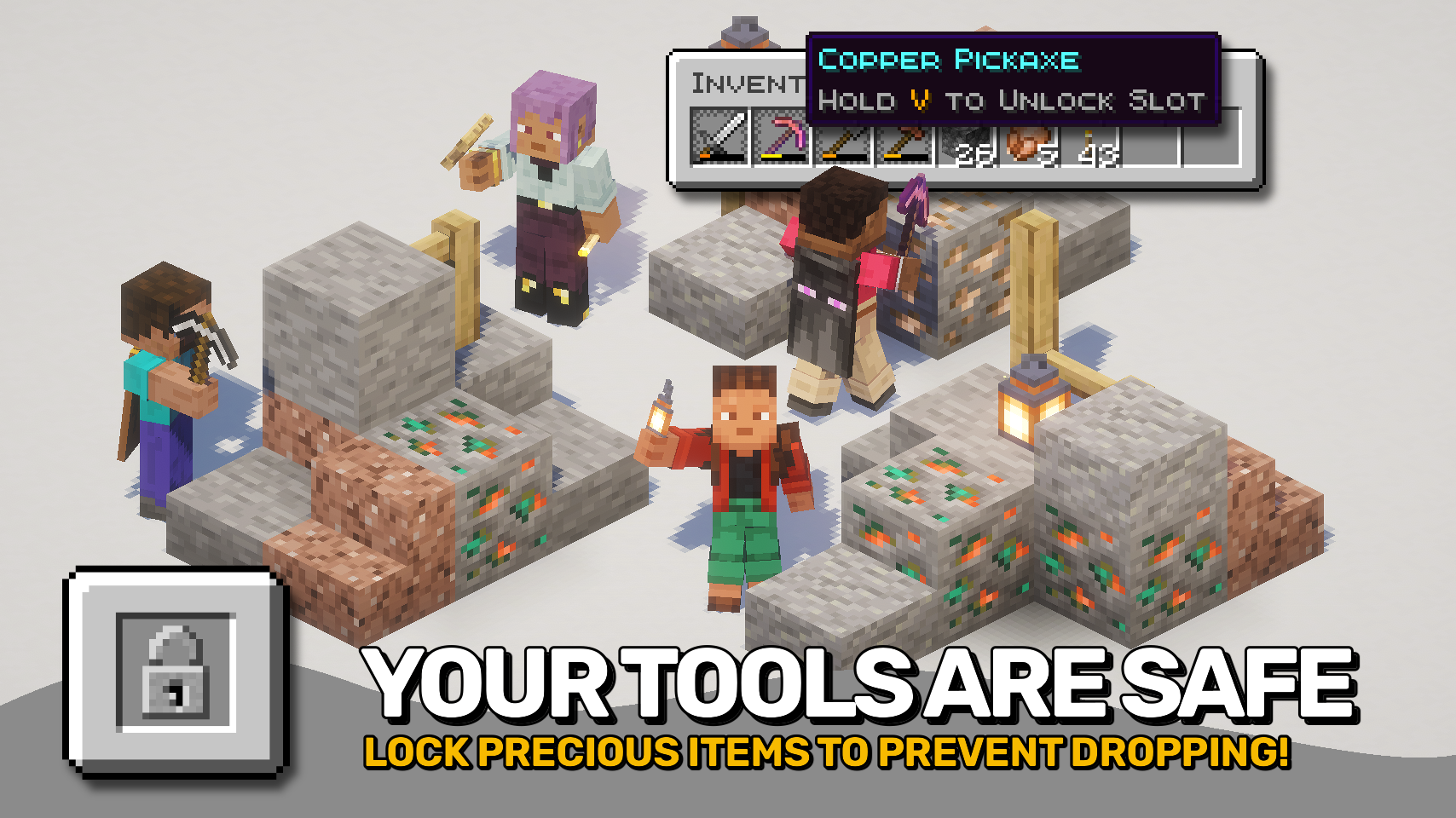
Locked In Slots helps protect your most important items from accidental inventory mistakes. 🔒 Simply hover a slot and press the lock key to toggle its locked state. Locked slots keep valuable tools, weapons, and other items safely in place until you decide otherwise.

No more accidentally dropping your pickaxe, moving your sword into a chest, or replacing an important hotbar slot during a hectic adventure. Once a slot is locked, its contents stay exactly where they belong. 🛡️

Best of all, the mod is fully client side and works in both singleplayer and on multiplayer servers. ✨


  • 🔒 Quick Slot Locking: Lock or unlock inventory slots with a configurable key while hovering them.
  • 🎯 Hotbar Support: Lock the selected hotbar slot even when no inventory screen is open.
  • 🛡️ Prevent Item Pickup: Locked items cannot be picked up or moved out of their slot.
  • 🚫 No Accidental Drops: Pressing Q will no longer drop items from locked slots.
  • 🔄 Prevent Item Swapping: Locked slots cannot be replaced with other items.
  • 📦 Allow Stack Growth: Stackable items can still receive additional matching items while remaining protected.
  • 💡 Helpful Unlock Hints: Optional tooltips remind you how to unlock protected slots.
  • ⚙️ Flexible Configuration: Customize lock timing, slot restrictions, supported slot types, and more.
  • 🌍 Fully Client Side: Works seamlessly in singleplayer and on servers without requiring installation on the server.

INSTALLATION REQUIRED ON CLIENT

REQUIRES PUZZLES LIB TO BE INSTALLED (FABRIC & NEOFORGE)

REQUIRES FABRIC API TO BE INSTALLED (FABRIC)

REQUIRES FORGE CONFIG API PORT TO BE INSTALLED (FABRIC)

If available for a mod, configuration is possible directly from in-game using the mod menu (requires Mod Menu by Prospector to be installed on Fabric).

For manual configuration using an external text editor all files are found at .minecraft/config, named as MOD_ID-client.toml, MOD_ID-common.toml, or MOD_ID-server.toml, depending on the type of config. Not all types might exist for a mod, if any at all.

🌟 Big thanks to D4rkness_King and their SlotLock mod for inspiring this project.



[FABRIC] [26.2.x] v26.2.0
MC Client, Fabric, 26.2
Release 2026-06-18 Get
[NEOFORGE] [26.2.x] v26.2.0
MC Client, NeoForge, 26.2
Release 2026-06-18 Get

More from Fuzs

Bloomcraft
9,530
Slot Cycler
904,611
Bundle Upgrade
878
Visual Workbench
84,937,147
Arcane Lanterns
825,454
Climate Rivers
8,209,008

You Might Also Like

No More Pop-ups
A Minecraft mod to remove in-game pop-ups
996,708
Exit Confirmation
Often accidentally closed Minecraft? This mod might help!
99,067
NoDynamicFps
Adds an option to disable Vanilla's Dynamic FPS implementation
99,004
Liberty's Villagers
Quality of Life and AI improvements for Villagers
9,968,428
Naruto Enhanced Extension || AHZNB's Naruto ShinobiCraft Addon
Some practical functions
9,980
Wildex Bestiary
In-game bestiary that automatically tracks all creatures you encounter, including modded mobs.
9,937