Your items, always waiting for you — no matter what world you're on.
Legacy Vault gives every player a personal inventory that lives outside the world. Place a vault block, open it, and anything you store stays yours. Switch to a new world or start over — your vault is still there. Vault data is stored on the server, so your items are available across any world on that server.
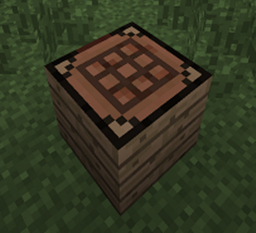
A personal vault. Only you can open it. Craft it with a Chest at the center of the recipe.
Also a personal vault, with a different look. Craft it with a Barrel at the center.
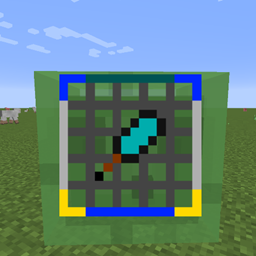
A shared vault that any player (or any player on an allowlist) can access. Great for server shops, donation chests, or faction storage. The full expansion and search features are available here too.
New players start with 1 row of 9 slots. Use Vault Upgrade items to unlock more rows, up to 10 rows (90 slots).
Server admins can change the starting size, the maximum size, and whether tier progress resets per-world.
All commands require permission level 2 and live under /legacyvault:
| Command | What it does |
|---|---|
inspect <player> |
View a player's vault contents and slot usage |
reload <player> |
Reload a player's vault from disk |
clear <player> |
Wipe all items from a player's vault (asks for confirmation) |
transfer <from> <to> |
Move everything from one player's vault to another |
locations <player> |
List the coordinates of all of a player's placed vaults |
locations clear <player> |
Clear a player's vault location list |
count <targets> [value] |
Show or set a player's vault count |
spawn <pos> [targets] [type] [direction] |
Place a vault in the world |
tier inspect <player> |
Show a player's current tier and slot count |
tier set_tier <targets> <value> |
Set a player's tier directly |
tier reset <targets> |
Reset a player to the starting tier |
tier max <targets> |
Set a player to the maximum tier |
encryption status |
Show whether vault encryption is on or off |
encryption on|off |
Toggle encryption without restarting the server |
Control what can go in vaults using datapack item tags:
legacyvault:vault_items_whitelist — only these items are allowedlegacyvault:vault_items_blacklist — these items are blockedThe tag lists are checked first. Config-based regex patterns still work as a fallback.
Blocked by default (to prevent cheating the slot limit):
Turn on encryptVaultData in the server config (or use /legacyvault encryption on) and vault files on disk are scrambled so no one can read them without the server's key. Protects against file theft and UUID spoofing. Safe to toggle at any time — existing files keep working either way.
Important: Back up
config/legacyvault/legacyvault-secret.dat. If you lose this file, encrypted vaults cannot be read.
Vault files are written to a temp file first, then swapped in — so a crash or power cut during a save can't corrupt your data.
All settings live in serverconfig/legacyvault-server.toml.
| Setting | Default | What it does |
|---|---|---|
startingVaultTier |
1 | How many rows players start with |
maxVaultTier |
10 | Maximum rows a player can unlock |
enablePersonalVault |
true | Allow personal (Rustic/Classic) vaults |
enableCommunityVault |
true | Allow Community vaults |
resetTierPerWorld |
false | Reset tier on each new world (items still carry over) |
encryptVaultData |
false | Encrypt vault files on disk |
vaultUpgradeLootEnabled |
true | Vault Upgrades can drop from chests |
vaultUpgradeLootChance |
0.02 | Drop chance per eligible chest (2%) |
vaultUpgradeLootCount |
1 | Upgrades per drop |
Legacy Vault is designed to coexist with popular mods. The following storage mods are blocked from being placed inside a vault by default (they would otherwise bypass the slot limit):
Server admins can customize this list using item tags or regex patterns in the config.