Badges update automatically and link to the mod page on MineUniverse.
A NeoForge 1.21.x mod that pulls items from whatever inventory you have open into your own — either one item at a time with a keybind, or a whole recipe's worth with a button on your recipe viewer's recipe screen.
Works with JEI, EMI, or REI — install whichever you already use.
📦 Download: CurseForge · Modrinth
Hover the cursor over any item in any open screen and press P. One of that item moves into your inventory, sourced from whatever container is open behind the cursor.
Modifier keys change how much you pull:
| Modifier | Effect |
|---|---|
| (none) | One item |
| Shift+P | One full stack (up to 64) |
| Ctrl+P | As much as fits in your inventory |
Ctrl beats Shift if you hold both.
Autocraft escalation: if the hovered item isn't in stock but your open AE2/RS network has a pattern for it, pressing P opens the native autocraft popup pre-filled with the amount your modifier asked for (1 / 64 / a lot).
Works on:
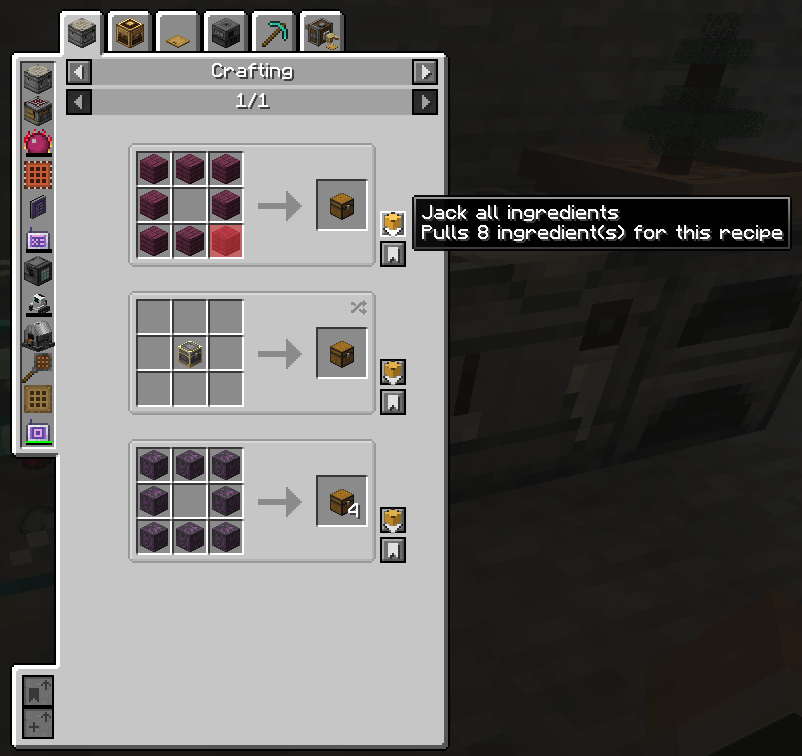
While viewing any recipe, a chest-icon J button appears on the recipe. Hover it to preview the state of each slot, then click to act on the recipe.
The rule in one sentence: Shift is the "always pull" modifier; plain click pulls only when there's nothing to autocraft, otherwise it leaves your inventory alone so you can review the autocraft popups without committing.
Install any one of these (or none). The mod adapts to whichever it finds:
| Viewer | Pull button | Hover tooltip | Red/green slot overlays |
|---|---|---|---|
| JEI | ✅ | ✅ | ✅ |
| REI | ✅ | ✅ | ✅ |
| EMI | ✅ | ✅ | — (counts shown in the tooltip instead) |
Without any viewer installed the mod still works for the P keybind on vanilla container slots — you just won't get the recipe button or the ability to pull from a viewer's item list.
Both modes pull from the menu open behind the cursor:
Without AE2 or RS the mod still works for vanilla containers; with either or both installed, the corresponding source activates automatically — respecting that storage system's own access/security rules.
Rebind the keybind from Options → Controls → JackItToMe → Jack hovered item. Default is P. No other configuration needed.