Mineuniverse
Resource Packs
ほにゃがな - Honyagana

ほにゃがな - Honyagana

RESOURCE PACK
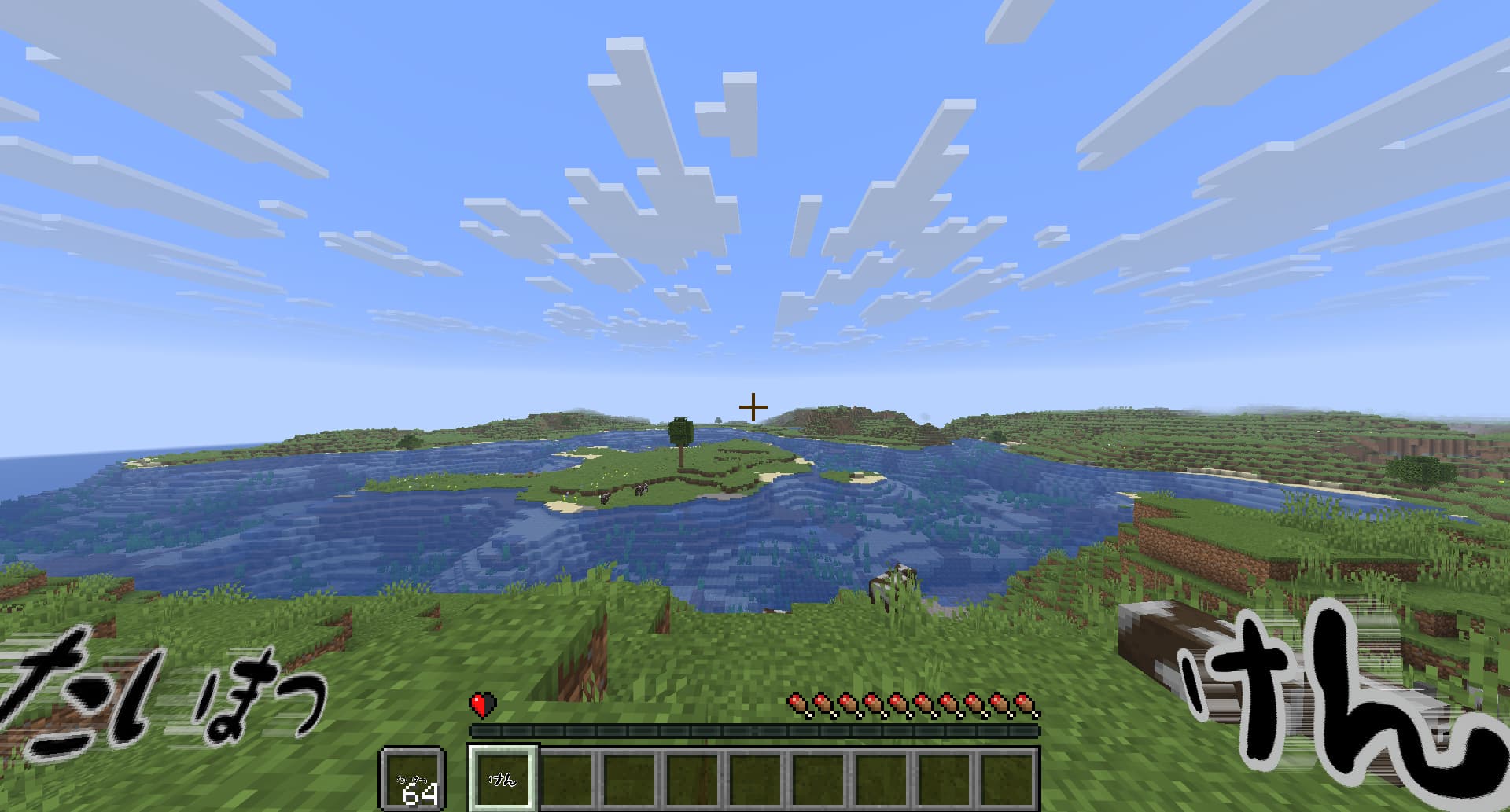
"Honyagana" (ほにゃがな) is a resource pack for Minecraft Java Edition that transforms item visuals and the title logo into a soft, distinctive hiragana-inspired style.
by yoima
Download Claim this project
100 downloads
0 likes
Updated Oct 14, 2026
0 hypes
256x
Advertisement Remove ads with Premium →

Honyagana

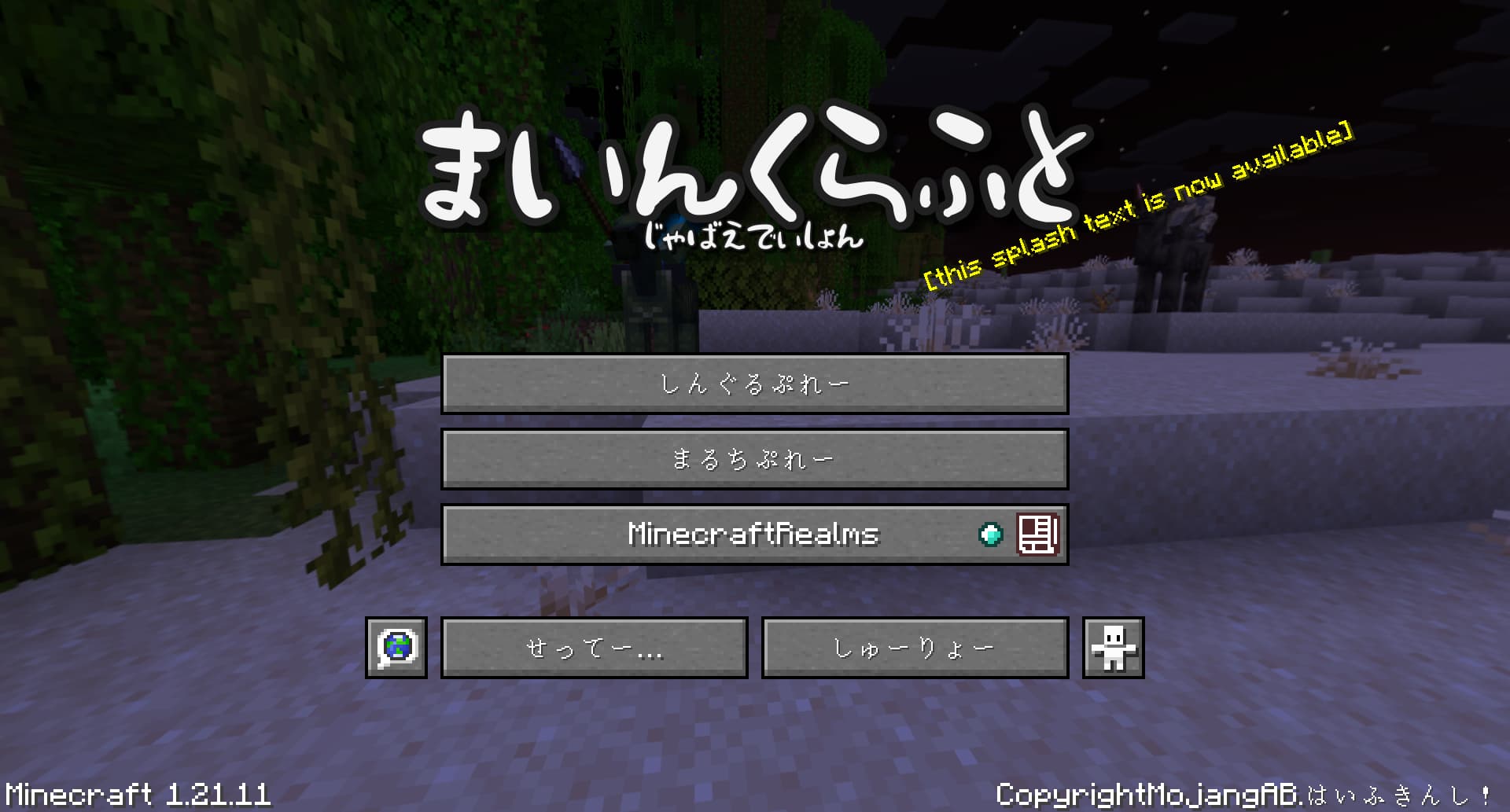
Title Screen Honyagana (ほにゃがな) is a resource pack for Minecraft Java Edition that transforms item visuals and the title logo into a soft, distinctive hiragana-inspired style.

Instead of only changing names or adding small UI tweaks, this pack gives your inventory a completely different feel at a glance. Items become more playful, more recognizable, and far more memorable in screenshots, videos, and everyday play.

日本語の説明 (Japanese)

概要

Honyagana は、Minecraft Java Edition のアイテム表示やタイトルロゴを、ほにゃがなテイストに変えるリソースパックです。

名前だけを変えるのではなく、インベントリを開いた瞬間に空気が変わるような見た目を目指しています。スクリーンショット、動画、配信でも印象に残りやすく、普段のプレイでも新鮮さを感じられるのが特徴です。
このプロジェクトが追加するもの

  • 多数のアイテムテクスチャを、ほにゃがな風の文字ベースデザインに変更
  • ブロックを手に持った時やインベントリに入れた時だけ、専用のほにゃがな表示に変更
  • タイトル画面のロゴを専用デザインに変更
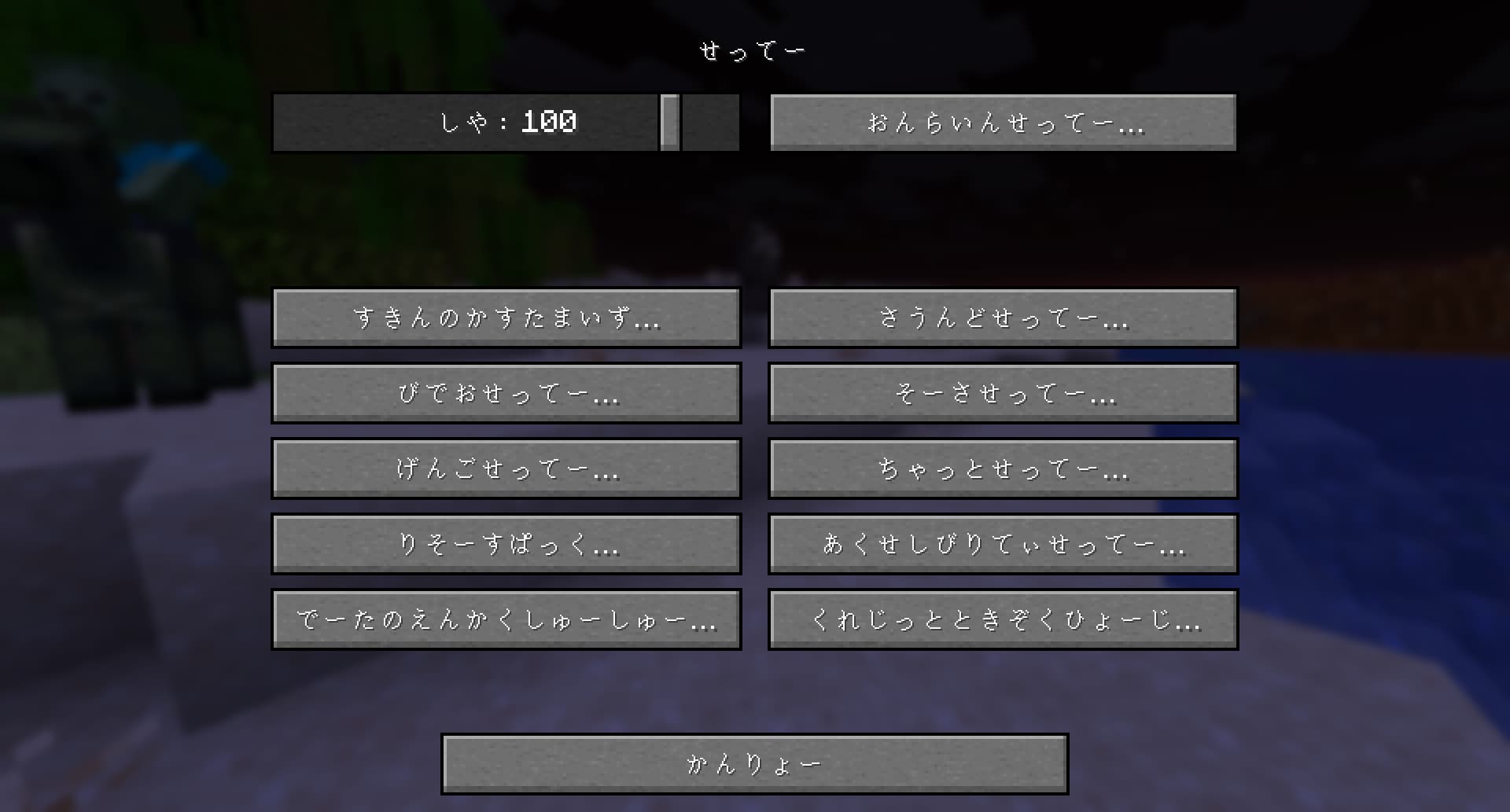
  • フォントをリソースパック内に同梱し、単体で導入できる構成を用意 Settings screen

主な機能

  • アイテム表示の変化 通常アイテムだけでなく、ブロック由来のアイテム表示もほにゃがな向けの見た目に差し替えています。

  • 設置時の見た目はなるべく維持 ワールド内の視認性を保ちつつ、手持ちやインベントリで個性が出るようにしています。

  • タイトル画面まで雰囲気を統一 ゲーム開始前から、このパックならではの見た目を感じられます。

  • 導入しやすい 必要なフォントを同梱しているため、そのまま使えます。 Item

このパックの特徴

  • インベントリを見るのが楽しくなる
  • アイテムの印象が大きく変わって新鮮に感じられる
  • スクリーンショットや配信で個性が出る
  • 雰囲気はしっかり変わるのに、普段使いしやすい

What this project adds

  • Reworked item textures in a Honyagana-style text-based design
  • Special item-only visuals for many block items while keeping placed blocks recognizable
  • A custom title logo that changes the Minecraft title screen atmosphere immediately
  • A self-contained pack structure with the font included inside the resource pack Settings screen

Features

  • Transforms item visuals Many regular items and block items are redesigned so your inventory feels fresh and unique.

  • Keeps placed blocks familiar The pack focuses on item and inventory presentation, so the world itself remains easier to read while still gaining personality in menus and hand-held views.

  • Changes the title screen too The custom logo helps the pack feel complete from the moment the game starts.

  • Easy to install The required font is bundled with the pack, so the resource pack is ready to use as-is. Item

Why download it?

  • It makes opening your inventory genuinely fun
  • It gives Minecraft a strong visual identity without replacing everything
  • It stands out well in screenshots, streams, and videos
  • It adds charm and humor while staying practical enough for normal play
  • It feels different immediately, even if you already use other visual packs

Compatibility

  • Minecraft Java Edition 1.21.11
  • Resource pack only

Installation

  1. Download the released resource pack.
  2. Put it into your resourcepacks folder.
  3. Enable Honyagana from Minecraft's resource pack menu.

Credits

  • Font: 851チカラヨワク
  • Font file: 851CHIKARA-YOWAKU_002.ttf
  • All rights to the font belong to its original author/distributor
Honyagana.zip
MC 1.21.11, 26.1, 26.1.1, 26.1.2
Release 2026-04-13 Get

Requirements & install

How to use this resource pack in Minecraft
Resolution
256x
Minecraft
1.21.11 – 26.1.2
Install folder
.minecraft/resourcepacks

How to install resource packs

  1. Download the resource pack .zip file (do not extract it).
  2. In Minecraft open Options → Resource Packs → Open Pack Folder.
  3. Drop the .zip into the resourcepacks folder (.minecraft/resourcepacks).
  4. Move the pack to the Selected column and click Done.

Packs from 128x upwards need more video memory: install a performance mod such as Sodium for smooth frame rates.

Browse more: 16x resource packs 32x resource packs 64x resource packs 128x resource packs 256x resource packs 512x+ resource packs Resource Packs for 26.1.2 All resource packs

More from yoima

Advertisement Remove ads with Premium →

You Might Also Like