"A mod that unifies and enhances all Minecraft interfaces, making them consistent, polished, and pleasant to use."
Harmonize transforms your Minecraft GUI experience with a sleek, unified visual design. Every container interface—from crafting tables to enchanting stations—now features a consistent layout that perfectly aligns with your hotbar. No more jarring visual jumps between different workstations!
Ever noticed that Minecraft's menus feel… inconsistent? Different spacing, misaligned elements, and behaviors that vary from one menu to another. Harmonize fixes all of that.
Simple. Clean. Harmonized.
| Icon | Feature Description |
|---|---|
| ✨ | Standardized GUIs: Premium container interfaces with pixel-perfect alignment |
| 🎯 | Unified Positioning: Consistent hotbar and inventory slot placement across ALL workstations |
| 🎨 | Refined HUD: Custom hotbar sprites and XP bars with a modern, sleek aesthetic |
| 🖼️ | Texture Consistency: Adjusted item and block textures for a cohesive visual experience |
| 🖐️ | Universal Offhand: Offhand slot accessible directly from every single container menu |
| 🎭 | Polished Interactions: Consistent hover feedback, tooltips, and button hitboxes |
Experience the difference of a truly unified interface system where every element aligns perfectly with your screen architecture:
| Vanilla Interface (Before) | Harmonized Interface (After) |
|---|---|
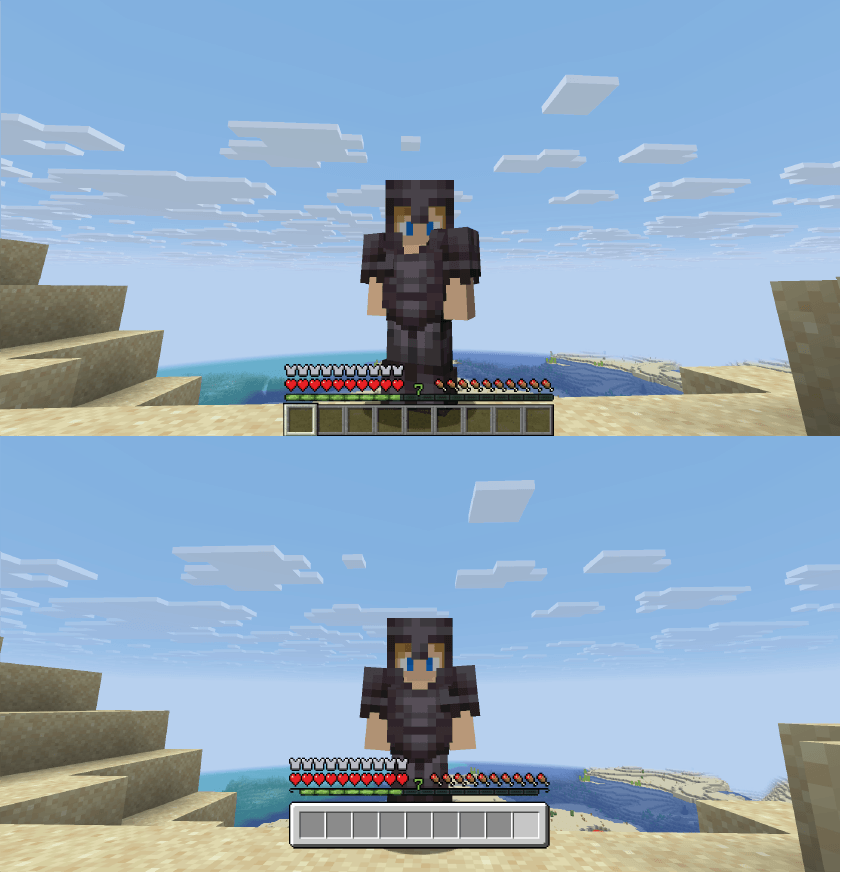 |
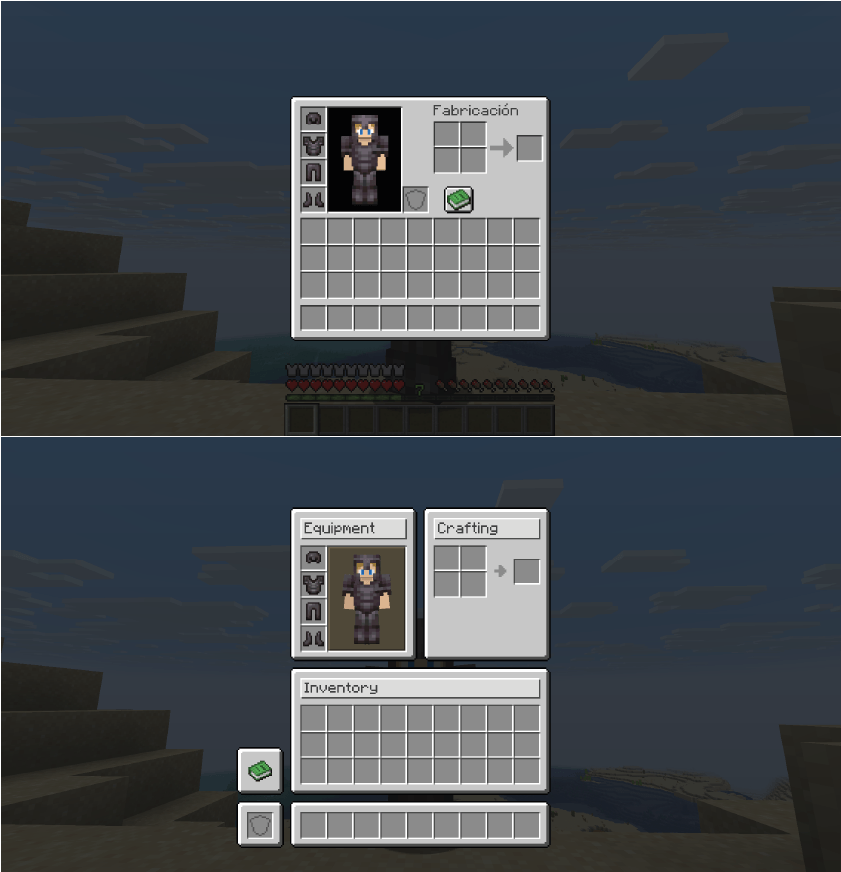 |
One of the most essential quality-of-life improvements: your off-hand slot is now available in ALL menus.
No more closing chests or workstations just to switch your torch, shield, or crafting ingredients!
| Crafting Access | Storage Access | Equipment Access |
|---|---|---|
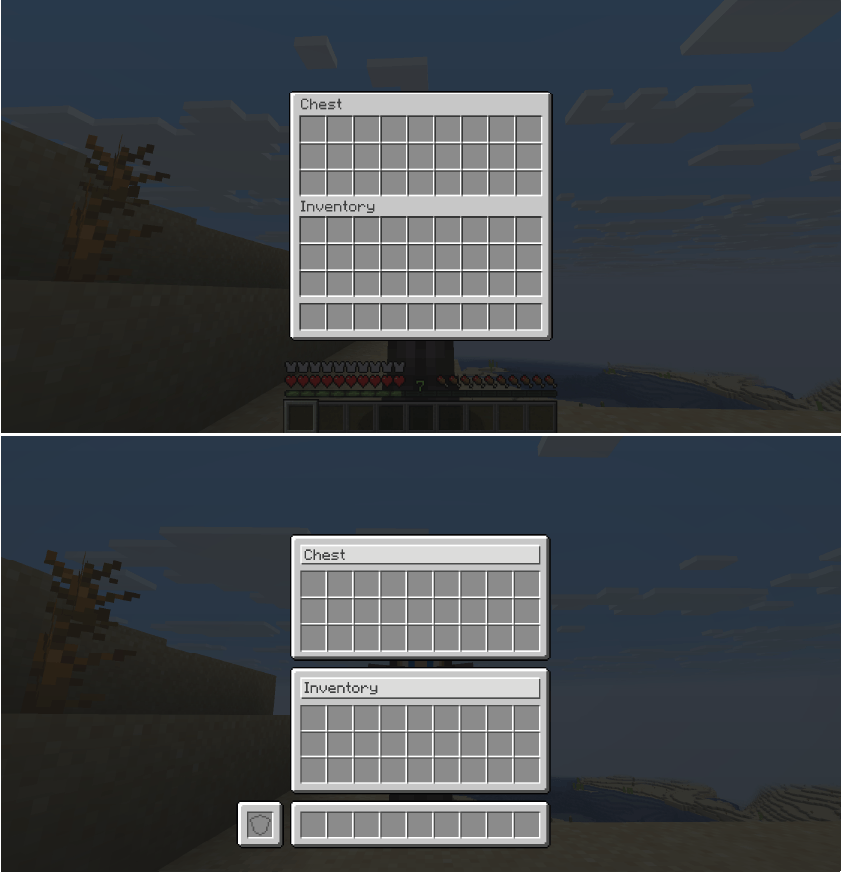 |
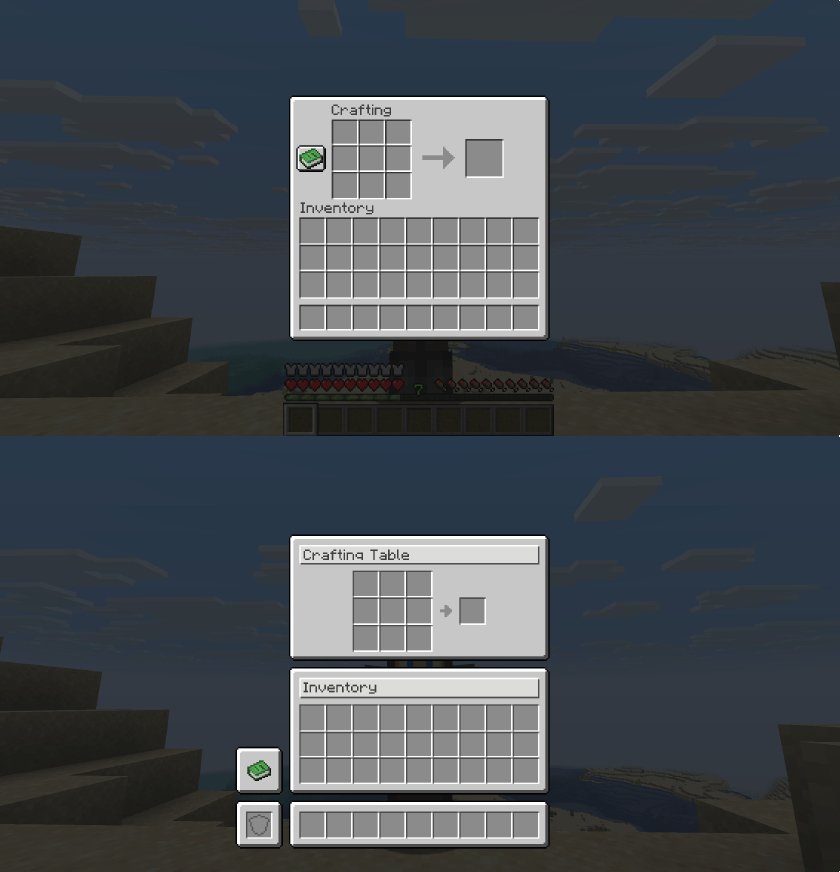 |
 |
Sleek hotbar sprites, polished XP bars, and consistent visual alignment directly on your main gameplay screen.
Redesigned survival inventory with pixel-perfect slot alignment and integrated offhand accessibility.
Standardized crafting grids and crafter menus that eliminate visual jumps when switching between workstations.
Clean, structured trade menus with fixed scrollbar hitboxes and seamless item browsing.
Refined creative tabs and auxiliary menus designed for consistent navigation and visual harmony.
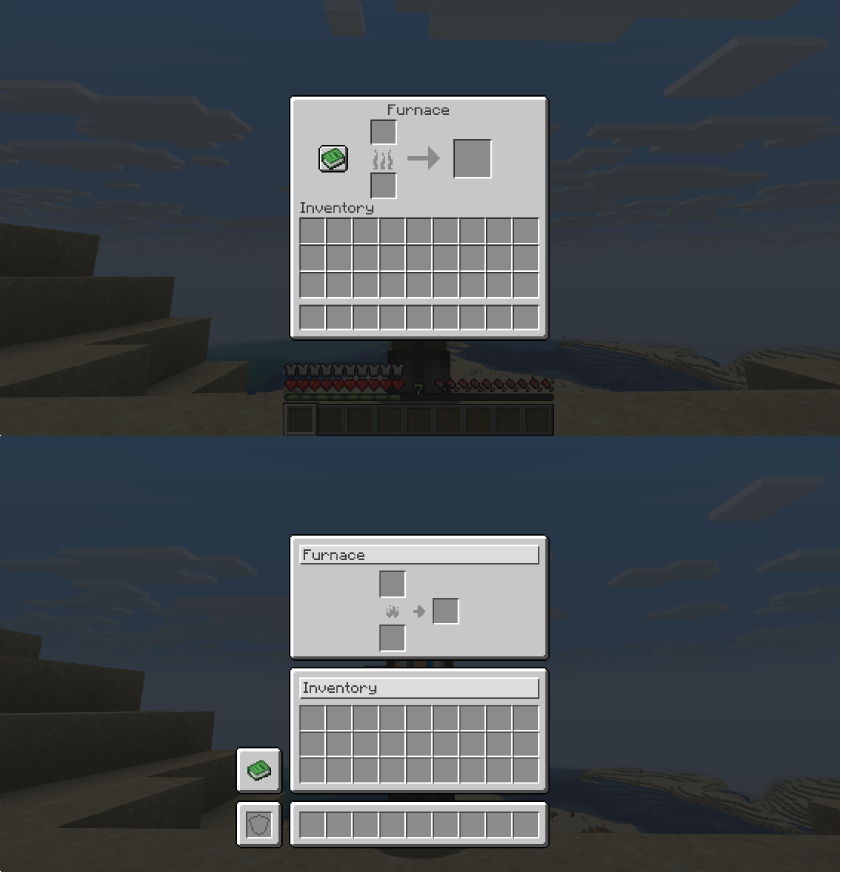
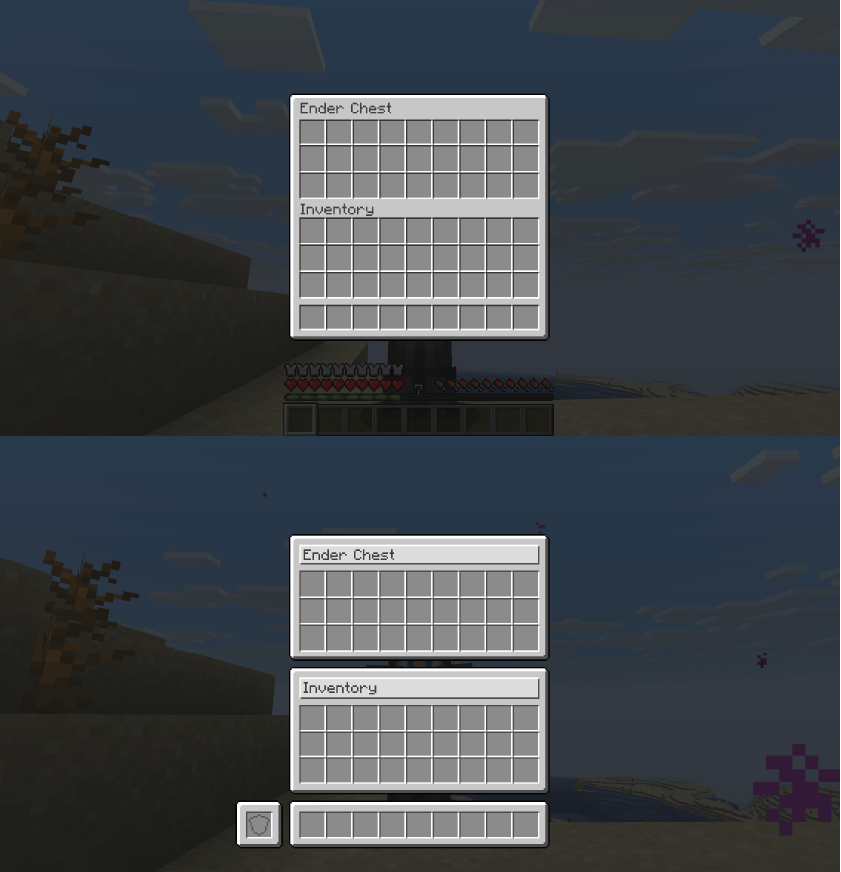
All containers now feature the universal offhand slot visible and inventory rows perfectly aligned with your player hotbar.
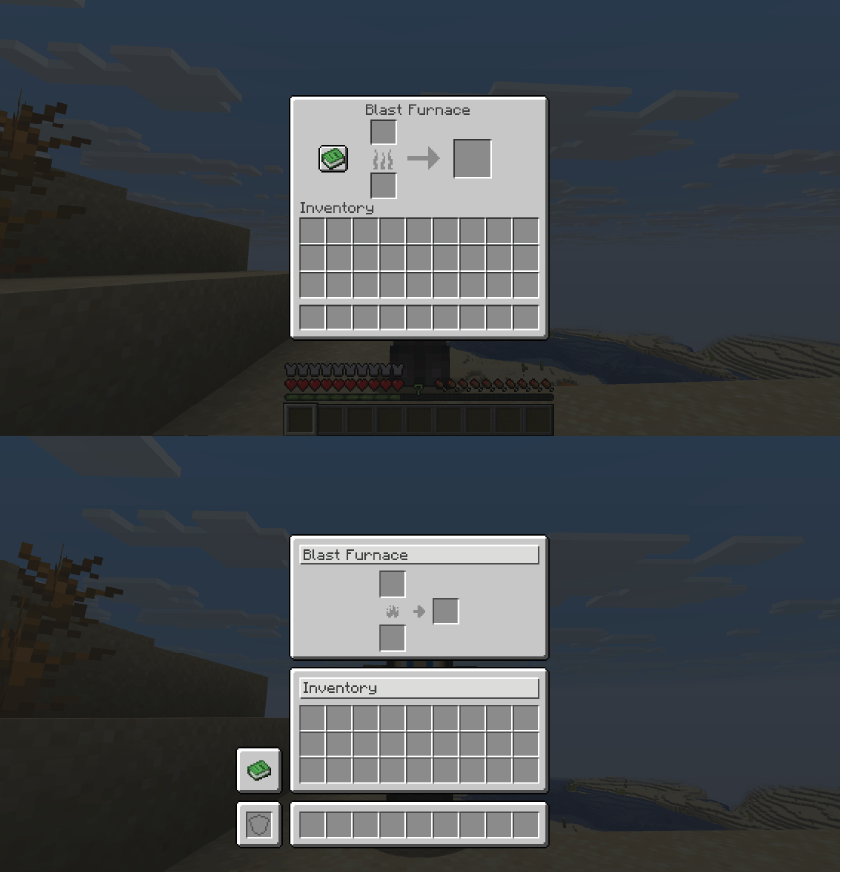
All three furnace types share the same clean, standardized bottom-aligned layout for effortless muscle memory.
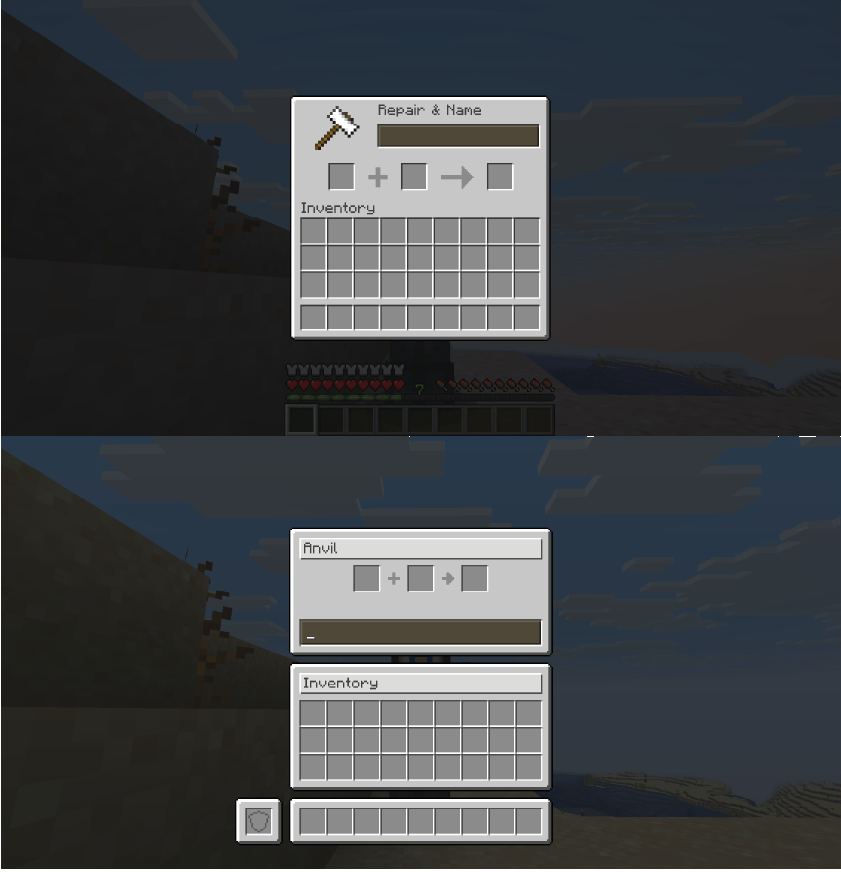
Anvils, Smithing Tables, and Grindstones feature improved slot spacing, aligned text boxes, and integrated offhand access.
Enchantment buttons feature precise click areas, level requirement emblems matching the XP bar, and clear Lapis Lazuli cost indicators.
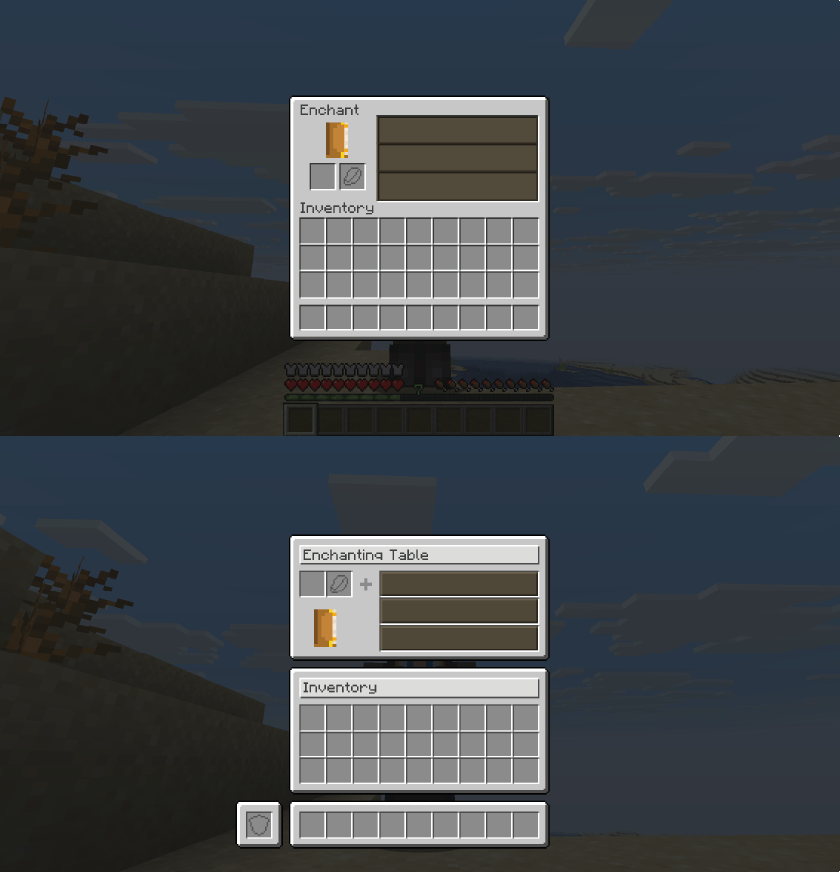
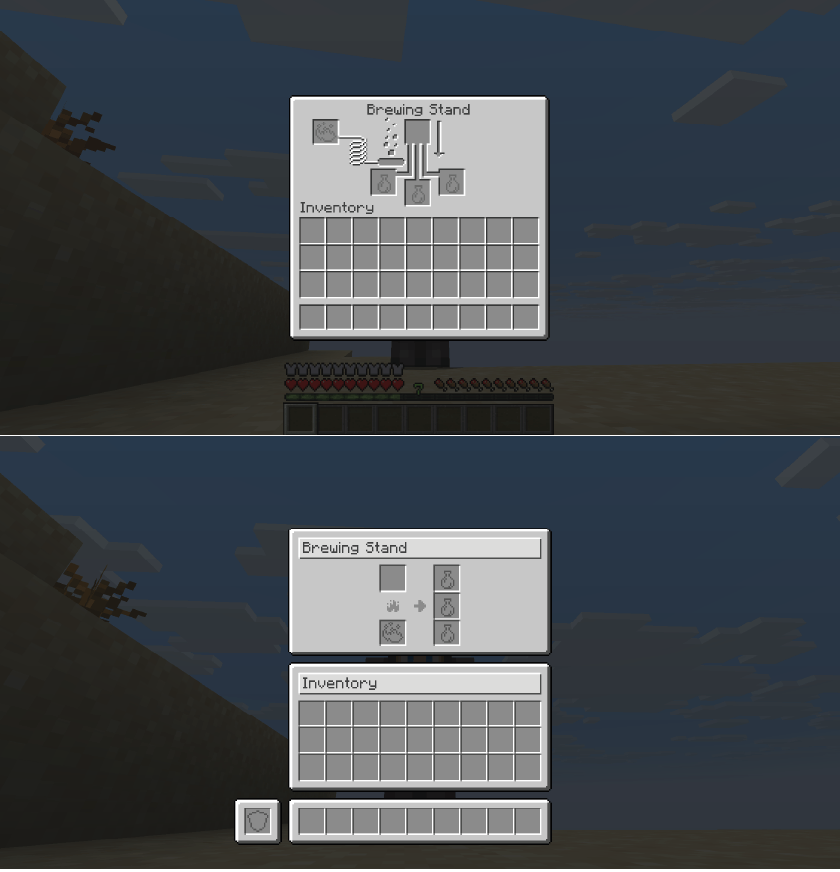
Reorganized potion slots for optimum visual clarity. The accessible offhand slot lets you keep extra nether wart or ingredients handy.
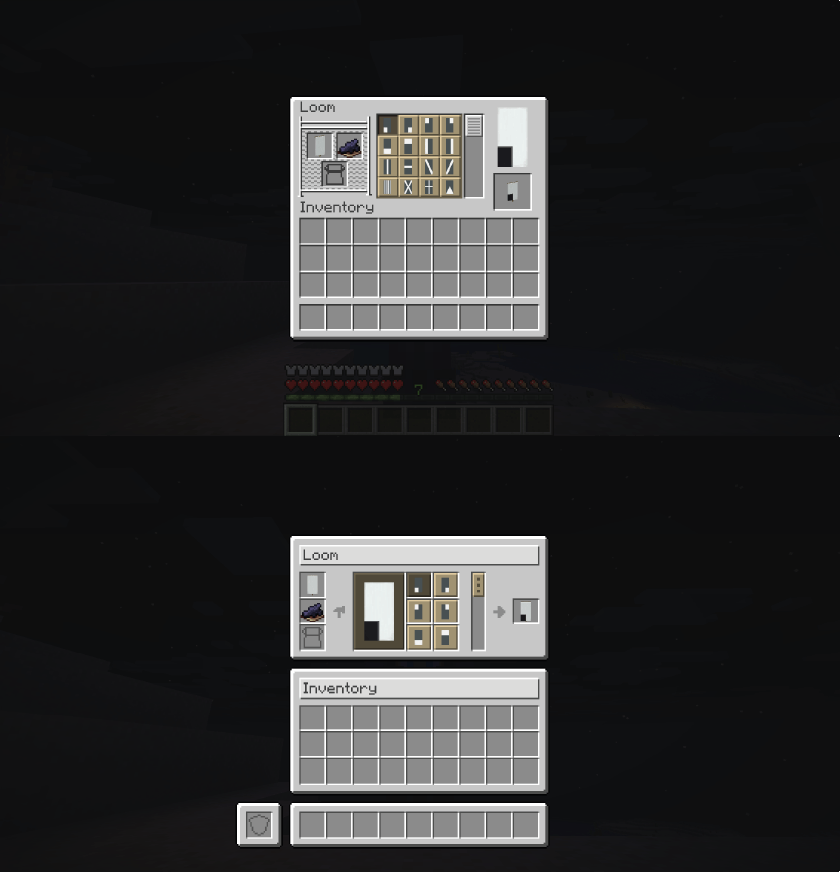
Looms, Cartography Tables, and Stonecutters rebuilt with clean, consistent borders and accurate scrollbar hitboxes.
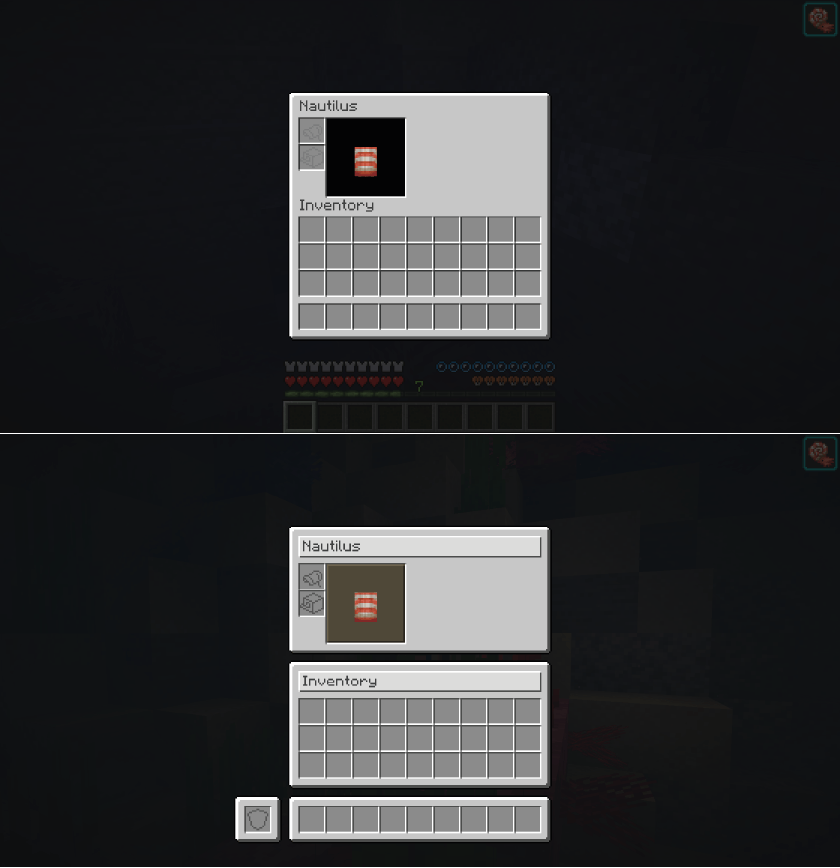
Horse, donkey, mule, and llama inventories feature structured organization for saddles, armor, and chest contents.
| Spec | Detail |
|---|---|
| Minecraft Version | 1.21.11 |
| Mod Loader | Fabric |
| Dependencies | RequiresFabric API |
.jar file into your Minecraft mods folder.Q: Does Harmonize affect client performance or FPS?
A: No! It strictly modifies interface layout coordinates and texture rendering, introducing zero performance overhead.
Q: Is it compatible with other GUI or inventory mods?
A: Yes, in most cases. Minor visual overlaps may occur if another mod aggressively overrides core vanilla container screens.
Q: Does it work on multiplayer servers?
A: Yes! While it is primarily a client-side visual enhancement, installing it on the server ensures full container synchronization.
"Consistency is the foundation of trust, in relationships and in interface design."
Developer: Shamy]® Creative Studio
License: CC0-1.0
Version: 0.3.3