"A waypoint companion mod that lets you craft, customize, and track your own lodestone beacon waypoints."
Bannerstone introduces a brand-new waypoint tracking system to Minecraft. Craft ethereal Bannerstone blocks, color-code them with vibrant banners, and watch as they register directly on your locator bar and vanilla maps—helping you navigate your world in style!
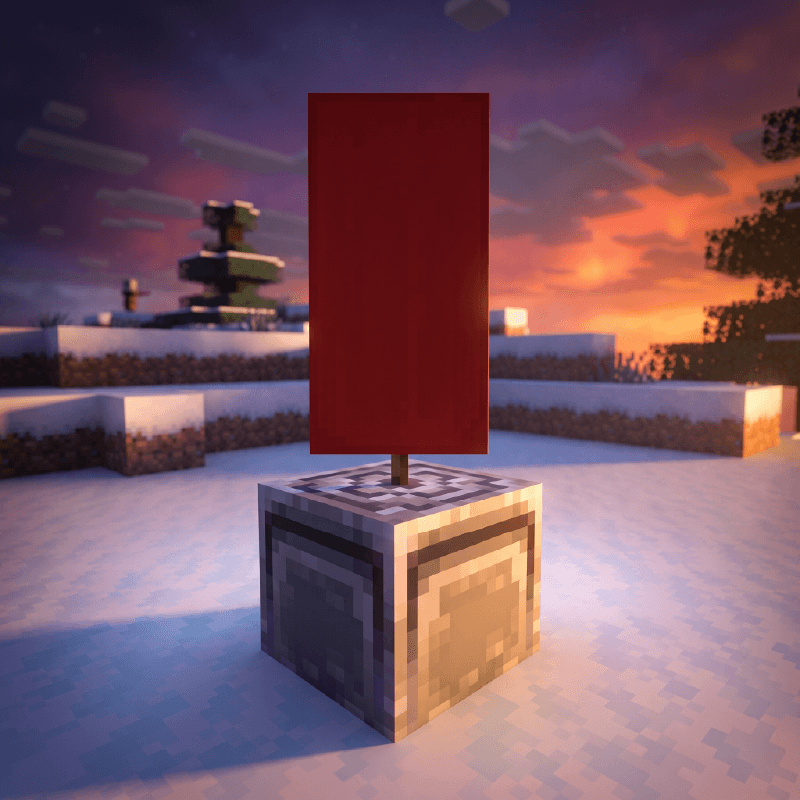
Ever wanted a waypoint marker that integrates perfectly with vanilla maps? One that shows on your compass bar, lets you customize its name in an anvil, and fits the aesthetic of your base? Bannerstone makes it happen.
Craft. Place. Track.
| Icon | Feature Description |
|---|---|
| 📍 | Customizable Waypoints: Mark key locations with decorative block markers |
| 🎨 | 16 Color Variations: Fully integrated with all vanilla banner colors |
| 🗺️ | Vanilla Map Integration: Displays live markers with custom name labels |
| 🧭 | Locator Bar HUD: Seamless compass HUD integration tracking up to 1024 blocks |
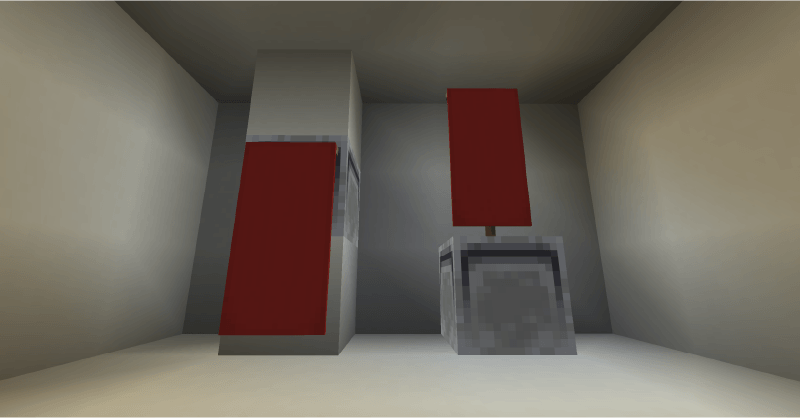
| 🏗️ | Smart Placement: Adaptive dual-mode placement (standing or wall-hanging) |
| ⚒️ | Anvil Compatible: Rename waypoints before placing for personalized map tags |
| 🧱 | True Lodestone Physics: Accurate hardness, sounds, and pickaxe mining requirements |
Place standing Bannerstones on the ground or hang them elegantly from walls. The custom renderer displays a beautiful colored banner matching your exact design.
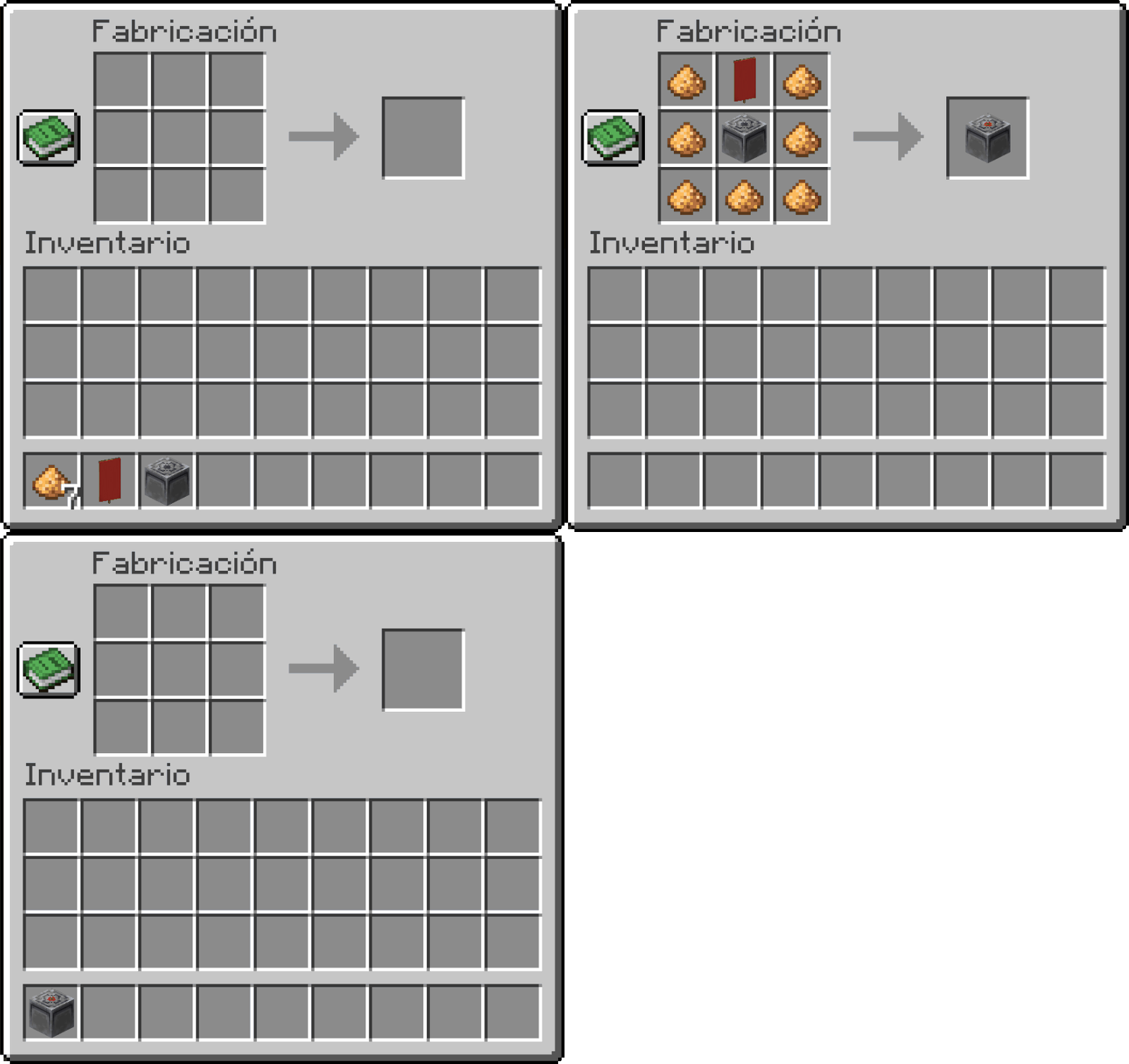
The recipe requires a Lodestone at the center, a Banner of your choice on top, and Glowstone Dust framing the sides:
Register your waypoints directly on your vanilla maps with custom descriptions:
Map to draw a marker.Anvil before placing it; your custom name will display right next to the map marker!Every placed Bannerstone automatically spawns a waypoint beacon:
| Spec | Detail |
|---|---|
| Minecraft Version | 1.21.11 |
| Mod Loader | Fabric |
| Dependencies | RequiresFabric API |
.jar file into your Minecraft mods folder.Q: How do I craft a Bannerstone?
A: Arrange 7 Glowstone Dust, 1 Banner of your choice, and 1 Lodestone in a crafting table.
Q: How do I show waypoints on my Map?
A: Right-click the placed Bannerstone with a vanilla Map. Right-click it again to remove the marker.
Q: How do I name my waypoints?
A: Rename the Bannerstone item in an Anvil before placing it down. The custom name will automatically appear on maps.
Q: Can I track a Bannerstone without a Map?
A: Yes! It registers automatically on your screen locator/compass bar up to 1024 blocks away.
Q: Does it work on multiplayer servers?
A: Yes, it is fully server-compatible and synchronizes seamlessly across all clients.
Q: Is it compatible with other mods?
A: Yes! It uses custom registry entries and standard Fabric APIs, ensuring maximum compatibility.
"Even the longest journey begins with a single waypoint."
Developer: Shamy]® Creative Studio
License: CC0-1.0
Version: 0.1