Preview any seed before you create the world. Pre-generate chunks before you enter it.
The Create New World screen has always been a black box. You pick a seed, you generate the world, you spawn in, you look around, and… it's the wrong biome. Delete. Try again. Lose an hour.
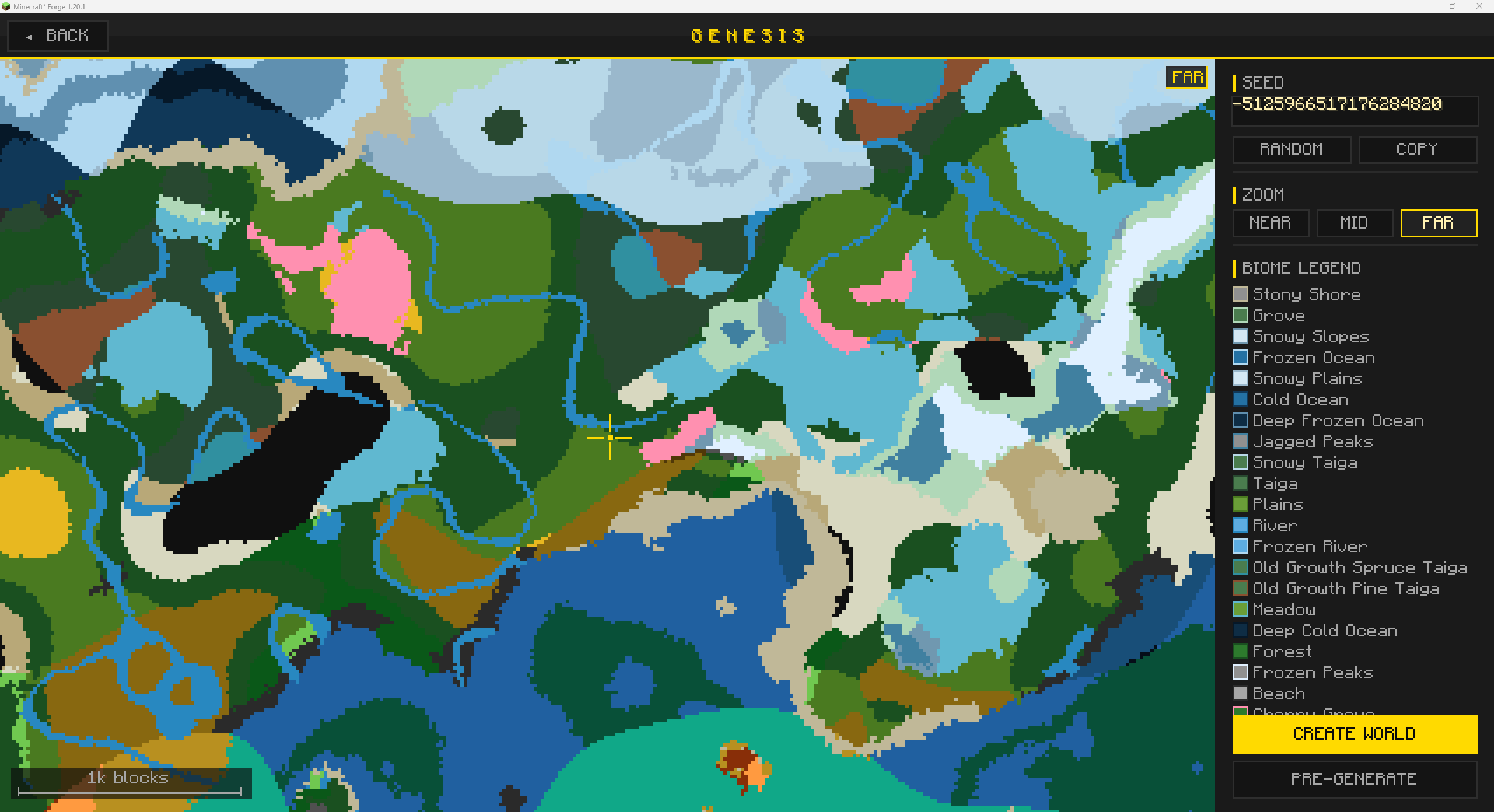
Genesis turns the Create New World screen into a real seed-picking experience. Click the GENESIS button and the world opens up in front of you before a single chunk has been generated.
A full-screen biome map renders live as you adjust the seed. Pan, zoom, hover any tile to read its coordinates and biome name. The map is sampled from the actual world generator, so it accounts for every worldgen mod you have installed. What you see is what you'll spawn into.
Type a new seed and the map redraws in seconds, courtesy of a multi-pass spiral that paints a rough layout first and then refines to full detail. Pressing R randomizes the seed instantly. The COPY button puts the current seed on your clipboard, ready to paste into your modpack notes or drop in a Discord.
The right-hand legend updates as you pan, showing only the biomes currently in view. When you've found a seed you love, CREATE WORLD carries it back to the vanilla screen automatically.
The map color-codes biomes by family so the world is readable at a glance: light green plains, dark green forests, sandy gold deserts, slate gray windswept hills, deep navy deep oceans. Modded biomes get their own colors derived from grass tint or registry name, so nothing ever shows up as a generic gray blob.
Three zoom presets (NEAR, MID, FAR) let you flip between scanning the spawn area and scoping out a 1,024-block radius. A scale bar in the corner always tells you exactly how far you're looking.
Big modpacks lag the first time you enter a world. Every chunk has to be generated on demand, and your CPU is doing all of it while you're trying to walk in a straight line.
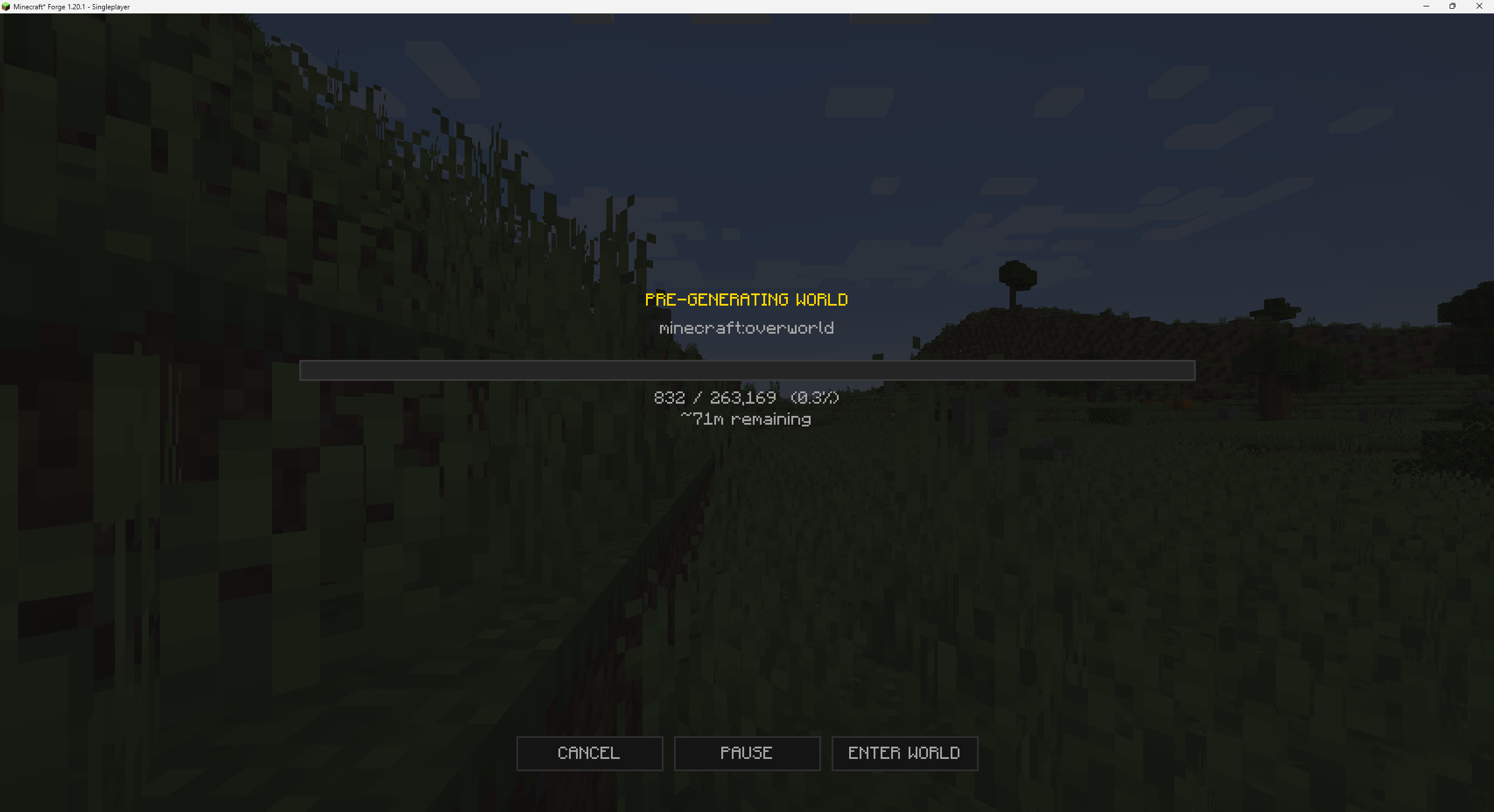
Genesis has a PRE-GENERATE button right next to CREATE WORLD. Tell it how far to generate from spawn (default 128 chunks) and how many CPU threads to throw at it. Hit start. A progress screen shows the world building with a live chunk count and rolling ETA.
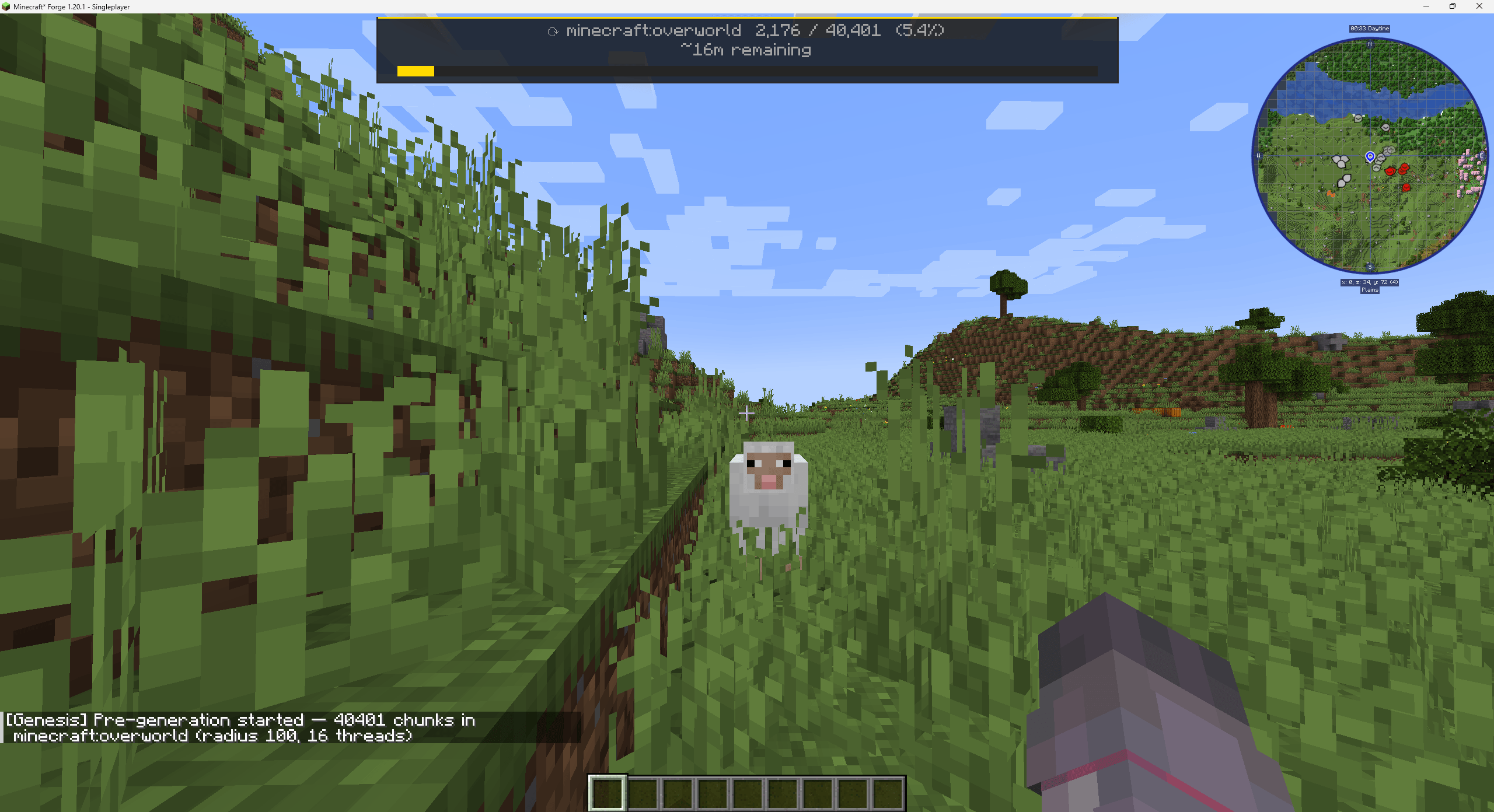
You can PAUSE, RESUME, or CANCEL at any time. Click ENTER WORLD and you go straight into your freshly-baked world while pre-generation continues silently in the background. A compact HUD at the top of the screen keeps you posted on chunks remaining and ETA, and disappears the moment it's done.
Genesis samples your world through the actual generator, so anything that changes how biomes get placed shows up correctly on the map. Tectonic, Terralith, TerraBlender, custom biome packs, all of them. Custom dimensions and Superflat fall back gracefully without breaking the screen.
If you also use GeoGradient, the latitude-based climate bands are visible right on the preview map. You can see the poles, the equator, and everything in between before you ever spawn in.
The biome preview is purely client-side, so you can run it on the client only if your server doesn't have Genesis installed. Pre-generation needs Genesis on the server (or the integrated server for singleplayer) since that's where the chunks actually get built.
Pre-generation is also available through commands once you're in-world. The most useful is /genesis pregen <dimension> <radius> [threads] to start generating a specific dimension from your position. There are subcommands for queueing every dimension, running from an explicit coordinate, pausing, resuming, and checking status. Type /genesis in chat to discover them.
Almost nobody will need to touch the config, but if you want to: preview thread count, initial sample radius, default pre-gen settings, and a handful of other knobs are exposed in your in-game mod options menu (on Fabric, via Cloth Config) or the config file (on NeoForge).
Genesis is built for Minecraft 1.21.1 on Fabric and NeoForge.
If you're on Forge 1.20.1, an earlier release of Genesis still works for you. Forge support has not continued past 1.20.1.
Alkeari License Agreement (ALA v2.2)
Found a bug or have a suggestion? Open an issue on GitHub.