Transform your Minecraft server into a thriving marketplace. FutureShops brings a fully-featured, Amazon-style economy system to Minecraft — complete with server shops, player-owned storefronts, physical currency, bartering, promo sales, leaderboards, and a sleek modern UI — all without a single external texture.
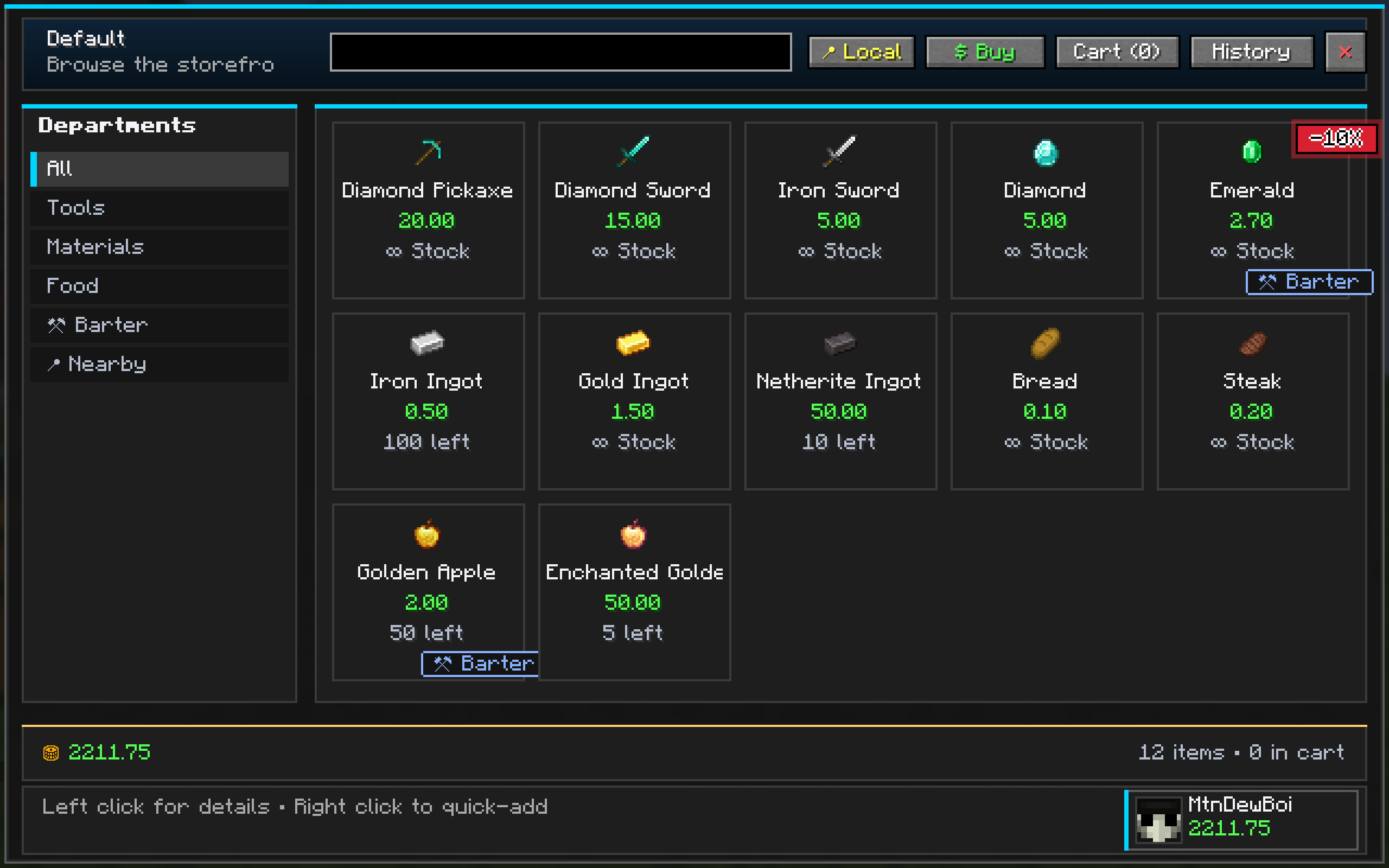
/shop)Browse an infinite-stock admin shop with a gorgeous dark-themed GUI. Categories, search, filters — it's like shopping online, but in Minecraft.
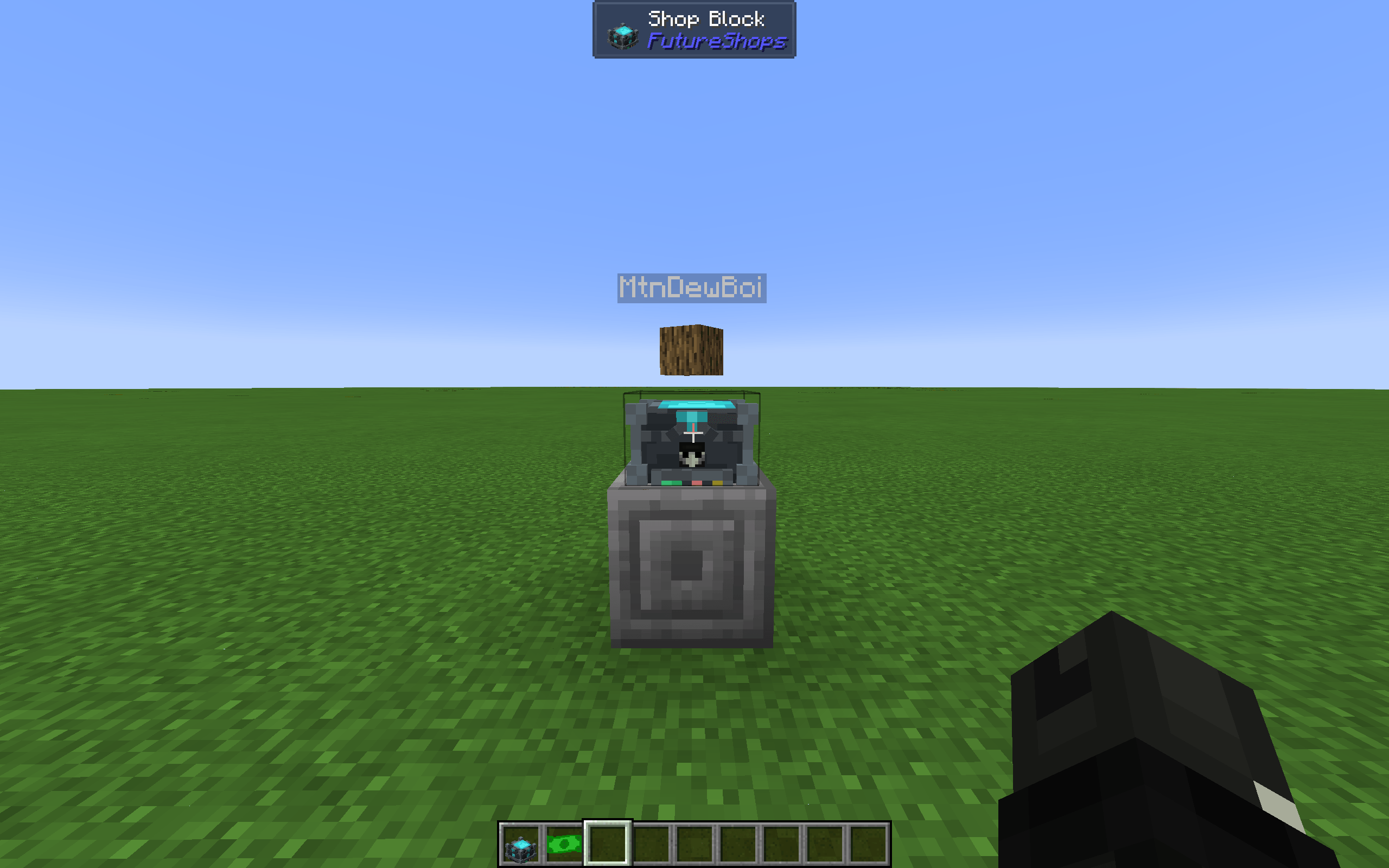
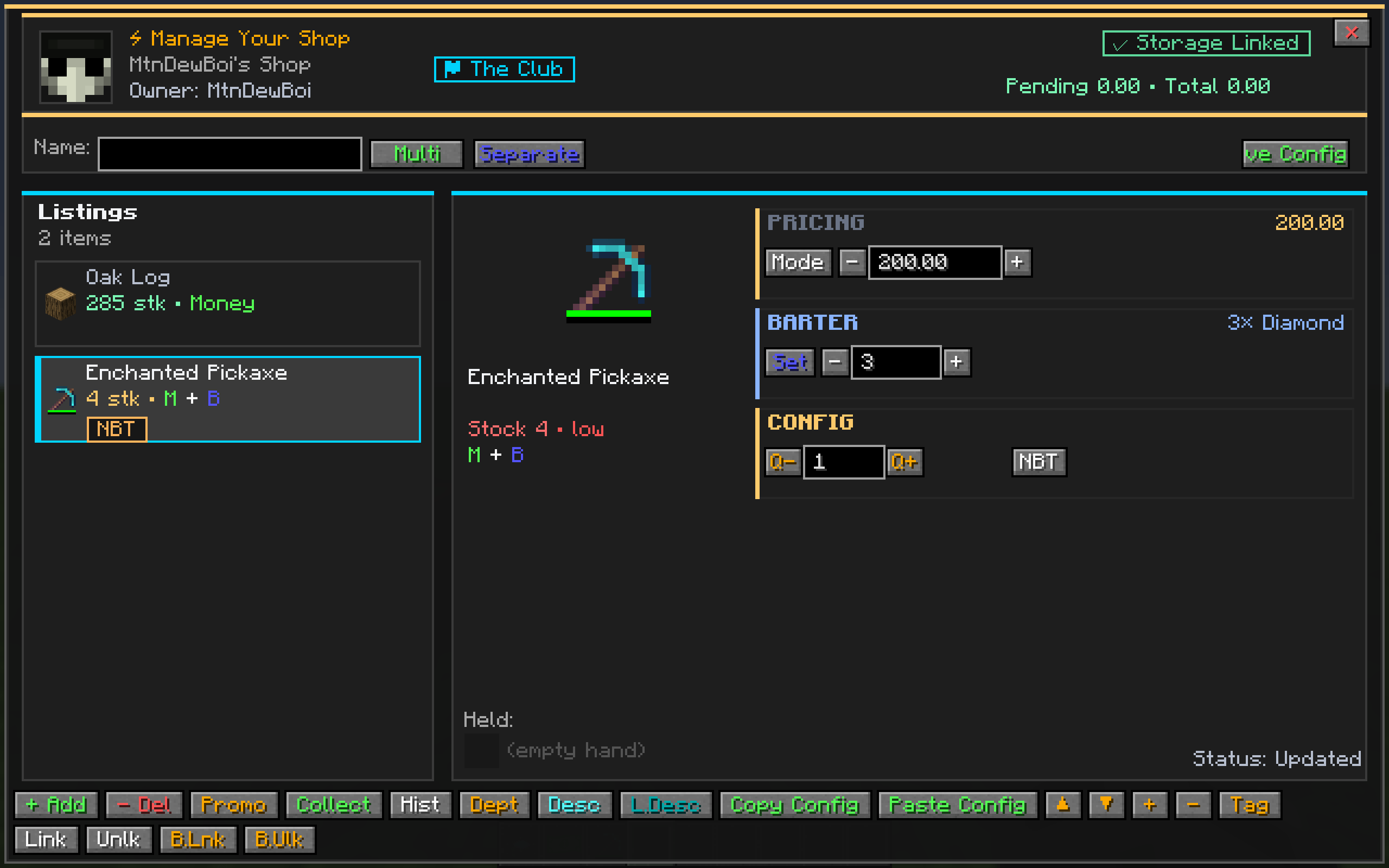
-X% discount chips on sale itemsPlace a Shop Block, configure your listings, link your chests, and open for business.
A server-authoritative economy that keeps your server fair.
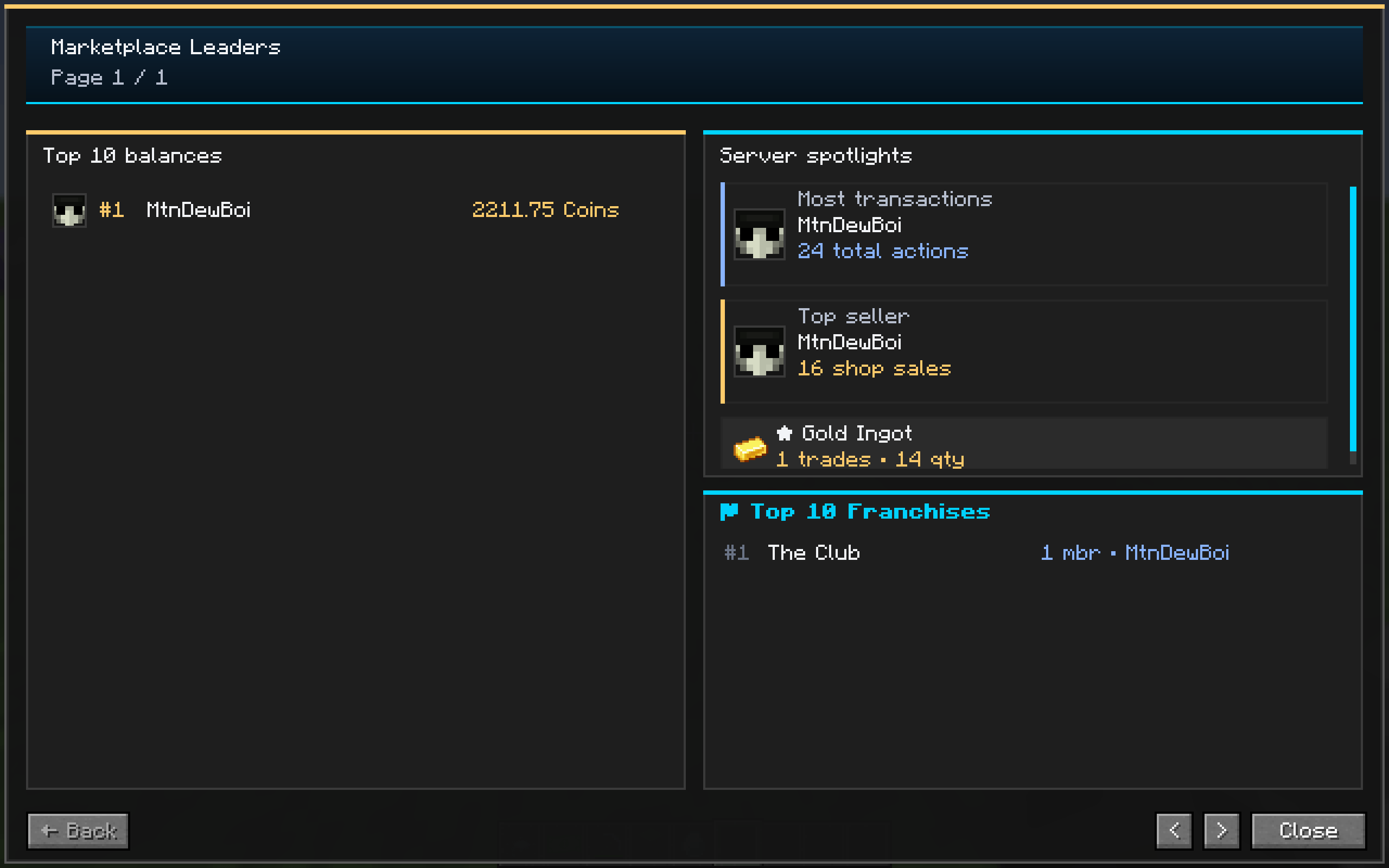
/balance — check your funds with a beautiful dashboard/pay <player> <amount> — send money to friends/baltop — leaderboard with player heads, top balances, most transactions, top sellers, and most popular products/withdraw <amount> [yes|no] — convert balance to physical coins/withdraw 132 yes → 1×$100 + 1×$20 + 1×$10 + 2×$1/deposit — convert coins back to balance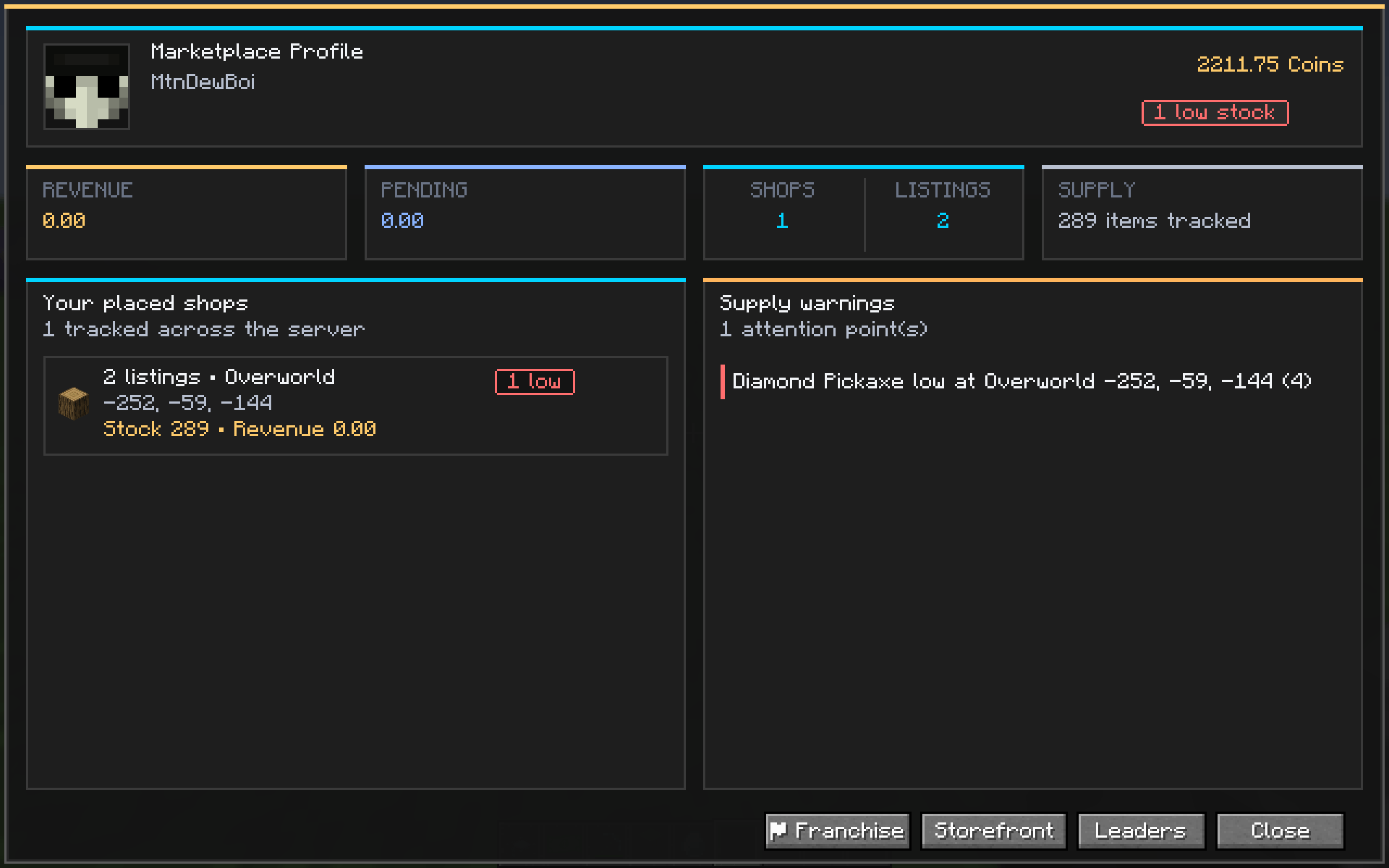
Hold your wealth in your hands — or trade it in person.
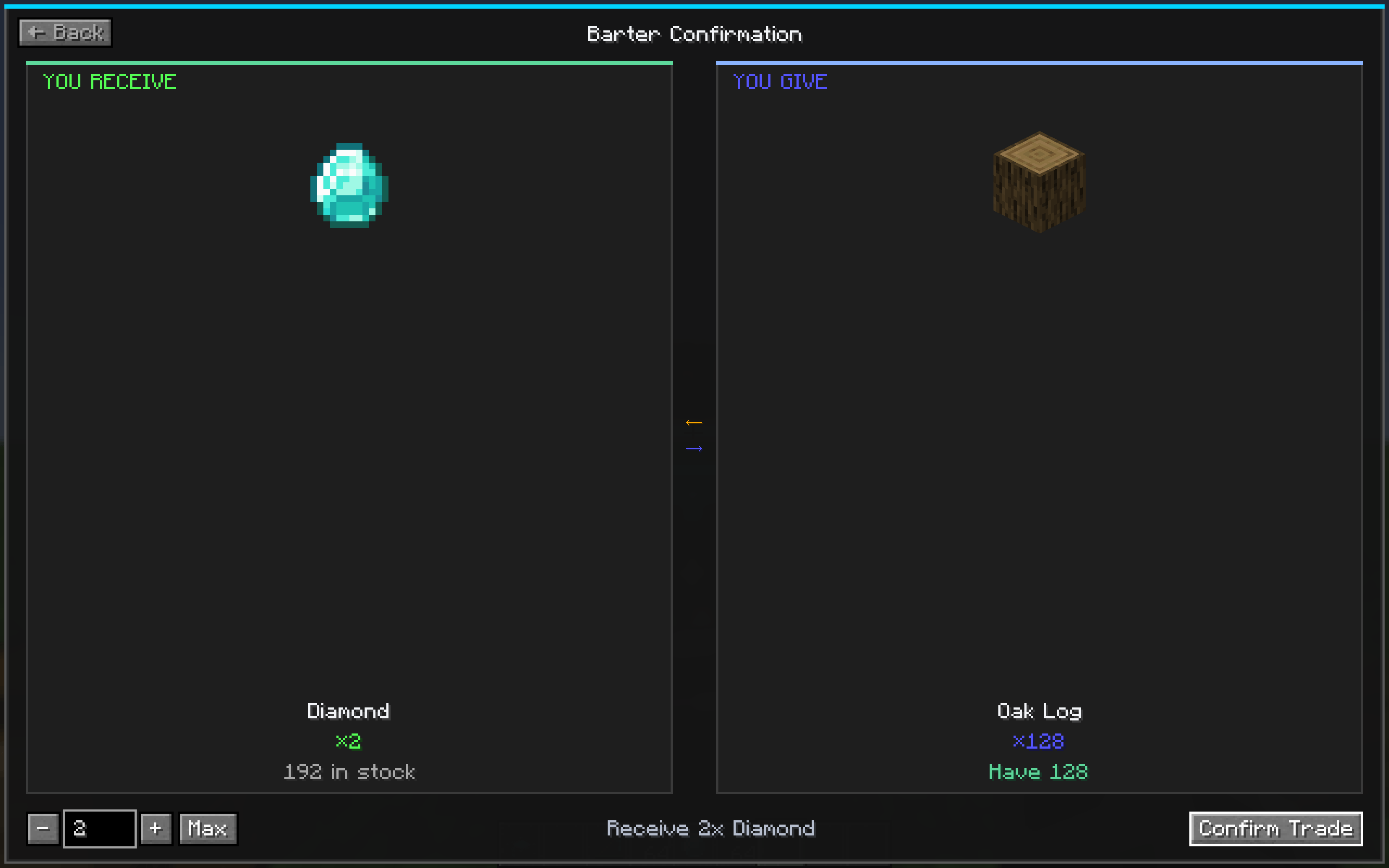
Not everything has to be about money.
Know where you stand in the economy.
Run sales like a real business.
-X% textAll UI is rendered entirely with Minecraft's built-in drawing primitives — no external textures required!
| Screen | Description |
|---|---|
| ShopMainScreen | Dark modern grid with category sidebar, animated promo badges, profile footer |
| ItemDetailScreen | Large item preview, pricing info, quantity controls, buy/sell/barter actions |
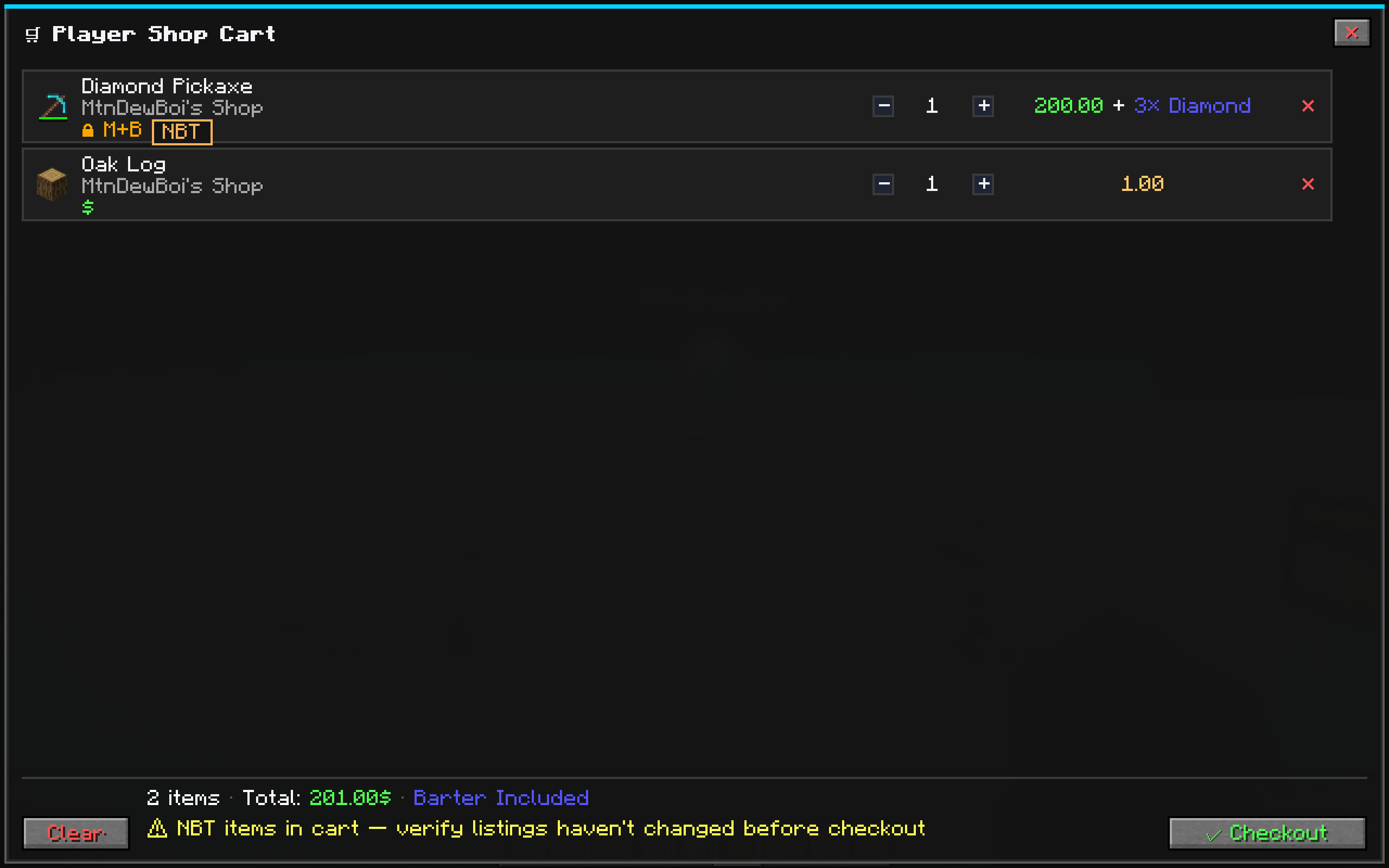
| CartScreen | Row-based checkout with inline quantity controls and gold-accented totals |
| BarterScreen | Half-and-half "You Receive ⟵⟶ You Give" with recipe tabs |
| TransactionHistory | Filterable log with ALL/BUY/SELL/BARTER tabs, time windows, search |
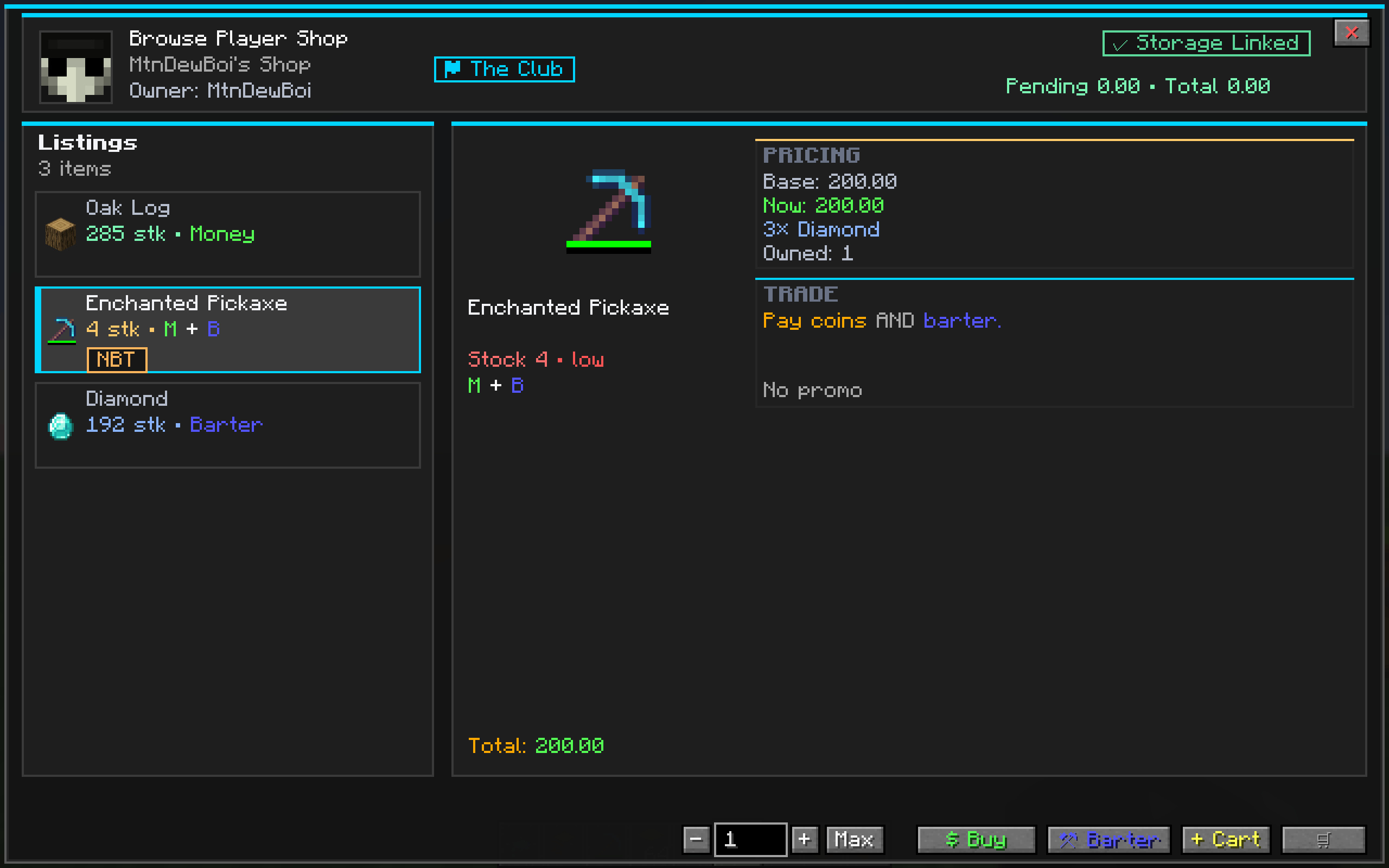
| Player Shop | Owner config panel + visitor storefront — same polish as server shop |
| Promo Editor | Modal overlay for setting discount type, value, BxGy, schedules |
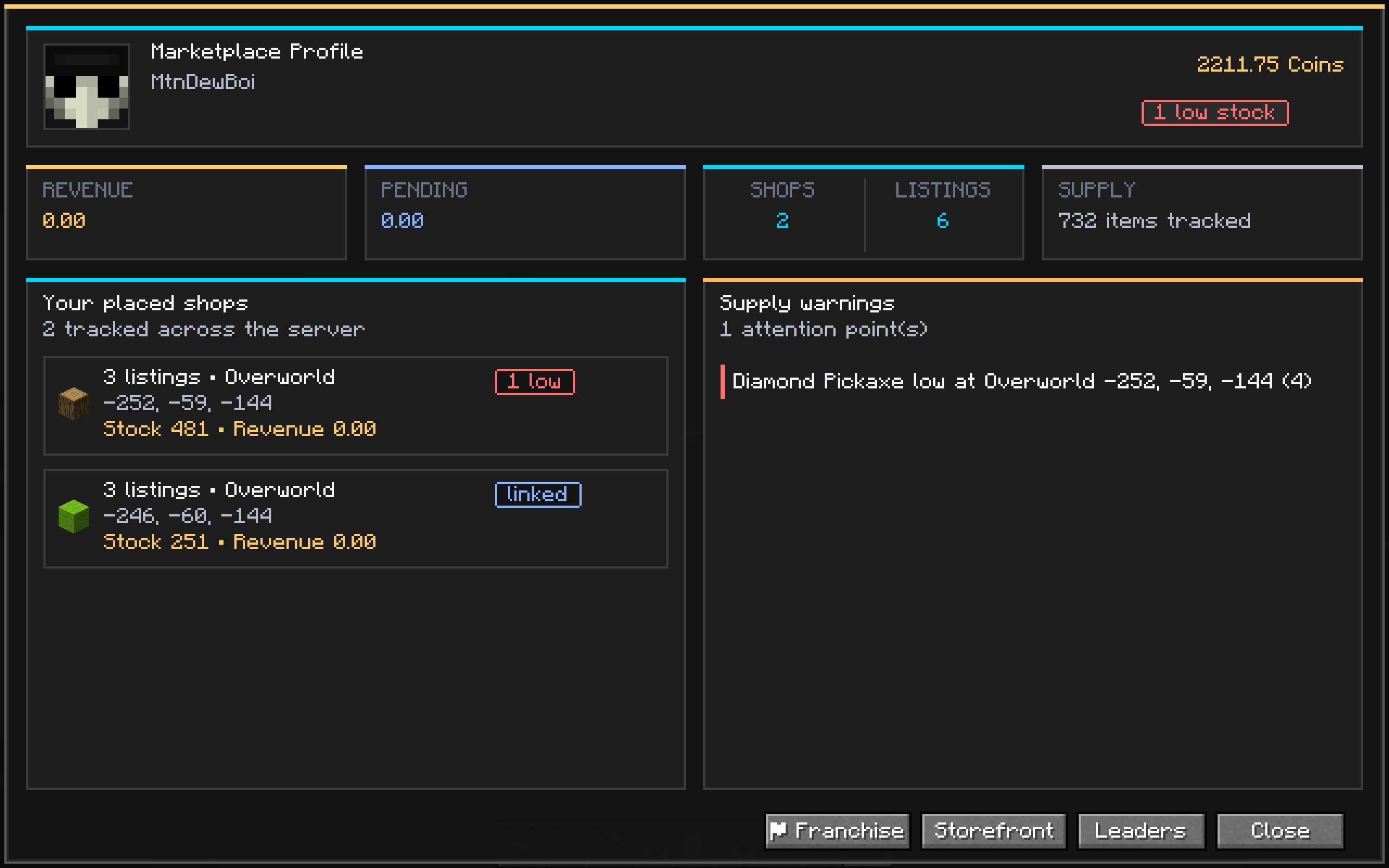
| Balance Dashboard | Player head, balance, revenue, shop stats, low-stock warnings |
| Leaderboard | Top 10 with heads, transaction/seller/product spotlights |
| Settlement History | Paged revenue log with SALE/CLAIM/ROLLBACK filters |
| Command | Description |
|---|---|
/shop |
Open the server shop storefront |
/shop <shopId> |
Open a specific named shop |
/balance or /bal |
View your balance & dashboard |
/balance ui |
Open the full balance dashboard GUI |
/baltop |
View the economy leaderboard |
/baltop ui |
Open the leaderboard GUI |
/pay <player> <amount> |
Send money to another player |
/withdraw <amount> [yes|no] |
Convert balance to physical money items |
/deposit |
Convert held Money back to balance |
/link |
Confirm storage link (look at chest first) |
| Command | Description |
|---|---|
/shopadmin reload |
Hot-reload shop catalog from config |
/shopadmin coinaudit |
Inspect active vs consumed mints per player |
/shopadmin promo set <shop> <item> <type> <value> |
Set a promo on a catalog item |
/shopadmin promo clear <shop> <item> |
Remove a promo from a catalog item |
Shop catalogs are defined in JSON files at:
config/futureshops/shops/*.jsonEach file defines categories, items, prices, barter recipes, promo rules, and stock settings. Hot-reloadable with /shopadmin reload.
Server economy config lives in:
config/futureshops-common.tomlFutureShops takes server integrity seriously:
futureshops-1.0.jar into your mods/ folderconfig/futureshops/shops//shop in-game to open the storefront — you're in business! 🎉FutureShops features a physical currency system that lets players hold, trade, and manage wealth as real items in their inventory.
Coins are special items with no crafting recipe — the only way to create them is through the /withdraw command. Each coin carries hidden NBT data that makes it unique and tamper-proof.
| Method | How |
|---|---|
| Withdraw from balance | /withdraw <amount> or /withdraw <amount> yes |
| Single large coin | /withdraw <amount> no — one coin worth the full amount |
Smart denomination breakdown (/withdraw 132 yes):
| Bill | Count |
|---|---|
| $100 | ×1 |
| $20 | ×1 |
| $10 | ×1 |
| $1 | ×2 |
Available denominations: $1, $5, $10, $20, $50, $100, $1,000
There are two ways to deposit coins back into your digital balance:
| Method | How | Details |
|---|---|---|
| 🖱️ Right-click | Hold a coin and right-click | Instantly deposits the entire stack in your hand. The fastest way! |
| ⌨️ Command | /deposit |
Deposits all valid coins in your inventory at once |
| ⌨️ Partial command | /deposit <amount> |
Deposits only the specified amount, consuming largest bills first |
When you hover over a coin in your inventory, you'll see:
Every coin minted by FutureShops contains hidden security data:
| NBT Field | Purpose |
|---|---|
mint_id |
Unique UUID — no two coins share the same ID |
denomination |
The coin's value in minor units |
mint_timestamp |
When the coin was created |
mint_player |
UUID of the player who withdrew it |
mint_server |
Server identity hash |
checksum |
Cryptographic integrity check |
What happens to invalid coins:
| Scenario | Result |
|---|---|
| Tampered NBT (edited checksum/value) | ❌ Coin destroyed on use |
| Duplicated coin (same mint ID used twice) | ❌ Second copy destroyed on deposit |
| Already-deposited coin (mint ID consumed) | ❌ Coin destroyed, player warned |
| Missing coin data | ❌ Coin destroyed silently |
| Interaction | Behavior |
|---|---|
| Right-click (use) | ✅ Instantly deposits into balance |
| Drop on ground | ✅ Allowed — 5-minute despawn |
| Player death | ✅ Drops like normal items (respects keepInventory) |
| Store in chests/barrels | ✅ Allowed — validated when extracted |
| Crafting | ❌ Cannot be used in recipes |
| Anvil renaming | ❌ Blocked by the server |
| Hopper extraction | ❌ Blocked by default (configurable) |
| Property | Value |
|---|---|
| Mod Loader | Minecraft Forge |
| Minecraft Version | 1.20.1 |
| Forge Version | 47.4.20+ |
| Java Version | 17 |
| Mappings | Official Mojang |
| Server-side required | ✅ Yes |
| Client-side required | ✅ Yes (for GUI) |
| Dependencies | 🦎 GeckoLib 4.4+ (client & server) |
FutureShops ships with native Refined Storage support — link a shop directly to an RS Controller, Grid, External Storage, or any RS network node, and the shop will query and pull stock straight from the entire RS network.
INetworkNodeProxy → INetworkNode → INetwork so your shop sees every disk and every external-storage container on the network, not just one block.IItemHandler capability automatically.refinedstorage, refinedstorage2, and refinedstorageaddons.💡 Just look at a Controller / Grid / Crafter / External Storage block and run
/link— that's it. The shop is now backed by your RS network.
IItemHandler containerIItemHandler capability works out of the boxExternalStorageAdapter via the addon API to expose custom storage networksExternalStorageAdapter developer API & event hooks for addon modsQ: Does this work on dedicated servers? 🟢 Yes. Built server-authoritative from day one.
Q: Will my shops survive a server restart? 🟢 Yes. Shops, balances, listings, and transaction history are all persisted to disk.
Q: Can players steal from my shop? 🔴 No. Only the owner (or server ops) can modify listings or pull from linked storage.
Q: Can I use this on an existing world? 🟢 Yes. Add the mod, restart, and your old world loads normally.
Q: Is it compatible with Fabric? 🔴 No — this is a Forge-only mod.
Q: Do I need GeckoLib? 🟢 Yes — GeckoLib 4.4+ is required for the 3D shop block model. CurseForge will prompt you to install it automatically.
Q: Can I link my shop to a Refined Storage network?
🟢 Yes! Look at any RS network block (Controller, Grid, External Storage, Crafter, etc.) and run /link. The shop will pull stock from your entire RS network — all disks, all external-storage containers — NBT-strict.
Q: What if I don't have Refined Storage installed? 🟢 Totally fine. RS is a soft dependency — everything else works without it. Standard chest/barrel linking still works out of the box.
Built with ❤️ for the Minecraft community. No external textures were harmed in the making of this mod. 🟪⬛