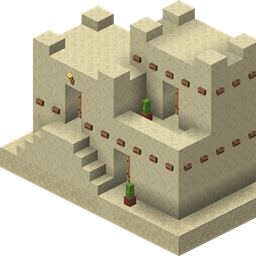
Epic Quest Hub turns a brand-new Minecraft world into a void overworld with your own custom spawn hub. Drop in a WorldEdit schematic or a structure-block export, set where it should go and where players spawn, and the mod handles the rest on first world load.
When you create a new world, Epic Quest Hub automatically switches the overworld to a clean void dimension — no terrain, no vanilla spawn platform, just empty space. On the first server start, it pastes your hub structure at the coordinates you choose, sets the world spawn, and keeps players landing exactly where you want them.
.schem file (Sponge v1, v2, or v3) or a Minecraft structure-block .nbt export.The config file is created automatically when you first launch the game or server with the mod installed. You can adjust coordinates before creating a new world, or update the structure file path and paste position ahead of time — but the hub is only placed once, so coordinate changes after a world has already been created will not move an existing hub.
All settings live in config/epicquest_hub-common.toml:
| Option | Description | Default |
|---|---|---|
structureFile |
Path to your .schem or .nbt file (relative to the game directory, or absolute) |
config/epicquest_hub/hub.schem |
pasteX, pasteY, pasteZ |
World coordinates where the structure is pasted | 0, -60, 0 |
spawnX, spawnY, spawnZ |
World coordinates where players spawn | 0, 64, 0 |
spawnAngle |
Direction players face (0 = south, 90 = west, 180 = north, -90 = east) |
0 |
protectStructure |
When true, blocks inside the pasted hub cannot be broken, placed, or destroyed by explosions |
true |
.schem or save it with a structure block as .nbt.pasteY to match the bottom of your structure in void worlds — -60 is a common starting point.spawnX/Y/Z to a safe standing position inside your hub, which may be different from the paste origin..schem or .nbt) placed in config/epicquest_hub/No bundled schematic is included — you bring your own hub design.