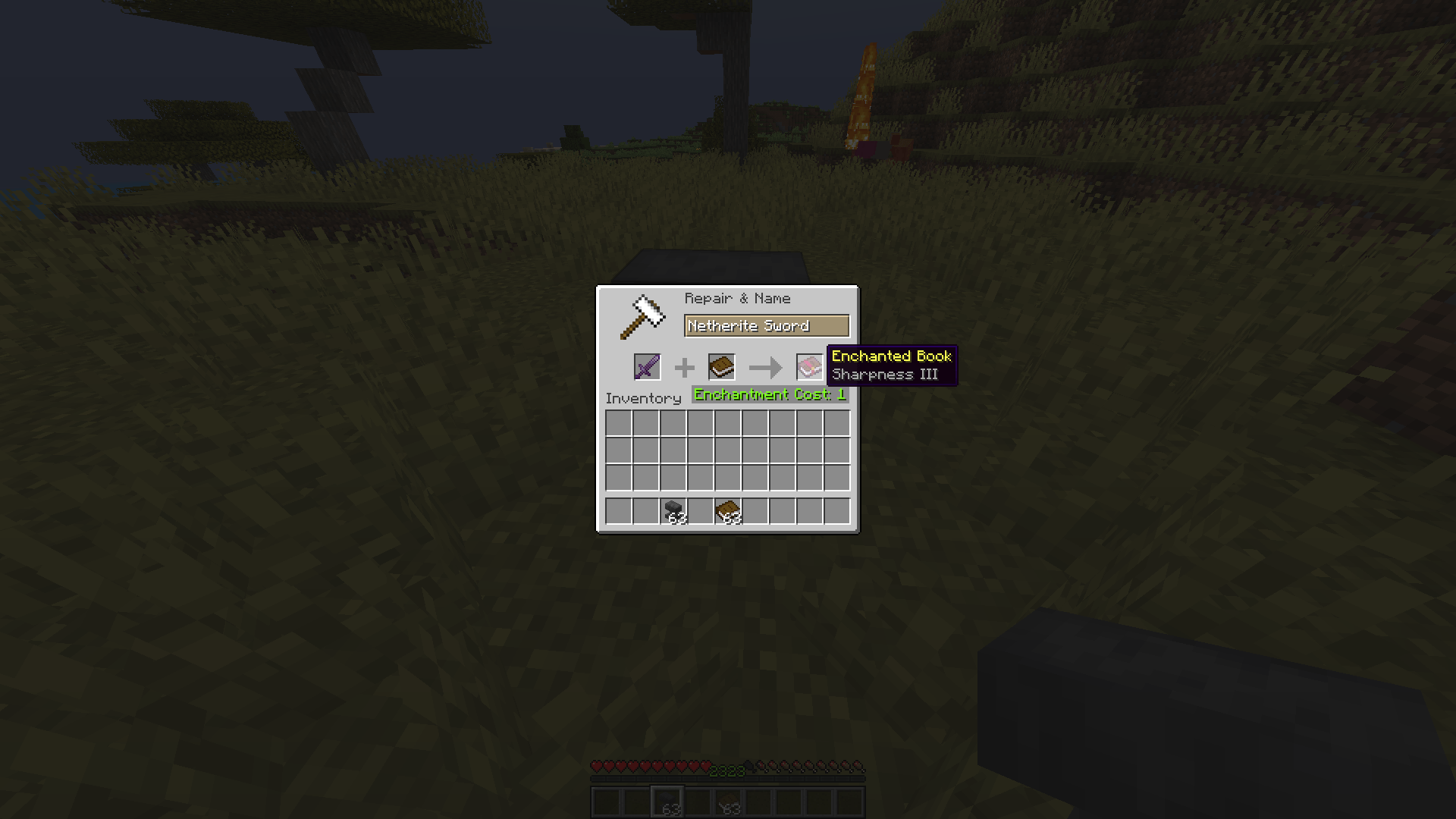
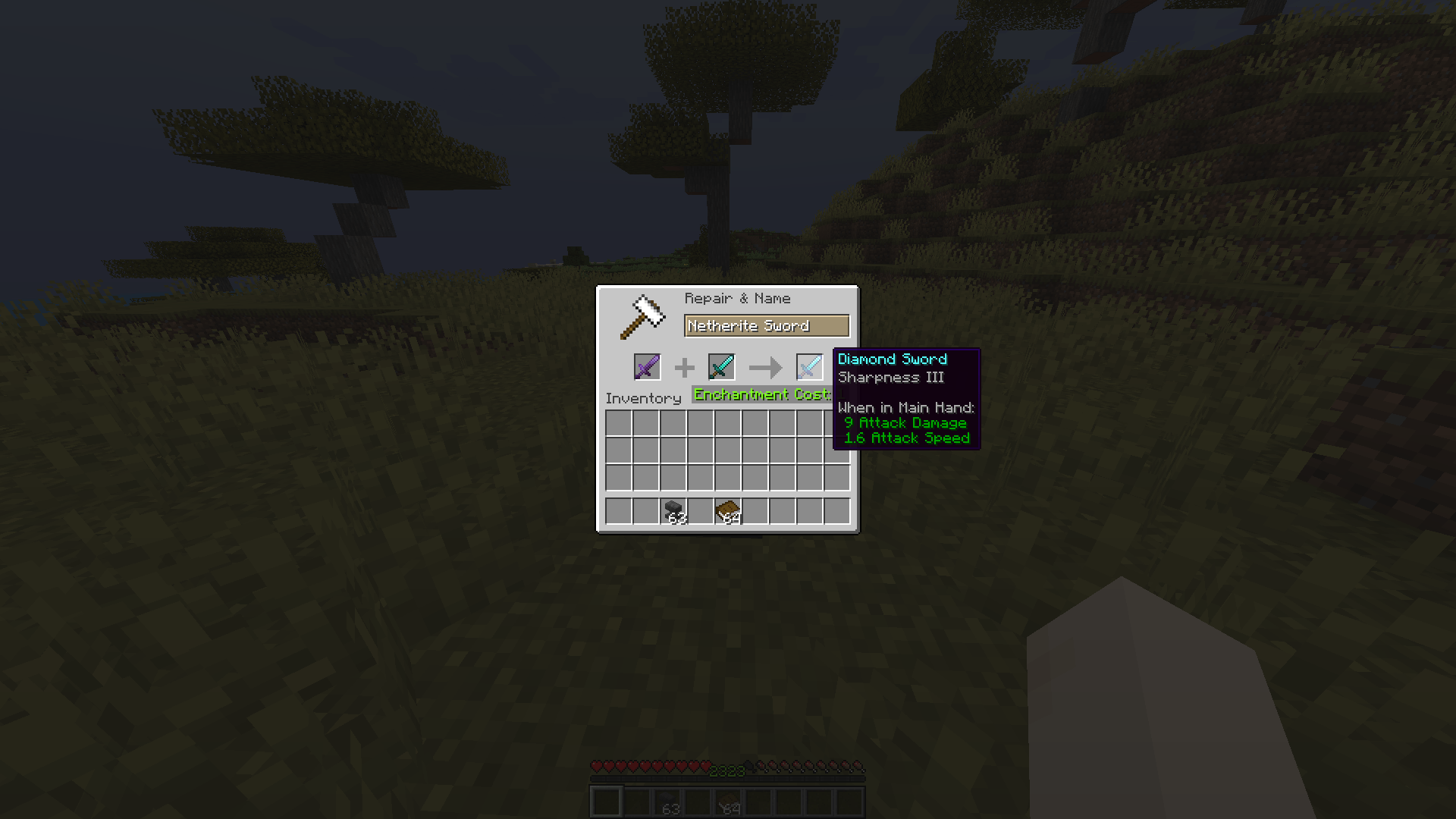
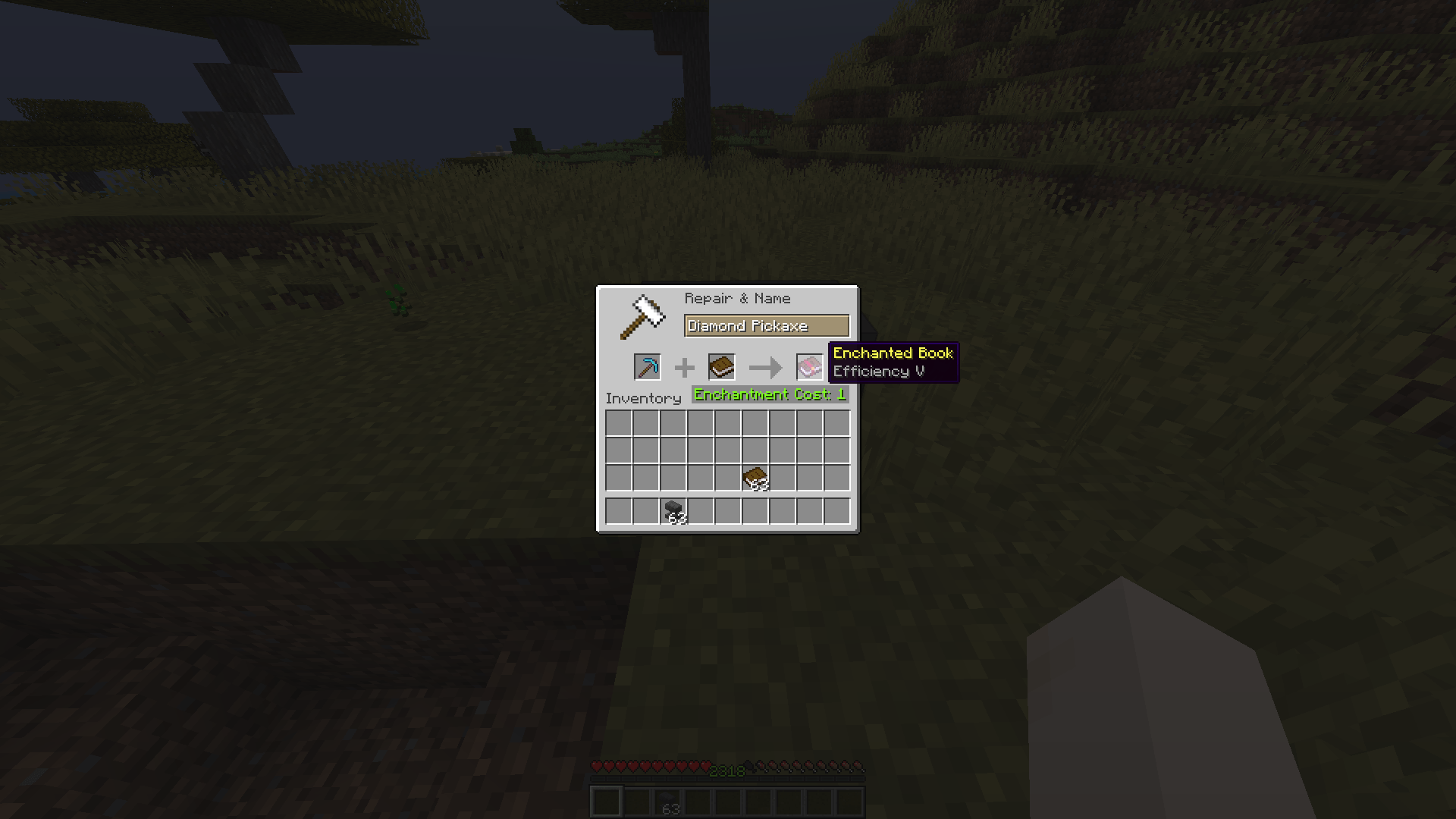
Tired of being stuck with enchantments on items you don't need? Want to move that Fortune III from your old pickaxe to a new one, or turn your enchanted sword into a shiny enchanted book? Enchantment Shifter lets you shift enchantments between items using just an anvil and some XP—no grindstone needed!
This mod lets you:
Just place your enchanted item in the first slot, a book or target item in the second slot, and watch the magic happen!
mods folderEnchantment Shifter uses a simple configuration file. Here's how to set it up:
Navigate to your Minecraft installation directory:
%APPDATA%\.minecraft\config\~/Library/Application Support/minecraft/config/~/.minecraft/config/Look for a file named enchantment-transfer-config.properties in the config folder.
Open the file with any text editor. It should look something like this:
# Enchantment Shifter Configuration
# Last updated: 2024-01-15

# Cost Setting (Default: 1000)
# This sets a fixed XP cost for all enchantment transfers.
# Set to 1000 to disable fixed cost and use the default vanilla calculation.
cost=1000

# Cost Factor (Default: 1.0)
# Multiplies the XP cost by this value.
# Set to 0.5 for half cost, 2.0 for double cost, etc.
factor=1.0

# Enchantment Limit (Default: 0)
# Limits how many enchantments can be transferred at once.
# Set to 0 to disable the limit (transfer all enchantments).
limit=0

# Return Item Setting (Default: 1)
# Controls what happens to the source item after transfer:
#   0 = Source item vanishes (is consumed)
#   1 = Source item returns to you (with enchantments removed)
return=1| Setting | Default | Description |
|---|---|---|
cost |
1000 | Fixed XP cost for transfers. Set to 1000 to use vanilla calculation. |
factor |
1.0 | Multiplier for XP cost. 0.5 = half cost, 2.0 = double cost. |
limit |
0 | Max enchantments to transfer per operation. 0 = no limit. |
return |
1 | Source item behavior: 0 = vanish, 1 = return with enchantments removed. |
Budget-Friendly Mode:
cost=1000
factor=0.5
limit=0
return=1return settingFound a bug? Have a suggestion? Open an issue on the GitHub repository.