Mineuniverse
Resource Packs
Clear Lava and Water

Clear Lava and Water

RESOURCE PACK
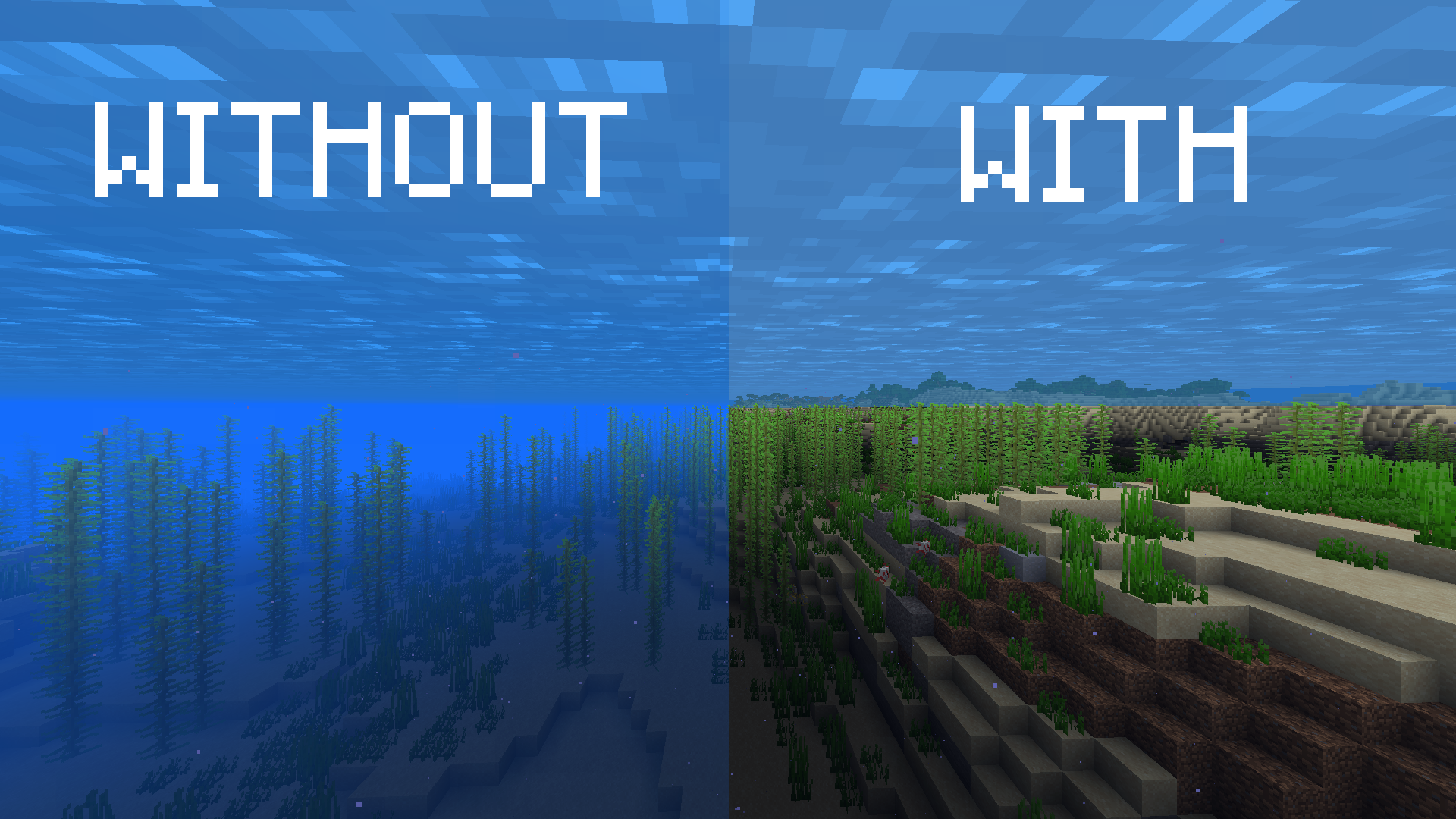
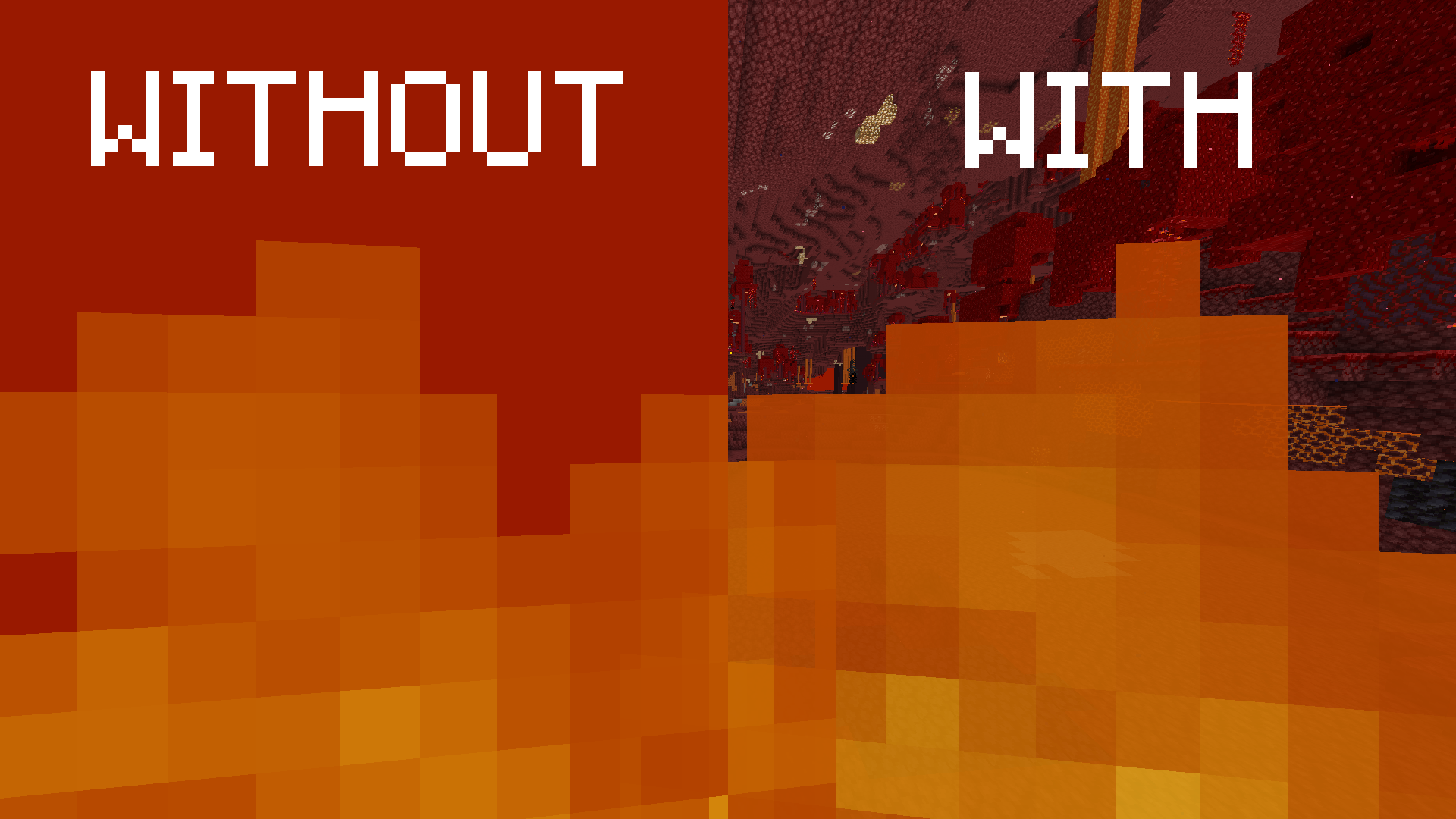
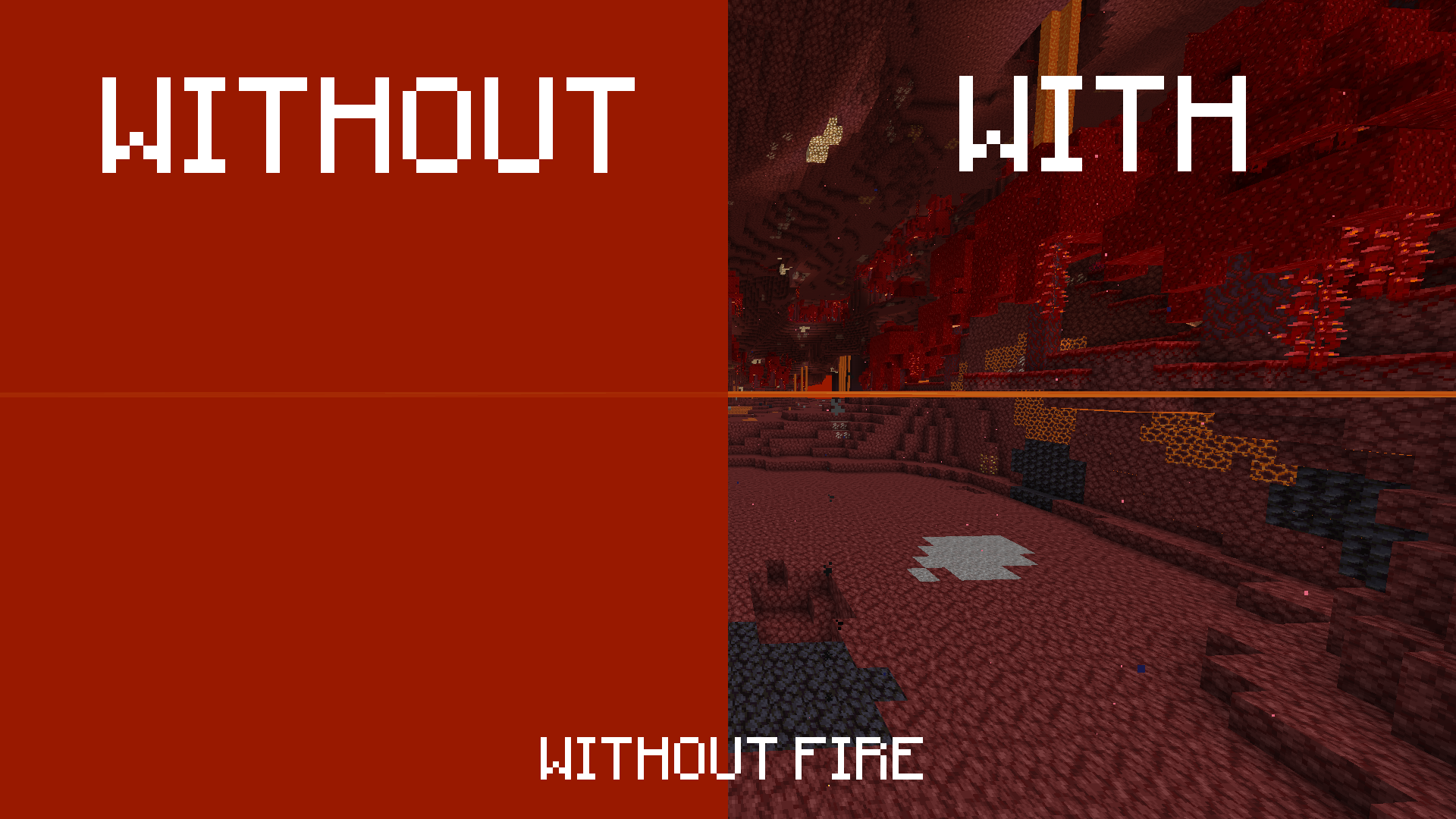
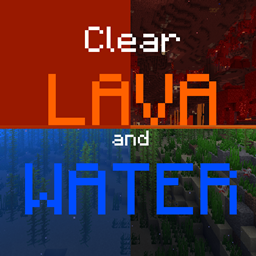
This texture pack deletes lava and water overlay (you will see everything in lava and water clearly). Now for Sodium!
by whiterm5
Download Claim this project
1,398,527 downloads
0 likes
0 followers
Updated Oct 14, 2026
0 hypes
Follow0
16x Miscellaneous
Advertisement Remove ads with Premium →

In this texture pack I deleted water and lava overlay (under lava and water you will see very clearly). It's imported from vanilla tweaks resource packs, version for 1.20.5 and higher is edited by me (I combined tweaks with the 1.20.5 vanilla file). This pack works on 1.17 - 1.20.4 on 1.20.5 - 1.21.5 on 1.21.6 - 26.1.2 OR 1.21.6 - 1.21.10 (Sodium) and on 1.21.11+ (Sodium) and 26.3 (Sodium). It can help you with searching for ancient debris in nether!

There are files which are changing overlay:

fog.glsl (clear lava and water)


======================================[IMPORTANT]======================================

If you want to play with Sodium on MC ver. lower than 26.2, you should install Sodium Core Shader Support mod, otherwise it won't work properly. Sodium version is also compatible with Vanilla, so you don't have to download 2 separate versions of the pack.
Sadly there isn't Sodium Core Shader Support version for 1.20.3 and below, so Sodium is supported only for versions above 1.20.4. SCSS also doesn't have version for NeoForge 1.21.9 and higher and it won't.
As I said, since 26.2 Sodium supports changing shaders, meaning you don't have to install additoinal mods.

If you see only a few chunks under lava/water
To make it work you need to disable the "Use Fog Occlusion" option in the Options -> Video Settings -> Performance.

========================================================================================


If you are searching for version for older MC versions, check out this pack. It works on 1.6.1 up to 1.12.2 (not my creation):

https://www.curseforge.com/minecraft/texture-packs/clear-water-lava/files/all?page=1&pageSize=20


These mods are not supporting Clear Lava and Water:

Rubidium [Forge]

OptiFine

probably Lunar client

- shaders also don't support this texture pack (excluding Sodium)

- if you're searching for something that works with incompatible mods I recommend installing mod instead: https://www.curseforge.com/minecraft/mc-mods/lava-clear-view

  • mod should also work with Rubidium and OptiFine.

PS: The mod I listed above isn't mine creation!


HUGE THANKS TO:


Makushimu0 who discovered how to make the pack compatible with Sodium


Optifine is not required

You can use this pack in modpacks and your projects, but you can't say that you made it!!!
I'll be glad if you cantact me and ask me for permision
Thanks!


All bugs report me please!!!


My other useful projects:

Texture packs: No Animations (Better FPS, for slower PC): https://www.curseforge.com/minecraft/texture-packs/no-animations

                         Mr. Totem (Antimated Totem of Undying): https://www.curseforge.com/minecraft/texture-packs/mr-totem

Mods: Shatr (Adds a lots of funny things, 1.16.5): https://www.curseforge.com/minecraft/mc-mods/shatr



CLaW, MC: 26.3, Pack: 1.2
MC 26.3
Release 2026-10-02 Get
CLaW, MC: 1.17– 1.20.4, Pack: 1.2
MC 1.17.1, 1.18.1, 1.19.3, 1.20.2, 1.19.4, 1.17, 1.18, 1.20.1, 1.20, 1.19.1, 1.20.4, 1.18.2, 1.19.2, 1.20.3, 1.19
Release 2026-06-08 Get
CLaW, MC: 1.20.5 – 1.21.5, Pack: 1.2
MC 1.21, 1.20.5, 1.21.5, 1.21.4, 1.20.6, 1.21.1, 1.21.3, 1.21.2
Release 2026-06-08 Get
CLaW, MC: 1.21.6 – 1.21.10, Pack: 1.2
MC 1.21.8, 1.21.6, 1.21.7, 1.21.9, 1.21.10
Release 2026-06-08 Get
CLaW, MC: 1.21.11 – 26.2, Pack: 1.2
MC 1.21.11, 26.1, 26.1.1, 26.1.2, 26.2
Release 2026-06-08 Get
CLaW, MC: 1.17 – 1.20.4, Pack: 1.1
MC 1.17.1, 1.18.1, 1.20.2-Snapshot, 1.19-Snapshot, 1.19.3, 1.20.2, 1.19.4, 1.17, 1.19.4-Snapshot, 1.17-Snapshot, 1.18, 1.20.1, 1.20, 1.20-Snapshot, 1.19.1, 1.20.4, 1.18.2, 1.19.2
Release 2025-06-22 Get
CLaW, MC: 1.20.5 – 1.21.5, Pack: 1.1
MC 1.21.2-Snapshot, 1.21, 1.20.5-Snapshot, 1.21.1-Snapshot, 1.20.5, 1.21.5, 1.21.4, 1.21.5-Snapshot, 1.20.6, 1.21.1, 1.21.3, 1.21-Snapshot, 1.21.4-Snapshot, 1.21.2
Release 2025-06-22 Get
CLaW, MC: 1.21.6 – 26.1.2, Pack: 1.1
MC 1.21.6-snapshot, 1.21.8, 1.21.6, 1.21.7, 1.21.9-snapshot, 1.21.9, 1.21.10, 1.21.11, 26.1, 26.1.1, 26.1.2
Release 2025-06-22 Get
Clear_water_and_lava_by_WhiterM 1.20.5 v.1.0.zip
MC 1.21.2-Snapshot, 1.21, 1.20.5, 1.21.5, 1.21.1-Snapshot, 1.21.4, 1.21.5-Snapshot, 1.20.6, 1.21-Snapshot, 1.21.3, 1.21.1, 1.21.4-Snapshot, 1.21.2
Release 2024-05-13 Get
Clear_water_and_lava_by_WhiterMv.1.0.zip
MC 1.17.1, 1.19.3, 1.20.2, 1.18.1, 1.19.4-Snapshot, 1.17, 1.20.2-Snapshot, 1.20.5-Snapshot, 1.19.4, 1.19-Snapshot, 1.18.2, 1.19.2, 1.20.3-Snapshot, 1.20.3, 1.20.1, 1.20, 1.19.1
Release 2023-01-07 Get

Requirements & install

How to use this resource pack in Minecraft
Resolution
16x
Minecraft
1.21.9 – 26.3
Install folder
.minecraft/resourcepacks

How to install resource packs

  1. Download the resource pack .zip file (do not extract it).
  2. In Minecraft open Options → Resource Packs → Open Pack Folder.
  3. Drop the .zip into the resourcepacks folder (.minecraft/resourcepacks).
  4. Move the pack to the Selected column and click Done.
Browse more: 16x resource packs 32x resource packs 64x resource packs 128x resource packs 256x resource packs 512x+ resource packs Resource Packs for 26.3 All resource packs

More from whiterm5

Advertisement Remove ads with Premium →

You Might Also Like