Mineuniverse
Mods
Better Painting Placement

Better Painting Placement

MOD
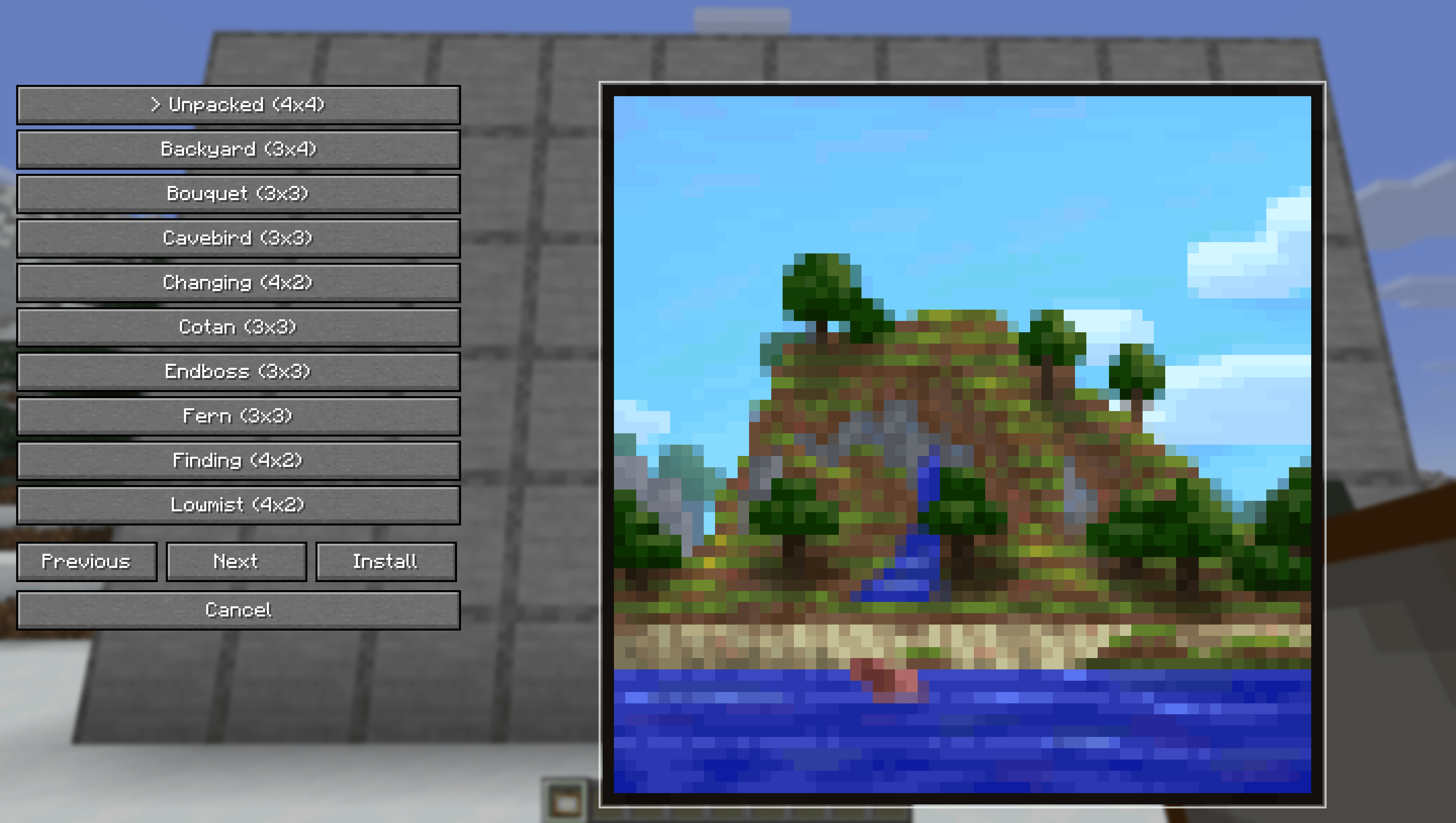
Choose and preview the exact painting you want before placing it in the world.
by KakojtoBuryat
Download Claim this project
615 downloads
0 likes
0 followers
Updated Oct 14, 2026
0 hypes
Follow0
Cosmetic Miscellaneous Utility & QoL
Advertisement Remove ads with Premium →

Better Painting Placement

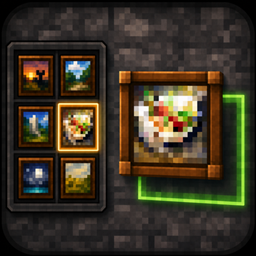
Better Painting Placement lets you choose the exact painting you want before placing it in the world.

No more breaking and replacing paintings until the right one appears. Hold a painting, open the selector, pick a variant, then place it with a live placement preview.

Features

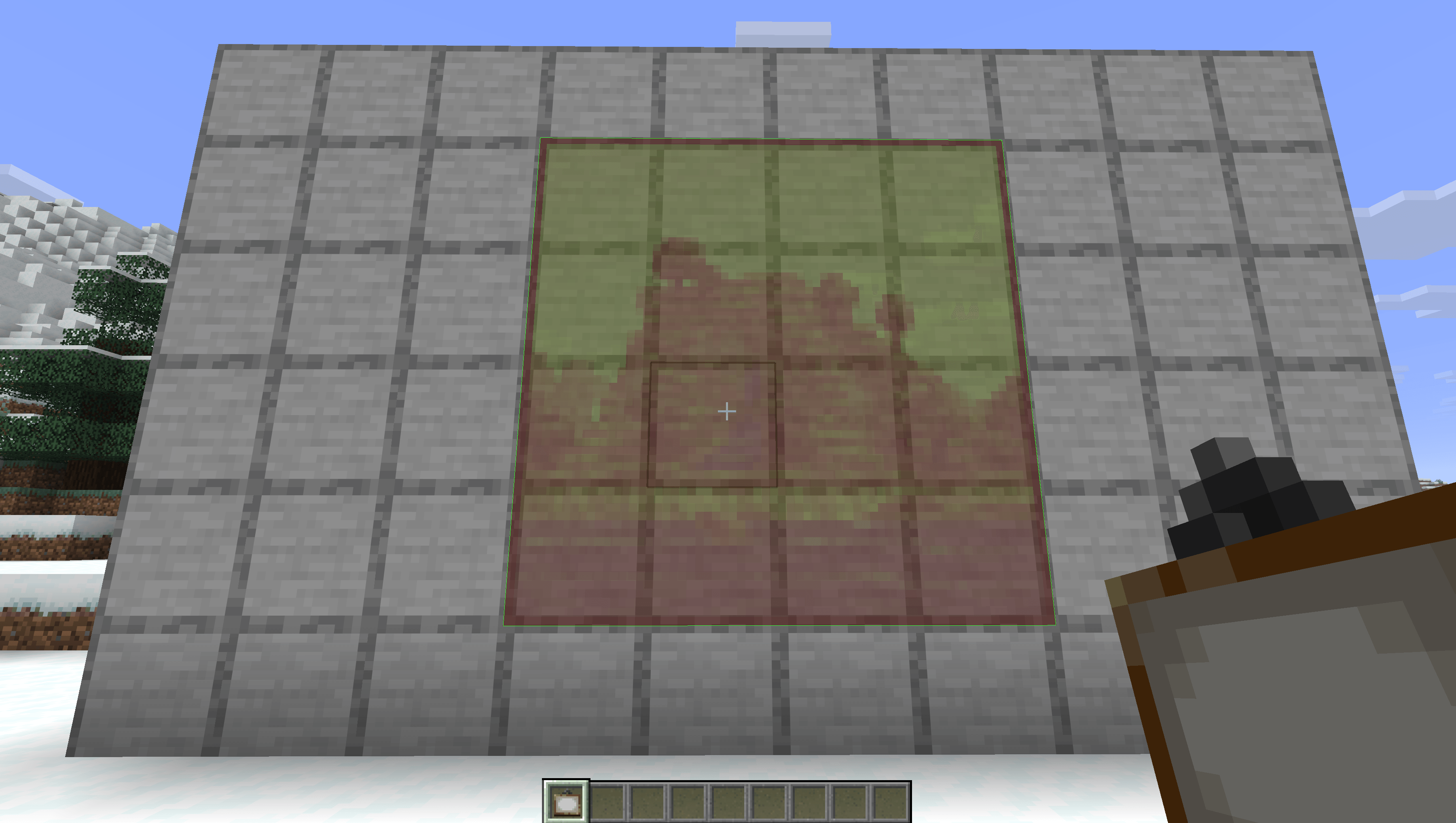
  • Preview the selected painting before placing it
  • Green preview outline when placement is valid

Multiplayer

For full functionality on multiplayer servers, the mod must be installed on both the client and the server.

If the server does not have the mod installed, the custom painting placement feature will not work.

How To Use

  1. Hold a painting in your hand.
  2. Press Shift + Right Click.
  3. Choose a painting from the selector.
  4. Aim at a wall.
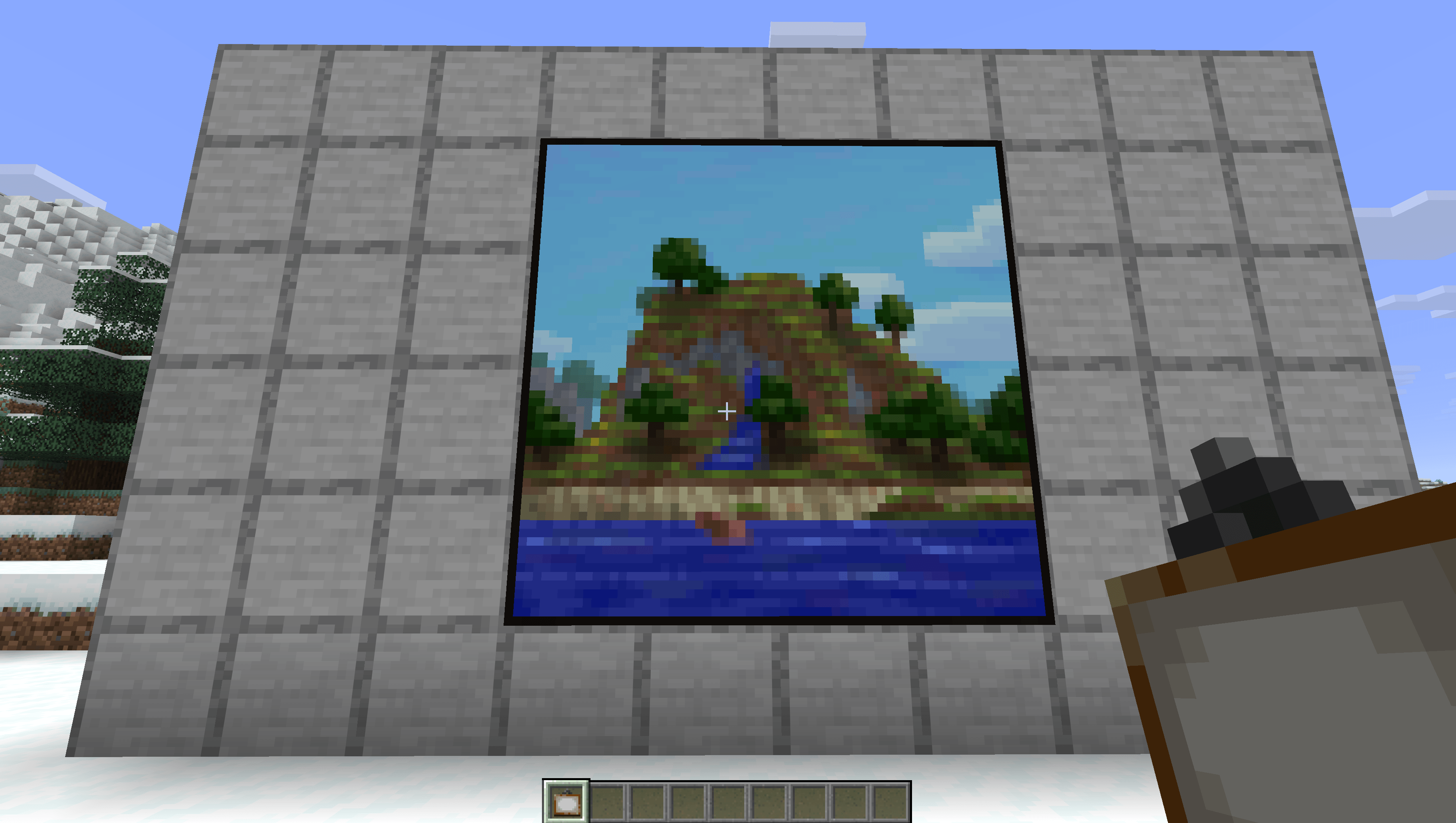
  5. Right Click to place the selected painting.
painting_placement-0.1.19-neoforge.jar
MC Client, NeoForge, Server, 26.2
Release 2026-07-19 Get
painting_placement-0.1.19-fabric.jar
MC Client, Fabric, Server, 26.2
Release 2026-07-19 Get
painting_placement-0.1.10-fabric.jar
MC Client, Fabric, Server, 26.2
Release 2026-07-18 Get
painting_placement-0.1.10-neoforge.jar
MC Client, NeoForge, Server, 26.2
Release 2026-07-18 Get
painting_placement-0.1.9-fabric.jar
MC Fabric, 26.1.2
Release 2026-05-18 Get
painting_placement-0.1.9-neoforge.jar
MC NeoForge, 26.1.2
Release 2026-05-18 Get

More from KakojtoBuryat

Advertisement Remove ads with Premium →

You Might Also Like