# Vertical Slabs
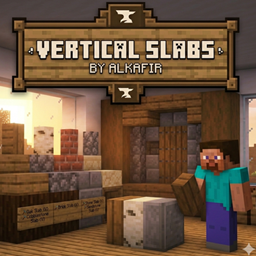
Adds vertical slabs and corner blocks for every building block in Minecraft. Build walls, pillars, and decorative structures with half-block precision.
⚠️ **Version 2.0.0 is a complete rewrite and is NOT backwards compatible with 1.x versions. Back up your world before updating.** ⚠️
## Features
**Vertical Slabs**
- Half-block slabs placed vertically
- 5-zone placement system — click left/right/top/bottom edges for directional placement, center for centered slabs
- Double slabs — combine two different materials in one block space
- Shift+scroll in center zone to cycle between centered and flat-against modes
**Corner Blocks**
- 4 corner types: Outside (L-shape), Inside (quarter), Center (centered-L), T-Junction
- 9-zone placement grid with 3D shape preview
- Shift+scroll to rotate or flip variants
**Supported Blocks**
- All vanilla building blocks (stone, brick, wood planks, concrete, terracotta, etc.)
- Wool, metal/gem storage blocks, copper variants, glazed terracotta
- Automatic modded block support — any mod that registers a slab variant or uses standard tags (c:storage_blocks, minecraft:planks, minecraft:wool) will have its blocks available
**Recipes**
- Stonecutter: 1 block → 2 vertical slabs OR 2 corners
- Crafting: 3 blocks vertical → 2 slabs
- Crafting: 6 blocks L-shape → 4 corners
**Technical**
- Proper ambient occlusion and lighting (renders through chunk mesh pipeline)
- Compatible with ModernFix, JEI, and other common mods
- Minimal registration footprint (2 blocks, 2 items)
- DataComponent-based material system — works with any solid full-cube block
## Requirements
- Minecraft 26.1.2
- NeoForge 26.1.2+
- JEI (optional, for recipe viewing)