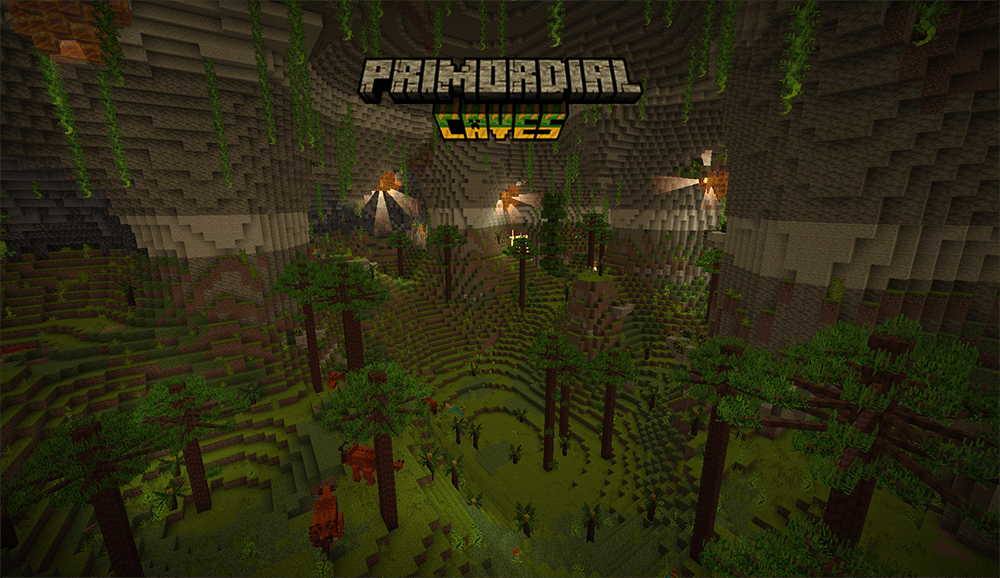
A resource pack that adds in five custom made biome titles for Traveler's Titles, each one correlating to a cave from Alex's Caves. These titles are fancy, homemade 3D titles that are much more similar to Minecraft Dungeons, and are sure to add some nice kick to discovering one of those elusive caverns!
IMPORTANT NOTICE:
This Resource Pack would not have been possible without the Visual Traveler's Titles pack, made by un_roman. I highly recommend downloading his resource pack as well, it's incredibly nice and deserves as much support as possible!
Currently only in English.
SET UP:
- Download both Traveler's Titles and Alex's Caves.
- Open the Traveler's Titles config and go to "Biomes".
- Set "Display Text Shadow" and "Only Show Biome Titles When Exposed To Skylight" to false (These are required to get the titles to appear!"
- Enjoy your new cave titles!
CREDITS:
- Sbom_Xela for creating Alex's Caves.
- YUNGNICKYUNG for creating Traveler's Titles.
- Un_Roman for creating the Visual Traveler's Titles resource pack that I used to help create this resource pack.
- Evan Howell for creating the BlockBench plugin I used to help create these titles!
IMPORTANT NOTES:
- At this moment, the resource pack is set to the same settings as your biome titles. As much as I would love to have the cave biome titles show up in a different manner than the default biome's, I am unsure of how to do so at this moment, but this may change in future updates.
- As the caves are not technically set as cave's in the mods's data, you need to turn off "Only Show Biome Titles When Exposed To Skylight", otherwise they will not show up when you go underground (unless you dig a tunnel to the sky from the cave). Alongside this, while you can use a data pack to set the caves as caves, this still will not work for Abyssal Chasm, as technically that is still attached to the sky, and is therefore not registered.
- It is currently set to english only at this moment, I can definitely think of uploading other languages in the future, but currently the title generator only allows for the english alphabet, so no promises there.
- Minecraft is going to say it's only for 1.19 right now, but trust me, it works just fine in 1.20+.