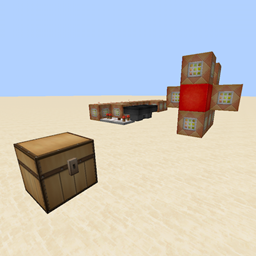
Initial setup:
/scoreboard objectives add GFGunpowder dummy
/scoreboard objectives add GFEmptyFuse dummy
/scoreboard objectives add GFLitFuse dummy
Placing gunpowder to create fuses is done by simply throwing a piece of gunpowder on the ground.
The following commands should be connected to a fairly fast clock and should all be executed in the same tick:
/scoreboard players set @e[type=Item] GFGunpowder 1 {Item:{id:minecraft:gunpowder},OnGround:1b}
/execute @e[score_GFGunpowder_min=1] ~ ~ ~ /summon ItemFrame ~ ~-1 ~ {CustomName:GFTemp}
/execute @e[name=GFTemp] ~ ~ ~ /summon ArmorStand ~0.2 ~-0.5 ~0.7 {Small:1,Equipment:[{id:minecraft:gunpowder,Count:1},{},{},{},{}],Pose:{RightArm:[160f,0f,0f]},NoGravity:1,Invisible:1,CustomName:GFFuse}
/kill @e[name=GFTemp]
/kill @e[score_GFGunpowder_min=1]
Picking fuses back up is done by right clicking on the fuse. The following commands ensure no armor stands are left behind; they should be attached to a fairly fast clock and should all be executed in the same tick:
/scoreboard players set @e[name=GFFuse] GFEmptyFuse 1
/scoreboard players set @e[name=GFFuse] GFEmptyFuse 0 {Equipment:[{Count:1b}]}
/kill @e[score_GFEmptyFuse_min=1]
To light a fuse, simply set fire to the block it appears to be placed in. The following commands will make a lit fuse spread fire to any adjacent fuses within a 3x3x3 cube around it; they should be attached to a clock that has at least a one tick delay and should be executed in the same tick:
/execute @e[name=GFFuse] ~ ~ ~ detect ~ ~1 ~ fire 0 /scoreboard players set @e[name=GFFuse,r=0] GFLitFuse 1
execute @e[score_GFLitFuse_min=1] ~-1 ~-1 ~-1 /execute @e[name=GFFuse,dx=2,dy=2,dz=2] ~ ~ ~ /setblock ~ ~1 ~ fire
/kill @e[score_GFLitFuse_min=1]
TNT that is below or adjacent to a lit fuse along the x or z axis can become primed immediately, by attaching the following commands to the previous clock before the last command:
/execute @e[score_GFLitFuse_min=1] ~ ~ ~ detect ~ ~ ~ tnt 0 /summon ArmorStand ~ ~ ~ {CustomName:GFTnt,Invisible:1,Invulnerable:1,Marker:1}
/execute @e[score_GFLitFuse_min=1] ~-1 ~1 ~ detect ~ ~ ~ tnt 0 /summon ArmorStand ~ ~ ~ {CustomName:GFTnt,Invisible:1,Invulnerable:1,Marker:1}
/execute @e[score_GFLitFuse_min=1] ~1 ~1 ~ detect ~ ~ ~ tnt 0 /summon ArmorStand ~ ~ ~ {CustomName:GFTnt,Invisible:1,Invulnerable:1,Marker:1}
/execute @e[score_GFLitFuse_min=1] ~ ~1 ~-1 detect ~ ~ ~ tnt 0 /summon ArmorStand ~ ~ ~ {CustomName:GFTnt,Invisible:1,Invulnerable:1,Marker:1}
/execute @e[score_GFLitFuse_min=1] ~ ~1 ~1 detect ~ ~ ~ tnt 0 /summon ArmorStand ~ ~ ~ {CustomName:GFTnt,Invisible:1,Invulnerable:1,Marker:1}
/execute @e[name=GFTnt] ~ ~ ~ /setblock ~ ~ ~ air
/execute @e[name=GFTnt] ~ ~ ~ /playsound game.tnt.primed @a
/execute @e[name=GFTnt] ~ ~ ~ /summon PrimedTnt ~-0.2 ~ ~-0.23 {Fuse:80,Motion:[0d,0.25d,0d]}