Mineuniverse
Data Packs
WizzysTFCHardrockAdditions

WizzysTFCHardrockAdditions

DATA PACK
A few additions for the terrafirma craft hardrock v4 modpack
by Wizzzy
Download Claim this project
50 downloads
0 likes
0 followers
Updated Oct 14, 2026
0 hypes
Follow0
Miscellaneous Tech Utility
Advertisement Remove ads with Premium →

WizzysHardrockAdditions

A few additions for the terrafirma craft hardrock v4 modpack

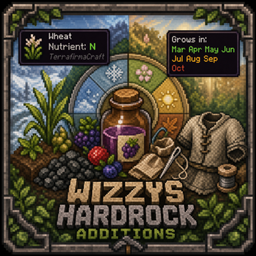
Crop Nutrients And Growing Months

Crop Nutrient Info

A jade and item tooltip showing the preferred nutrient of a plant the player is looking at.

obrazek

Crop Growing Months

This is a tooltip, that lets you see in which months a seed grows. This data is approximated from where you are currently standing. It should show differently for a player who lives on a desert/snowy biome.

obrazek

Juices!

Many additional juices from berries!

[!NOTE] The amount of juiced juice as well as the thirst replenishment from the berries might very well get nerfed in the future.

obrazek

Charcoal pile picking

A little feature to pick up charcoal from charcoal piles with rightclick.

Suit Repairs

These scripts add sewing repair recipes for all cloth armors.
If you want metal armors repairs, check out my mod here:
https://www.curseforge.com/minecraft/mc-mods/tfcgearrepairs
https://modrinth.com/mod/tfcgearrepair

WizzysHardrockAdditions.zip
MC 1.20.1
Release 2026-05-18 Get

Requirements & install

How to use this data pack in Minecraft
Mods needed
None, works in vanilla
Minecraft
1.20.1
Install folder
saves/<world>/datapacks

How to install data packs

  1. Download the data pack .zip file (do not extract it).
  2. New world: click Data Packs on the world creation screen and drop the .zip in. Existing world: open .minecraft/saves/<world>/datapacks.
  3. Put the .zip into the datapacks folder of the world (servers: world/datapacks).
  4. Run /reload in game (or rejoin the world) and check it with /datapack list.
Browse more: Data Packs for 1.20.1 All data packs
Advertisement Remove ads with Premium →

You Might Also Like





